
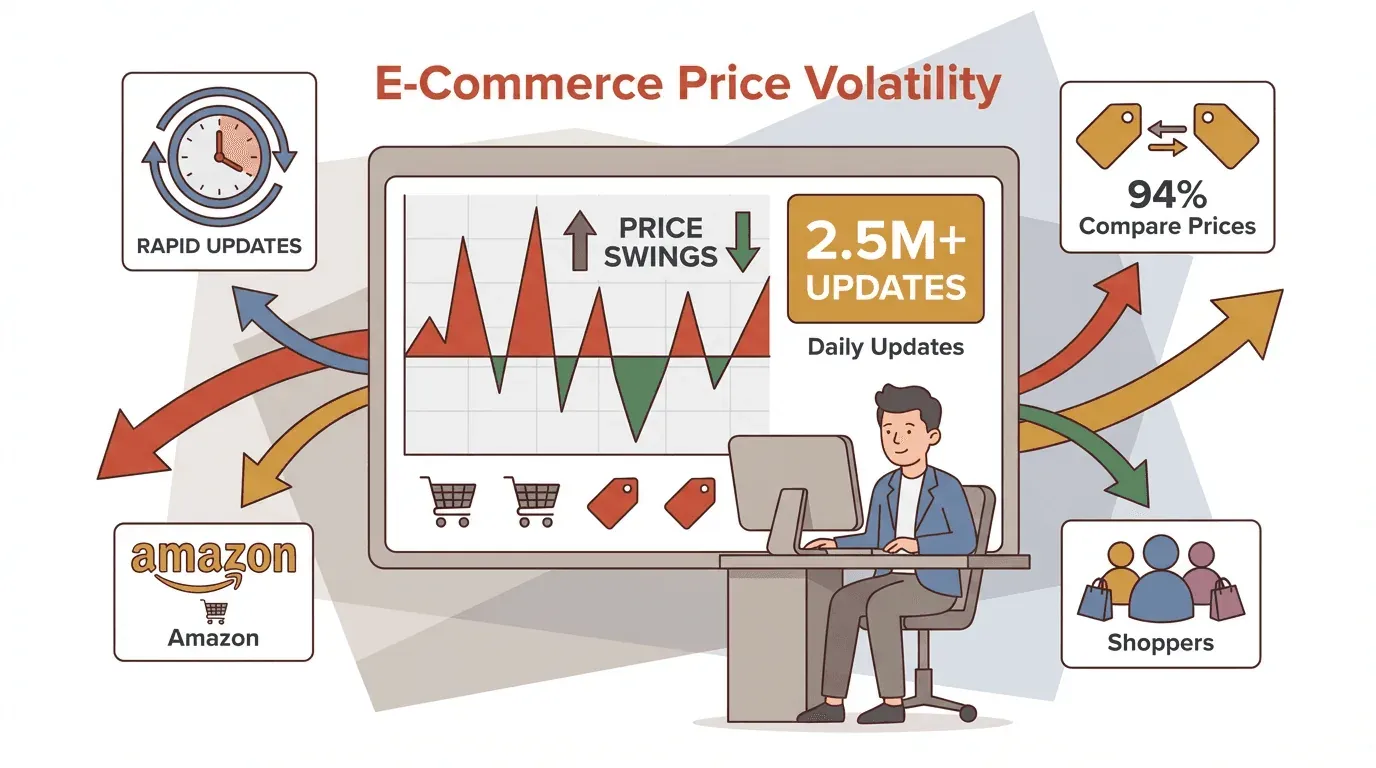
The digital marketplace is a wild place these days—blink, and the price of your favorite gadget, sneaker, or even a carton of eggs might have changed. I’ve watched e-commerce explode past $6.3 trillion in global sales in 2023, and with that growth comes a tidal wave of price changes. On Amazon alone, prices change so often that Profitero's widely-cited benchmark puts the figure above 2.5 million price changes per day. It's no wonder that most online shoppers compare prices across multiple sites before making a purchase. For businesses, this isn’t just a fun fact—it’s survival. That’s where price tracker software comes in, transforming what used to be a manual, error-prone chore into a strategic powerhouse for anyone who wants to stay ahead of the competition.
Scrape and Track Prices with AI Get Started Free
So, what exactly is price tracker software, and why has it become the secret weapon for e-commerce, retail, and even savvy consumers? Let’s break it all down, from the basics to the best practices, and see how tools like Thunderbit are making price tracking smarter, faster, and—dare I say—almost fun.
What Is Price Tracker Software? A Simple Guide for Business Users
At its core, price tracker software is your always-on, never-sleeping assistant for monitoring, collecting, and analyzing product prices across the web. Think of it as a digital scout: it visits websites, grabs current prices (along with stock info, discounts, and sometimes even reviews), and organizes everything into a neat, structured format. No more opening a dozen tabs or updating spreadsheets by hand.
The main goal? To help businesses (and yes, even consumers) make smarter pricing decisions—whether that’s matching a competitor’s flash sale, optimizing your own margins, or just snagging a deal on a new pair of headphones.
Who uses price tracker software?
- E-commerce and retail teams: To monitor competitors, adjust prices dynamically, and optimize inventory.
- Sales and pricing analysts: For market research, trend spotting, and strategic planning.
- Consumers: To set alerts for price drops and never overpay.
Modern price trackers have evolved way beyond simple comparison tools. Today’s platforms can send instant alerts, visualize historical trends, and even recommend pricing actions—all powered by automation and, increasingly, AI.
Why Price Tracker Software Matters for Modern Businesses
Let’s get real: in today’s hyper-competitive markets, price isn’t just a number—it’s a strategy. Here’s why price tracker software is now mission-critical:
- Competitive Intelligence & Fast Reactions: If a competitor drops their price or runs a surprise promotion, you’ll know in minutes—not weeks. One specialty retailer learned the hard way when they missed a competitor’s two-week price drop and lost $47,000 in revenue.
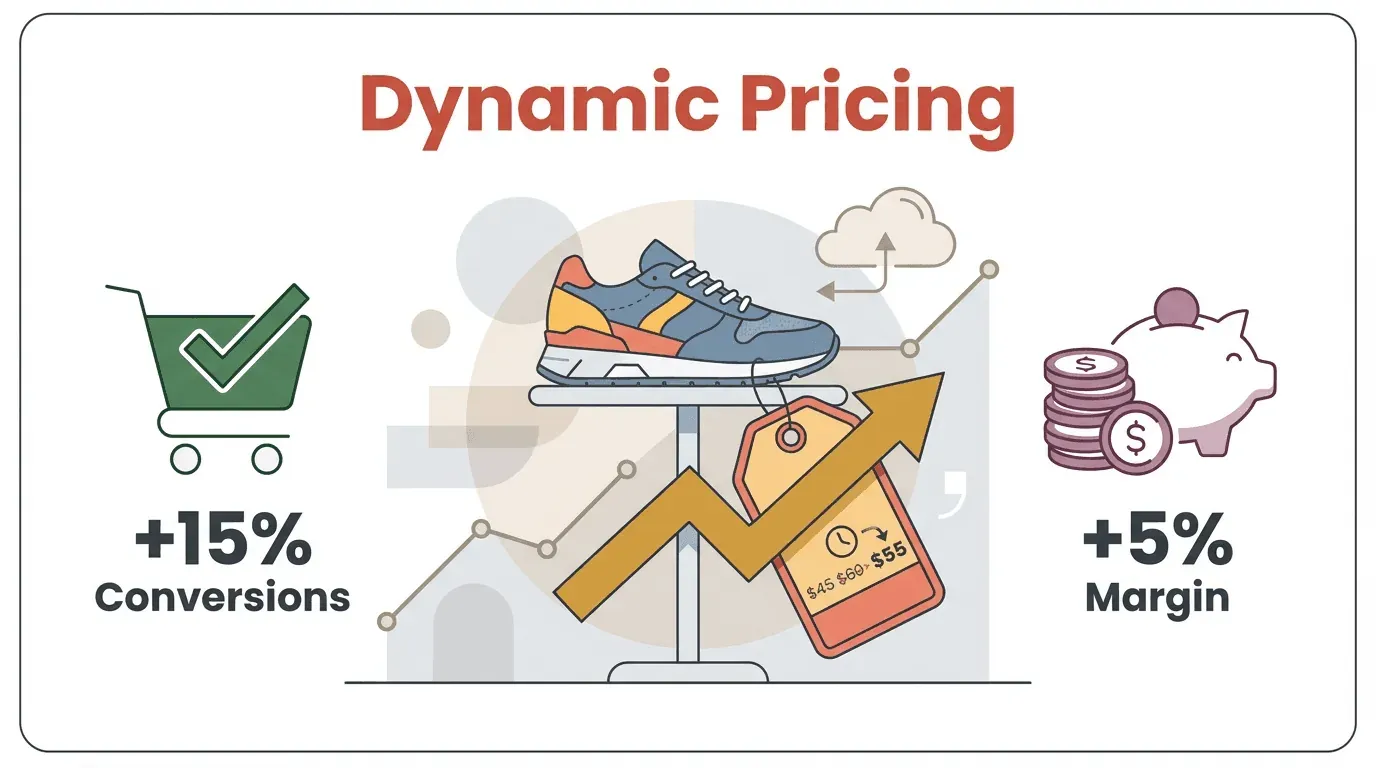
- Dynamic Pricing & Margin Optimization: With real-time data, you can adjust your prices on the fly. One fashion e-commerce team saw a 15% boost in conversions and a 5% margin improvement just by reacting quickly to market changes.
- Inventory and Demand Optimization: Price trackers often monitor stock levels, too. If a competitor sells out, you might raise your price or ramp up ad spend to capture demand.
- Better Decision-Making: Historical pricing data helps you spot trends, plan promotions, and avoid costly mistakes.
Here’s a quick look at practical use cases:
| Use Case | What It Involves | Business Benefit |
|---|---|---|
| Competitor Price Tracking | Monitoring rivals’ prices daily or in real time | Stay competitive, avoid lost sales or margin erosion |
| Promotional Monitoring | Watching competitors’ discounts and flash sales | Counter or match promotions, protect customer base |
| Stock-Out & Availability | Tracking when competitors run out of stock | Capture unmet demand, optimize your own pricing and inventory |
In short: timely price information is power. Companies that actively monitor prices can proactively manage their strategy, while those who don’t risk being left behind.
Types of Price Tracker Software: Which One Fits Your Needs?
Not all price trackers are created equal. Depending on your business size, needs, and technical comfort, you’ll find several flavors:
Cloud-Based Automated Price Trackers
These are the heavy hitters—dedicated SaaS platforms that automate everything. You log in, set up which products or competitors to track, and the software does the rest, often checking prices multiple times a day.
Strengths:
- Scalable (track hundreds or thousands of products)
- High data accuracy and real-time updates
- Rich dashboards, analytics, and integrations
Weaknesses:
- Subscription costs (think $100+/month for SMBs)
- Some setup required (mapping your products to competitors)
- Overkill for very small businesses
Best for: Medium to large e-commerce, brands, and retailers who need broad, automated coverage.
Manual Input and Spreadsheet-Based Trackers
This is the “old-school” way: open competitor sites, jot down prices in Excel or Google Sheets, and repeat. Some businesses still start here, especially if they only have a handful of products.
Strengths:
- No software cost
- Simple to start
Weaknesses:
- Not scalable (imagine tracking 500 prices by hand!)
- Error-prone and slow
- Easy to fall behind on fast price changes
Best for: Very small businesses, or as a temporary solution.
Real-Time Dynamic Monitoring Tools
These are advanced, often AI-powered platforms that provide live dashboards, instant alerts, and sometimes even dynamic pricing recommendations. Some can even auto-update your prices based on rules you set.
Strengths:
- Instant reaction to market changes
- AI-driven insights and predictive analytics
- Integrates with pricing engines and e-commerce platforms
Weaknesses:
- Higher cost and complexity
- Requires careful setup to avoid price wars
Best for: Large retailers, marketplaces, or any business in a fast-moving, price-sensitive market.
Browser Extensions and DIY Tools
Lightweight tools like browser extensions (e.g., Visualping) or open-source scripts let you track a few pages or set simple alerts.
Strengths:
- Free or low-cost
- Easy to set up for a handful of pages
Weaknesses:
- Not suitable for tracking at scale
- Limited analytics and reporting
Best for: Individuals, small teams, or ad-hoc tracking.
Key Features to Look for in Price Tracker Software
Not all features are created equal. Here’s what separates the best from the rest:
- Automated Data Collection & Updates: The tool should scrape or retrieve prices for you, on a schedule or in real time.
- Historical Price Tracking: See how prices change over time, spot trends, and analyze past promotions.
- Price Change Alerts: Get notified instantly when a competitor drops their price or runs out of stock.
- Competitor Analysis & Benchmarking: Side-by-side comparisons, market positioning, and summary reports.
- Integration with Business Systems: Export to Excel, Google Sheets, Airtable, or connect via API.
- Customizable Reporting & Dashboards: Tailor views for different teams, from high-level overviews to detailed breakdowns.
- Advanced Features: AI-driven recommendations, dynamic pricing rules, multi-currency support, and more.
Pro tip: Look for tools that combine automation with flexibility—so you can track what matters most, without drowning in data.
How Price Tracker Software Empowers E-commerce and Retail Teams
For e-commerce and retail, price tracker software isn’t just a nice-to-have—it’s a competitive necessity. Here’s how it delivers real value:
- Dynamic Pricing: Adjust prices in response to market moves. One retailer saw a 22% increase in margin-protected revenue after switching from manual checks to automated tracking.
- Competitive Benchmarking: Know exactly where you stand—are you the cheapest, or are you leaving money on the table?
- Promotional Campaign Tracking: React to competitor sales in real time, or plan your own promotions based on historical trends.
- Inventory Management: Use stock-out alerts to capture demand when competitors run dry.
- Improved Margins and Sales: Timely price adjustments lead to higher conversions and better profit per sale.
Scenario: Imagine you’re selling electronics. Your tracker shows a competitor just dropped the price on a top-selling laptop. You match their price within the hour, keeping your sales volume steady. Later, you notice they’ve run out of stock—so you raise your price slightly and capture extra margin from shoppers who still need the product. That’s the power of real-time price intelligence.
Thunderbit: AI-Powered Price Tracking for Smarter Decisions
Now, let’s talk about how Thunderbit fits into this landscape. Thunderbit isn’t your typical price tracker—it’s an AI web scraper Chrome extension that lets you extract structured price, review, and stock data from any website in just a couple of clicks. No code, no templates, no waiting for IT.
What makes Thunderbit unique?
- AI Field Suggestion: Click “AI Suggest Fields” and Thunderbit scans the page, recommending columns like “Product Name,” “Price,” “Stock Status,” and more.
- Subpage & Pagination Scraping: Need to scrape prices from paginated listings or individual product pages? Thunderbit handles both, enriching your dataset with deep, structured info.
- Scheduled Scraping: Set it and forget it—Thunderbit can automatically scrape your target pages on a schedule (daily, hourly, you name it).
- Instant Export: Push your data directly to Excel, Google Sheets, Airtable, or Notion. Free export, always.
- Cloud or Browser Mode: Scrape up to 50 pages at a time in the cloud for speed, or use browser mode for sites that require login.
Thunderbit is like having an AI-powered research assistant—one that never gets tired, never misses a price change, and never asks for a raise.
Try Thunderbit for Price Tracking
Thunderbit in Action: Real-World Price Tracking Scenarios
Let’s walk through a practical example. Say you’re a pricing analyst for a consumer electronics retailer, and you want to monitor a popular laptop across three competitors.
- Set Up the Scrapes: Open each competitor’s product page in Chrome, click the Thunderbit extension, and hit “AI Suggest Fields.” Thunderbit reads the page and suggests columns—accept or tweak as needed, then click “Scrape.”
- Combine Data: Export the data to Google Sheets or Excel. Now you’ve got a side-by-side comparison of prices.
- Schedule Daily Updates: Set Thunderbit to scrape these pages every morning. Your sheet updates automatically, giving you a fresh snapshot each day.
- Monitor Alerts: Set an alert for when any competitor drops below a certain price or goes out of stock.
- Leverage Insights: Notice a competitor sells out? Raise your price or boost ad spend. See a sudden price drop? Decide whether to match or hold steady.
With Thunderbit, you spend less time gathering data and more time making decisions that move the needle.
Best Practices for Using Price Tracker Software to Maximize ROI
Having a price tracker is great—but using it wisely is even better. Here’s how to get the most bang for your buck:
- Define a Clear Monitoring Strategy: Focus on the products and competitors that matter most (the classic 80/20 rule).
- Keep Data Organized: Regularly update your tracked items and clean up old or irrelevant data.
- Customize Alerts: Set thresholds that matter—don’t get bombarded by minor changes.
- Schedule Regular Reviews: Analyze your data weekly or monthly, and adjust your strategy based on what you learn.
- Leverage AI and Automation: Use AI-driven suggestions and automation for routine tasks, but keep human oversight for big decisions.
- Integrate Across Teams: Share insights with marketing, sales, and operations to align your entire business.
- Avoid Common Pitfalls: Don’t track everything just because you can, and remember—context matters. Not every price drop requires a reaction.
Comparing Popular Price Tracker Software: A Quick Reference Table
Here’s a side-by-side look at some leading price tracker tools, including Thunderbit:
| Software | Type & Platform | Key Features | Best For |
|---|---|---|---|
| Thunderbit | AI Web Scraper (Chrome/Cloud) | AI field suggestion, subpage/pagination scraping, scheduled scraping, instant export, browser/cloud modes | Custom scraping, business users, flexibility |
| Prisync | SaaS Price Tracking Platform | Unlimited competitor/product tracking, dynamic pricing, real-time alerts, analytics, API integrations | E-commerce, brands, large catalogs |
| Price2Spy | Online Price Monitoring Service | Monitors 100k+ sites, stock monitoring, dynamic pricing analysis, custom reports, API integration | Manufacturers, distributors, global coverage |
| Competera | AI-Driven Pricing Platform | AI price optimization, demand elasticity analysis, scenario modeling, enterprise integrations | Large retailers, advanced pricing strategies |
| Visualping | Browser-Based Change Monitor | Visual selection, email/SMS alerts, simple history, no coding | Individuals, small teams, ad-hoc tracking |
Thunderbit stands out for its flexibility and ease of use—perfect for anyone who needs to scrape prices from any website, not just those with built-in integrations.
Explore More Price Tracking Tips Get Started Free
Conclusion: Making Price Tracker Software Work for Your Business
Price tracker software isn’t just a tool—it’s a bridge to real-time market insight and smarter decision-making. In a world where prices can change every few minutes and competitors are always a click away, having the right price tracker can mean the difference between leading the pack and playing catch-up.
Whether you’re running a massive e-commerce operation or just want to keep tabs on a handful of competitors, there’s a price tracker out there for you. The key is to choose the one that fits your needs, set it up thoughtfully, and use its insights to drive your strategy—not just fill up a spreadsheet.
If you’re ready to see how AI can make price tracking easier than ever, give Thunderbit a try. And if you’re hungry for more tips, deep dives, and practical guides, check out the Thunderbit Blog.
FAQs
1. What is price tracker software, in plain English?
Price tracker software is a tool that automatically monitors and collects product prices from websites, helping you compare, analyze, and react to market changes—no more manual checking or spreadsheet headaches.
2. How does price tracker software help my business stay competitive?
It gives you real-time insights into competitor prices, lets you adjust your own pricing quickly, and helps you spot opportunities (like when a competitor runs out of stock) to boost sales and margins.
3. What’s the difference between automated and manual price tracking?
Automated tools handle data collection and updates for you, often in real time, while manual tracking requires you to check sites and update spreadsheets by hand—a method that quickly becomes unsustainable as your business grows.
4. Can Thunderbit track prices on any website, even those without APIs?
Yes! Thunderbit uses AI to read and extract structured data from any website, including paginated listings and subpages. It works on virtually any site you can access in your browser.
5. What’s the best way to get started with price tracker software?
Start by identifying your most important products and competitors, choose a tool that fits your scale and workflow, and set up automated monitoring and alerts. Review your data regularly and use it to inform your pricing and inventory decisions.
Ready to take your pricing strategy to the next level? Download Thunderbit and start tracking smarter today.
Start AI-Powered Price Tracking with Thunderbit Get Started Free
Learn More




