
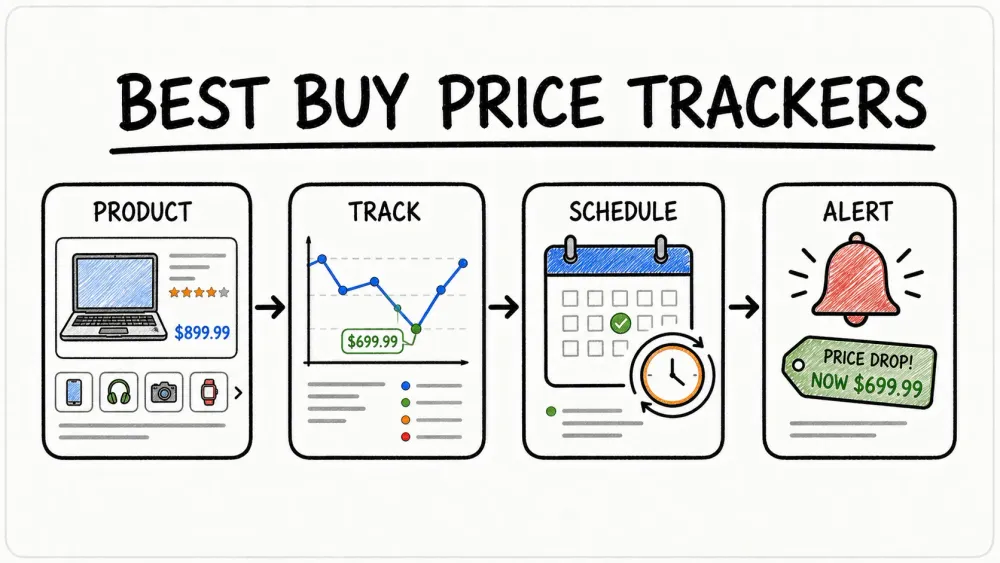
If you’ve ever tried to snag a deal on Best Buy, you know it’s a bit like chasing a moving target—one minute that laptop is $1,299, the next it’s $1,099, and by the time you grab your wallet, it’s back up again. I’ve seen Best Buy prices change an average of 2.6 times per day, especially during major sales. And if you’re anything like me, you’ve probably spent more time than you’d like refreshing product pages or keeping a spreadsheet of “maybe” deals, only to miss out on the real bargains.
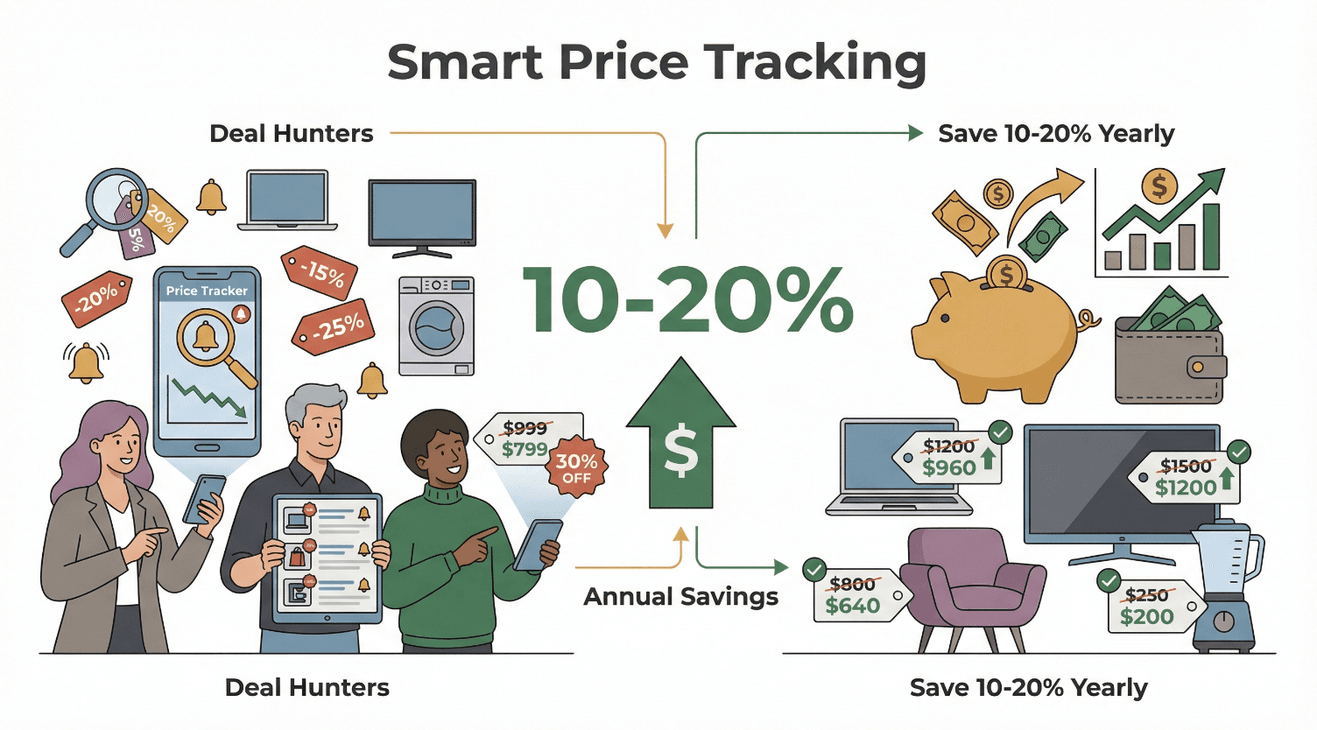 Turns out, I’m not alone. Over half of consumers now hunt for deals on every purchase, and savvy shoppers using price trackers are saving 10–20% annually on big-ticket items. That’s not just pocket change—one well-timed price alert can save you hundreds on a single purchase. But here’s the kicker: you don’t need to be a tech whiz or a spreadsheet ninja to get in on these savings. Thanks to modern price tracking tools (and a little AI magic), anyone can monitor Best Buy deals, get real-time alerts, and make smarter buying decisions—without the hassle.
Track Best Buy Prices with AI Thunderbit's agentic web scraper reads Best Buy product pages itself and pulls prices and deal data in one click. Get Started Free
Let’s dive into how to use a price tracker for Best Buy deals effectively, with a focus on how Thunderbit, our agentic web scraper, makes the whole process a breeze for business users and deal hunters alike.
What Is a Price Tracker for Best Buy and Why Use One?
A price tracker is a tool—think app, browser extension, or web service—that automatically monitors product prices online and alerts you when they change. For Best Buy, a price tracker keeps tabs on the products you care about and notifies you the moment a price drops (or jumps). It’s like having a personal assistant who never sleeps, always watching for the best deal.
Why bother with a price tracker? Here’s what you get:
- Time savings: No more endlessly refreshing pages or keeping a “teetering list of bookmarked tabs.” The tracker does the heavy lifting in the background.
- Instant awareness: Get real-time alerts when a price drops(price drop alerts), so you can pounce before the deal disappears.
- Informed decisions: Access historical price data to spot genuine deals and avoid falling for “fake discounts” (you know, the ones where the “sale” price is actually the same as last month).
- Leverage price-match policies: Best Buy will refund you the difference if their price drops within your return window—but only if you notice and request it. A tracker ensures you never leave money on the table.
Manual tracking is exhausting and error-prone—especially when Best Buy and competitors like Amazon or Walmart are constantly leapfrogging each other’s prices. Automated tools make it easy, even for non-technical users in sales, operations, or procurement roles who just want to buy smart, not hard. You can get complete visibility and actionable insights through trackers.
Choosing the Right Price Tracker for Best Buy Deals
Not all price trackers are created equal. Some are general-purpose web monitors, others are tailored for shopping, and a few (like Thunderbit) bring AI to the party for maximum ease and flexibility.
Here’s a quick comparison of popular options:
| Tool / Service | Type | Pros | Cons |
|---|---|---|---|
| Thunderbit | Chrome Extension (AI-powered) | No-code, AI auto-detects price fields, bulk tracking (50+ pages), cloud or browser mode, 1-click export to Sheets/Excel, adapts to site changes, advanced features (scheduling, subpage scraping), unlimited free exports | Best for tracking multiple items, free for 6–10 pages then paid plans (from ~$15/mo), Chrome only |
| Visualping | Web Service & Extension | Tracks any site/element, email/slack/mobile alerts, no coding, free tier | No built-in price history, setup per item, limited customization for price thresholds |
| BestBuy Price Tracker Extension | Chrome Extension (BestBuy-specific) | One-click setup, instant browser alerts, price history charts, privacy-friendly | Best Buy only, new/small user base, browser must be open for alerts |
| Honey (Capital One Shopping) | Browser Extension & App | Multi-store support, coupons, hands-off alerts, free | Limited price history, only supported stores, data sharing for coupons |
For business users or anyone tracking a shopping list, Thunderbit stands out for its AI-powered setup, bulk tracking, and seamless data export. Visualping is great for flexible, “track anything” monitoring, while Honey is perfect for casual shoppers who want coupons and multi-store coverage.
Key Features to Look for in a Best Buy Price Tracker
- Real-time alerts: Get notified the moment a price drops—via email, browser, or even Slack. In other words, offer you price drop alerts.
- Historical price tracking: See price trends over time to spot real deals and avoid fake discounts.
- Customizable thresholds: Set your own price targets or percentage drops for alerts.
- Data export: Pull data into Google Sheets, Excel, or Airtable for budgeting and collaboration.
- AI-powered recommendations: Let the AI work out which fields to track, adapt to site changes, and even predict the best time to buy.
These features aren’t just nice-to-haves—they’re essential for catching fleeting deals and making informed purchases, especially when you’re managing a budget or buying in bulk.
Setting Up Your Price Tracker for Best Buy: Step-by-Step
Let’s walk through how to set up a price tracker on Best Buy, using Thunderbit as our example (because, well, I helped build it to be as easy as possible).
1. Install Thunderbit Chrome Extension
Head to the Chrome Web Store and add Thunderbit. Pin it to your toolbar for quick access.
2. Open a Best Buy Product Page
Navigate to the Best Buy product you want to track—say, a specific laptop or TV.
3. Launch Thunderbit and Click “One Click Extract”
Click the Thunderbit icon, then hit “One Click Extract.” Thunderbit’s AI scans the page and automatically identifies key data points like product name, price, and availability. No coding, no manual selection—just let the AI do its thing.
4. Review or Customize the Fields
Thunderbit might suggest several fields. For price tracking, you’ll want at least “Product Name” and “Price.” You can rename or remove fields as needed.
5. Scrape the Data
Click “Scrape.” Thunderbit grabs the current price and displays it in a table. You’ve now captured your baseline price. Or you can capture multiple information on sites like Yahoo.
6. Set Up a Scheduled Price Check
Use Thunderbit’s Scheduled Scraper feature to automate checks. Just describe your interval in plain English (“daily at 9 AM” or “every 4 hours”), and Thunderbit will handle the rest—even if your computer is off, thanks to cloud scraping.
7. Track Multiple Products in Bulk
Have a whole shopping list? Paste multiple Best Buy URLs into Thunderbit, and the AI will track each one, building a combined table of results.
8. Export or Save Your Results
Export your price data directly to Google Sheets, Excel, Airtable, or Notion with one click. Thunderbit offers unlimited free exports, so you can analyze, share, or report as needed.
Start Tracking Best Buy Prices with Thunderbit Install the free Chrome extension and start tracking Best Buy prices in one click, right from your browser. Get Started Free
9. Set Up Notifications
While Thunderbit focuses on data scraping and export, you can easily set up notifications using Google Sheets add-ons or integrations like Zapier—so you’ll get an email or Slack message when your price target is hit.
That’s it! You’re now tracking Best Buy prices like a pro, with AI doing the heavy lifting.
Common Setup Tips
- If you’re using another tool like Visualping, you’ll need to manually select the price area to monitor and enter your email for alerts.
- For the BestBuy Price Tracker extension, just click “Track This Price” on the product page and set your desired alert threshold.
Customizing Your Price Alerts for Maximum Savings
To avoid alert fatigue (or missing out), customize your notifications:
- Set meaningful thresholds: Only get alerted when the price drops by a significant amount (e.g., 10% or $50).
- Choose your channels: Email, browser, Slack—pick what you’ll actually see.
- Organize your tracked items: Group products by category or priority in your spreadsheet.
- Tune frequency: Check hot items more often (hourly during Black Friday!), stable items less frequently.
- Leverage AI suggestions: Thunderbit’s AI will help you avoid tracking the wrong field and can even suggest optimal alert settings based on historical data.
Using AI to Track and Analyze Best Buy Price Changes
Here’s where things get really interesting. AI isn’t just about making setup easier—it’s about making your price tracking smarter.
- Automatic field detection: Thunderbit’s AI reads the page and finds the price, even if Best Buy changes their layout. No more broken scrapers.
- Adaptation: If Best Buy updates their site, Thunderbit’s AI adapts—no maintenance required.
- Natural language scheduling: Just say “check daily at 9am,” and Thunderbit sets the schedule.
- Multi-language support: Thunderbit can track prices on Best Buy’s international sites, too.
But the real magic is in the data. With AI, you can:
- Analyze historical trends: See how prices move over time—does this laptop always drop during Back to School sales? Is this “deal” really a deal?
- Spot patterns: AI can highlight when prices tend to dip (end of month, Black Friday, etc.), so you can plan your purchases.
- Predict best times to buy: Some tools even use machine learning to suggest whether to wait or buy now, based on past data.
Unlocking Historical Price Data for Smarter Purchases
Every time your tracker logs a price, you’re building a timeline of that product’s pricing history. Here’s how to use it:
- Visualize trends: Export your data to Google Sheets and create a line chart—see peaks (price hikes) and valleys (sales) at a glance.
- Identify real deals: If a “sale” price is actually the same as last month, you’ll know to wait. If it’s the lowest in six months, it’s time to buy.
- Plan purchases: See when prices usually drop (Black Friday, end of quarter) and schedule your buys accordingly.
- Avoid buyer’s remorse: No more panic buying—historical data gives you confidence in your decisions.
Exporting Best Buy Price Data for Budget Planning
For business users, tracking prices isn’t just about catching one deal—it’s about making informed, data-driven purchases across teams.
With Thunderbit, exporting is a breeze:
- One-click export: Send your price data to Google Sheets, Excel, Airtable, or Notion.
- Live updates: Scheduled scrapes keep your sheet up to date, so your team always has the latest numbers.
- Budget planning: Compare current prices to your budget, forecast spending, and aggregate potential savings.
- Collaboration: Share your sheet with colleagues—everyone can see when it’s time to buy.
See How Agentic Web Scraping Works Thunderbit's AI reads a page like a person would and extracts price data in one click, no manual tracking needed. Get Started Free
Applying Exported Data to Real-World Buying Decisions
How do teams actually use this data?
- Determine best time to buy: If the current price is below the historical average, it’s a green light. If not, wait for the next sale.
- Forecast budgets: Use historical data to predict when deals will appear, and allocate funds accordingly.
- Collaborate: Sales and ops teams can coordinate purchases, flagging when prices hit targets.
- Negotiate: Use your data as evidence when requesting price matches or bulk discounts.
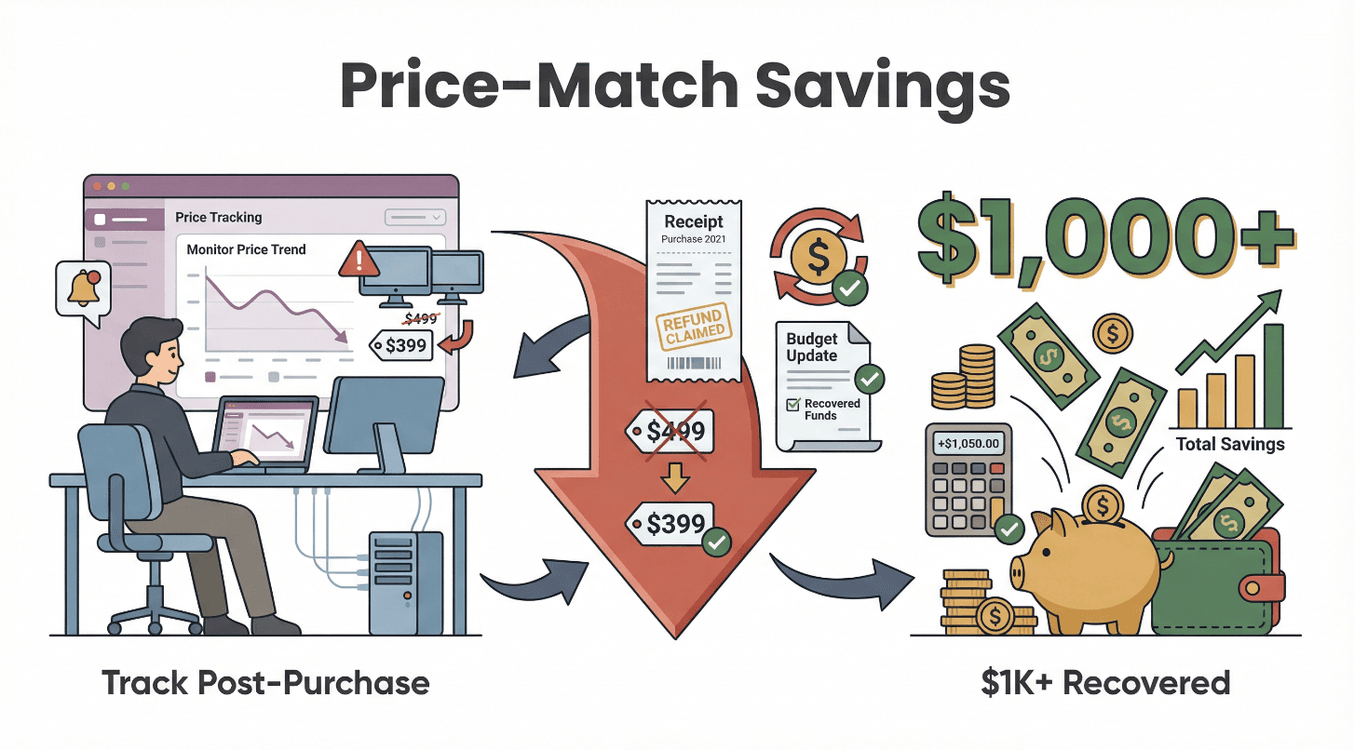 A quick story: One operations team tracked a batch of monitors and caught a post-purchase drop, saving over $1,000 via price-match refunds. That’s real money back in the budget.
Automating Price Drop Notifications: Never Miss a Best Buy Deal
The whole point of a price tracker is to make sure you never miss a deal—especially those flash sales that last mere hours.
- Set up real-time alerts: Configure your tracker to notify you instantly when a price drops.
- Use Thunderbit’s scheduling: Cloud scraping means Thunderbit checks prices even when your computer is off—perfect for catching midnight deals.
- Integrate with your workflow: Use Zapier or Google Sheets add-ons to send alerts to your inbox, Slack, or even your phone.
Scheduling Regular Price Checks for Ongoing Savings
Not every purchase is urgent. For ongoing needs (like office supplies or tech refreshes), schedule regular price checks:
- Daily for stable items: Appliances, software—once a day is plenty.
- Hourly for hot items: Laptops during Black Friday? Check every hour.
- Stagger schedules: Prioritize high-impact items for more frequent checks.
Regular tracking means you’ll always be ready to pounce when the price is right—no more missed opportunities.
Advanced Tips: Making the Most of Your Best Buy Price Tracker
Ready to level up? Here are some pro tips:
- Track bundles: Monitor both bundle pages and individual items (e.g. Apple Price Trackers) to spot when the combined deal is truly a bargain.
- Align with sales events: Increase tracking frequency during Black Friday, Back to School, or Best Buy’s own flash sales.
- Stack savings: Combine price tracking with coupons, rewards, and cashback offers for maximum value.
- Use subpage scraping: With Thunderbit, scrape not just the main product page but also variants (colors, configurations) to find hidden deals.
- Monitor related pages: Track Best Buy’s Outlet or Open-Box sections for sudden discounts.
- Track multiple retailers: Use Thunderbit templates for Amazon, Walmart, and others to compare prices and spot price-match opportunities.
And remember—always stay ethical. Don’t overload sites with aggressive scraping, and stick to publicly available price info.
Conclusion & Key Takeaways
Let’s recap:
- Price tracking is essential for anyone who wants to save money and avoid buyer’s remorse on Best Buy.
- Modern tools like Thunderbit make it easy for anyone—no coding required—to track prices, get real-time alerts, and export data for budgeting and collaboration.
- AI-powered tracking means less maintenance, smarter insights, and more savings.
- Exported data empowers teams to make informed, data-driven purchases and maximize budgets.
- Automation ensures you never miss a deal, even when you’re off the clock.
Ready to start saving? Download Thunderbit, set up your first Best Buy tracker, and watch the deals come to you. For more tips and advanced strategies, check out the Thunderbit Blog.
Try Thunderbit for Best Buy Price Tracking Get Started Free
FAQs
1. How often do Best Buy prices change, and why does it matter?
Best Buy product prices change an average of 2.6 times per day, especially during big sales. This means a great deal might only last a few hours—making automated price tracking essential for catching the lowest prices.
2. What’s the easiest way to track Best Buy prices without coding?
Tools like Thunderbit offer no-code, AI-powered tracking. Just install the Chrome extension, hit One Click Extract, and set your schedule—no technical skills needed.
3. Can I track multiple Best Buy products at once?
Absolutely. Thunderbit lets you paste a list of product URLs and track them all in bulk, with results exported to Google Sheets, Excel, or Airtable for easy management.
4. How can I use historical price data to avoid fake discounts?
By exporting your tracked prices to a spreadsheet, you can visualize trends and spot when a “sale” price is actually just the normal price. This helps you buy only when the deal is real.
5. How do I get notified instantly when a Best Buy price drops?
Set up scheduled checks in Thunderbit, then use Google Sheets or Zapier to trigger instant email or Slack alerts when your target price is hit. This way, you’ll never miss a flash sale or limited-time offer.
Track Best Buy Deals with Thunderbit Set Thunderbit to revisit Best Buy deal pages on a schedule so you catch price drops automatically. Get Started Free
Ready to track smarter and save more? Give Thunderbit a spin and let AI handle the hunt for you. Happy deal hunting!
Learn More




