
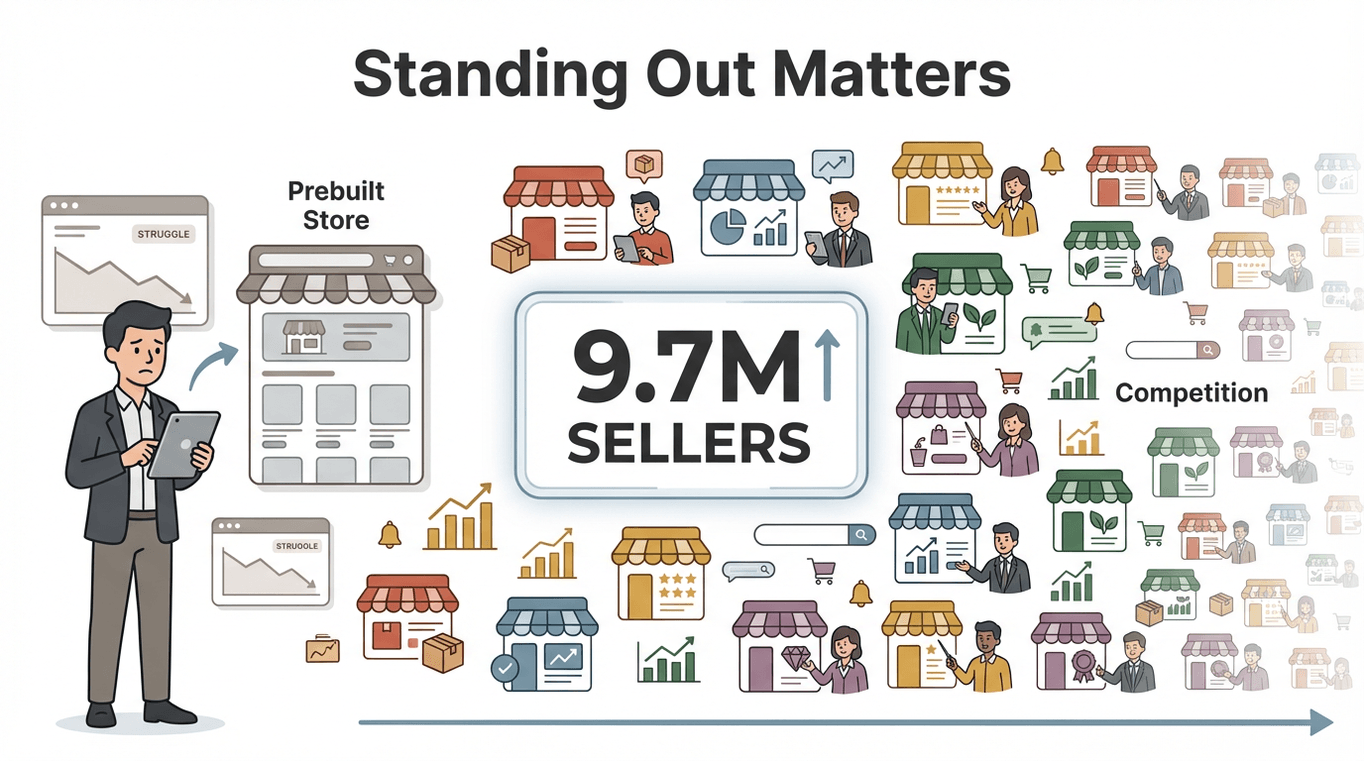
Amazon’s marketplace is a bit like a giant, never-ending marathon—except every day, about 550 new sellers join the race, and the finish line keeps moving. With nearly 9.7 million sellers worldwide and competition fiercer than ever, just launching a prebuilt Amazon store isn’t enough. The real winners are those who know how to optimize—turning a “ready-to-go” store into a conversion machine that stands out, delights customers, and keeps the sales rolling in.
 I’ve spent years in SaaS and automation, and I’ve seen firsthand how a few smart tweaks (and the right data-driven tools) can make the difference between a store that blends into the crowd and one that becomes a customer favorite. In this guide, I’ll break down what a prebuilt Amazon store really is, why optimization is your secret weapon, and—most importantly—how to use Thunderbit to gather insights, automate improvements, and build a store that grows with you.
Optimize Your Amazon Store with Thunderbit
What Is a Prebuilt Amazon Store? Your Fast Track to Selling
Let’s clear up the jargon: a prebuilt Amazon store is essentially a seller account or storefront that’s already set up and ready to launch. Think of it as moving into a fully furnished apartment—you get the basics (branded pages, product categories, maybe even inventory and reviews) without having to build everything from scratch. Sometimes, it’s a fresh Amazon Brand Store using Amazon’s drag-and-drop templates; other times, it’s an established FBA business you’ve acquired.
Why do sellers love prebuilt stores?
- Speed: You can go from zero to selling in a day, not weeks. Amazon’s Store Builder lets you launch a new storefront in as little as 4–8 hours (Trellis).
- Built-in Flexibility: If your store comes with direct management features (直营功能), you get full control over listings, pricing, and customer service from day one—no waiting for third-party approvals or dealing with limited access.
- Immediate Data and Trust: An established store may come with sales history, reviews, and product rankings. Even a new prebuilt store benefits from Amazon’s massive customer base (over 2.5 billion monthly visits).
But here’s the catch: inheriting a prebuilt store is just the starting line. Without optimization, you risk becoming just another face in the Amazon crowd.
Why Optimizing Your Prebuilt Amazon Store Matters
Launching a prebuilt store is like getting a head start in a race—but to win, you need to keep improving. Optimization is what turns a basic storefront into a high-performing sales engine. Here’s why it’s non-negotiable:
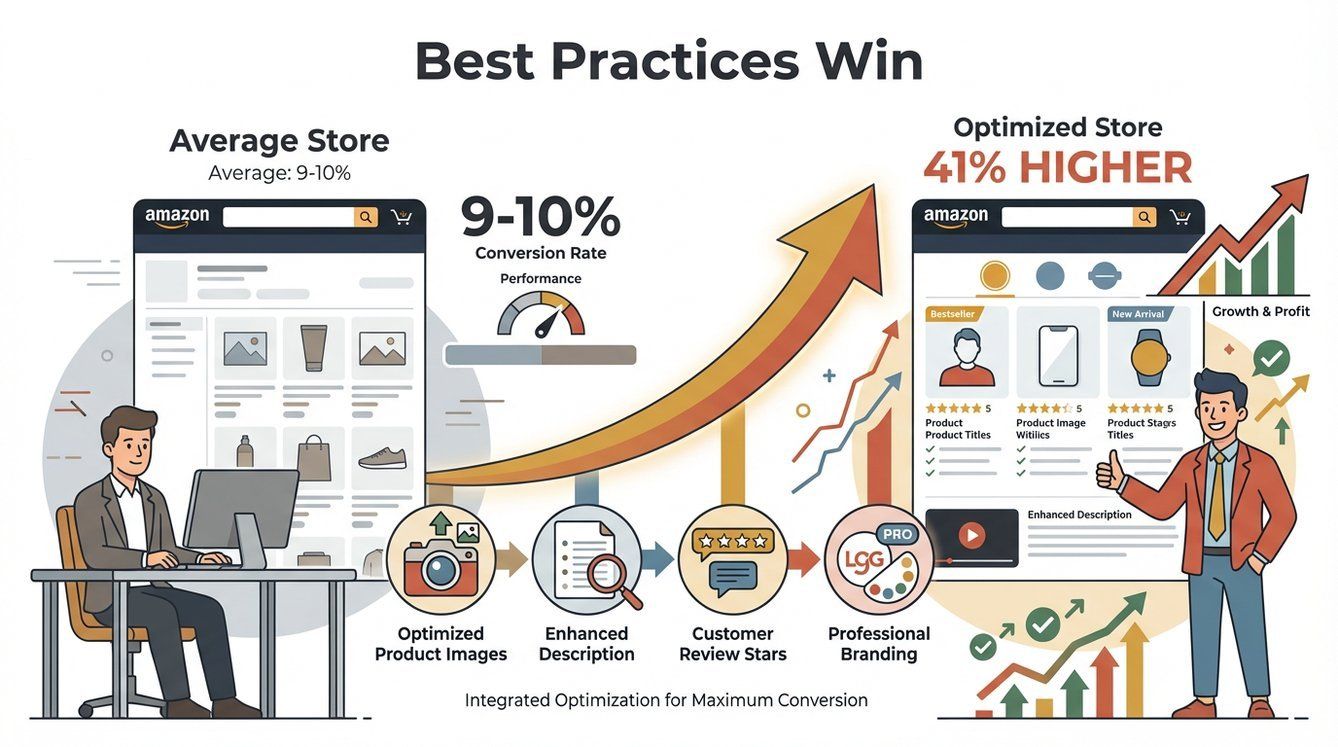
- Higher Conversion Rates: The average Amazon conversion rate is already impressive at 9–10%, but stores that follow best practices see conversion rates 41% higher than average.
- Better Customer Experience: Optimized stores see 11% more repeat visitors and 13% higher sales per visitor.
- Workflow Automation: Top sellers often manage their business in under 20 hours a week, thanks to automation and smart integrations (eDesk).
Let’s put this into perspective:
| Metric | Before Optimization | After Optimization (Real Results) |
|---|---|---|
| Conversion Rate | 8% | 11% (+37%) |
| Repeat Visitor Rate | Low | +11% higher |
| Sales per Visitor | Baseline | +13% higher |
| Average Units per Order | 1.26 | 1.30 (+3%) |
| Manual Research Time | 10 hours/week | 2 hours/week (80% time saved) |
Optimization isn’t a one-and-done task—it’s a continuous process of data-driven improvement. Now, let’s dive into how to actually do it.
How To Scrape Amazon Products and Reviews in 2025 using AI Get Started Free
First impressions matter—a lot. When I audit Amazon stores, I always start by looking at the homepage and product pages as if I’m a customer. Here’s what you should check:
- Navigation: Is it easy to find your best products? Are categories clear and logical?
- Layout: Is the page clean, with a mix of images and text? Is key info “above the fold” (visible without scrolling)?
- Copywriting: Are your titles, bullets, and descriptions clear, benefit-focused, and typo-free? Are you using the right keywords?
- Imagery: Are your product photos high-quality and relevant? Do you use lifestyle images or videos to tell your brand story?
Common friction points include confusing menus, slow-loading banners, inconsistent branding, or missing info. Each is a chance to boost conversions.
Using Thunderbit to Benchmark Industry Leaders
Why guess what works when you can see what the best are doing? With Thunderbit, you can extract and analyze the page elements (titles, images, descriptions) from top-performing Amazon stores in your category. Here’s how:
- Find Top Competitors: Identify leading stores or listings in your niche.
- Launch Thunderbit: Open the Thunderbit Chrome Extension on their Amazon Storefront or product page.
- AI Suggest Fields: Click “AI Suggest Fields” and let Thunderbit automatically detect key elements—product names, prices, ratings, images, and more.
- Customize and Scrape: Add any custom fields you want (like banner headlines or bullet points), then hit “Scrape.”
- Analyze: Export the data to Excel or Google Sheets. Look for patterns: Do all top stores use a hero image? What keywords appear most? How do they structure their navigation?
Use these insights to inspire your own improvements. Maybe you realize all your competitors highlight “lifetime warranty” in their bullets—time to add that if you offer it. Or perhaps you spot a trend in lifestyle imagery or product bundles.
Thunderbit makes this process fast and scalable. Instead of clicking through dozens of pages and jotting down notes, you get a structured dataset in minutes.
Crafting a Winning Product Strategy for Your Prebuilt Amazon Store
A beautiful storefront is great, but your product lineup is the real engine. Here’s how to optimize it:
- Curate Your Assortment: Feature your hero products front and center. If you inherited a big catalog, focus on what sells—or what should sell. Group products into logical collections (“Summer Essentials,” “Budget-Friendly Finds,” etc.).
- Competitive Pricing: On Amazon, 82% of buyers care about price, and 71% specifically look for the lowest price. But you don’t have to be the cheapest—just competitive and clear about your value.
- Inventory Planning: Use historical data (if available) to forecast demand and avoid stockouts. Consider scheduling Thunderbit to scrape your own product pages for stock status and price, feeding this into a spreadsheet for proactive restocking.
Leveraging Thunderbit for Product and Pricing Insights
Here’s how I use Thunderbit to inform product and pricing strategy:
- Scrape Competitor Listings: Use Thunderbit to extract product names, prices, ratings, and review counts from search results or category pages.
- Analyze Pricing Bands: See where most competitors are priced. Are you too high, too low, or just right?
- Spot Product Gaps: Scrape competitor storefronts to see if they offer products or categories you’re missing.
- Track Best Sellers: Use Thunderbit on Amazon’s Best Sellers pages to validate which products are must-haves.
- Monitor Over Time: Schedule Thunderbit to scrape competitor prices daily or weekly, so you can react to price wars or stockouts in real time.
With Thunderbit, you’re not just reacting—you’re anticipating market moves and making smarter decisions.
Data-Driven Decisions: Using Thunderbit to Analyze Reviews and Customer Feedback
Customer reviews are a goldmine for optimization. Did you know a product’s conversion rate can jump by 26% for each star rating increase? Or that pages with reviews convert 3.5× more than those without?
Here’s how to turn reviews into actionable insights:
- Analyze Your Own Reviews: Look for recurring complaints or praise. If multiple customers mention “runs small,” update your size chart and product description.
- Study Competitor Reviews: Find weaknesses you can exploit (“battery dies fast”) or features you should match (“includes free case”).
- Track Trends: Watch for changes in star ratings or review velocity. A sudden dip could signal a product issue that needs urgent attention.
Automating Review and Price Monitoring with Thunderbit
Reading hundreds of reviews manually? No thanks. Here’s how Thunderbit makes it easy:
- Bulk Scrape Reviews: Use Thunderbit to extract all reviews (date, star rating, title, body, etc.) from your product or a competitor’s. Export to Excel or Google Sheets for analysis.
- Scheduled Scraping: Set Thunderbit to automatically scrape new reviews daily or weekly. Get alerts for negative reviews or emerging issues.
- Price Monitoring: Schedule Thunderbit to scrape competitor prices and stock status, so you’re always ready to adjust.
This isn’t just about fixing problems—it’s about spotting opportunities. If customers keep asking for a red version, maybe it’s time to launch one.
Scrape Amazon Reviews and Prices with AI Get Started Free
Integrate Sales Tools: Boost Efficiency in Your Prebuilt Amazon Store
Optimization isn’t just customer-facing—it’s about making your own life easier, too. Integrating your Amazon data with sales and inventory tools helps you avoid errors, reduce manual work, and react faster.
How Thunderbit helps:
- Export Data Anywhere: Scrape your product catalog, prices, reviews, or competitor info, then export directly to Excel, Google Sheets, Airtable, or Notion.
- Easy CSV Import: Most inventory and sales platforms let you import CSVs. Use Thunderbit’s exports to keep your systems in sync.
- API Integrations: For advanced users, connect Thunderbit data to your workflow via API or automation tools like Zapier.
Thunderbit Integration Workflows for Inventory and Order Management
- Export from Thunderbit: After scraping, export your data to your preferred format.
- Import into Your Tool: Use the CSV or Google Sheets export to update your inventory management or analytics platform.
- Automate Data Flows: Schedule Thunderbit to keep your data fresh, and use integrations (like Zapier) to trigger updates or alerts.
This means fewer stockouts, faster price changes, and less time spent on manual updates.
Step-by-Step Guide: Optimizing Your Prebuilt Amazon Store for Success
Let’s put it all together. Here’s your optimization checklist:
| Step | What to Do | Thunderbit’s Role | Expected Outcome |
|---|---|---|---|
| 1. Storefront Audit | Fix broken links, typos, images | Scrape self-store to detect issues | Smoother user experience, lower bounce |
| 2. Benchmark Competitors | Implement 2–3 best practices from leaders | Scrape competitor stores for ideas | Modernized design, higher engagement |
| 3. Product Assortment & Catalog | Feature best products, fill gaps | Scrape market data for demand gaps | More relevant catalog, improved sales mix |
| 4. Pricing Optimization | Adjust prices, set promotions | Monitor competitor pricing over time | Better price positioning, higher conversion |
| 5. Review Analysis & Response | Address complaints, highlight strengths | Bulk scrape reviews, schedule monitoring | Higher ratings, better customer satisfaction |
| 6. Integrate & Automate Data | Sync with inventory/analytics tools | Export data, schedule scrapes | Time savings, fewer errors, faster reactions |
| 7. Continuous Monitoring & Refresh | Track KPIs, refresh content, iterate | Optional: scrape dashboards for trend logs | Steady improvement, catch problems early |
By following these steps—and letting Thunderbit handle the heavy lifting—you’ll transform your prebuilt store into a continuously improving sales engine.
Try Thunderbit for Amazon Store Optimization
Measuring Success: Tracking and Improving Store Performance
How do you know your optimizations are working? Track these key performance indicators (KPIs):
- Conversion Rate: The percentage of visits that result in a purchase. Amazon’s average is 9–10%; aim higher.
- Traffic (Sessions): How many people visit your store or listings.
- Bounce Rate & Dwell Time: Are visitors sticking around or leaving immediately?
- Average Order Value (AOV): The average spend per order.
- Repeat Purchase Rate: How many customers come back for more.
- Seller Health Metrics: Order defect rate, late shipment rate, Buy Box win rate, etc.
- Advertising Metrics: ACoS, RoAS, CTR, conversion from ads.
Use Amazon’s built-in analytics (Brand Analytics, Store Insights) and supplement with Thunderbit for custom metrics (like competitor tracking or review sentiment).
Pro tip: Set up a simple Google Sheet or dashboard to track these KPIs weekly. Use Thunderbit’s scheduled scraping to keep your data up to date. When you see a dip or spike, investigate and act—optimization is a cycle, not a destination.
Conclusion & Key Takeaways
Optimizing a prebuilt Amazon store isn’t just about looking good—it’s about building a system that attracts, converts, and retains customers while making your operations smoother and smarter. Here’s what I want you to remember:
- Start with the basics: Audit your storefront, fix obvious issues, and benchmark against the best.
- Let data guide you: Use Thunderbit to gather competitor insights, monitor prices, and analyze reviews.
- Automate and integrate: Export and sync your data with sales and inventory tools to save time and reduce errors.
- Track your progress: Monitor KPIs and keep refining—Amazon is always changing, and so should you.
Ready to take your prebuilt Amazon store to the next level? Download Thunderbit, start benchmarking, and watch your store evolve from “just another seller” to a true Amazon success story.
For more tips, deep dives, and automation strategies, check out the Thunderbit Blog.
Try Thunderbit AI Web Scraper for Amazon Get Started Free
FAQs
1. What exactly is a prebuilt Amazon store?
A prebuilt Amazon store is a seller account or storefront that’s already set up—often with branded pages, product categories, and sometimes inventory or reviews—so you can start selling right away without building everything from scratch.
2. Why should I optimize a prebuilt Amazon store if it’s already set up?
While prebuilt stores give you a head start, optimization is what drives higher conversion rates, better customer experience, and long-term growth. Without it, you risk blending into the crowd and missing out on sales.
3. How can Thunderbit help me optimize my Amazon store?
Thunderbit is an AI-powered web scraper that lets you extract data from Amazon (and other sites) in just a few clicks. Use it to benchmark competitors, analyze reviews, monitor prices, and automate data exports to your favorite tools.
4. What KPIs should I track to measure my store’s success?
Key metrics include conversion rate, traffic, bounce rate, average order value, repeat purchase rate, seller health metrics, and advertising performance. Tracking these helps you spot opportunities and issues early.
5. Can I integrate Thunderbit data with my inventory or sales management tools?
Absolutely. Thunderbit lets you export scraped data to Excel, Google Sheets, Airtable, or Notion, and you can import these files into most inventory or sales platforms. For advanced workflows, use API integrations or automation tools like Zapier.
Ready to optimize? Start today—and let data (and Thunderbit) be your guide.
Learn More




