
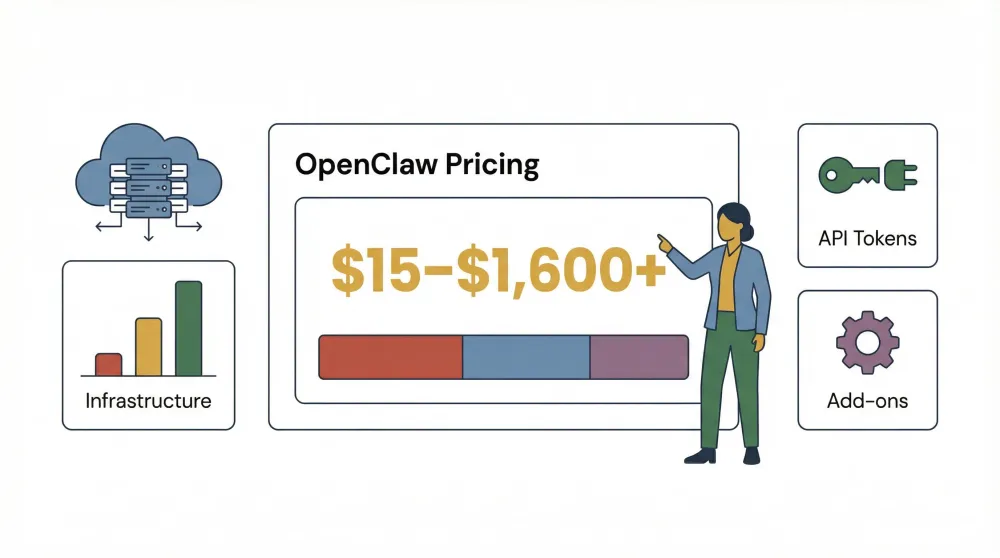
OpenClaw has been making waves in the AI automation world as the “agent that actually does things”—from managing your inbox to running browser automations, all from your favorite chat app. But if you’ve ever tried to figure out what OpenClaw really costs, you’re not alone in scratching your head. I’ve seen more than a few forum posts from folks who thought they were getting a free ride, only to wake up to a surprise bill—like the user who racked up $141 overnight, or another who burned through $250 in tokens on day one. The confusion? OpenClaw is open source and “free” to install, but the real-world costs come from infrastructure, API usage, and optional support.
If you’re considering OpenClaw for yourself, your team, or your company, you need a clear, practical guide to what you’ll actually pay—and why. Let’s break down OpenClaw pricing, subscription plans, and license fees, so you can budget smartly and avoid any nasty surprises.
What Is OpenClaw? A Quick Overview
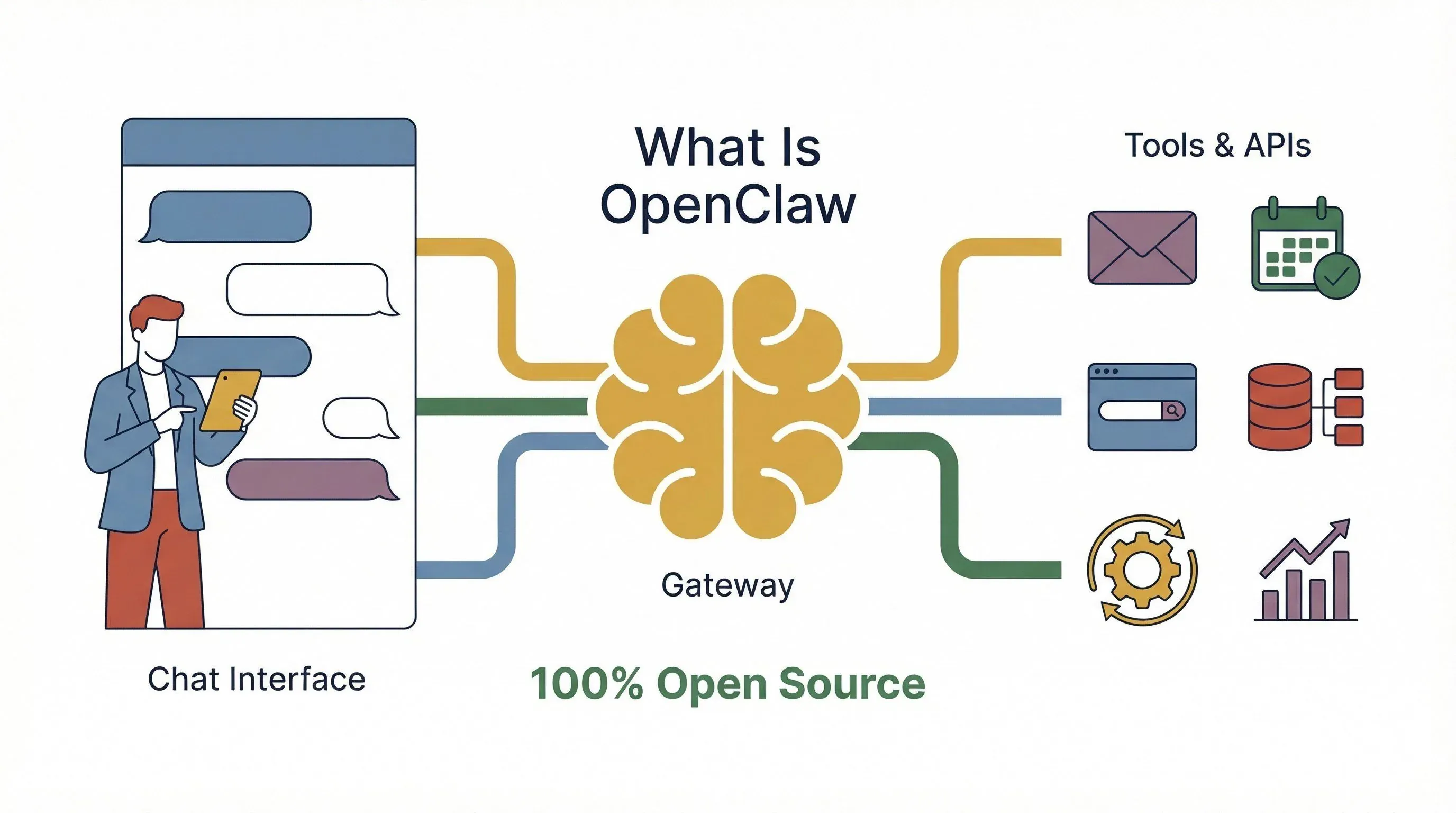
At its core, OpenClaw is an open-source, self-hosted AI agent platform designed to automate real-world tasks. Think of it as your always-on digital assistant that can read emails, schedule meetings, fetch data from the web, and interact with dozens of tools—all orchestrated from your chat app or web interface. Unlike a simple chatbot, OpenClaw is a full-blown “agent + gateway” system: you run the gateway (the brain) on your own server or cloud, and it routes messages, automates workflows, and connects to external APIs.
The big draw? Flexibility and control. You get to decide which models (OpenAI, Anthropic, Google Gemini, etc.) power your agent, which plugins or “skills” you install, and how you integrate with your existing systems. The software itself is MIT-licensed—meaning you can use, modify, and distribute it for free. But, as we’ll see, “free” doesn’t always mean zero cost.
OpenClaw Pricing Structure: What Really Determines Your Costs?
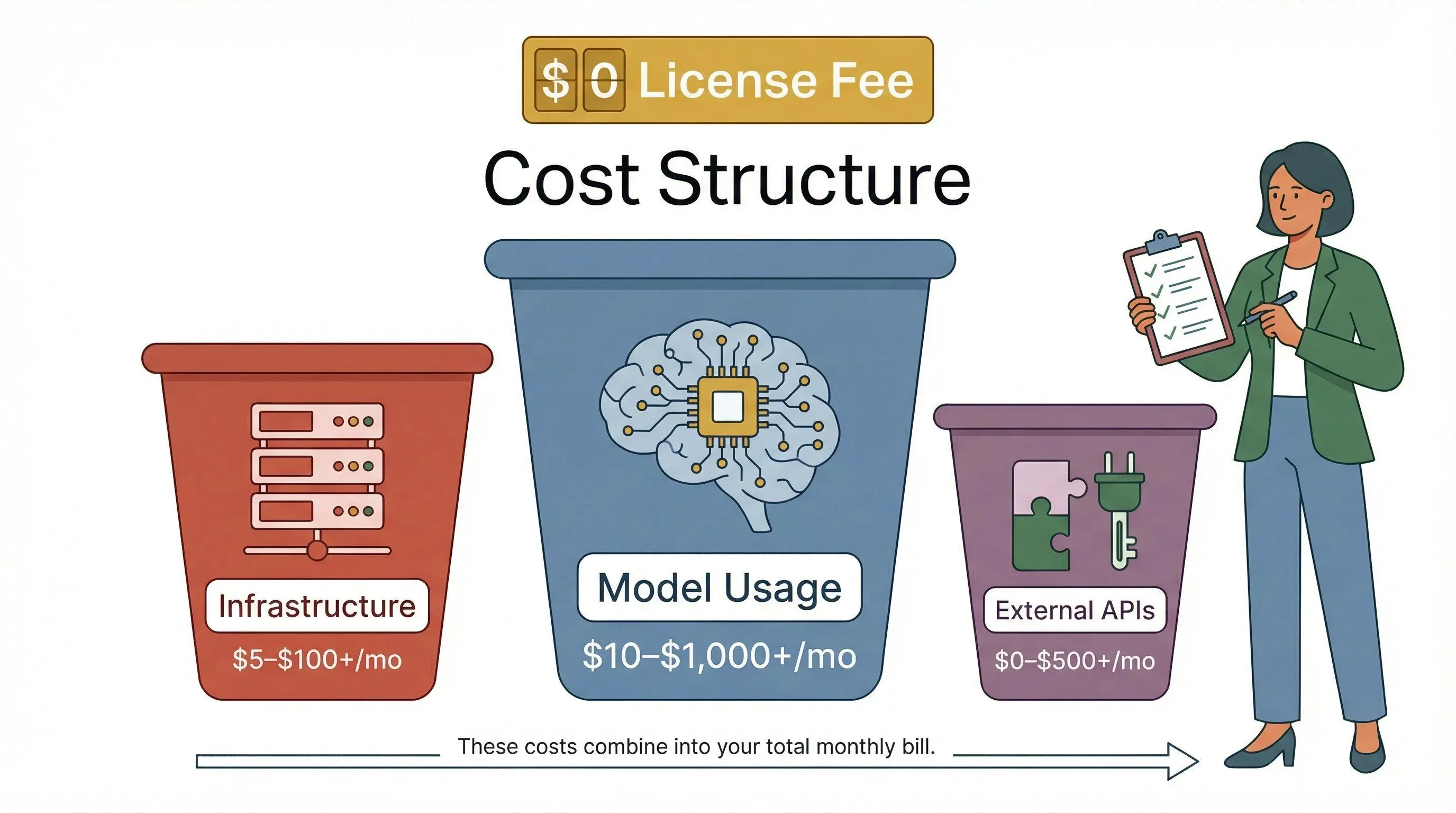
Here’s the first thing to understand: OpenClaw’s software is free, but running it in the real world isn’t. The true cost of OpenClaw comes down to three main buckets:
| Cost Bucket | What You’re Paying For | Typical “Gotchas” That Inflate Cost |
|---|---|---|
| Infrastructure | Server/VPS (cloud or local), storage, networking, backups, monitoring | Underpowered machines, extra VMs, add-ons like backups or monitoring (docs.openclaw.ai) |
| Model/Provider Usage | LLM tokens for every reply, tool usage, API calls (OpenAI, Anthropic, Google, etc.) | Persistent context, tool outputs, always-on “heartbeat” activity, multi-agent orchestration (docs.openclaw.ai) |
| Optional External APIs | Search, web fetch/scrape, embeddings, speech/TTS, skills calling paid SaaS APIs | Paying for non-chat features like embeddings, web fetch, voice, etc. (docs.openclaw.ai) |
So, while you can get started for “free,” your monthly bill will depend on how much you use the platform, which models you connect, and how you host it.
Free vs. Paid: Is OpenClaw Really Free?
OpenClaw’s MIT license means there’s no mandatory license fee to use the software. You can install it, run it, and even modify it without paying a dime to the developers. However, “free” only covers the code. The moment you start running OpenClaw—especially for real-world, always-on automation—costs start to accrue from:
- Cloud/server hosting (unless you run it on your own hardware)
- API usage (every time the agent thinks, acts, or calls a tool, you’re billed by the model provider)
- Optional managed hosting or support (if you want someone else to handle setup, updates, or troubleshooting)
Some features—like basic chat, simple automations, and local skills—can be used at no cost beyond your infrastructure. But anything that touches a paid API (LLM, web search, speech-to-text, etc.) will show up on your bill.
OpenClaw Subscription Plans: Options for Individuals, Teams, and Enterprises
Unlike SaaS platforms that offer a fixed set of subscription plans, OpenClaw’s open-source core doesn’t have official “plans.” Instead, the market has filled in with managed hosting, support packages, and pre-configured deployments. Here’s how the landscape breaks down:
Entry-Level (Personal) OpenClaw Subscription Plans
For solo users or hobbyists, you can:
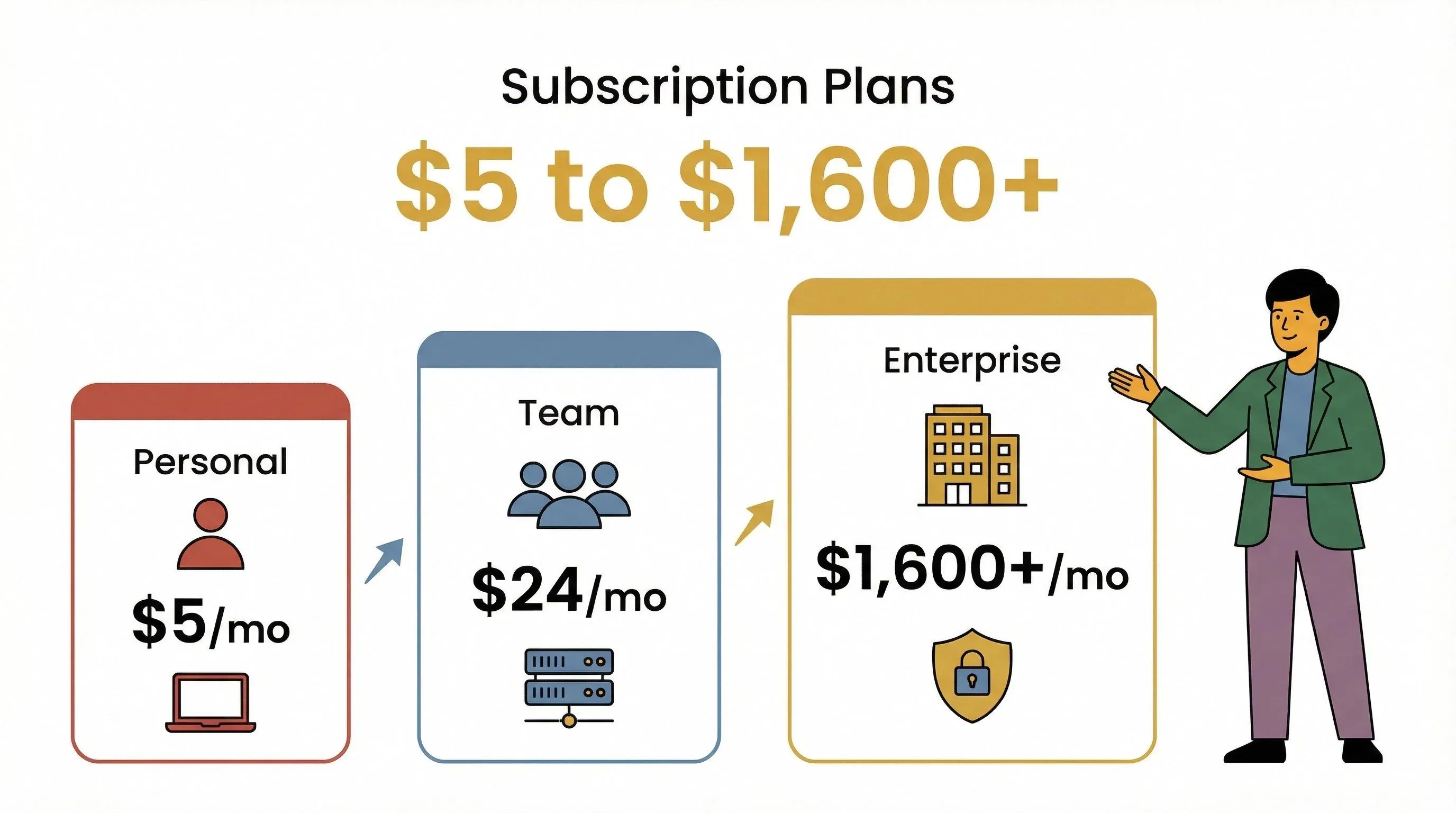
- Self-host OpenClaw on a cheap VPS (as low as $5/month on Hetzner or $5–12/month on GCP)
- Bring your own API keys for OpenAI, Anthropic, or Google Gemini (see token pricing below)
- Access all open-source features with no license fee
Some managed providers offer “zero setup” VMs for individuals, like OpenClawCloud (free for basic, $9.99/month for Plus, $39.99/month for Pro with $40 in Claude Sonnet credits included). These plans typically include:
- Dedicated VM with OpenClaw pre-installed
- SSH access, backups, config export
- Rate limits and usage caps depending on tier
Team and Business OpenClaw Subscription Plans
For small teams or businesses, you’ll want:
- More powerful infrastructure (bigger VPS or cloud instance, typically $24/month and up)
- Higher API call limits (expect $100–$500/month in model usage for moderate teams)
- Collaboration tools (multi-user access, shared memory, audit logs)
- Optional managed hosting (xCloud starts at $24/month for managed hosting; you still bring your own API keys)
Some managed services, like openclaw24.com, offer full ops and implementation support, with one-time setup fees (€1,500–€7,000) and ongoing management (€500–€1,500/month), plus custom enterprise options.
Enterprise and High-Volume OpenClaw License Fees
For large-scale deployments or regulated industries, you’ll need:
- Custom infrastructure (dedicated servers, high-availability clusters, advanced security)
- Enterprise support contracts (SLAs, incident response, compliance audits)
- Custom API quotas (negotiated with model providers for bulk pricing)
- Security and monitoring add-ons (isolation, sandboxing, spend controls)
Enterprise pricing is typically negotiated case-by-case, but managed service providers and AWS Marketplace vendors (like Mach11) can offer support packages and pre-built images, with infrastructure billed separately.
Why OpenClaw Costs Are Transparent and Flexible
One of OpenClaw’s biggest selling points is its transparent, usage-based cost structure. Unlike some automation platforms that bury you in hidden fees or upsell you on every feature, OpenClaw’s costs are:
- Predictable: You pay for what you use—compute, storage, and API calls (docs.openclaw.ai)
- No hidden license fees: The MIT license means no surprise charges for the software itself (github.com)
- Clear API pricing: You can check exactly what each model or tool call costs, and OpenClaw even provides per-session and per-message cost visibility (docs.openclaw.ai)
Compare this to platforms like Zapier or Make, which price by task/credit and often charge for polling or background checks, or AI SaaS suites like ChatGPT Business or Claude Team, which charge per seat regardless of actual usage.
OpenClaw Cost Breakdown: Infrastructure, API Usage, and Hidden Expenses
Let’s get concrete. Here’s a side-by-side breakdown of what you might pay each month, depending on your usage profile:
| User Profile | Infrastructure (VPS/Cloud) | Model/API Usage (LLM tokens, tools) | Optional Add-ons (Backups, Monitoring, Support) | Typical Monthly Total |
|---|---|---|---|---|
| Personal/Hobby | $5–$12 | $10–$50 | $0–$10 | $15–$60 |
| Team/Small Biz | $24–$50 | $100–$500 | $10–$100 | $134–$650 |
| Enterprise | $100+ (dedicated) | $1,000+ | $500+ | $1,600+ |
Model/API Usage: The Real Cost Driver
Here’s where things get interesting. OpenClaw is model-agnostic, so your API spend depends on which LLM you use and how much you automate. Here’s a quick look at current token pricing for popular models (developers.openai.com, anthropic.com, ai.google.dev):
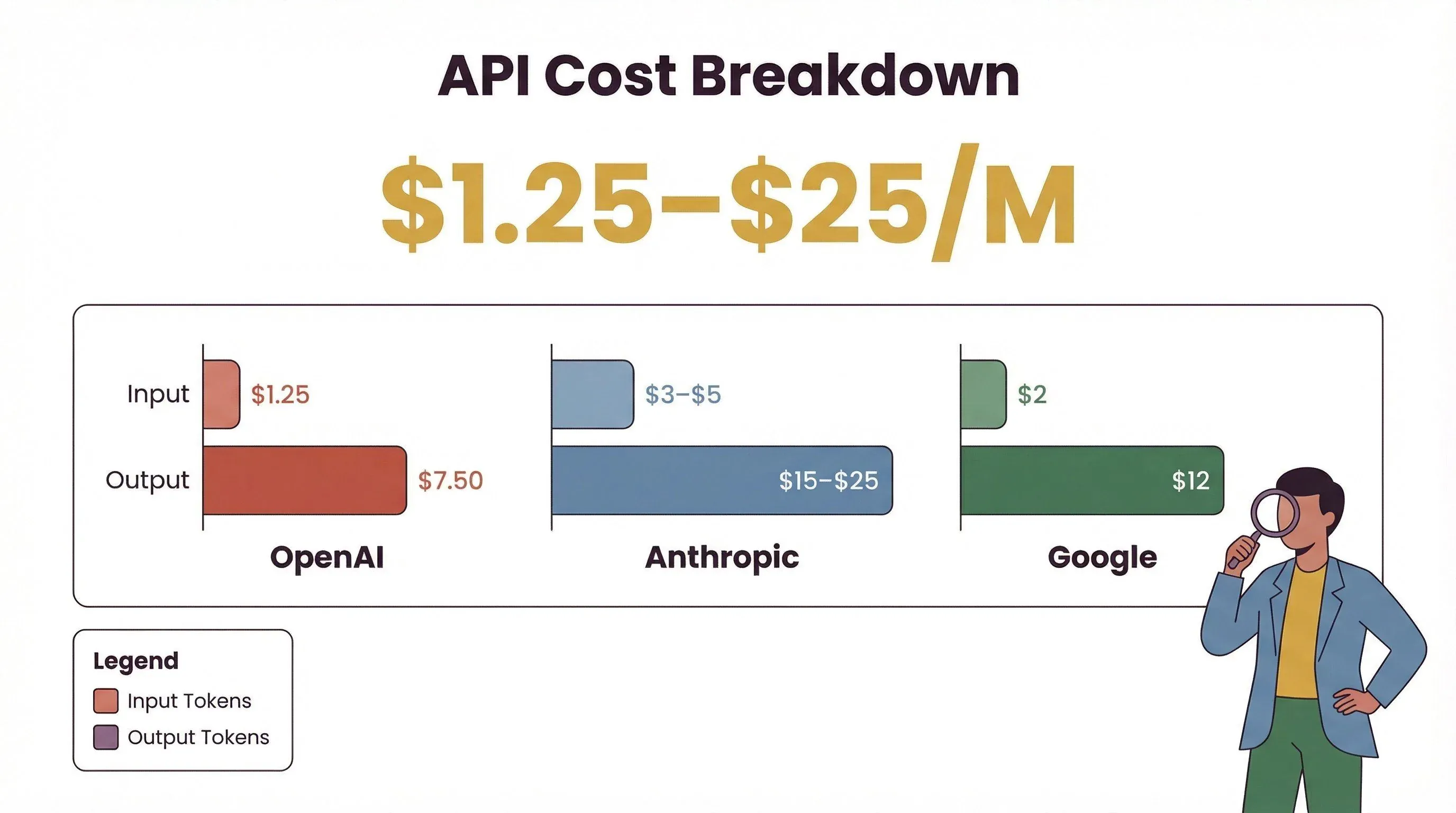
| Provider | Model Family | Input ($/M tokens) | Output ($/M tokens) |
|---|---|---|---|
| OpenAI | GPT‑5.5 (launched April 2026) | $5.00 | $30.00 |
| OpenAI | GPT‑5.4 | $2.50 | $15.00 |
| Anthropic | Claude Opus 4.6 | $5.00 | $25.00 |
| Anthropic | Claude Sonnet 4.6 | $3.00 | $15.00 |
| Gemini 3.1 Pro (≤200K context) | $2.00 | $12.00 |
Standard pricing as of May 2026. Batch and Flex processing modes apply a roughly 50% discount on OpenAI's standard rates for non-realtime workloads, and Anthropic's Batch API offers the same 50% off for Claude. Gemini 3.1 Pro's per-token rate roughly doubles above 200K input tokens.
Example cost scenarios (GPT‑5.4 at standard pricing — halve these if you can run the work through OpenAI's Batch or Flex queue):
- Light usage (10M input + 1M output tokens/month): ~$40/month
- Medium usage (100M input + 10M output tokens/month): ~$400/month
- Heavy usage (300M input + 6.5M output tokens/month): ~$847.50/month
Don't assume Anthropic and Google are categorically more expensive. At today's rates, Gemini 3.1 Pro is slightly cheaper than GPT‑5.4 on both input and output, and Claude Sonnet 4.6 is roughly on par (+20% input, same output). The genuinely expensive options are Claude Opus 4.6 (~2× GPT‑5.4 input, 1.67× output) and GPT‑5.5 (2× GPT‑5.4 across the board) — pick those only when you specifically need their reasoning headroom.
Hidden (or Overlooked) Expenses
Even if you control your model usage, don’t forget:
- Security isolation: Running OpenClaw on a personal laptop is risky; best practice is a separate server or hardened VM (digitalocean.com)
- Monitoring and incident response: Production deployments need monitoring, logging, and sometimes paid tools for spend control (trust.openclaw.ai)
- Backups and storage: Keeping your agent’s memory safe means extra storage and backup costs
- Third-party skills: Some plugins or skills may require their own paid API keys
Open Source vs. Paid Subscription: Which Is Right for You?
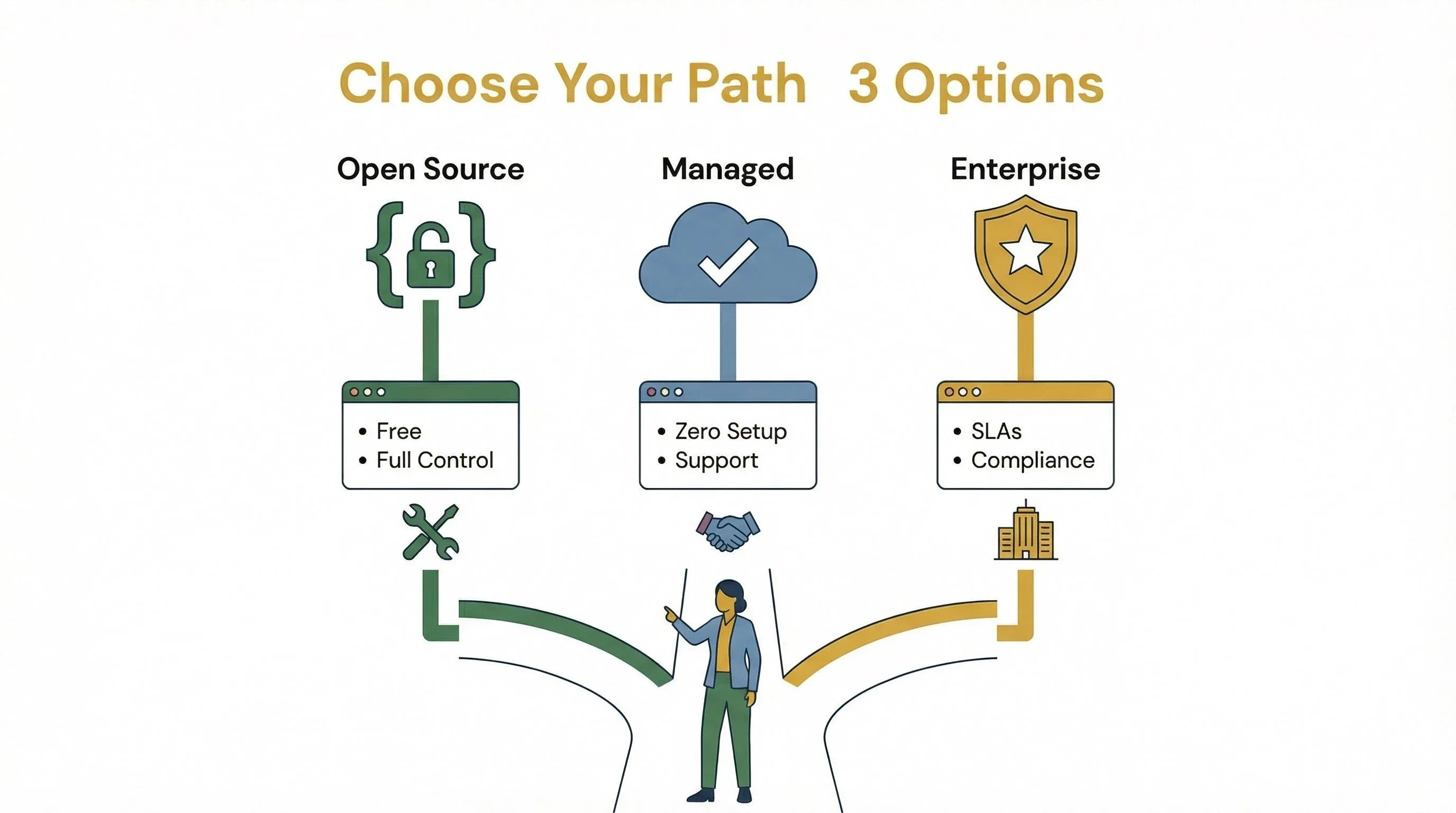
So, should you stick with open source or pay for managed hosting/support? Here’s a quick comparison:
| Option | Pros | Cons |
|---|---|---|
| Open Source | Free software, full control, customizable | You manage everything (setup, updates, security) |
| Managed Hosting | Zero setup, predictable fees, support included | Monthly cost, may have usage caps or rate limits |
| Enterprise License | SLAs, compliance, custom support, advanced features | Higher cost, usually requires negotiation |
If you’re technical and want maximum flexibility, self-hosting is great. If you value time, reliability, or need to scale quickly, managed plans or enterprise support may be worth the premium.
OpenClaw License Fees for Enterprise and Custom Deployments
For most users, OpenClaw’s MIT license means no license fee. But for enterprises or regulated industries, you may want:
- Custom support contracts (SLAs, incident response, compliance audits)
- Enterprise features (advanced security, monitoring, custom integrations)
- Dedicated infrastructure (private cloud, on-premises, HA clusters)
These are typically negotiated directly with managed service providers or through AWS Marketplace vendors. Expect to pay $500–$1,500/month for managed ops, plus infrastructure and API usage.
Matching OpenClaw Subscription Plans to Your Needs
How do you pick the right OpenClaw setup? Here’s a practical decision table:
| Need/Scenario | Recommended Plan/Setup |
|---|---|
| Solo tinkering, hobby projects | Self-host on cheap VPS, bring your own API keys |
| Small team, moderate automation | Managed hosting (OpenClawCloud, xCloud), BYO API keys |
| Growing business, reliability | Managed hosting with support, higher API quotas |
| Enterprise, compliance required | Custom enterprise license/support, dedicated infrastructure |
Checklist for choosing:
- How technical is your team? (More technical = self-hosting is easier)
- Do you need 24/7 reliability or SLAs? (Go managed or enterprise)
- How much do you expect to automate? (Estimate token usage, size your infra)
- Do you need advanced security or compliance? (Enterprise features/support)
Why OpenClaw’s Transparent Pricing Matters
OpenClaw stands out for its clear, usage-based pricing — no hidden fees, no forced upgrades, and no per-seat charges unless you opt for managed services. This makes budgeting straightforward and lets you scale up or down as your needs change. In contrast, many competitors lock you into seat-based pricing — ChatGPT Business is $20/seat/month on annual billing, $25 on monthly (OpenAI reduced this in April 2026), and Claude Team is the same $20 annual / $25 monthly with a 5-seat minimum. Automation platforms like Zapier or Make charge per task or credit instead, often with overage fees that surface only after you've already committed.
With OpenClaw, you’re in control: you decide how much to automate, which models to use, and how to manage your infrastructure.
Conclusion: Getting the Most Value from OpenClaw Pricing
Here’s the bottom line: OpenClaw’s software is free, but running it isn’t. Your real costs come from infrastructure, API usage, and any optional support or managed hosting you choose. The good news? OpenClaw’s pricing is transparent and flexible, letting you scale from solo tinkerer to enterprise powerhouse without hidden fees or lock-in.
To get the most value:
- Estimate your token usage and pick the right model/provider for your budget
- Choose infrastructure that matches your reliability and security needs
- Monitor your spend (OpenClaw’s built-in usage tools help)
- Revisit your setup as your needs grow—move from self-hosted to managed or enterprise as needed
By understanding the real cost drivers and matching your plan to your needs, you can harness the power of OpenClaw without any nasty surprises.
FAQs
1. Is OpenClaw really free to use?
OpenClaw’s software is MIT-licensed and free to install, use, and modify. However, you’ll pay for infrastructure (cloud/server) and API usage (LLM tokens, tools) as you operate it.
2. What are the biggest cost drivers for OpenClaw?
The main costs are infrastructure (VPS or cloud server) and API usage (LLM tokens, tool calls, external APIs). For heavy users, API/model spend can easily outpace hosting costs.
3. Are there any hidden fees with OpenClaw?
OpenClaw is known for transparent, usage-based pricing. However, costs can sneak up if you don’t monitor token usage, background activity, or add-ons like backups and monitoring.
4. What’s the difference between self-hosted and managed OpenClaw plans?
Self-hosted means you run OpenClaw on your own infrastructure and manage everything yourself. Managed plans (from third-party providers) handle setup, updates, and support for a monthly fee, but you still pay for API usage.
5. How do I choose the right OpenClaw subscription or license?
Match your plan to your technical skills, automation needs, and reliability requirements. Solo users can self-host cheaply; teams and enterprises may benefit from managed hosting or custom support contracts. Always estimate your expected usage to avoid surprises.
Want more guides on AI automation, web scraping, and productivity tools? Check out the Thunderbit Blog for practical tips and deep dives on the latest in AI-powered workflows.
Try Thunderbit for AI Web Scraping
Try Thunderbit for AI Web Scraping Get Started Free
Learn More




