
The web is hungrier for data than ever, and in 2026, Node.js is leading the charge for teams who want to scrape smarter, not harder. Whether you’re in sales, ecommerce, or just a data geek like me, you’ve probably noticed that scraping isn’t just about “getting the goods” anymore—it’s about doing it fast, at scale, and without getting your IP thrown into digital jail. The demand isn't slowing down either — public web data has quietly turned into the input most modern teams build on top of, from pricing intelligence to LLM training pipelines, and the stakes (and the competition) have never been higher.
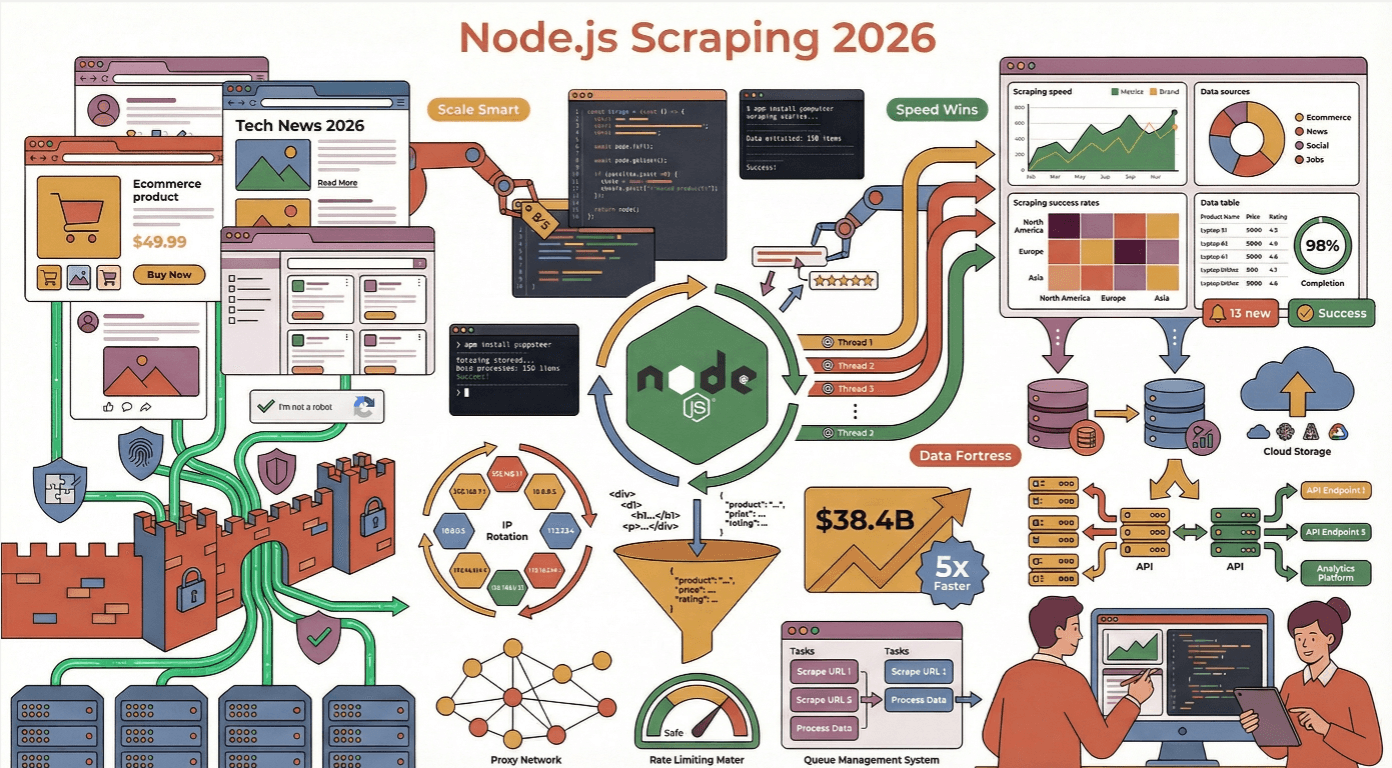
But here’s the catch: the modern web is a fortress of dynamic content, anti-bot traps, and shifting layouts. I’ve seen more scrapers crash and burn than I care to admit—usually because they ignored best practices or underestimated how clever those anti-scraping defenses have become. So, let’s dig into the real-world best practices for Node.js web scraping efficiency , with a few stories, a dash of humor, and a lot of actionable advice.
Why Choose Node.js for Web Scraping Efficiency?
If you’ve ever tried to scrape hundreds (or thousands) of pages at once, you know that speed and concurrency are everything. That’s where Node.js shines. Its asynchronous, non-blocking I/O model is built for handling massive numbers of concurrent network requests—think of it as the ultimate multitasker for the web (Node.js Docs). While other languages might get bogged down waiting for each request to finish, Node.js just keeps spinning its event loop, juggling requests like a caffeinated circus performer.
I’ve seen Node.js outperform Python and Java in scenarios where real-time updates and large-scale extraction are required, especially when the target sites are loaded with JavaScript. In fact, ~40% of developers now use Node.js for backend and automation tasks, making it the most popular web technology in the world.
Node.js vs. Other Web Scraping Frameworks
Let’s get a little nerdy for a second. Here’s how Node.js stacks up against the competition:
| Framework | Strengths | Weaknesses | Best Use Cases |
|---|---|---|---|
| Node.js | Asynchronous, great for concurrency, huge npm ecosystem, native JS for dynamic sites | Can be memory-hungry, callback hell (if not using async/await) | Real-time scraping, JS-heavy sites, scalable microservices |
| Python | Tons of scraping libraries (BeautifulSoup, Scrapy), easy syntax | Slower for massive concurrency, struggles with JS-rendered sites | Static HTML, research, prototyping |
| Java | Strong typing, robust for enterprise | Verbose, less flexible for quick scripts | Large-scale, enterprise-grade scraping |
| Go | Fast, efficient concurrency | Smaller ecosystem, steeper learning curve | High-performance, low-latency scraping |
For most business users, Node.js hits the sweet spot: fast, flexible, and perfectly tuned for the modern, JavaScript-powered web (Thunderbit Blog).
Setting Up a Robust Node.js Web Scraping Environment
A good scraper starts with a solid foundation. Here’s my go-to setup:
- Project Structure: Keep things modular. Use folders like
/src,/libs, and/config. Store sensitive info (API keys, proxies) in environment variables withdotenv(Thunderbit Guide). - HTTP Client: Use axios, got, or node-fetch for requests.
- HTML Parsing: Cheerio for static HTML, Puppeteer or Playwright for dynamic content.
- Utilities: Use Lodash for data wrangling, and validator.js or Joi for data validation.
- Testing & Linting: Mocha for tests, ESLint for code quality (LogRocket).
Essential Node.js Web Scraping Libraries
- HTTP clients (axios / got / built-in
fetch): For making requests. Worth flagging up front: since Node.js v18 you can usefetchnatively without installing anything, and Node.js v22 marked it stable. For a new project on a recent Node version you probably don't need thenode-fetchpackage at all — just callfetchdirectly. I still reach for axios when I want interceptors, automatic JSON, and a familiar promise API across both Node and the browser, and got is the one I pick when I need retries, streams, or HTTP/2 out of the box. Pick whichever fits your stack; for a quick script, nativefetchis fine. - Cheerio: Fast, jQuery-like HTML parser. Perfect for static pages—parses in ~0.5s (Oxylabs).
- Playwright / Puppeteer: Headless browser automation for dynamic, JS-heavy sites. Slower (~4s per page), but essential for sites that load content after page load (Bright Data). If you're starting fresh in 2026, Playwright is the default — cross-browser out of the box (Chromium / Firefox / WebKit), built-in trace viewer, and the team that originally built Puppeteer now drives it at Microsoft. Puppeteer is still maintained for Chrome-only work but its release notes have skewed toward Chrome-compat updates rather than new capabilities for a while now.
- dotenv: For managing environment variables.
- csv-writer/jsonfile: For exporting data.
Avoiding Common Node.js Web Scraping Pitfalls
I’ve lost count of how many times I’ve seen scrapers get blocked, crash, or just dump a pile of messy data. Here’s what to watch out for:
- Ignoring robots.txt and Terms of Service: Always check before scraping. Violating these can get your IP banned—or worse, land you in legal hot water (ScraperAPI).
- Overloading servers: Don’t blast requests. Throttle your scraper with random delays (1–3 seconds), use concurrency controls, and avoid acting like a hyperactive robot (ScrapeGraphAI).
- Not handling errors: Always wrap requests in try/catch, handle HTTP errors, and log failures. Retry transient errors with exponential backoff (ScrapeGraphAI).
- Forgetting request headers: Use realistic User-Agent strings and rotate them. Add Accept-Language, Referer, and other headers to mimic real browsers (ScrapeGraphAI).
How to Bypass Anti-Scraping Mechanisms
Modern websites are armed to the teeth with anti-bot tech. Here’s how I dodge the digital landmines:
- Rotating proxies/IPs: Use a proxy pool and rotate IPs to avoid bans (Medium).
- Randomizing headers: Rotate User-Agent, Accept-Language, and other headers for each request.
- Headless browser stealth: Use plugins like
puppeteer-extra-plugin-stealthto mask automation fingerprints. - Simulating human behavior: Add random delays, mouse movements, scrolling, and even typing mistakes (ZenRows).
Simulating Human Behavior in Node.js Scrapers
This is where things get fun (and a little weird). Instead of instantly clicking and scrolling, script your scraper to:
- Wait random intervals between actions (
await page.waitForTimeout(randomDelay)) - Move the mouse in small, jittery increments (
page.mouse.move(x, y)) - Type with random delays and occasional typos (
page.type(selector, text, {delay: random(100,200)})) - Scroll unevenly, not just to the bottom
These tricks can dramatically boost your success rate on protected sites (ScraperAPI).
Simplifying Complex Data Extraction with Thunderbit
Scrape data from any website using AI Get Started Free
Now, let’s talk about the elephant in the room: scraping is hard. But it doesn’t have to be. That’s why we built Thunderbit.
Thunderbit is an AI-powered web scraper Chrome Extension that lets you extract data from any website using plain English. Just click “AI Suggest Fields,” let the AI figure out what’s on the page, and hit “Scrape.” It’s like having a junior developer who never sleeps and never asks for a raise.
Even better, Thunderbit offers an API, so you can plug it right into your Node.js workflows. Instead of writing thousands of lines of scraping code, you can let Thunderbit handle the heavy lifting—dynamic content, subpages, pagination, and all. You just pull the structured data (CSV, JSON, or direct to Google Sheets, Airtable, Notion) and get on with your day (Thunderbit Blog).
Try Thunderbit Chrome Extension for Free
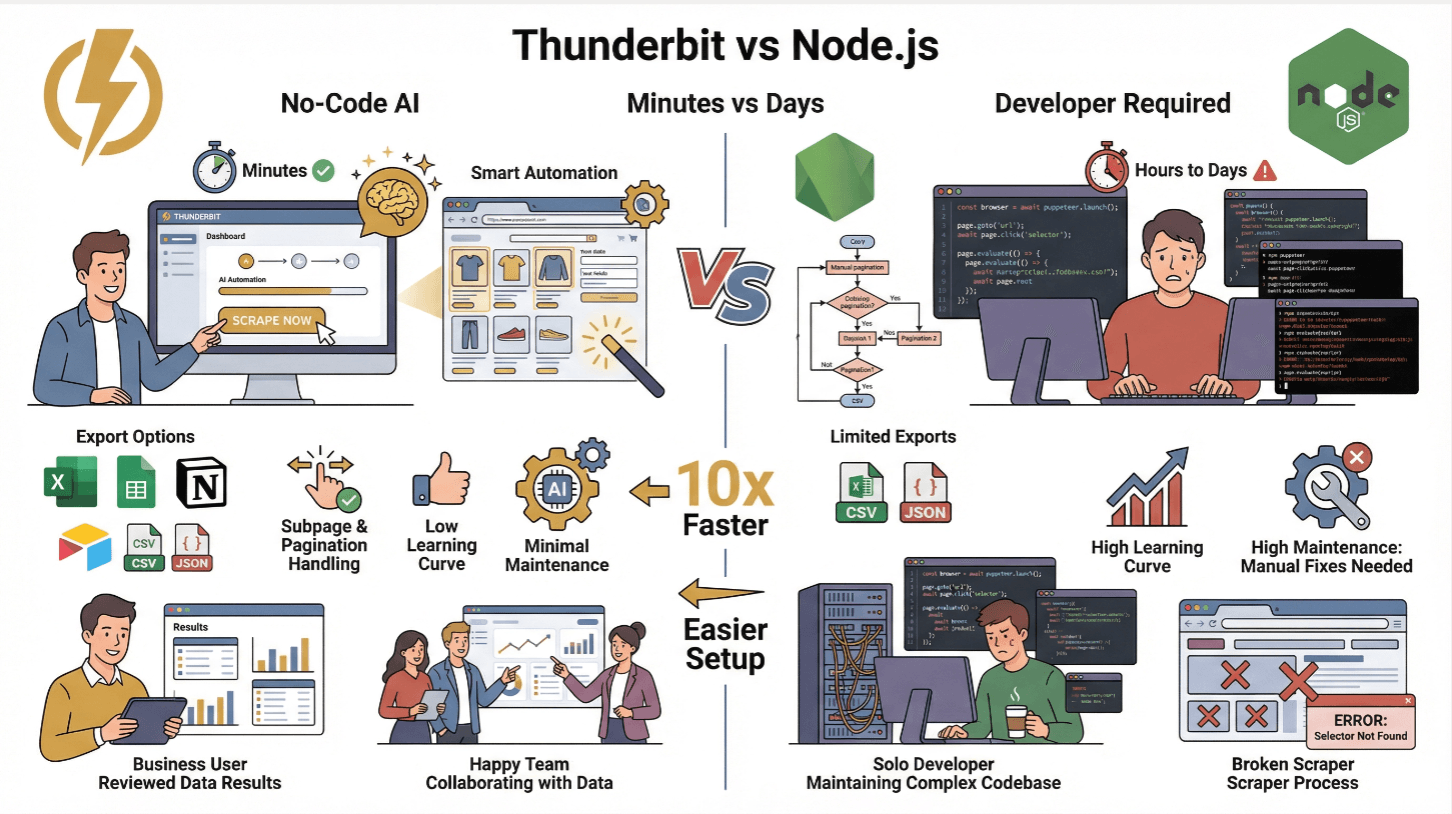
Thunderbit vs. Traditional Node.js Scraping
| Feature | Thunderbit | Traditional Node.js Scraper |
|---|---|---|
| Setup Time | Minutes (no code) | Hours to days (coding, testing) |
| Handles Dynamic Content | Yes (AI + browser) | Yes (with Puppeteer/Playwright) |
| Subpage & Pagination | 1-click | Manual coding required |
| Data Export | Excel, Sheets, Notion, Airtable, CSV, JSON | CSV/JSON (custom code) |
| Learning Curve | Low (business users) | High (developers) |
| Maintenance | Minimal (AI adapts) | High (manual fixes for site changes) |
Thunderbit is perfect for non-technical teams or for anyone who wants to skip the grunt work and focus on insights. For advanced users, you can still use Thunderbit’s API to automate scraping at scale (Thunderbit Docs).
Combining Cheerio and Puppeteer for Dynamic Content
This is my favorite Node.js scraping power combo. Here’s how it works:
- Use Puppeteer to load the page and execute JavaScript (wait for
networkidleto ensure all content is loaded). - Grab the HTML with
await page.content(). - Parse with Cheerio: Feed the HTML to Cheerio for ultra-fast, jQuery-style parsing and data extraction.
This hybrid approach gives you the best of both worlds: Puppeteer’s power for dynamic content, Cheerio’s speed for parsing (Browserless).
Performance tip: Only select the elements you need. Cheerio loads the whole DOM into memory, so avoid broad selectors and cache results if you’re scraping the same pages repeatedly (Oxylabs).
Optimizing HTML Parsing and Data Extraction
- Use specific selectors: Avoid
$('body *')—target only what you need. - Stream large pages: For massive HTML, consider streaming or breaking up the job.
- Cache rendered HTML: If you revisit URLs, cache the HTML to avoid redundant requests.
- Validate and clean data: Use validator libraries to ensure you’re not filling your database with junk (ScrapeGraphAI).
Scalable Node.js Web Scraper Deployment in the Cloud
Scraping at scale? Time to go cloud-native.
- Dockerize your scraper: Write a
Dockerfile, copy your code, install dependencies, and set the entrypoint. - Deploy to the cloud: Use AWS EC2, Google Cloud Compute, or Azure VMs for simple jobs. For serious scale, use Kubernetes or managed services like AWS ECS/EKS, Google Cloud Run, or Azure Kubernetes Service (DigitalOcean).
- Orchestrate with Kubernetes: Run multiple pods, autoscale based on demand, and use load balancers to distribute URLs.
- Schedule jobs: Use cloud schedulers (CloudWatch Events, Cloud Scheduler) or cron jobs to trigger scrapes at intervals.
In one real-world example, scaling from 5 to 10 Kubernetes pods cut a 400-page scrape from minutes to under a minute (DigitalOcean).
Monitoring and Auto-Scaling Your Scraping Infrastructure
- Logging: Stream logs to CloudWatch, Stackdriver, or Datadog. Set alerts for errors or slowdowns.
- Health checks: Use Prometheus and Grafana for metrics like pages scraped per minute, error rates, and pod health.
- Auto-scaling: Set up Kubernetes HPA (Horizontal Pod Autoscaler) to scale pods based on CPU or request count.
Always implement retries with exponential backoff to recover from network hiccups or temporary bans.
Data Storage and Post-Processing Best Practices
Once you’ve scraped the data, you need to store and clean it:
- Small jobs: Export to CSV, JSON, or push to Google Sheets, Airtable, or Notion (Thunderbit does this out of the box).
- Large jobs: Use SQL (MySQL/PostgreSQL) for structured data, or NoSQL (MongoDB, DynamoDB) for semi-structured or evolving schemas (ScrapeHero).
- Cloud storage: S3 or Google Cloud Storage for raw files and backups.
- Data cleaning: Always validate fields, normalize formats (dates, numbers), and deduplicate entries. Use schema validators to enforce data quality (ScrapeGraphAI).
Keep both the raw and cleaned data—you never know when you’ll need to reprocess or debug.
Conclusion: Key Takeaways for Node.js Web Scraping Efficiency
Explore more web scraping guides Get Started Free
Let’s wrap up with the essentials:
- Leverage Node.js’s async power for massive, concurrent scraping—especially on JS-heavy sites.
- Combine the right tools: Use axios/got for requests, Cheerio for static HTML, Puppeteer for dynamic content, and mix them for speed and flexibility.
- Avoid anti-bot traps: Rotate proxies and headers, simulate human behavior, and respect robots.txt.
- Simplify with Thunderbit: For business users or rapid prototyping, Thunderbit lets you extract complex data with AI and plug it into your Node.js stack via API.
- Deploy at scale: Dockerize, orchestrate with Kubernetes, and monitor everything for reliability.
- Store and clean your data: Choose the right storage for your needs, and always validate before using.
The web isn’t getting any simpler, but with these best practices, your Node.js scrapers can stay fast, reliable, and one step ahead of the anti-bot arms race. And if you ever get tired of debugging selectors at 2am, remember: Thunderbit’s AI is always awake.
Want to keep learning? Check out the Thunderbit Blog for more deep dives, or try Thunderbit’s Chrome Extension to see how easy scraping can be.
Scrape with Thunderbit AI Web Scraper
FAQs
1. Why is Node.js especially good for web scraping in 2025?
Node.js’s asynchronous, event-driven model allows it to handle thousands of concurrent requests, making it ideal for scraping large volumes of data or real-time updates. Its huge npm ecosystem and native JavaScript support are perfect for modern, JS-heavy websites (Node.js Docs).
2. How can I avoid getting blocked when scraping with Node.js?
Use rotating proxies, randomize request headers, throttle your requests with random delays, and simulate human behavior (mouse movement, scrolling, typing) using tools like Puppeteer. Always respect robots.txt and site terms (Medium).
3. When should I use Cheerio vs. Puppeteer in my Node.js scraper?
Use Cheerio for fast parsing of static HTML (when the data is in the raw HTML). Use Puppeteer for sites that load content dynamically with JavaScript. For best results, use Puppeteer to render the page, then Cheerio to parse the HTML (Bright Data).
4. How does Thunderbit simplify Node.js web scraping?
Thunderbit lets you extract structured data from any website using AI and natural language prompts—no coding required. It handles dynamic content, subpages, and pagination, and offers an API for Node.js integration. Data can be exported directly to Excel, Google Sheets, Airtable, or Notion (Thunderbit Blog).
5. What’s the best way to scale and monitor Node.js scrapers in the cloud?
Dockerize your scraper, deploy on Kubernetes or managed cloud services, and use auto-scaling to handle spikes in demand. Monitor logs and metrics with tools like CloudWatch or Prometheus, and set up alerts for errors or slowdowns (DigitalOcean).
Ready to level up your web scraping? Give Thunderbit a try, and may your scrapers be fast, stealthy, and always one step ahead.
Try AI Web Scraper Get Started Free
Learn More




