

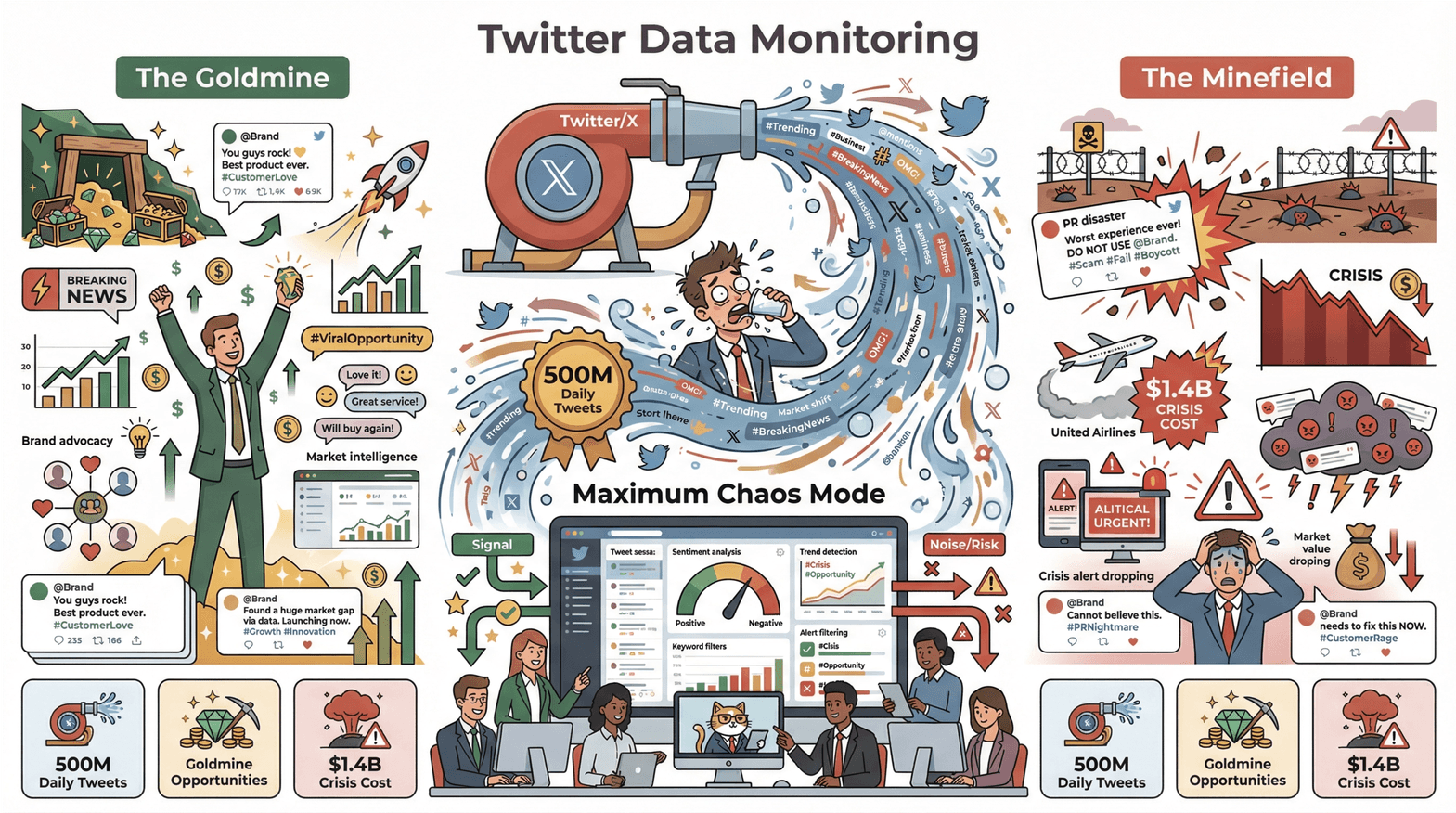
If you’ve ever tried to keep up with Twitter (or X, as the cool kids now call it), you know it’s like drinking from a firehose—except the water is tweets, and the firehose is set to “maximum chaos.” With over 500 million tweets posted every day, Twitter has become the world’s go-to source for breaking news, industry trends, and, occasionally, the latest meme about cats in business suits. For business teams, this relentless stream is both a goldmine and a minefield: the right tweet at the right time can spark opportunity, while missing a viral crisis can cost millions (just ask United Airlines, who lost $1.4 billion in market value after a PR disaster went wild on Twitter).
So how do you turn Twitter’s chaos into a competitive edge—without losing your mind or your weekend? That’s where a news analyzer comes in. And if you want to level up your game, AI-powered tools like Thunderbit are changing the way teams extract, structure, and act on Twitter data. In this guide, I’ll share best practices for mastering news analysis on Twitter, with a special focus on how Thunderbit can help you stay ahead of the curve (and your competitors).
Why News Analyzer on Twitter is a Must-Have for Business Teams
6 Best Twitter (x.com) Scrapers in 2025 Get Started Free
Let’s get real: in today’s business world, timing is everything. Twitter isn’t just where news breaks—it’s where market sentiment shifts, competitors drop hints, and customers air their love (or grievances) in real time. Nearly half of Twitter users log in just to get the latest news, making it the most news-driven social network out there.
But here’s the catch: manually monitoring Twitter is like searching for a needle in a haystack—while the haystack is on a rollercoaster. Important signals get buried in noise, and by the time you spot a trend or a brewing crisis, it might be too late. That’s why a news analyzer—a tool or workflow that filters, categorizes, and delivers only the most relevant tweets—is now essential for sales, marketing, operations, and finance teams.
The value is simple: timely, filtered news means better decisions and a real competitive advantage. Whether you’re seizing a sales opportunity (“Hey, someone just tweeted they need a solution like ours!”) or averting a crisis (“Uh-oh, our product hashtag is trending for the wrong reason”), a good news analyzer turns Twitter into your business radar.
Setting Up News Analyzer on Twitter for Timely Industry Insights
A news analyzer isn’t just a fancy search—it’s a system that tracks the right signals, at the right time, for the right people. Here’s how to set up your analyzer for maximum impact:
1. Define Your Objectives and Sources
Start with the basics: what do you want to monitor? Is it your brand, competitors, industry trends, or all of the above? For example:
- Sales teams might track tweets asking for product recommendations.
- PR teams monitor brand mentions and journalist accounts.
- Ops teams watch for supply chain disruptions or regulatory news.
Pro tip: Create curated Twitter Lists of key accounts (competitors, analysts, regulators) to keep your radar focused.
2. Choosing the Right Keywords and Filters
This is where the magic happens. Build a “watchlist” of high-impact keywords:
- Product names (and common misspellings)
- Competitor brands and handles
- Industry buzzwords and hashtags
- Key people (CEOs, influencers)
- Trend terms or campaign hashtags
Don’t forget to update this list regularly—Twitter slang and trending hashtags change faster than my coffee order.
Advanced search tips:
- Use Boolean logic:
("new product" OR "launch") AND YourIndustry -filter:retweets - Exclude noise:
-filter:repliesor-filter:links - Filter by language or location for regional insights
For more on keyword strategies, check out this guide.
3. Automating Content Categorization
Don’t waste time sorting tweets by hand. Modern analyzers use AI to auto-classify tweets by:
- Sentiment (positive, negative, neutral)
- Topic (product feedback, competitor news, support issue)
- Urgency (flag “urgent” or “breaking” tweets)
For example, you can set rules so any tweet with “not working” gets tagged as a support issue, while “love” or “awesome” gets marked as positive feedback. This automation means your team only reviews what matters most.
4. Set Up Alerts and Integrations
Configure alerts for high-priority triggers (e.g., a tweet from a major journalist, or a sudden spike in negative sentiment). Integrate your analyzer with Slack, email, or your CRM so the right people get notified—fast.
Thunderbit: Enhancing News Analyzer Capabilities on Twitter
Now, let’s talk about how Thunderbit takes news analysis on Twitter to the next level. As the co-founder of Thunderbit, I’ve seen firsthand how our AI-powered web scraper transforms the way teams handle Twitter data.
Real-Time Data Structuring with Thunderbit
Thunderbit is like having an AI research assistant who never sleeps (and never complains about the coffee). Here’s how it works:
- AI Suggest Fields: Open any Twitter page (search results, user profile, hashtag feed), click “AI Suggest Fields,” and Thunderbit’s AI scans the page to recommend the best data fields—tweet text, author, timestamp, likes, retweets, replies, and more. You can tweak or accept these suggestions, then hit “Scrape.”
- Instant Structuring: Thunderbit pulls all the tweets into a clean, structured table—no coding, no messy copy-paste, no wrestling with APIs. It even handles infinite scroll, so you get all the data, not just what’s visible.
- On-the-Fly Categorization: Add custom AI prompts to fields (e.g., “Label sentiment as Positive, Negative, or Neutral”) and Thunderbit will auto-categorize as it scrapes.
- Subpage Scraping: Need more details? Thunderbit can visit each tweet’s page to grab replies, full threads, or extra context, enriching your dataset automatically.
The result? You go from unstructured Twitter chaos to an analysis-ready spreadsheet in minutes. No more “flip phone” workflows—this is the smartphone era of news analysis (see more).
Try Thunderbit for Twitter News Analysis
Integrating Thunderbit with Business Decision Processes
Thunderbit isn’t just about data collection—it’s about turning insights into action:
- Export Anywhere: With one click, send your structured Twitter data to Excel, Google Sheets, Airtable, or Notion. Unlimited free exports mean you can share insights across teams without worrying about extra fees.
- Scheduled Scraping: Set up Thunderbit to scrape your key Twitter feeds on a schedule (“every hour,” “every Monday at 9am,” etc.). Cloud scraping can run 50 pages in parallel, so you never miss a beat—even if your laptop is off.
- Multi-Language Support: Thunderbit scrapes in 50+ languages, so you can monitor global trends and translate tweets on the fly. Perfect for multinational teams or anyone who wants to catch issues before they go international.
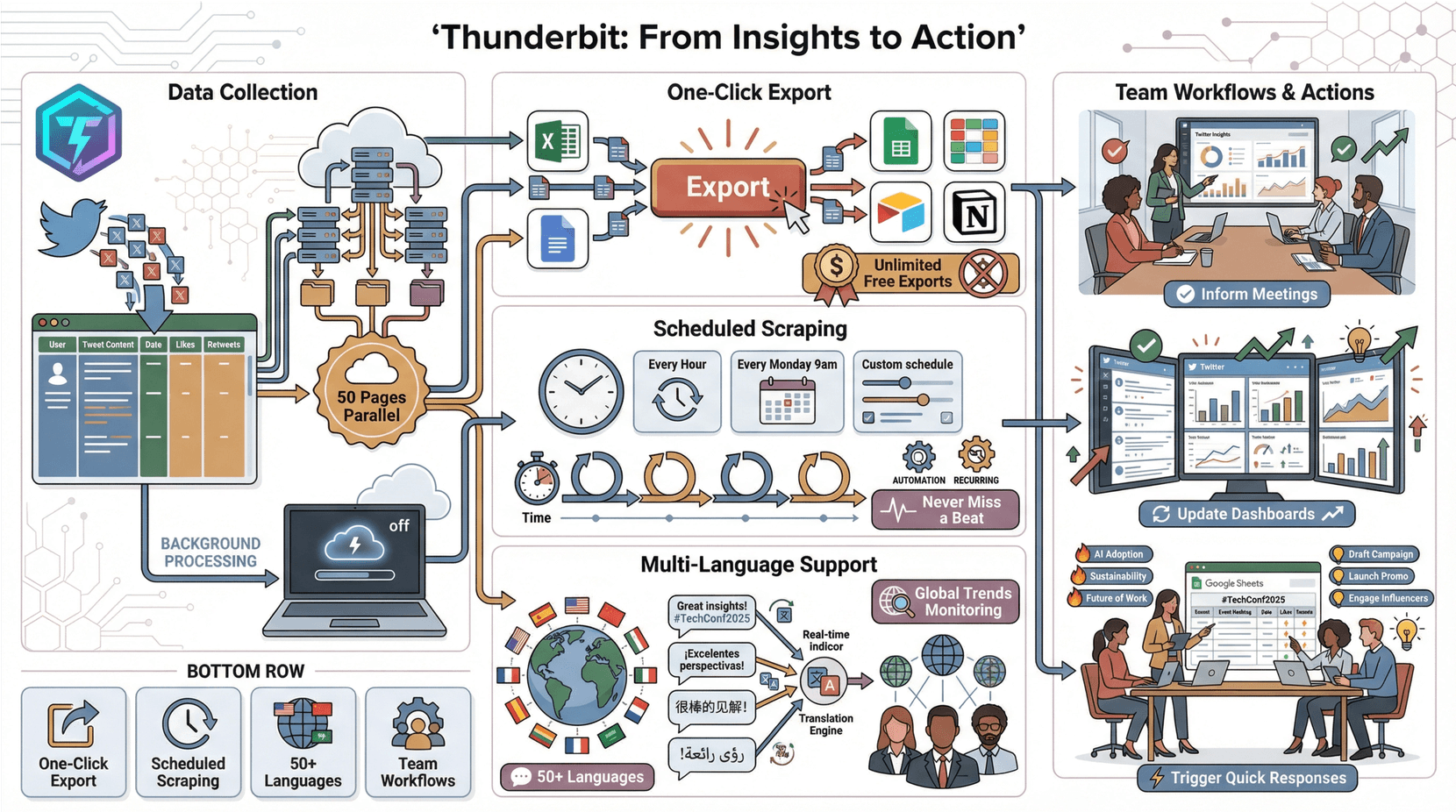
Teams use Thunderbit outputs to inform meetings, update dashboards, and trigger quick responses. For example, a marketing team might scrape all tweets from an industry event hashtag, export to Google Sheets, and instantly spot trending topics for their next campaign.
Optimizing News Analyzer Settings for Faster, Smarter Results
A good news analyzer is never “set it and forget it.” Here’s how to keep your setup sharp:
- Refine Filters Regularly: Review what your analyzer is catching (and missing). Adjust keywords, add exclusions, and test new queries to balance signal and noise.
- Leverage Tags and Custom Fields: Tag tweets by region, topic, or urgency to make reporting and follow-up easier.
- Adjust Alert Thresholds: Don’t get alert fatigue—tune your alerts so only the most important tweets reach your team.
- Use Scheduling and Time Filters: Monitor intensively during key events, and use time-based filters for real-time dashboards.
Using AI to Automate Field Selection and Reporting
Thunderbit’s AI Suggest Fields feature is a game-changer for setup speed. Instead of manually defining what to extract, just let the AI scan the page and propose the best fields. You can then:
- Accept or tweak the suggestions
- Add custom prompts (e.g., “Translate tweet to English”)
- Scrape and export in one click
This means even non-technical users can configure complex extractions in minutes. And with AI-driven setup, you spend less time fiddling with settings and more time acting on insights.
Combining AI and Human Judgment: The Future of News Analysis
AI is powerful, but it’s not infallible—especially on Twitter, where sarcasm, slang, and memes abound. The best results come from a hybrid workflow:
- AI handles the grunt work: scraping, categorizing, and surfacing key tweets.
- Humans provide context: reviewing flagged tweets, interpreting nuance, and making strategic decisions.
For example, Thunderbit might flag a spike in negative sentiment, but a human analyst recognizes it’s just a recurring meme, not a real crisis. Or, the AI might miss that a sarcastic tweet is actually negative—human review catches it.
Best practice: schedule regular spot-checks, update your filters based on human feedback, and always keep human insight in the loop.
Workflow: From AI Extraction to Expert Validation
A typical process looks like this:
- Thunderbit scrapes and structures Twitter data (with AI categorization).
- Analyst reviews the top-priority tweets (e.g., negative/high-impact).
- Human adds context or corrections (e.g., “This is a known issue, not a crisis”).
- Insights are shared with the team (via dashboards, Sheets, or Notion).
- Team acts on the intelligence (responds to customers, updates strategy).
- Continuous improvement: feedback refines the AI setup for next time.
This synergy delivers both speed and accuracy—no tweet goes unnoticed, and no meme gets mistaken for a meltdown.
Boosting Automation in Twitter News Analysis with Thunderbit
Thunderbit’s automation features don’t stop at scraping:
- Post-Extraction Parsing: Automatically format phone numbers, emails, dates, and more—no manual cleanup required.
- Multi-Language Monitoring: Scrape and translate tweets from any region, enabling true global analysis.
- Cloud Scheduling: Run scrapes 24/7, across hundreds of profiles or hashtags, with no manual intervention.
- Free Built-In Extractors: One-click tools for emails, phone numbers, and images from any webpage (not just Twitter).
Collaboration is easy: export to Google Sheets or Notion for real-time sharing and annotation. Teams can add comments, track status, and build a living knowledge base of Twitter insights.
Streamlining Data Export and Sharing
- Export in one click to Excel, Sheets, Airtable, or Notion—no extra cost, no data silos.
- Automate reporting: connect exports to dashboards or set up scripts to email daily digests.
- Collaborate across teams: shared Sheets or Notion pages keep everyone aligned and responsive.
Best Practices for Using News Analyzer on Twitter
Here’s your actionable checklist for mastering Twitter news analysis:
- Define clear goals and KPIs (crisis detection, lead gen, trend spotting)
- Build and update your keyword list (brands, products, competitors, slang)
- Use advanced filters and Boolean logic to fine-tune your feed
- Automate categorization and alerts for sentiment, topic, and urgency
- Integrate with your workflow (Slack, CRM, dashboards)
- Monitor continuously and in real time—speed is everything
- Balance scope—avoid information overload
- Engage and respond quickly to key tweets
- Track competitors and industry trends (not just your own brand)
- Review and refine your setup regularly
- Share insights across teams for maximum impact
- Document and learn from past incidents
- Respect privacy and platform policies
- Keep human judgment in the loop
- Test your alerting and backup systems
For more best practices, check out Thunderbit’s guide to efficient news crawling.
Comparing News Analyzer Tools: Thunderbit vs. Traditional Solutions
| Aspect | Traditional Tools (Manual/API/Code) | Thunderbit (AI-Powered) |
|---|---|---|
| Ease of Use | Coding or complex setup required | No-code, point-and-click |
| Setup Time | Hours to days | 1–2 minutes |
| Maintenance | High (breaks with UI/API changes) | Low (AI adapts automatically) |
| Data Output | Often raw, needs cleanup | Structured, analysis-ready |
| Analytics | Basic or paywalled | Built-in AI categorization |
| Export Options | Limited, often paywalled | Free, unlimited to Excel, Sheets, Notion, Airtable |
| Scalability | Complex, needs proxies/threads | Cloud scraping, 50 pages at once |
| Speed | Slow (manual) or delayed (API) | Fast, real-time |
| Cost | High (API fees, dev time, SaaS) | Free tier, affordable credits, unlimited exports |
| Flexibility | Rigid templates or code-only | Works on any site, customizable AI prompts |
| Multi-language | Limited | 50+ languages, auto-translate |
| Reliability | Risk of missing data | Robust, scheduled, parallel scraping |
Thunderbit stands out for its simplicity, speed, and flexibility—especially for business users who want results without technical headaches. For a deeper dive, see Thunderbit’s comparison with traditional scraping.
Conclusion: Turning Twitter News into Business Value
Let’s bring it all together. In today’s world, mastering Twitter as a real-time news source is a must-have skill for any business team. The difference between catching a trend and missing the boat can be measured in millions of dollars, lost customers, or viral headaches.
With the right news analyzer—and especially with AI-powered tools like Thunderbit—you can transform Twitter’s chaos into actionable intelligence. Structure your data, automate the grunt work, and focus your team’s energy on what really matters: making smarter, faster decisions.
Key takeaways:
- Real-time Twitter analysis is now a core business competency.
- AI and automation make sophisticated monitoring accessible to everyone.
- Human insight is irreplaceable—combine AI with expert review for the best results.
- Continuous improvement is key—keep refining your setup as trends and tools evolve.
Ready to upgrade your Twitter news workflow? Download Thunderbit’s Chrome Extension and see how easy it is to turn tweets into business value. And for more tips, check out the Thunderbit Blog.
Try AI Twitter News Analyzer Get Started Free
FAQs
1. What is a news analyzer on Twitter and why do I need one?
A news analyzer is a tool or workflow that filters, categorizes, and delivers the most relevant tweets about your industry, brand, or competitors. It helps teams cut through the noise, spot opportunities, and react to crises in real time—giving you a competitive edge.
2. How does Thunderbit enhance Twitter news analysis compared to traditional tools?
Thunderbit uses AI to automatically extract, structure, and categorize Twitter data—no coding required. It supports instant exports, multi-language scraping, scheduled monitoring, and on-the-fly categorization, making it faster and easier than manual or code-based solutions.
3. What are the best practices for setting up a Twitter news analyzer?
Define your goals, build a comprehensive keyword list, use advanced filters, automate categorization and alerts, integrate with your workflow, and regularly review and refine your setup. Always keep human judgment in the loop for the best results.
4. Can Thunderbit handle multi-language Twitter monitoring?
Yes! Thunderbit supports scraping in 50+ languages and can translate tweets on the fly, making it ideal for global teams tracking trends across regions.
5. How can I share Twitter insights with my team using Thunderbit?
Thunderbit lets you export data in one click to Excel, Google Sheets, Airtable, or Notion. You can automate reporting, set up live dashboards, and collaborate across teams—ensuring everyone stays informed and ready to act.
Learn More




