
The world of business moves at breakneck speed these days. I’ve seen firsthand how a single missed lead or a slow customer response can mean the difference between closing a deal and losing out to a competitor. That’s why I’m so fascinated by the rise of trigger automation—a technology that’s quietly transforming how companies operate behind the scenes. Imagine if every time a new lead hit your website, your CRM updated instantly, your sales team got a ping, and a perfectly crafted welcome email went out—all before you even finished your morning coffee. That’s not science fiction. It’s happening right now, and it’s changing the way teams in sales, marketing, and customer service get things done.
Automate your business with Thunderbit AI Get Started Free
Let’s dive into what trigger automation actually is, how it’s different from the old-school batch automations, and why tools like Thunderbit are making it easier (and more affordable) than ever for business users to automate the right actions at exactly the right time.
Trigger Automation Explained: What Is It and Why Does It Matter?
At its core, trigger automation is about setting up your business systems to automatically react to specific events—no manual clicks, no waiting for a scheduled batch job. Think of it as a digital “if-this-then-that” for your workflows. When a certain event (the trigger) happens—like a customer filling out a web form, a new order coming in, or a support ticket getting closed—the system instantly kicks off a sequence of predefined actions.
Why does this matter? Because in today’s environment, speed and accuracy are everything. According to recent studies, 66% of businesses have automated at least one process, and that number is climbing fast as AI and low-code tools become more accessible. In the U.S., nearly 60% of firms implemented automation in the past year, with another 60% planning to expand automation soon.
Let’s get practical. Here are a few ways trigger automation is already making a difference:
- Sales: When a new lead comes in, the system adds them to your CRM, assigns a sales rep, and sends a personalized email—all within seconds.
- Marketing: If a customer abandons their shopping cart, an automated reminder email (sometimes with a special offer) goes out right away.
- Customer Service: When a support ticket is resolved, the customer instantly gets a satisfaction survey, and if feedback is negative, a manager is alerted for follow-up.
No more “I’ll get to it later.” With trigger automation, your business reacts in real time, every time.
How Trigger Automation Works in Business Processes
Trigger automation is built around two simple concepts: triggers and actions.
- Trigger: The event that starts the workflow (e.g., “New lead submitted”).
- Action(s): The tasks that happen automatically in response (e.g., “Add lead to CRM, send welcome email”).
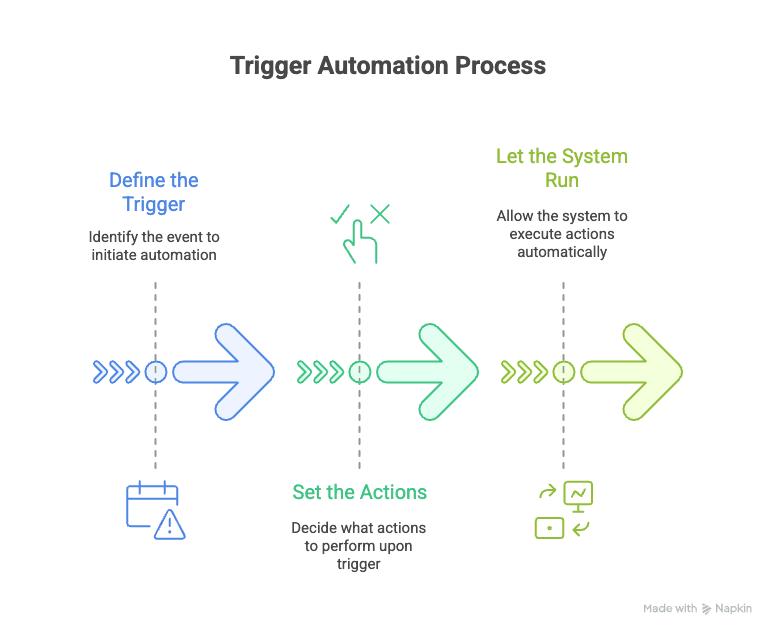
Here’s how it typically plays out:
- Define the Trigger: Identify the event you care about. Maybe it’s a new customer signup, a change in order status, or a support ticket being marked as urgent.
- Set the Actions: Decide what should happen when that event occurs. This could be updating a database, sending a notification, or even kicking off a multi-step workflow across different teams.
- Let the System Run: Once set up, the automation tool monitors for the trigger and executes the actions instantly—no human intervention needed.
Typical Trigger Events in Sales, Marketing, and Support
Let’s make this real with a table of common triggers and actions:
| Business Area | Trigger Event | Automated Action(s) |
|---|---|---|
| Sales | New lead submission (web form) | Add to CRM, assign to rep, send welcome email |
| Sales | Opportunity marked “Closed Won” | Generate invoice, update dashboards, notify fulfillment |
| Marketing | Shopping cart abandoned | Send reminder email with offer |
| Marketing | Customer clicks product link in newsletter | Trigger follow-up email about that product |
| Customer Support | New high-priority support ticket | Escalate to manager, create urgent task |
| Customer Support | Ticket marked “Resolved” | Send satisfaction survey, update CRM, alert if negative feedback |
These are just the basics. In practice, businesses chain triggers and actions to build powerful, multi-step workflows that keep everything running smoothly—even as volumes scale.
Trigger Automation vs. Traditional Automation: What’s the Difference?
So, what makes trigger automation different from the old way of doing things? It all comes down to timing and flexibility.
- Traditional automation is usually scheduled or batch-based. Think nightly data uploads, weekly reports, or scripts that run every hour. They’re better than manual work, but they’re not responsive. If something important happens just after the last batch, you’re waiting until the next cycle.
- Trigger automation is event-driven and real-time. The moment the trigger fires, the workflow runs. No waiting, no polling, no missed opportunities.
Here’s a simple analogy: Traditional automation is like a bus that leaves every hour—if you miss it, you wait. Trigger automation is like an on-demand ride that shows up exactly when you need it.
Real-Time Responsiveness: The Key Advantage
Why does this matter? Because timing is everything. In sales, responding to a lead within 5 minutes versus 10 minutes can increase your odds of qualifying that lead by 400%. In customer service, 90% of customers expect an “immediate” reply), which most define as under 10 minutes.
Trigger automation lets you meet those expectations—every time, automatically.
Thunderbit’s Approach to Trigger Automation: What Sets It Apart?
Now, there are plenty of automation tools out there. But as someone who’s spent years in SaaS and automation, I’ve seen where most of them fall short—especially when it comes to flexibility, coverage, and maintenance. That’s why we built Thunderbit to address these gaps.
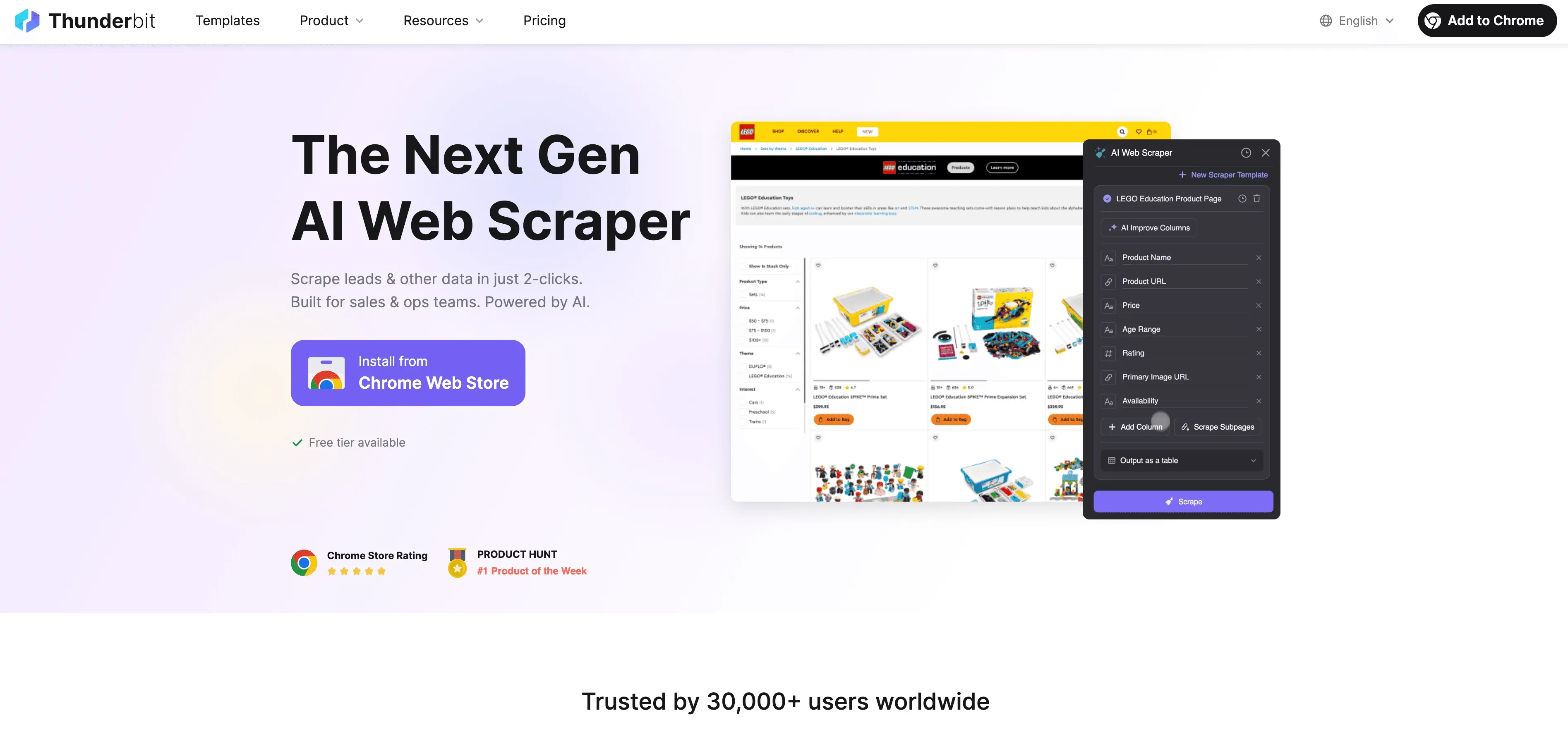
Here’s what makes Thunderbit different:
Subpage and Pagination Scraping: Expanding Trigger Flexibility
Most automation tools can only watch for changes on a single page or via an API. But business data is rarely that simple. What if the info you care about is buried on subpages or spread across a paginated list?
Thunderbit’s AI-powered web scraper can:
- Automatically detect and follow subpages: For example, scrape a product listing, then click into each product detail page to grab specs, prices, or reviews.
- Handle pagination with zero setup: Thunderbit recognizes “Next” buttons or infinite scrolls and pulls data from every page—no manual configuration needed.
This means your triggers can be set on any change, anywhere—not just what’s visible on the first page. If a new SKU, review, or contact appears deep in a directory, Thunderbit can spot it and fire off your automation. That’s a level of coverage most competitors just can’t match.
Browser Scraping and Cloud Scraping: Dual-Mode Triggers
Another Thunderbit advantage is the ability to run automations in two modes:
- Browser Scraping: Runs in your own Chrome browser, perfect for sites that require login or are only accessible to you. Need to monitor a private CRM or internal dashboard? No problem.
- Cloud Scraping: Runs on Thunderbit’s cloud servers, scraping up to 50 pages at a time for speed and scale. Great for public sites, large-scale monitoring, or scheduled tasks that run even when your computer is off.
This dual-mode approach means you’re not limited by what’s available via API or public endpoints. Whether you need to automate workflows on a secure intranet or monitor thousands of public listings, Thunderbit has you covered.
Business Benefits of Trigger Automation
Let’s recap the big wins for businesses that embrace trigger automation:
- Faster response times: Engage leads, customers, and partners instantly—no more waiting for manual follow-up.
- Improved accuracy: Reduce human error and ensure every step happens the same way, every time.
- Higher productivity: Free your team from repetitive work so they can focus on what matters.
- Scalability: Handle more volume without hiring more staff—automation works 24/7.
- Cost savings: Lower labor costs, fewer mistakes, and less time spent on maintenance.
- Better data and insights: Automated workflows create a clear audit trail and enable smarter reporting.
It’s no wonder that 75% of B2B revenue now comes from triggered campaigns, and companies using automation see 14.5% higher productivity.
Future Trends: The Role of AI in Trigger Automation
The next frontier? AI-powered triggers and workflows that don’t just react—they predict and optimize.
- AI-enhanced triggers: Instead of waiting for a simple event, AI can monitor patterns and fire off automations when it detects anomalies, predicts churn, or spots a sales opportunity.
- Generative AI in actions: Imagine a trigger that not only sends an email, but drafts a personalized message or generates a custom report based on the context.
- Hyperautomation: Gartner predicts that by 2025, over 70% of large enterprises will be running hundreds of concurrent hyperautomation initiatives, with AI orchestrating complex, end-to-end workflows.
At Thunderbit, we’re already seeing this shift. Our AI doesn’t just extract data—it understands context, adapts to changes, and helps users set up smarter, more resilient automations. The future is a world where your business processes run themselves, guided by AI that’s always learning and optimizing.
Getting Started with Trigger Automation
Ready to dip your toes in the water? Here’s a simple checklist to get started:
- Spot repetitive workflows: Look for tasks that follow an “if X, then Y” pattern—these are prime candidates for trigger automation.
- Define your triggers and actions: Be specific. What’s the event? What should happen next?
- Pick the right tool: If you need to automate web-based triggers (especially where APIs don’t exist), try Thunderbit’s Chrome Extension. For app-to-app integrations, consider tools like Zapier or Make.
- Start small: Pilot with one or two high-impact automations. Test, refine, and expand from there.
- Monitor and optimize: Track results, gather feedback, and tweak your workflows as you learn.
And don’t forget—Thunderbit offers one-click templates for popular sites, so you can get up and running even faster.
Try Thunderbit Chrome Extension for Trigger Automation
Conclusion: Unlocking Business Value with Trigger Automation
See the Best Automation Tools of 2025 Get Started Free
Trigger automation is more than just a buzzword—it’s a practical, proven way to make your business faster, smarter, and more responsive. By automating workflows to run exactly when they’re needed, you unlock new levels of productivity and customer satisfaction. And with tools like Thunderbit, you don’t need to be a developer or have a huge IT budget to get started.
Whether you’re in sales, marketing, support, or operations, there’s a trigger automation waiting to save you time and headaches. So why not pick a process, try it out, and see the impact for yourself? The future of business is automated, and the best time to start is now.
For more tips, deep dives, and how-tos on automation, check out the Thunderbit Blog.
Start Automating with Thunderbit Get Started Free
FAQs
1. What exactly is trigger automation?
Trigger automation is a system where specific events (like a new lead, order, or support ticket) automatically launch predefined workflows—no manual action required. It’s the “if-this-then-that” of business processes.
2. How is trigger automation different from traditional automation?
Traditional automation usually runs on a schedule (like nightly reports or weekly data uploads). Trigger automation reacts instantly to real-time events, making workflows more dynamic and responsive.
3. What makes Thunderbit unique for trigger automation?
Thunderbit combines AI-powered web scraping with dual-mode (browser and cloud) automation, supports subpage and pagination triggers, and offers free extractors for emails, phones, and images. Plus, it’s maintenance-free—AI adapts to website changes automatically.
4. What are some common business use cases for trigger automation?
Typical examples include auto-responding to new leads, sending cart abandonment emails, escalating urgent support tickets, and syncing data between systems whenever a status changes.
5. How can I start using trigger automation in my business?
Begin by identifying repetitive “if X, then Y” tasks. Define your triggers and actions, choose a tool like Thunderbit, and start with a small pilot workflow. Monitor results, optimize, and expand as you go.
Learn More:




