

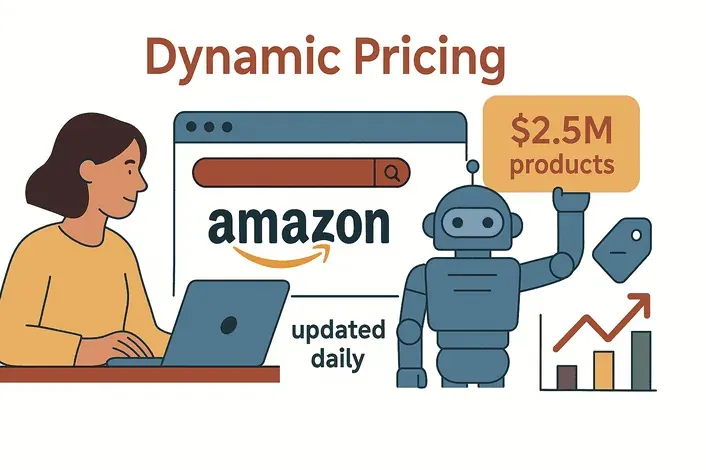
 In today’s ecommerce world, prices don’t just change—they sprint. Amazon's algorithms still make around 2.5 million price changes per day — roughly one update every 10 minutes on the average listing, and about 50× the cadence of a traditional retailer like Walmart.
--- For anyone running an online business, that’s like showing up to a Formula 1 race on a tricycle. The reality? Even a tiny price difference can send your customers straight to a competitor, and if you’re still tracking prices manually, you’re already behind.
I’ve spent years in SaaS and automation, and I can tell you—mastering price viewer strategies isn’t just a “nice to have.” It’s the difference between leading the pack and playing catch-up. In this guide, I’ll break down why price viewers are now mission-critical, how to choose the right tool, and how AI (especially Thunderbit) can put your price monitoring on autopilot—so you can focus on strategy, not spreadsheets.
Scrape data from any website using AI Get Started Free
Why Every Ecommerce Business Needs a Price Viewer
Let's get straight to the point: online shoppers are price-elastic in ways they weren't a decade ago. A February 2026 Alvarez & Marsal consumer survey found that 42% of U.S. shoppers planned to switch to less expensive stores, and other 2026 retail research lands in a similar 40-45% band. The web makes comparison shopping instant, and with dynamic pricing, your competitors are always just one step away from undercutting you.
Without a robust price viewer strategy, you’re flying blind. Manual checks or outdated data mean you’ll only spot a competitor’s price drop after your margins have already taken a hit. I’ve seen businesses lose sales overnight simply because they didn’t notice a flash sale or a new rival entering the market. As one industry report bluntly puts it: “If you are still manually tracking prices, you are already behind.” (PromptCloud)
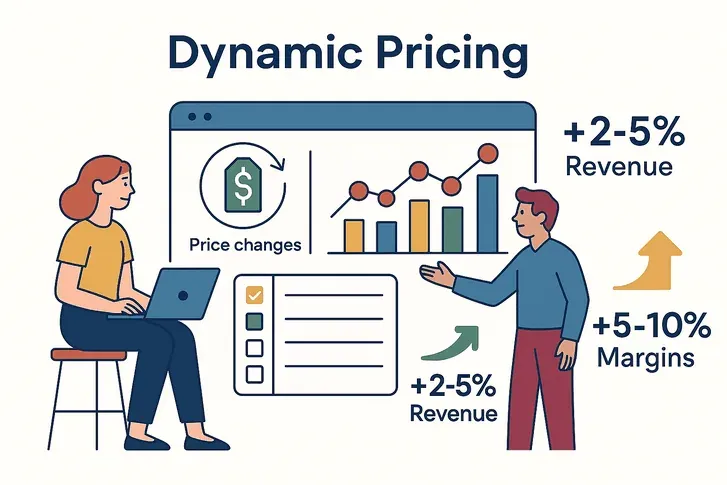
But here’s the upside: companies that embrace automated price viewing and dynamic pricing see real results. A McKinsey study found that dynamic pricing can boost revenue by 2–5% and increase margins by 5–10%. That’s not just pocket change—that’s the difference between thriving and surviving.
Bottom line: In ecommerce, a price viewer isn’t optional. It’s your radar, your early warning system, and your best shot at staying profitable in a market where prices move faster than you can say “add to cart.”
Try Thunderbit for Price Monitoring
Understanding Price Viewer: What It Is and How It Works
So, what exactly is a price viewer? Think of it as your digital price scout—a tool or software that automatically tracks, alerts, and reports on product prices across the web. No more opening dozens of tabs or copy-pasting numbers into Excel.
Here’s what a modern price viewer does:
- Monitoring: It checks competitor sites (and marketplaces) for price changes on your chosen products or SKUs—sometimes as often as every hour.
- Alerting: When a competitor drops their price, launches a flash sale, or a new seller appears, you get notified instantly. No more surprises.
- Reporting & Analytics: All that data gets organized into dashboards and reports—so you can spot trends, compare your prices to the market, and make informed decisions.
The best part? You don’t need to be a tech wizard. Most price viewers are built for business users, with point-and-click interfaces, easy setup, and one-click exports to Excel, Google Sheets, or Notion (Thunderbit).
In short: A price viewer automates the grunt work of price tracking, giving you up-to-date, structured pricing info—so you can focus on strategy, not busywork.
Choosing the Right Price Viewer Tool for Your Business
Not all price viewers are created equal. I’ve seen teams get burned by tools that look slick but fall apart when you need fresh, accurate data or multi-platform coverage. Here’s what you need to consider before you commit:
Key Features to Look For in a Price Viewer
| Feature | Why It Matters |
|---|---|
| Data Accuracy & Freshness | Outdated or wrong prices = bad decisions. Look for tools that update in real time or multiple times/day. |
| Multi-Platform Coverage | Can it track Amazon, eBay, Shopify, Walmart, and niche sites? Coverage is everything. |
| Custom Alerts | Get notified when a competitor drops price, launches a promo, or violates MAP. |
| Historical Price Tracking | See trends, not just snapshots. Helps with long-term strategy. |
| Bulk Import & Scalability | Can it handle hundreds or thousands of SKUs as you grow? |
| Export & Integration | One-click export to Excel, Google Sheets, Notion, Airtable, or your BI tool. |
| Ease of Use | Non-technical teams need a simple, intuitive dashboard. |
| Automation & Scheduling | Set it and forget it—automated checks save hours every week. |
| Reporting & Visualization | Rich dashboards, charts, and downloadable reports make insights actionable. |
| Support & Compliance | Responsive support and clear data policies are a must—especially for MAP monitoring. |
Pro tip: Always get a free trial or demo. The best tools make setup easy and let you export data wherever your team needs it.
Leveraging Thunderbit to Supercharge Your Price Viewer Strategy
Now, let's talk about how Thunderbit fits the price-viewer use case. Disclosure: I helped build it, so factor that in. What I'll focus on below is the specific feature set ops teams use for price tracking, so you can compare it against whatever else you're evaluating.
What Makes Thunderbit Different?
- AI Suggest Fields: Thunderbit’s AI scans any product or category page and instantly suggests the right columns—like “Product Name,” “Price,” “Stock Status,” and more. No coding, no fiddling with selectors.
- Subpage Scraping: Need more than just the list price? Thunderbit can automatically click into each product’s detail page and pull extra info—like bulk pricing, discounts, or even reviews.
- Scheduled Scraping: Set up price checks to run every hour, every night, or on your own schedule. Thunderbit’s AI even understands natural language (“every 6 hours on weekdays”).
- Cross-Platform Power: Scrape any site—Amazon, Shopify, niche marketplaces, or even competitor DTC sites. Cloud scraping means you can monitor hundreds of pages in parallel.
- Structured Output & Free Export: Data comes out clean and ready to use. Export to Excel, Google Sheets, Notion, or Airtable with one click—no extra fees.
- Integration-Ready: Plug Thunderbit’s output into your existing dashboards, set up Slack or email alerts, or automate workflows with Zapier.
(Thunderbit Blog, Futurepedia)
Download Thunderbit Chrome Extension
Thunderbit in Action: Real-World Use Cases
1. Competitor SKU Price Tracking
Let’s say you manage pricing for an electronics retailer and want to track 100 key SKUs across five competitors. With Thunderbit, you can:
- Set up a scheduled scrape for each competitor’s product pages.
- Thunderbit’s AI grabs the latest prices, stock status, and promo info—every morning, automatically.
- Data lands in your Google Sheet, so you can spot undercutting or out-of-stock situations instantly.
One large retailer reportedly used an AI scraper to check 50,000 product prices daily, including sale discounts and stock info. With Thunderbit’s cloud scraping, even big batches are a breeze.
2. Multi-Platform & MAP Monitoring
If you’re a brand selling on Amazon, eBay, and your own site, Thunderbit lets you:
- Scrape all platforms for your products, checking for MAP violations (e.g., a reseller listing below your minimum price).
- Get alerts when a rogue seller undercuts your price, so you can take action before your brand value erodes.
- Centralize all this data in one sheet or dashboard for easy review.
3. Custom Alerts and Reporting
Thunderbit’s structured exports mean you can:
- Set up Google Sheets scripts to email you if a competitor drops price by more than 10%.
- Integrate with Slack or your CRM for instant notifications.
- Share daily digests with your sales or ops team—no more “Did anyone check prices today?” panic.
Real-Time Price Monitoring vs. Historical Trend Analysis
Here’s a classic debate: should you focus on real-time price monitoring, or dig into historical trends? The answer is: you need both—but for different reasons.
Real-Time Price Monitoring
- Best for: Flash sales, daily price wars, high-volatility products (think electronics, fashion, travel).
- Why: You get instant alerts when a competitor moves, so you can react before losing sales.
- Watch out: Don’t get caught in a race to the bottom. Not every price drop deserves a knee-jerk response.
(Boardfy)
Historical Trend Analysis
- Best for: Strategic pricing, planning promotions, understanding seasonal patterns, and optimizing margins.
- Why: Spot patterns (like a competitor’s annual summer sale), measure promo effectiveness, and avoid over-discounting.
- Watch out: Don’t get stuck in the past—markets change, and new competitors can disrupt old trends.
When to Use Each Approach
- Use real-time data when launching or matching promotions, monitoring high-volatility products, or protecting your “lowest price” promise.
- Rely on historical trends when setting base prices, planning seasonal campaigns, or evaluating the impact of past promos.
The best teams combine both: real-time alerts for tactical moves, trend dashboards for strategic decisions. (AIMultiple)
Automating Price Viewing: Boosting Efficiency with AI
Let’s be honest—nobody wants to spend their days copying prices into spreadsheets. Automation is the secret sauce that turns price viewing from a slog into a superpower.
Why Automate?
- Save Time: Automated price monitoring can reduce manual effort by up to 70%.
- Reduce Errors: No more copy-paste mistakes or missed updates.
- Stay Consistent: Your “price radar” never sleeps—even at 3am on a Sunday.
Setting Up Automated Price Monitoring with Thunderbit
Here’s how easy it is to put your price viewing on autopilot with Thunderbit:
- Install Thunderbit Chrome Extension and log in.
- Navigate to your target page (competitor, marketplace, or product list).
- Click “AI Suggest Fields”—Thunderbit’s AI picks out the right columns (like “Product Name,” “Price,” “Stock”).
- Set up pagination or subpage scraping if you need to cover multiple pages or grab extra details.
- Test the scrape to make sure the data looks right.
- Schedule the job—just type “every morning at 6am” or “every 4 hours,” and Thunderbit’s AI handles the rest.
- Choose your export—Google Sheets, Excel, Notion, Airtable, or all of the above.
- Monitor and refine—Thunderbit adapts to layout changes, and you can tweak fields anytime.
That’s it. Your price viewer is now automated, always up to date, and ready to drive your pricing strategy.
(Thunderbit Docs, Chrome Web Store)
Ecommerce Price Monitoring Tools Discover more about price monitoring strategies and tools on the Thunderbit Blog. Get Started Free
Common Pitfalls and How to Avoid Them in Price Viewing
Even with the best tools, price viewing can go sideways if you’re not careful. Here are the most common mistakes I see—and how to dodge them:
- Relying on outdated data: If you’re only checking prices weekly, you’re missing the action. Automate frequent checks and always check the timestamp.
- Tracking the wrong competitors or products: Markets change—review your competitor list and focus on your best-sellers.
- Chasing the lowest price: Don’t start a price war every time. Sometimes, being $1 more expensive is fine if you offer better service or faster shipping.
- Ignoring context: Price isn’t everything—stock status, shipping times, and ratings matter too. Track them if you can.
- Set-and-forget mentality: Markets evolve. Review your strategy and update your monitoring regularly.
- DIY scraping without expertise: Homegrown scrapers break often and eat up engineering time. Use a reliable tool like Thunderbit.
- Not acting on the data: Don’t let insights gather dust. Set clear rules for when and how to respond to price changes.
Key Takeaways: Building a Winning Price Viewer Strategy
Let’s wrap it up with the essentials:
- Price monitoring is non-negotiable: With millions of price changes happening daily, you need a system to keep up.
- Choose the right tool: Look for accuracy, multi-platform coverage, automation, and easy exports. Thunderbit checks all the boxes.
- Combine real-time and historical data: React fast, but plan smart.
- Automate everything you can: Free your team from manual work and focus on strategy.
- Avoid common pitfalls: Keep your data fresh, your strategy dynamic, and your focus on value—not just price.
Mastering price viewer strategies isn’t about chasing every penny—it’s about making informed, agile decisions that protect your margins and grow your business. With AI-powered tools like Thunderbit, you can finally put price monitoring on autopilot and stay ahead of the competition.
Ready to level up your price viewing? Download Thunderbit and see how easy it is to automate your pricing intelligence. And for more tips, check out the Thunderbit Blog.
Try AI Price Monitoring with Thunderbit Get Started Free
FAQs
1. What is a price viewer and why is it important for ecommerce?
A price viewer is a tool that automatically tracks, alerts, and reports on product prices across competitor sites and marketplaces. It’s essential because online prices change constantly, and staying on top of these shifts helps you remain competitive and protect your margins.
2. How do I choose the best price viewer tool for my business?
Look for features like real-time data accuracy, multi-platform coverage, custom alerts, bulk import, automation, and easy export to your preferred tools (Excel, Google Sheets, Notion, etc.). Always try a demo to ensure it fits your workflow.
3. How does Thunderbit enhance price viewing compared to other tools?
Thunderbit uses AI to suggest the right fields, supports subpage and scheduled scraping, and exports data directly to your favorite platforms. It’s flexible, easy for non-technical users, and can monitor any website—not just major marketplaces.
4. Should I focus on real-time price monitoring or historical trend analysis?
Both are important. Real-time monitoring helps you react to immediate changes (like flash sales), while historical analysis helps you plan long-term strategies and avoid over-discounting.
5. What are common mistakes to avoid in price viewing?
Avoid relying on outdated data, tracking the wrong competitors, chasing the lowest price, ignoring context (like stock or shipping), and using unreliable DIY tools. Automate your monitoring, review your strategy regularly, and always act on the insights you gather.
Want to see Thunderbit in action? Download the Chrome extension and start mastering your price viewer strategy today.




