
Prospecting leads is one of those sales rituals that never seems to get any easier—no matter how many years you’ve been at it or how many tools you try. I’ve seen sales teams pour hours into finding the “right” prospects, only to end up with a pipeline full of dead ends and a calendar that looks like a graveyard of missed opportunities. But here’s the kicker: in today’s hyper-competitive, information-rich world, the way we prospect can make or break our entire sales pipeline. The old “spray and pray” approach? It’s about as effective as trying to catch fish with a tennis racket.
Let's get real: 42% of salespeople rank prospecting as the hardest part of their job (SPOTIO 2026 update) — harder than closing or qualifying. Pair that with an estimated $1 trillion a year lost to wasted prospecting cycles and poorly managed leads, and the picture gets uglier. But the good news? The rise of AI, smarter workflows, and tools like Thunderbit are flipping the script—making it possible to find, qualify, and engage high-quality leads faster than ever. In this guide, I’ll walk you through what prospecting leads really means, why it’s the heartbeat of sales success, and how you can master it with a mix of strategy and technology (and yes, a few laughs along the way).
What Are Prospecting Leads? The Foundation of Sales Success
Learn more about AI Prospecting Get Started Free
Let’s start with the basics. Prospecting leads means identifying and qualifying potential customers at the very top of your sales funnel. Think of a lead as anyone who’s shown even a flicker of interest in your product—maybe they visited your website, downloaded a whitepaper, or just popped up in an industry directory. But here’s the twist: not every lead is a prospect. A prospect is a lead that’s been vetted—they fit your ideal customer profile and have a real shot at becoming a customer.
All prospects start as leads, but only some leads become true prospects after you do your homework. This is the first step in the sales process, and it’s the foundation for everything that follows. If you don’t keep prospecting, your pipeline dries up and your sales grind to a halt. If you do it right, you keep the pipeline flowing and the deals coming in. As I like to say, “Great prospecting leads to predictable revenue and a healthier business” (Apollo.io).
Why Prospecting Leads Matter: Impact on Sales Pipeline & Revenue
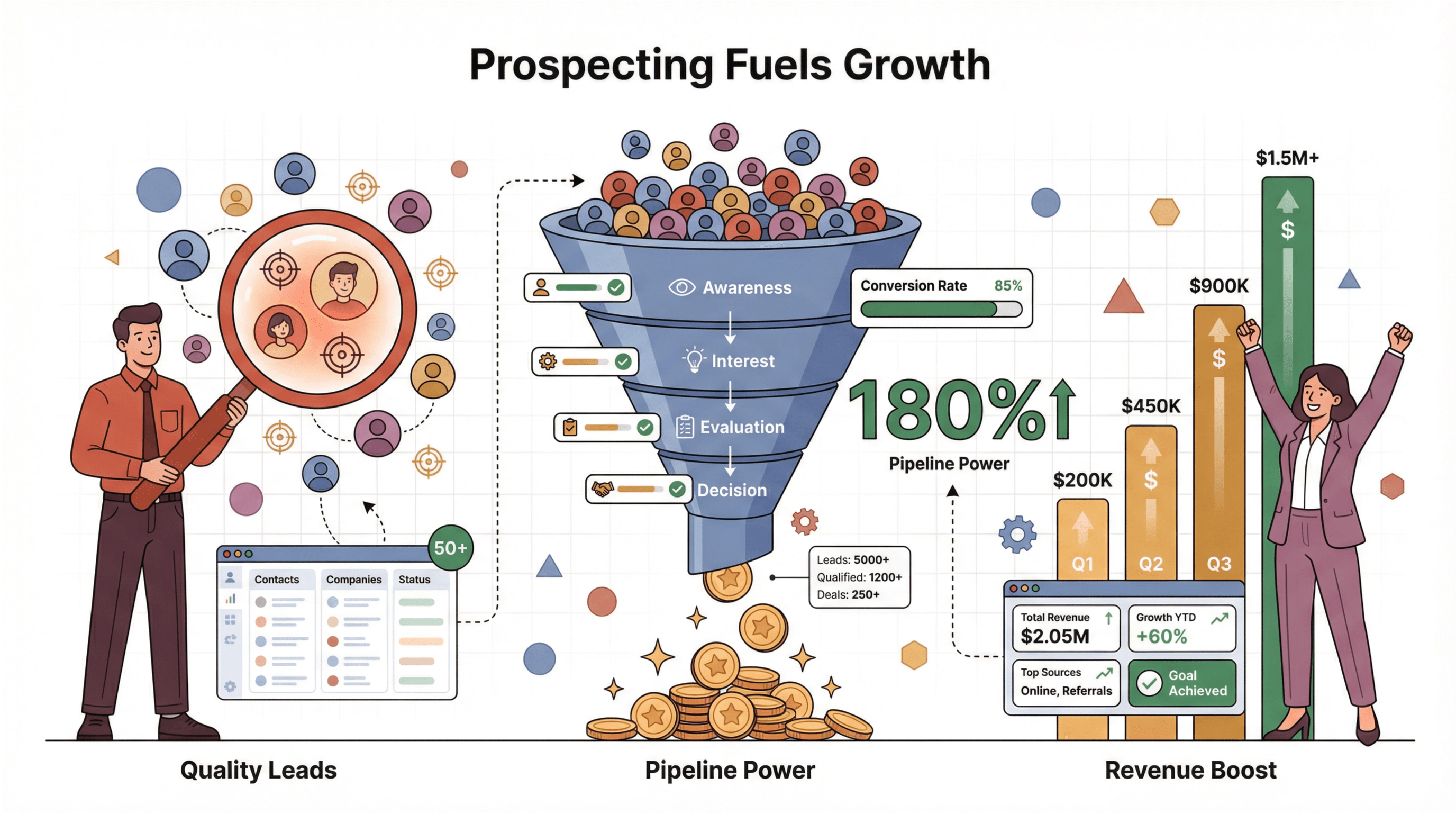 Why is prospecting so critical? Because it’s the difference between a pipeline that’s bursting with opportunity and one that’s running on fumes. The numbers tell the story:
- Sales teams that systematize prospecting — clear ICP, scored leads, signal-based triggers — close meaningfully more deals than teams running on cold-list muscle memory (AiSDR 2026 sales statistics roundup).
- Teams using AI-driven prospecting tools report a 35% increase in lead-to-meeting conversion and 47% more qualified leads in just 90 days (Thunderbit Blog).
- 38% of mid- to large-sized companies lean on SDR teams to generate nearly half their pipeline (AiSDR 2026 sales statistics roundup).
- 60% of marketers say generating high-quality leads is their #1 priority (AiSDR).
Here’s a quick look at the ROI of strong prospecting:
| Use Case | ROI Improvement with Data-Driven Prospecting |
|---|---|
| Lead Generation & Research | Up to 35% higher conversion; 47% more qualified leads in 3 months (Thunderbit Blog) |
| Market Targeting & Outreach | Personalized outreach yields 15–25% response rates; 41% higher reply rates (Thunderbit Blog) |
| Workflow Automation | 54% less manual admin; leads qualified 3× faster (Thunderbit Blog) |
| Real-Time Data Enrichment | Fresh data reduces pipeline decay—contact info can go stale ~30% per year (Thunderbit Blog) |
Bottom line: prospecting leads is about feeding your sales team better “ammo” and doing it efficiently. The result? A healthier pipeline and more predictable revenue.
Outdated Prospecting Methods: Why Traditional Tactics Fall Short
Let’s have a moment of silence for the old-school methods—cold calling, mass emailing, and buying random lists. In today’s world, these tactics are about as effective as sending smoke signals in a thunderstorm.
- The average cold call success rate is under 5% (AiSDR).
- Cold emails sit at a 3–5% baseline reply rate across 2026 benchmark datasets (Instantly 2026 Benchmark Report, SaleHandy) — a couple of points higher than the 2024 numbers, but still a long way from anything resembling a healthy pipeline.
- 44% of people unsubscribe from emails because they feel bombarded (AiSDR).
Why do these methods fail?
- Lack of Personalization: Modern buyers can spot a generic pitch a mile away. 63% to 69% of B2B buyers are more willing to engage with personalized outreach (AiSDR).
- Information Overload: Buyers are already familiar with your company and competitors before you even reach out—88% of leads have done their homework (AiSDR).
- Low Efficiency: Reps can spend up to 40% of their week just searching for someone to call (European Business Review).
- Trust Issues: Cold outreach can erode trust and damage your brand’s reputation.
In short, traditional prospecting is noisy, inefficient, and increasingly ignored. The world has moved on—and so should your prospecting strategy.
Modern Prospecting Leads Strategies: Data, Context, and Personalization
 So, what works now? The winning formula is all about data, context, and personalization.
- Leverage Data: Use information to target the right leads. Build lists that match your ideal customer profile (ICP), use lead scoring, and tap into intent data (like recent funding, hiring, or website activity).
- Understand Context and Timing: Reach out when it matters—after a trigger event, a product launch, or a company milestone. Reaching out within a minute of a lead action can make them 391% more likely to convert (Agentive AIQ).
- Personalize at Scale: Use CRM data, social insights, and AI to tailor your outreach. Personalized emails boost reply rates by 17% (Crunchbase).
Modern prospecting is about being smart, strategic, and customer-centric. It’s not about how many people you can cold-call—it’s about who you call, when, and with what message.
Scrape data from any website using AI Get Started Free
Unlocking Prospecting Leads with AI Web Scraper: Thunderbit’s 2-Click Solution
Here’s where things get fun. Imagine browsing a directory of potential clients and—boom—turning that page into a structured lead list in seconds. That’s what Thunderbit does. It’s an AI-powered web scraper Chrome extension built for business users who want to extract leads from any website—no code, no headaches.
How does it work?
- AI Suggest Fields: Click “AI Suggest Fields,” and Thunderbit’s AI scans the page, suggesting columns like Name, Company, Email, and more.
- 2-Click Scraping: Confirm the fields, click “Scrape,” and Thunderbit pulls the data into a neat table.
- Subpage Scraping: Need more info? Thunderbit can visit each subpage (like individual profiles) and enrich your table automatically.
- Pagination Handling: Whether it’s a “Next” button or infinite scroll, Thunderbit can grab all results across multiple pages.
- Export Anywhere: Export your leads to Excel, Google Sheets, Airtable, or Notion in one click—free and instant.
What used to take hours of copying and pasting now takes minutes. Users have reported tasks that once took days now take less than an hour (European Business Review). And because Thunderbit reads the page like a human, it’s more accurate and less likely to break when websites change.
Try Thunderbit for Lead Prospecting
“Radar” Mode: Making Prospecting Leads Discovery Invisible & Automated
Now, let’s talk about the “radar” approach. What if you could have a system quietly scanning the web for new leads, 24/7, and updating your CRM automatically? Thunderbit’s Scheduled Scraping and natural language prompts make this a reality.
- Scheduled Scraping: Tell Thunderbit (in plain English) to scrape a website every Monday at 8am, and it’ll keep your leads list fresh—no manual work required.
- Custom AI Prompts: Use Field AI Prompts to flag specific signals (like negative competitor reviews or new job postings) and build a dynamic leads map.
- CRM Integration: Export new leads directly to your CRM or Google Sheet, keeping your sales team armed with the latest opportunities.
This invisible, always-on prospecting means you never miss a hot lead or a market shift. It’s like having a radar that never sleeps—and never asks for a coffee break.
Step-by-Step Guide: How to Prospect Leads with Thunderbit
Ready to roll up your sleeves? Here’s how to master prospecting leads with Thunderbit, step by step.
Step 1: Set Up Thunderbit and Define Your Target
- Install the Thunderbit Chrome Extension and create a free account.
- Identify your target website—maybe it’s a business directory, a list of conference attendees, or a competitor’s client list.
- Decide what data you want: Name, Company, Email, Phone, LinkedIn URL, etc.
Pro tip: If you have multiple pages to scrape, Thunderbit can handle pagination or batch URLs for you.
Step 2: Use AI Suggest Fields for Fast Data Structuring
- Click the Thunderbit icon and hit “AI Suggest Fields.”
- Thunderbit’s AI will propose columns based on the page—like Name, Title, Company, Email, and more.
- Review and adjust the suggested fields. Rename, add, or remove columns as needed.
- Use Field AI Prompts for tricky data (e.g., splitting names, categorizing titles).
Thunderbit even detects data types (text, email, URL) automatically, so your exports are clean and ready to use.
Step 3: Scrape and Enrich Leads with Subpage and Pagination Features
- Click “Scrape” and watch Thunderbit extract the data into a table.
- If your data spans multiple pages, Thunderbit will handle “Next” buttons or infinite scroll.
- For deeper info, use Subpage Scraping: point Thunderbit to profile URLs, and it’ll visit each one to grab extra details (like direct emails or bios).
- Quality check your data—Thunderbit’s accuracy is high, but a quick skim never hurts.
Step 4: Export and Integrate Leads into Your Workflow
- Export your data to Google Sheets, Excel, Airtable, or Notion with one click.
- Import the leads into your CRM (Salesforce, HubSpot, Pipedrive, etc.) or connect Google Sheets to your CRM for automatic syncing.
- Use Thunderbit’s built-in filtering to prioritize leads (e.g., by title, location, or custom tags).
Pro tip: Keep the source URL in your records for context and future updates.
Boosting Lead Quality and Conversion Rates with Thunderbit
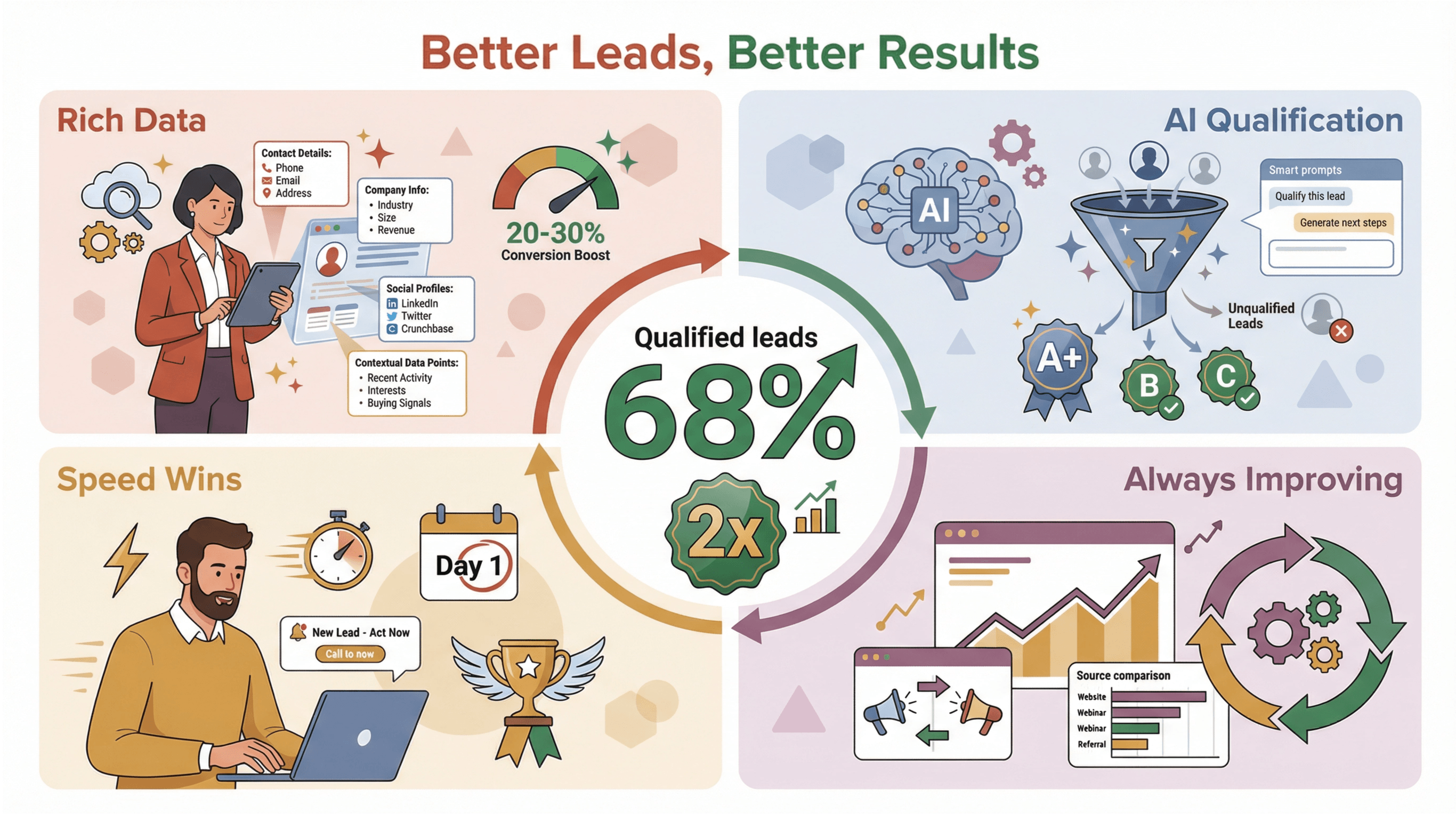 It’s not just about more leads—it’s about better leads. Here’s how Thunderbit helps:
- More Complete Data: Thunderbit pulls rich, contextual info—so your reps can personalize outreach and boost conversion rates by 20–30% (Thunderbit Blog).
- Built-In Qualification: Use AI prompts and filters to pre-qualify leads, so your team spends less time on dead ends.
- Faster Follow-Up: With structured data, you can reach out to new leads the same day—speed matters, and being first can mean winning the deal.
- Continuous Improvement: Analyze which sources and signals yield the best results, and refine your strategy over time.
One Thunderbit user saw a 68% increase in qualified leads and more than doubled their conversion rate in a single quarter (Agentive AIQ).
Comparing Prospecting Leads Tools: Thunderbit vs. Traditional & Other Digital Solutions
Let’s break it down:
| Aspect | Traditional Prospecting | Other Digital Solutions | Thunderbit AI Web Scraper |
|---|---|---|---|
| Ease of Use | Low (manual, slow) | Medium (lists/tools) | High (no code, 2-clicks) |
| Speed & Scale | Slow | Moderate | Fast & scalable |
| Data Quality | Variable/Low | Mixed | High (fresh, accurate) |
| Personalization | Low | Moderate | High (context-rich) |
| Integration | Minimal | Varies | Seamless export to CRM |
When to use which:
- Traditional: For ultra-personalized, high-touch accounts (and even then, use research tools).
- Digital lists: When you need bulk data fast (but watch out for stale info and high costs).
- Thunderbit: When you want custom, targeted, up-to-date leads—without hiring a developer or breaking the bank.
Start AI-Powered Lead Prospecting
Conclusion & Key Takeaways: Mastering Prospecting Leads in the Modern Era
Let’s recap:
- Prospecting leads is the engine of sales growth. No leads, no pipeline, no sales.
- Traditional methods are fading. Cold calls and mass emails just don’t cut it anymore.
- Modern prospecting is about data, context, and personalization. The more relevant and timely your outreach, the higher your conversion.
- AI-powered tools like Thunderbit are leveling the playing field. With 2-click scraping, automated “radar” prospecting, and seamless CRM integration, you can build better lead lists in less time.
- Focus on quality, not just quantity. The right leads, with the right context, turn into real opportunities.
Ready to ditch the old playbook? Download Thunderbit, try it for free, and see how much time (and sanity) you can save. For more tips, check out the Thunderbit Blog or our YouTube Channel.
Happy prospecting—and may your pipeline always be full (and your coffee cup, too).
Try AI Web Scraper for Lead Prospecting Get Started Free
FAQs
1. What’s the difference between a lead and a prospect?
A lead is anyone who’s shown some interest in your product or service. A prospect is a lead that’s been qualified—they fit your ideal customer profile and have a real chance of becoming a customer.
2. Why are traditional prospecting methods less effective today?
Buyers are bombarded with information and generic pitches. Cold calls and mass emails have low response rates because they lack personalization and context. Modern buyers expect relevant, timely outreach.
3. How does Thunderbit improve prospecting leads?
Thunderbit uses AI to extract, structure, and enrich lead data from any website in just a couple of clicks. It handles subpages, pagination, and exports data directly to your CRM or spreadsheet—saving hours of manual work.
4. Can Thunderbit automate ongoing lead discovery?
Yes! With scheduled scraping and natural language prompts, Thunderbit can automatically update your leads list on a set schedule—keeping your pipeline fresh and your team ahead of the competition.
5. What’s the best way to integrate Thunderbit with my sales workflow?
Export your leads to Google Sheets, Excel, Airtable, or Notion, then import them into your CRM. Use Thunderbit’s filters and AI prompts to qualify leads before outreach, and connect your sheets to your CRM for seamless updates.
If you want to go deeper, check out these resources:
- Understanding AI Prospecting: Tools, Benefits, and Use Cases
- Best Practices for Web Scraping for Lead Generation Success
- Top 12 Lead Scraping Software for Efficient Prospecting
Here's to smarter, faster, and more successful prospecting in 2026 — and beyond.
Learn More




