

The digital marketing world isn’t just moving fast—it’s practically breaking the sound barrier. Every time I blink, there’s a new social platform, a viral trend, or a competitor launching a campaign that makes me wonder if I’ve been living under a rock. With over 5.66 billion social media accounts and global digital ad spend projected to hit $843 billion in 2025, the sheer volume and speed of marketing data is enough to make anyone’s head spin. As someone obsessed with automation and AI, I’ve seen firsthand how the old ways of monitoring marketing—manual spreadsheets, endless tab-switching, and gut-feel reporting—just can’t keep up.
But here’s the good news: AI tools are flipping the script. Instead of drowning in data, you can turn the chaos into clarity—and even get ahead of the curve. In this guide, I’ll show you how to master monitoring marketing using AI, with a special focus on how Thunderbit, our AI web scraper, is making real-time marketing intelligence accessible to everyone (yes, even if you’re not a data scientist or a spreadsheet wizard).
What Is Monitoring Marketing and Why Does It Matter?
What Is Data Scraping and How to Do It in 2026 Get Started Free
Let’s break it down: monitoring marketing means continuously tracking, analyzing, and responding to everything happening in your marketing universe—campaigns, channels, competitors, customer sentiment, and more. It’s not just about watching your own ads or website traffic; it’s about keeping tabs on the whole ecosystem so you can spot opportunities, dodge threats, and adjust your strategy on the fly.
Why does this matter? Because the margin for error is shrinking. With 65.7% of people active on social media and consumers bouncing between an average of 6.75 networks each month, missing a trend or a competitor’s move can cost you real money. As Sprinklr puts it, “Operating without data leaves you guessing”—and in today’s market, guessing is a luxury no brand can afford.
The business benefits of effective marketing monitoring are huge:
- Better campaign performance: Real-time data lets you see what’s working and pivot fast (Sprinklr).
- Improved lead and revenue growth: Fresh data fuels smarter lead lists and pricing strategies (Thunderbit Blog).
- Rapid response: Early warnings about crises or viral trends help you protect your brand and seize momentum.
In short, monitoring marketing isn’t just a “nice to have”—it’s the foundation for staying competitive and maximizing ROI in a world where change is the only constant.
The Shift: How AI Is Transforming Monitoring Marketing
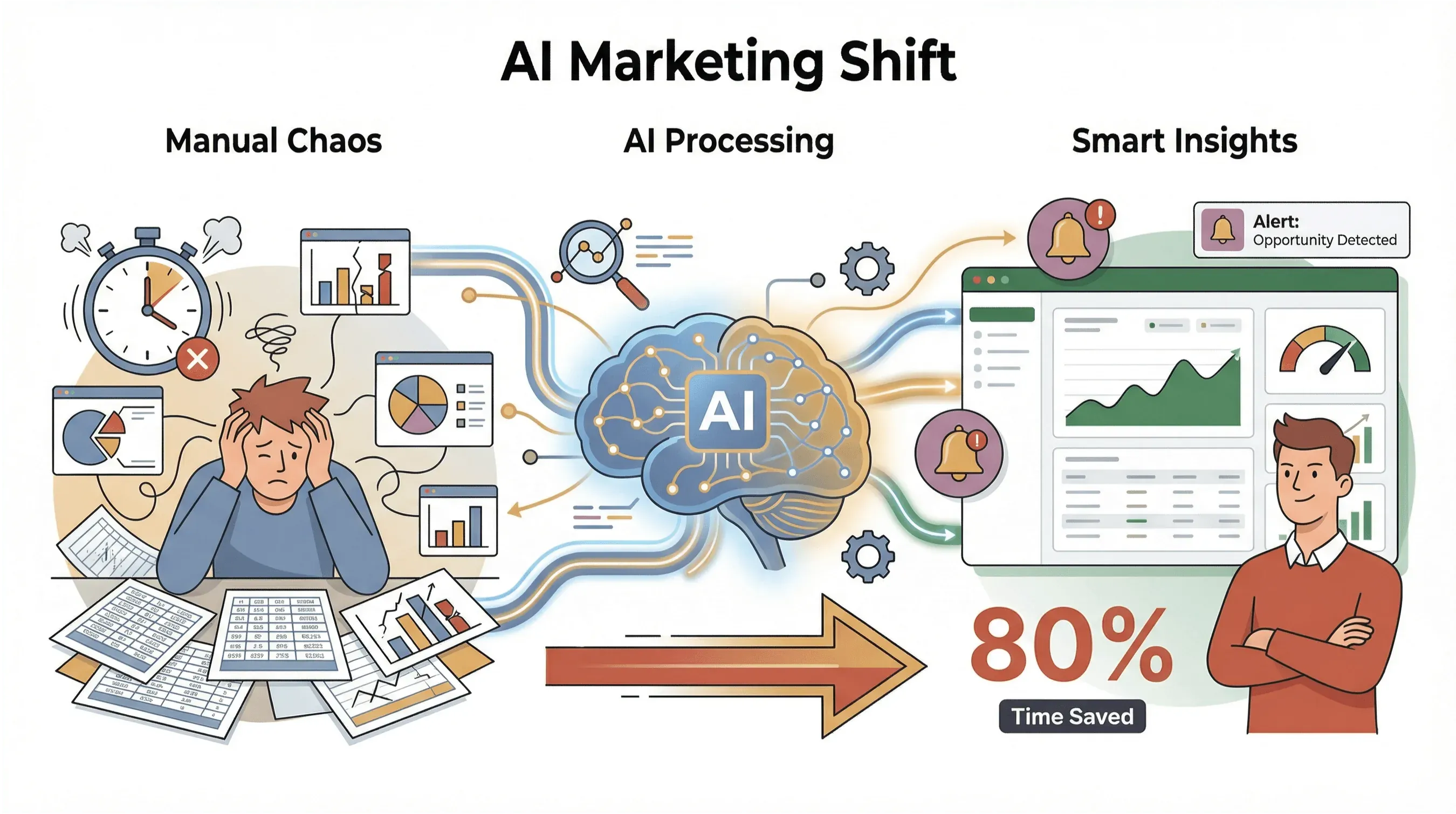 Let’s be honest: traditional marketing monitoring is a slog. Manual data collection, copy-pasting from a dozen dashboards, and trying to make sense of fragmented spreadsheets… it’s enough to make anyone want to run for the hills. According to Improvado, analysts spend 60–80% of their time just cleaning and wrangling data instead of actually analyzing it.
AI-powered monitoring flips the script:
- Speed & Scale: AI tools like Thunderbit can crawl hundreds of pages in a few clicks, handle pagination and subpages, and keep your datasets fresh with scheduled scraping (Thunderbit Blog).
- Noise Filtering: Machine learning sifts through the noise to surface what matters—trends, anomalies, competitor moves.
- Proactive Insights: AI can forecast trends, automate alerts, and help you act before your competitors even know what’s happening (DiGGrowth).
- Cost & Time Savings: Automated dashboards and scrapers can cut reporting time by over 80% (Improvado).
The result? Marketers who leverage AI-driven monitoring aren’t just keeping up—they’re setting the pace.
Thunderbit: The AI-Powered Solution for Monitoring Marketing
Let’s talk about how Thunderbit fits into this new world. Thunderbit is an AI web scraper Chrome extension designed for business users—sales, marketing, ecommerce, real estate, you name it. Our goal? Make it dead simple to extract, organize, and act on marketing data from any website, social platform, or industry forum.
Here’s what makes Thunderbit stand out:
- 2-Click Scraping & AI Suggest Fields: Just open the page, click “AI Suggest Fields,” and Thunderbit’s AI reads the site, proposing column names (like “Campaign Name,” “Price,” “Sentiment”) with example data (Thunderbit Blog).
- Subpage & Pagination Scraping: Need more depth? Thunderbit can follow links to product pages, reviews, or competitor listings, and it handles infinite scroll or multi-page results automatically.
- Pre-Built Templates: For popular sites (Amazon, Zillow, LinkedIn), just pick a template and go—no setup required.
- Instant Data Export: Export your results to Excel, Google Sheets, Airtable, or Notion—free, no hidden fees (Thunderbit Blog).
- Built-In Extractors: One-click tools for grabbing emails, phone numbers, or images—perfect for building contact lists or tracking campaign creatives.
- AI Autofill: Automate repetitive form-filling tasks, like uploading leads to your CRM.
- Scheduled Scraping: Set up scrapes to run daily, weekly, or on your custom schedule—just describe the interval in plain English.
Thunderbit takes the grunt work out of marketing monitoring, so you can focus on strategy, not spreadsheets.
Try Thunderbit for Marketing Monitoring
Step-by-Step: Monitoring Marketing with Thunderbit
Let’s get practical. Here’s how I use Thunderbit to monitor marketing activities—whether it’s tracking competitor campaigns, social sentiment, or industry trends.
Step 1: Define Your Monitoring Marketing Objectives
Before you dive in, get clear on what you want to monitor. Some common objectives:
- Competitor promotions and pricing: Are your rivals running flash sales? Did they just cut prices on a key SKU?
- Customer reviews and sentiment: What are people saying about your brand (or your competitors) on review sites and social media?
- Trending topics and hashtags: What’s catching fire in your industry this week?
- Lead and contact discovery: Who’s launching new products, hiring, or expanding into your market?
Prioritize based on your business goals. For example, if you’re in ecommerce, price monitoring might be your top priority. If you’re in B2B, tracking competitor launches or funding news could be more valuable.
Step 2: Set Up Thunderbit for Data Extraction
Getting started with Thunderbit is a breeze:
- Install the Thunderbit Chrome Extension and sign up (the free tier lets you try it out right away).
- Navigate to your target website—this could be a competitor’s promo page, a review aggregator, or a trending hashtag feed.
- Click the Thunderbit icon in your browser.
- Hit “AI Suggest Fields.” Thunderbit’s AI will scan the page and propose relevant columns (like “Discount,” “Campaign Name,” “Review Text,” “Sentiment”).
- Adjust or add fields as needed. You can mix and match data types—text, numbers, dates, URLs, emails, images, and more.
Pro tip: Use Thunderbit’s “AI Improve Fields” to refine column names, data types, or even add custom AI prompts for more advanced extraction.
Step 3: Extract and Organize Marketing Data
Now for the fun part:
- Click “Scrape.” Thunderbit will automatically extract data from the page, handle pagination or infinite scroll, and even follow subpage links for deeper info (like product details or reviewer profiles).
- Label, categorize, and format: Use custom AI prompts to tag data (e.g., “categorize sentiment as positive/neutral/negative,” “extract hashtags,” or “normalize dates to YYYY-MM-DD”).
- Review your table: Thunderbit presents your data in a clean, structured format—no messy copy-paste required.
For example, if you’re tracking competitor campaigns, you might end up with columns like “Campaign Name,” “Start Date,” “Discount %,” “Product Category,” and “URL”—all neatly organized and ready for analysis.
Step 4: Export and Analyze Results
Once you’ve got your data:
- Export to Excel, Google Sheets, Airtable, or Notion—just one click, and your data is ready for further analysis or sharing.
- Visualize and interpret: Build dashboards, charts, or pivot tables to spot trends, outliers, or opportunities.
- Share with stakeholders: Whether it’s your sales team, execs, or agency partners, everyone can work from the same up-to-date dataset.
If you’re not a data whiz, don’t worry—Thunderbit’s exports are designed to play nice with popular dashboard tools like Google Data Studio or Power BI, so you can turn raw data into actionable insights fast (Improvado).
Advanced Tactics: Turning Marketing Data into Actionable Insights
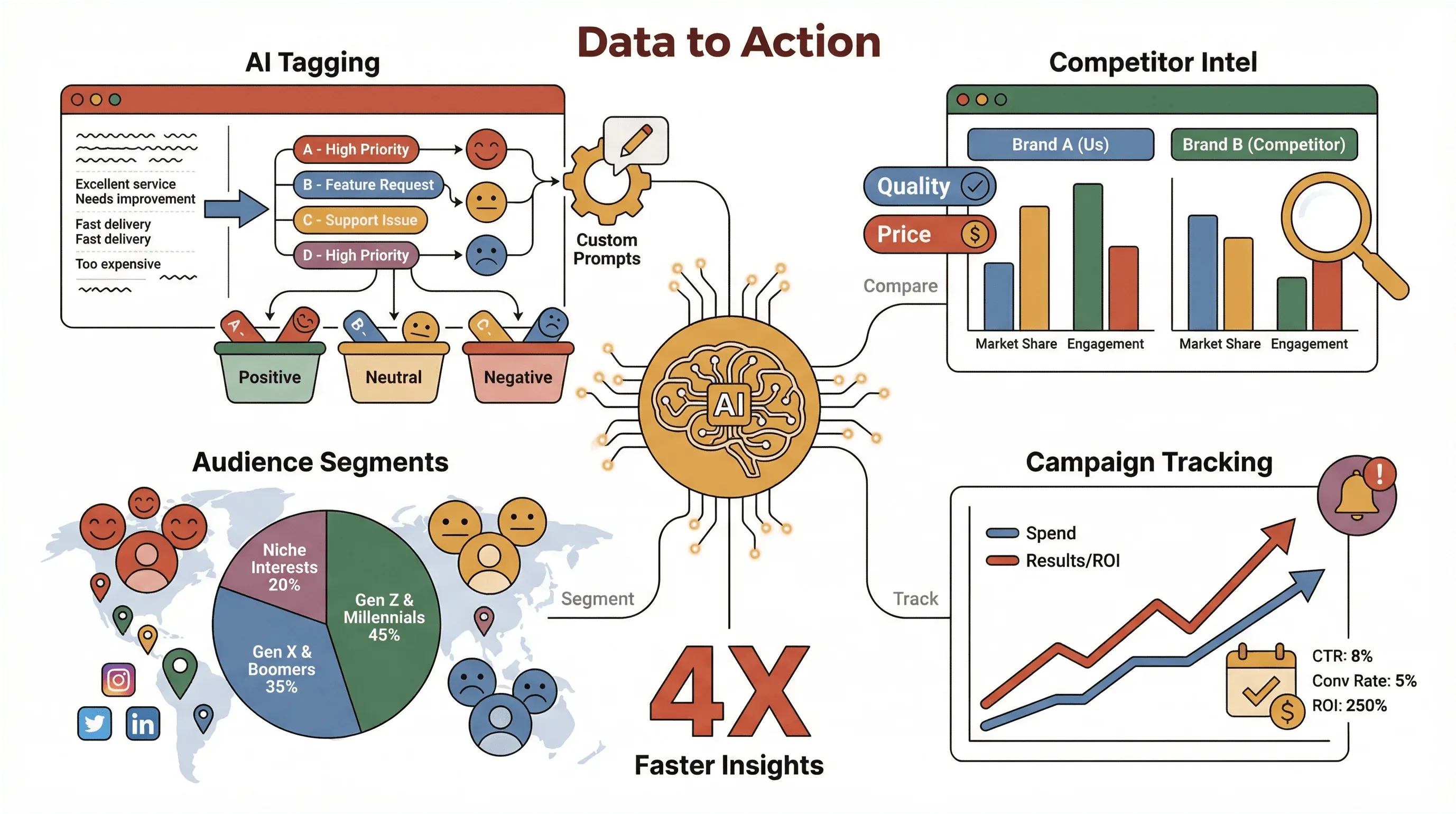 Here’s where Thunderbit’s AI features really shine:
- Custom AI Prompts & Tagging: For each field, you can add instructions like “categorize product as {A, B, C}” or “extract sentiment score from review.” Thunderbit applies these on the fly, so your data is already segmented and labeled.
- Competitor Benchmarking: Scrape competitor catalogs or ad headlines, then compare key metrics side-by-side. Tag themes (like “quality” vs. “price” focus) to see what’s resonating.
- Audience Segmentation: Use AI prompts to group reviews or social posts by sentiment, location, or demographic cues.
- Campaign Performance Tracking: Monitor your own campaigns by scraping daily ad spend, impressions, or engagement from web dashboards—then correlate spend with lead-gen or sales.
Example workflow: Let’s say you want to track social sentiment for your brand and two competitors. You’d set up Thunderbit to scrape review sites or social feeds, use AI prompts to extract sentiment and hashtags, then export to Google Sheets for weekly trend analysis. If you notice a spike in negative sentiment for a competitor, you can adjust your messaging or launch a targeted campaign to capture their unhappy customers.
Real-Time Monitoring Marketing: Staying Ahead of Trends
In today’s market, speed is everything. Real-time monitoring lets you:
- Spot viral trends or crises instantly: No more waiting for the monthly report to find out your brand was trending (for better or worse).
- React to competitor moves: If a rival slashes prices, you’ll know before your customers do.
- Optimize campaigns on the fly: Shift budget, messaging, or creative based on what’s working—right now.
Thunderbit’s Scheduled Scraper makes this easy: just set your scrape to run hourly, daily, or on your custom cadence. Your data flows into Sheets, Airtable, or Notion automatically, so you’re always working with the freshest intel (Thunderbit Blog).
Use cases:
- Price monitoring: Retailers can track competitor prices every morning and adjust their own offers before shoppers even notice.
- Social sentiment tracking: Brands can monitor reviews or social mentions in real time, catching PR issues before they snowball.
- Campaign launch analysis: Marketers can see which influencers or press outlets are driving the most buzz—while the campaign is still live.
Integrating Monitoring Marketing Data into Your Workflow
How to Scrape Website Data into Excel using AI Get Started Free
Data is only valuable if it gets to the right people at the right time. Thunderbit makes integration simple:
- Export to your favorite tools: Excel, Google Sheets, Airtable, Notion—pick your poison.
- Connect to dashboards: Use Google Data Studio, Power BI, or Looker to visualize your data and track KPIs in real time (Improvado).
- Feed your CRM or sales tools: Upload scraped leads or contact info directly to Salesforce, HubSpot, or your CRM of choice.
- Automate alerts: Use Zapier or similar tools to trigger emails, Slack messages, or other notifications when key metrics change.
The goal? Make sure insights from your monitoring efforts actually drive action—whether that’s a pricing change, a new campaign, or a quick call to a hot lead.
Overcoming Common Challenges in Monitoring Marketing with AI Tools
Let’s be real: even with AI, there are bumps in the road. Here’s how I tackle the most common challenges:
- Data overload: Focus your scrapes on specific targets—narrow your competitor list, use exact keywords, and filter columns aggressively. Use AI prompts to extract only what matters.
- Data quality: Web data can be messy. Use Thunderbit’s formatting prompts (like “normalize dates” or “convert currencies”) and always sanity-check your outputs.
- Learning curve: Thunderbit is designed for non-technical users, but if you’re new, start with pre-built templates and check out our documentation and YouTube tutorials.
- Compliance: Always respect website terms of service and privacy laws. Use browser-based scraping for logged-in or dynamic sites, and cloud mode for public data. Keep audit trails and assign data ownership within your team.
- Credit management: Thunderbit uses a credit system (1 credit = 1 output row). Monitor your usage, start small, and scale up as you see ROI.
The best advice? Start small and iterate. Pick one metric to monitor, automate it, and expand as your confidence grows.
Key Takeaways: Mastering Monitoring Marketing with AI
Let’s wrap it up:
- AI is now essential for marketing monitoring. The volume and speed of data make manual methods obsolete. Brands that act on live data—not hunches—win.
- Thunderbit makes AI-powered monitoring accessible. With 2-click scraping, AI field suggestions, and instant exports, anyone can turn web chaos into actionable insights.
- A structured workflow drives results. Define your goals, use Thunderbit’s AI-driven steps, and integrate your data into daily operations.
- Real-time monitoring gives you a competitive edge. Scheduled scraping and instant exports mean you’re always ready to react.
- Continuous improvement is key. Start with one use case, refine your process, and scale as your team gets comfortable.
Ready to see how AI can transform your marketing monitoring? Download Thunderbit and try it for yourself. And if you want more tips, check out the Thunderbit Blog for deep dives, tutorials, and real-world case studies.
Start Monitoring Marketing with Thunderbit
FAQs
1. What is “monitoring marketing” and why is it important?
Monitoring marketing means continuously tracking and analyzing your marketing activities, competitor moves, and market trends. It’s crucial for spotting opportunities, responding to threats, and optimizing your strategy in real time—especially as digital channels multiply and consumer behavior shifts rapidly.
2. How does AI improve marketing monitoring compared to manual methods?
AI tools automate data collection, filter out noise, and surface actionable insights much faster than manual methods. They can process huge datasets, spot trends, and even forecast future shifts—saving time and enabling smarter, faster decisions.
3. What makes Thunderbit different from other marketing monitoring tools?
Thunderbit is designed for non-technical users, offering 2-click scraping, AI field suggestions, subpage and pagination handling, and instant export to Excel, Google Sheets, Airtable, or Notion. It’s flexible, easy to use, and powerful enough for advanced marketing monitoring tasks.
4. Can Thunderbit handle real-time or scheduled monitoring?
Absolutely. Thunderbit’s Scheduled Scraper lets you automate data collection on your preferred schedule—hourly, daily, weekly, or custom intervals—so your dashboards and reports are always up to date.
5. How can I integrate Thunderbit’s data into my existing workflow?
Thunderbit exports data directly to popular tools like Excel, Google Sheets, Airtable, and Notion. You can also connect outputs to dashboards (Google Data Studio, Power BI), CRMs (Salesforce, HubSpot), or automation tools (Zapier) for seamless reporting and collaboration.
Mastering monitoring marketing with AI isn’t just about keeping up—it’s about getting ahead. Give Thunderbit a try, and let’s turn marketing chaos into your next competitive advantage.
Try AI Web Scraper for Marketing Monitoring Get Started Free
Learn More




