
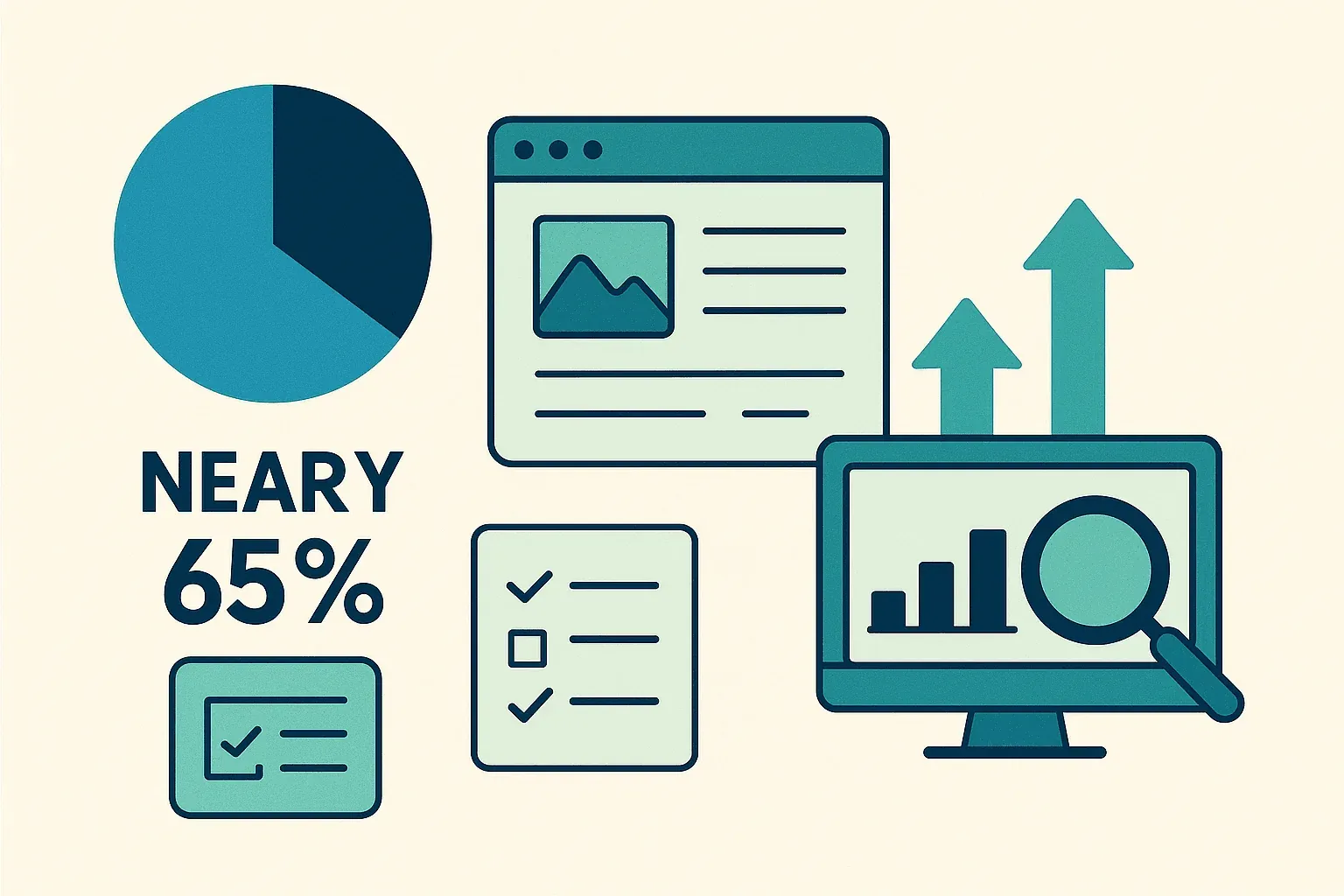
In 2026, web data isn't just "nice to have"—it's the lifeblood of business strategy. From e-commerce giants tracking competitors’ prices in real time to sales teams filling their pipelines with fresh leads, companies are treating public web data like digital oil. The numbers back it up: nearly 65% of enterprises now use web scraping or data extraction tools, and over 70% of digital businesses rely on public web data for market intelligence. And while Python gets all the hype, Java is still the workhorse powering large-scale, mission-critical scraping projects—especially in enterprise settings where reliability and integration matter most.
 Having spent years in SaaS and automation, I’ve seen firsthand how Java web scraping can transform business operations. But I’ve also seen teams struggle—either stuck in the weeds of low-level code or overwhelmed by dynamic websites and anti-bot roadblocks. That's why I'm excited to share a practical, step-by-step guide to mastering Java web scraping in 2026, with a special focus on blending code with modern AI-powered tools like Thunderbit. Whether you’re a developer, an ops lead, or a business user who just wants data without the drama, this guide is for you.
What is Java Web Scraping? A Non-Technical Overview
Let’s demystify the jargon: Java web scraping is just the process of using Java code to automatically extract information from websites. Imagine hiring a super-fast virtual intern who can read thousands of web pages and neatly copy the data you need into a spreadsheet—except this intern never gets tired, never makes typos, and works at the speed of your internet connection.
Here’s how it works in plain English:
- Send a request to a website (like visiting a page in your browser).
- Download the HTML content (the raw code that makes up the page).
- Parse that HTML into a structure your program can understand.
- Extract the specific data you care about (like product names, prices, emails).
- Save the results into a format you can use—CSV, Excel, a database, or even Google Sheets.
You don’t have to be a hardcore developer to understand the basics. With the right tools and a little guidance, even business users can automate data collection and turn messy web pages into actionable insights.
Why Java Web Scraping Matters for Businesses in 2026
Web scraping isn’t just a techie’s side project—it’s a business necessity. Let’s look at how companies are using Java web scraping to get ahead, and why it delivers real ROI.
| Web Scraping Use Case | Business Benefits (ROI) | Example Industries |
|---|---|---|
| Competitive Price Monitoring | Real-time pricing intelligence; sales increases of 20%+ by reacting faster to market changes | E-commerce, Retail |
| Lead Generation & Sales Intel | Automated, up-to-date prospect lists; 70% reduction in manual research time | B2B Sales, Marketing, Recruitment |
| Market Research & Trend Analysis | Early detection of trends; 5–15% revenue boost and 10–20% higher marketing ROI | Consumer Products, Marketing Agencies |
| Financial & Investment Data | Alternative data for trading; $5B+ market for web-scraped “alt-data” | Finance, Hedge Funds, Fintech |
| Workflow Automation & Monitoring | Routine data collection automated; 73% cost savings and 85% faster deployment | Real Estate, Supply Chain, Government |
(Source)
Why Java? Because it’s built for scale, reliability, and integration. Many enterprise data pipelines are already running on Java, so plugging in a web scraper is a natural fit. Plus, Java’s multithreading and error handling make it ideal for big jobs—think scraping thousands of pages a day, not just a handful.
How Does Java Web Scraping Work? Core Principles and Unique Advantages
Let’s break down the nuts and bolts of a typical Java web scraper:
- HTTP Requests: Java uses libraries like JSoup or Apache HttpClient to fetch web pages. You can set headers, use proxies, and mimic real browsers to avoid getting blocked.
- HTML Parsing: Libraries like JSoup turn the raw HTML into a “DOM” (a tree-like structure), making it easy to find the data you want using CSS selectors.
- Data Extraction: You define rules (like “grab all
<span class='price'>elements”) to pull out the info you need. - Data Storage: Save the results to CSV, Excel, JSON, or a database.
What Makes Java Special for Web Scraping?
- Multithreading: Java can fetch and process many pages in parallel, dramatically speeding up large crawls. Python’s GIL can be a bottleneck here, but Java’s threads run true and fast.
- Performance: Java’s compiled nature means it handles big jobs and memory-intensive tasks with ease.
- Enterprise Integration: Java scrapers can plug directly into existing systems—CRMs, ERPs, databases—without messy workarounds.
- Error Handling: Java’s strict typing and exception handling make scrapers more robust and maintainable for long-term projects.
If you’re running a mission-critical data pipeline, Java’s stability and scalability are hard to beat.
Essential Java Web Scraping Libraries and Frameworks: What to Choose and Why
There’s no shortage of Java libraries for web scraping, but three stand out for most business needs: JSoup, HtmlUnit, and Selenium. Here’s how they stack up:
| Library | Handles JavaScript? | Ease of Use | Performance | Best For |
|---|---|---|---|---|
| JSoup | ❌ (No JS) | Very Easy | High | Static pages, quick tasks, lightweight jobs |
| HtmlUnit | ⚠️ Partial | Moderate | Medium | Simple JS, form submissions, headless scraping |
| Selenium | ✅ Yes (Full) | Moderate/Hard | Lower (per page) | JS-heavy sites, interactive/dynamic pages |
JSoup: The Go-To for Simple HTML Parsing
JSoup is my first stop for most scraping jobs. It’s lightweight, easy to use, and perfect for static pages where the data is right there in the HTML.
Example:
Document doc = Jsoup.connect("https://www.scrapingcourse.com/ecommerce/").get();
String bannerTitle = doc.select("div.site-title").text();
System.out.println("Banner: " + bannerTitle);
It’s that simple. If you’re scraping blog posts, product listings, or directories that don’t rely on JavaScript, JSoup is your friend.
HtmlUnit: Simulating Browsers for More Complex Tasks
HtmlUnit is a headless browser written in Java. It can handle some JavaScript, fill out forms, and click buttons—all without opening a real browser window.
When to use it: If you need to log in to a site or deal with basic dynamic content, but don’t want the overhead of Selenium.
Example:
WebClient webClient = new WebClient();
HtmlPage page = webClient.getPage("https://example.com/login");
// ... fill out form and submit ...
Selenium: Handling JavaScript-Heavy and Interactive Pages
Selenium is the heavy hitter. It controls a real browser (like Chrome or Firefox), so it can handle any site a human can—including those built entirely in JavaScript.
When to use it: For scraping modern web apps, sites with infinite scroll, or anything that requires clicking, waiting, or interacting like a user.
Example:
WebDriver driver = new ChromeDriver();
driver.get("https://www.scrapingcourse.com/ecommerce/");
List<WebElement> products = driver.findElements(By.cssSelector("li.product"));
// ... extract data ...
driver.quit();
Supercharge Java Web Scraping with Thunderbit: Visual Automation Meets Code
Scrape data from any website using AI Get Started Free
Now, here’s where things get really interesting—especially for business users and teams who don’t want to live in code all day. Thunderbit is an AI-powered, no-code web scraper that lets you define scraping tasks visually (right in your browser), then export the data directly to Excel, Google Sheets, Airtable, or Notion.
Why Use Thunderbit with Java?
- AI-Suggested Fields: Thunderbit’s “AI Suggest Fields” reads the page and recommends exactly what to extract—no need to dig through HTML or write selectors.
- Subpage Scraping: Need more details? Thunderbit can automatically visit each subpage (like product detail pages) and enrich your dataset.
- Instant Templates: For popular sites (Amazon, Zillow, LinkedIn), Thunderbit has one-click templates—no setup required.
- Easy Export: Once scraped, export your data in seconds—ready for your Java code to process, analyze, or integrate.
Thunderbit is a huge time-saver for prototyping, handling tricky sites, or empowering non-developers to get the data they need. And for developers, it’s a fantastic way to offload the repetitive or brittle parts of scraping, so you can focus on the business logic.
Combining Thunderbit and Java for Complex Projects
Here’s a workflow I love:
- Prototype with Thunderbit: Use the Chrome extension to set up your scrape visually. Let AI suggest fields, handle pagination, and export the data to Google Sheets or CSV.
- Process in Java: Write Java code to read the exported data (from Sheets, CSV, or Airtable), then perform any post-processing, analytics, or integration with your enterprise systems.
- Automate & Schedule: Use Thunderbit’s built-in scheduler to keep your data fresh, and have your Java pipeline pick up the latest exports automatically.
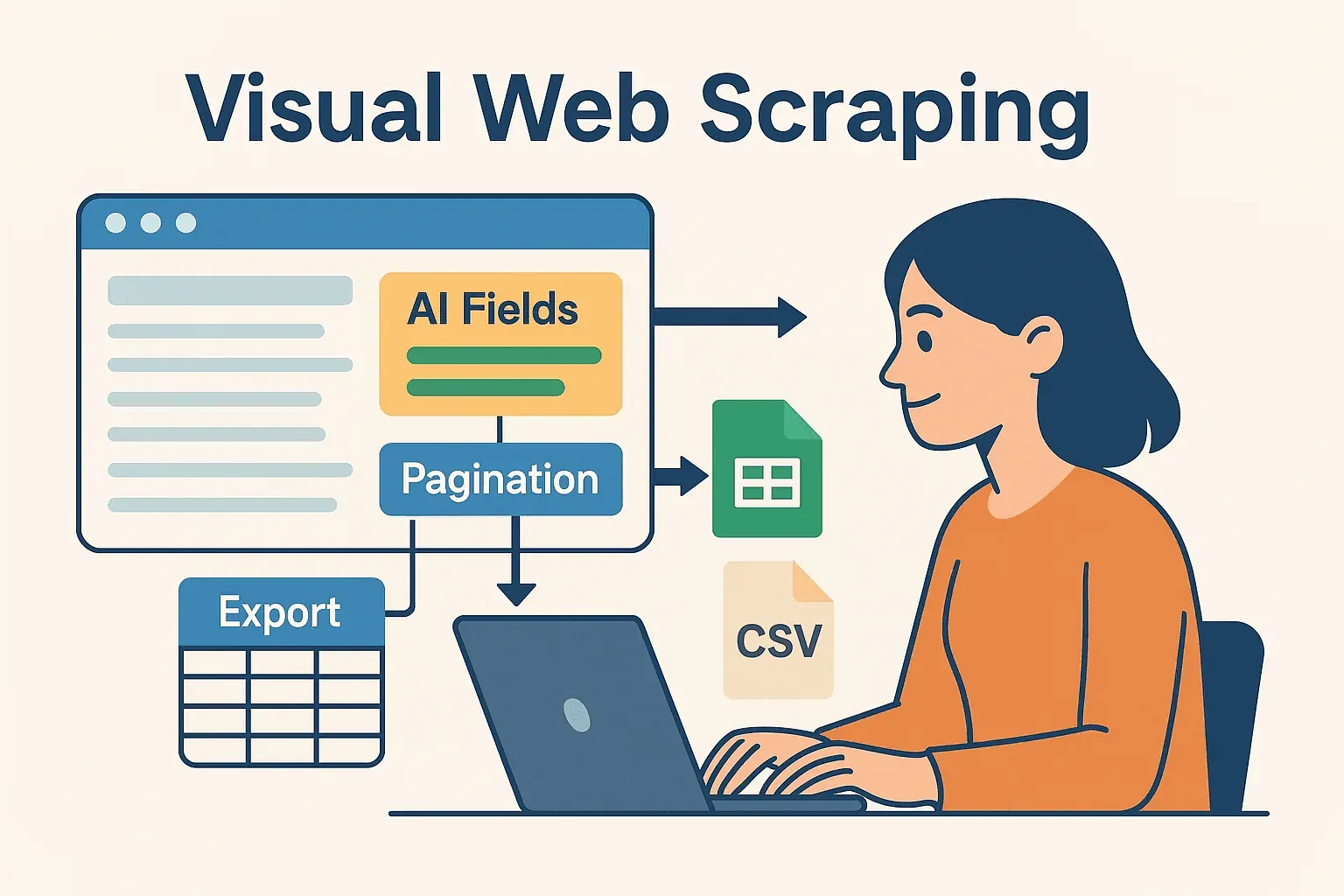 This hybrid approach means you get the best of both worlds: the speed and flexibility of AI-powered, no-code scraping, plus the power and reliability of Java for downstream processing.
Try Thunderbit Chrome Extension for Free
Step-by-Step Guide: Building Your First Java Web Scraper
Let’s get hands-on. Here’s how to build a simple Java web scraper from scratch.
Setting Up Your Java Environment
- Install Java (JDK): Use Java 21 or 25 for current LTS support. Free Oracle updates for Java 17 ended in September 2024 and free updates for Java 21 are scheduled to end in September 2026, so new projects starting in 2026 should target Java 25 (released September 2025, LTS until 2033) unless you're tied to an existing Java 21 codebase.
- Set Up Maven: This handles dependencies for you.
- Choose an IDE: IntelliJ IDEA, Eclipse, or VSCode all work great.
- Add JSoup to your
pom.xml:<dependency> <groupId>org.jsoup</groupId> <artifactId>jsoup</artifactId> <version>1.22.2</version> </dependency>
Writing and Running Your Scraper
Let’s scrape product names and prices from a demo e-commerce site.
import org.jsoup.Jsoup;
import org.jsoup.nodes.Document;
import org.jsoup.select.Elements;
import org.jsoup.nodes.Element;

public class ProductScraper {
    public static void main(String[] args) {
        String url = "https://www.scrapingcourse.com/ecommerce/";
        try {
            Document doc = Jsoup.connect(url)
                                 .userAgent("Mozilla/5.0")
                                 .get();
            Elements productElements = doc.select("li.product");
            for (Element productEl : productElements) {
                String name = productEl.selectFirst("h2").text();
                String price = productEl.selectFirst("span.price").text();
                System.out.println(name + " -> " + price);
            }
        } catch (Exception e) {
            e.printStackTrace();
        }
    }
}
Pro tip: Always set a user-agent to mimic a real browser. Some sites block the default Java user-agent.
Exporting and Using Your Data
- CSV Export: Use
FileWriteror a library like OpenCSV to write results to a CSV file. - Excel Export: Use Apache POI for .xls/.xlsx files.
- Database Integration: Use JDBC to insert data directly into your database.
- Google Sheets: Export from Thunderbit and read with Java’s Google Sheets API.
Overcoming Common Java Web Scraping Challenges
Web scraping isn’t all sunshine and rainbows. Here are the most common headaches—and how to solve them:
- IP Blocking & Rate Limiting: Slow down your requests (
Thread.sleep()), rotate proxies, and randomize delays. For high-volume jobs, use proxy services. - CAPTCHAs & Bot Detection: Use Selenium to mimic real user behavior, or outsource to anti-bot APIs. Sometimes, using Thunderbit’s cloud scraping can bypass these hurdles.
- Dynamic Content: If JSoup returns empty results, the data is probably loaded via JavaScript. Switch to Selenium or HtmlUnit, or sniff out the site’s underlying API.
- Website Structure Changes: Write maintainable code with flexible selectors. Monitor your scrapers and be ready to update them when sites change. With Thunderbit, layout changes usually mean re-running "AI Suggest Fields" rather than editing XPath by hand — still a manual step, but a much cheaper one than rewriting selectors.
- Session Handling: For logged-in scraping, manage cookies and sessions carefully. Selenium and Thunderbit (when logged into Chrome) can handle authenticated pages.
Advanced Tips to Boost Java Web Scraping Efficiency
Learn More About Data Scraping with AI Get Started Free
Ready to level up? Here are some pro moves:
- Multithreading: Use Java’s
ExecutorServiceto scrape multiple pages in parallel. Just don’t go overboard and get yourself banned! - Scheduling: Use Quartz Scheduler in Java, or let Thunderbit handle scheduling in the cloud with natural language (“every Monday at 9am”).
- Cloud Scaling: For massive jobs, run headless browsers in the cloud or distribute tasks across multiple machines.
- Hybrid Workflows: Use Thunderbit for the tricky, high-maintenance sites, and Java code for the rest. Combine results in your data warehouse.
- Monitoring & Logging: Use Java’s logging frameworks to track scraper health, catch errors early, and trigger alerts if something goes wrong.
Conclusion & Key Takeaways
Web data is the new gold, and Java is still one of the best picks and shovels in the business—especially for teams that need reliability, scale, and integration. The core workflow is simple: fetch, parse, extract, and output. With libraries like JSoup, HtmlUnit, and Selenium, you can handle everything from basic directories to the wildest JavaScript-heavy sites.
But you don’t have to do it all by hand. Tools like Thunderbit bring AI and visual automation into the mix, letting you prototype, adapt, and scale your scraping projects faster than ever. My advice? Don’t be afraid to blend code and no-code. Use Thunderbit for rapid setup and maintenance, then let your Java pipeline handle the heavy lifting.
Want to see how Thunderbit can supercharge your workflow? Download the Chrome extension and try scraping your first site in minutes. And if you’re hungry for more, check out the Thunderbit Blog for deep dives, tutorials, and the latest in web scraping automation.
Happy scraping—and may your data always be structured, fresh, and ready for action.
FAQs
1. Is Java still relevant for web scraping in 2026?
Yes. While Python is popular for quick scripts, Java remains a common choice for enterprise-scale, long-running scraping pipelines — particularly where existing services already run on the JVM and benefit from real multithreading and the established ecosystem around Maven, logging, and JDBC.
2. When should I use JSoup, HtmlUnit, or Selenium?
Use JSoup for static pages, HtmlUnit for simple dynamic content or form submissions, and Selenium for JavaScript-heavy or interactive sites. Pick the tool that matches the site’s complexity.
3. How can I avoid getting blocked while scraping?
Throttle your requests, use rotating proxies, set realistic user-agents, and mimic human behavior. For tough sites, consider using Thunderbit’s cloud scraping or anti-bot APIs.
4. Can Thunderbit and Java work together?
Definitely. Use Thunderbit to visually define and schedule scrapes, export the data, then process or integrate it with your Java code. It’s a powerful combo for both business users and developers.
5. What’s the fastest way to get started with Java web scraping?
Set up Java and Maven, add JSoup, and try scraping a simple site. For more complex jobs or rapid prototyping, install Thunderbit and let AI do the heavy lifting—then plug the results into your Java workflow.
Want more tips, code samples, or automation hacks? Dive into the Thunderbit Blog or subscribe to our YouTube Channel for hands-on tutorials and the latest in web scraping tech. Learn More
- Best 15 Web Page Scrapers You Should Know About in 2025
- How to Do Web Scraping: A Comprehensive Beginner's Guide
- Top 12 Free Data Scraper Tools in 2025
Try AI Web Scraper for Java Projects Get Started Free




