

The web is overflowing with data, and if you’re in business, tech, or even just a little bit curious, you’ve probably wished you could grab information from a website in bulk—without spending your whole afternoon copying and pasting. Here’s the kicker: by 2025, nearly half of all internet traffic is made up of bots crawling and scraping the web for data, and over 70% of digital businesses rely on public web data for market intelligence and operations (Thunderbit). But while the need for web data has exploded, the process of actually extracting it can be, well, a bit of a headache—especially with today’s dynamic, JavaScript-powered websites.
That’s where JavaScript comes in. As the language of the web, JavaScript is uniquely equipped to handle the dynamic, interactive pages that trip up old-school scrapers. Whether you’re a developer looking to automate research, a sales pro building lead lists, or just someone who loves tinkering, this guide will walk you through the essentials of building a JavaScript web scraper—from the basics to advanced techniques, and even how to skip the code entirely with AI tools like Thunderbit.
JavaScript Scraper Basics: What Is Web Scraping with JavaScript?
What Is Data Scraping and How to Do It in 2026 Get Started Free
Let’s start with the basics. Web scraping is the process of automatically extracting information from websites. Imagine having a super-fast assistant who can visit hundreds of pages, copy the data you need, and organize it into a neat spreadsheet—without ever complaining about carpal tunnel.
A JavaScript scraper is simply a web scraper built using JavaScript. You can run JavaScript scrapers in two main ways:
- In the browser: Running scripts directly in your browser’s console or using browser extensions to grab data from the page you’re viewing.
- Server-side (Node.js): Using JavaScript outside the browser (thanks to Node.js) to fetch web pages, parse their content, and extract data programmatically.
Why does this matter for business users? Well, web scraping powers everything from lead generation (pulling contacts from directories), to price monitoring (tracking competitors), to market research (gathering reviews, news, or trends). In fact, 48% of web scraping users are in e-commerce alone (Thunderbit). If you can see it in your browser, a JavaScript scraper can probably grab it for you.
Why Web Scraping with JavaScript? Key Advantages for Modern Websites
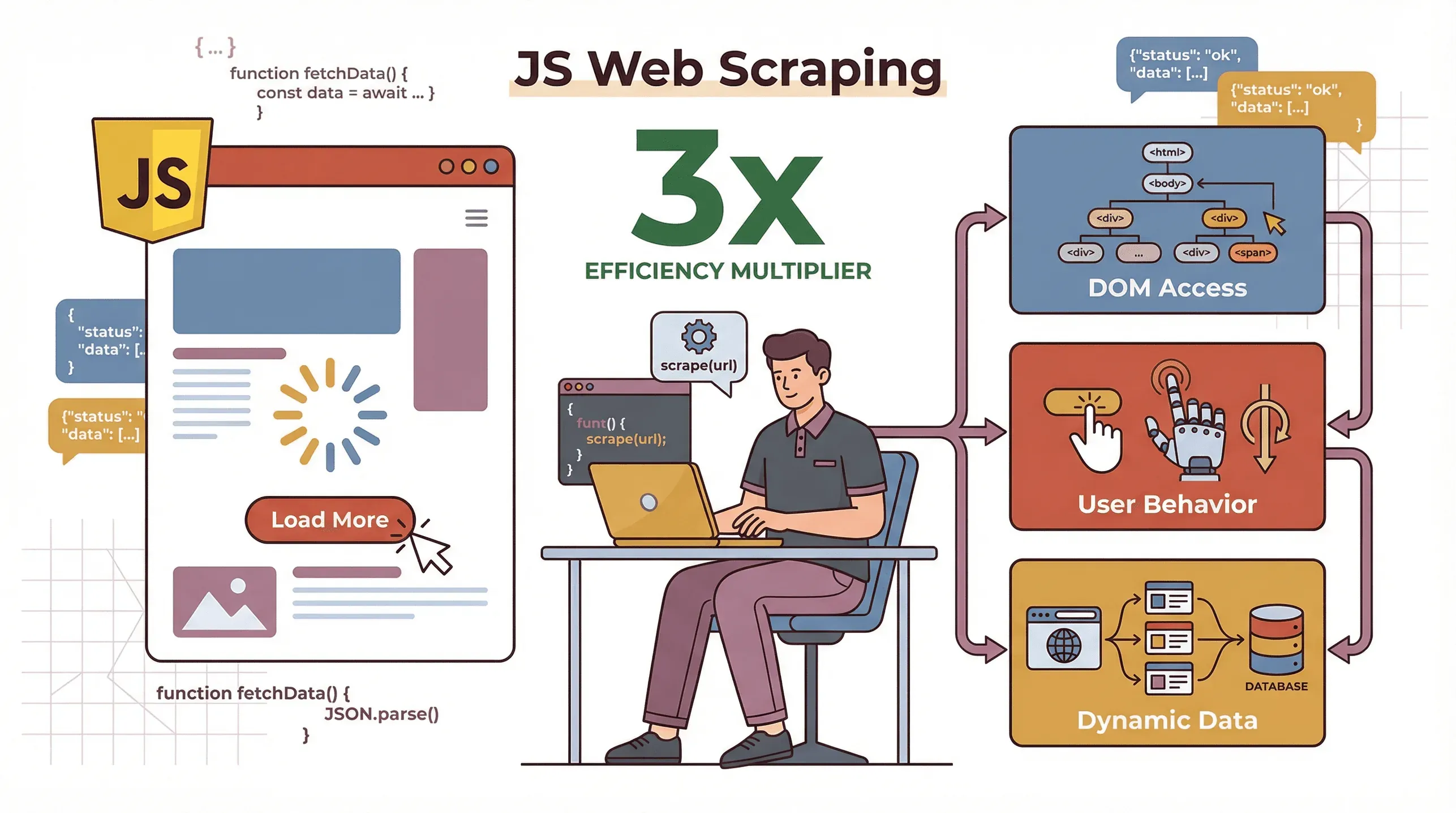 So, why use JavaScript for scraping, especially when Python seems to get all the love in data science circles? Here’s the secret: modern websites are powered by JavaScript. They load content dynamically, fetch data after the page loads, and often require user interactions (like clicking “Load More” or scrolling). JavaScript scrapers can:
- Handle dynamic content: Since JavaScript is the language running in your browser, it can see and interact with content that only appears after scripts run.
- Mimic real user behavior: Tools like Puppeteer let you automate clicks, scrolls, and even logins, just like a human would.
- Work natively with the DOM: JavaScript can directly access and manipulate the page’s structure, making it easier to extract exactly what you need.
How does JavaScript stack up against other languages? Here’s a quick comparison:
| Factor | JavaScript (Node.js) | Python | PHP |
|---|---|---|---|
| Dynamic Content | Excellent—runs natively in browser, great for JS-heavy sites | Needs extra tools (Selenium/Playwright) for dynamic content | Limited |
| Speed/Concurrency | High—async model, fetches many pages in parallel | Good, but needs asyncio/Scrapy for concurrency | Slower, less common |
| Ease of Use | Moderate—web devs feel at home, async can trip up beginners | Easier for beginners, lots of tutorials | Basic, less flexible |
| Browser Automation | First-class (Puppeteer, Playwright) | Good (Selenium, Playwright) | Rare |
| Best For | Dynamic, interactive, or SPA sites; web dev workflows | Data analysis, static sites, quick scripts | Simple static sites |
If your target website is a single-page app or loads data on scroll or click, JavaScript is often the best tool for the job (Rayobyte).
Setting Up Your First JavaScript Scraper: Tools and Environment
Ready to get your hands dirty? Here’s how to set up a basic JavaScript scraping environment—no frameworks required.
-
Install Node.js
Download and install Node.js from nodejs.org. This lets you run JavaScript outside the browser. -
Initialize a Project
Open your terminal and run:mkdir my-scraper cd my-scraper npm init -y -
Install Essential Libraries
You’ll want:npm install axios cheerio -
Inspect Your Target Website
Open Chrome DevTools (right-click > Inspect) and look for the HTML elements containing your data. Note down their classes, IDs, or tags.
Here’s a simple starter script:
const axios = require('axios');
const cheerio = require('cheerio');

async function scrapePage(url) {
  try {
    const { data: html } = await axios.get(url);
    const $ = cheerio.load(html);
    const pageTitle = $('head > title').text();
    console.log("Page title:", pageTitle);
  } catch (err) {
    console.error("Scraping failed:", err);
  }
}

scrapePage('https://example.com');
Run it with node scrape.js and you’ll see the page title printed out. Not bad for a few lines of code!
Building a Basic JavaScript Web Scraper: Step-by-Step Walkthrough
Let’s build something more useful. Suppose you want to scrape book titles and prices from books.toscrape.com, a classic practice site.
Step 1: Inspect the Page
Each book is inside an <article class="product_pod">. The title is in <h3><a title="Book Title"></a></h3>, and the price is in <p class="price_color">.
Step 2: Write the Scraper
const axios = require('axios');
const cheerio = require('cheerio');

async function scrapeBooks() {
  const url = 'http://books.toscrape.com/';
  const { data: html } = await axios.get(url);
  const $ = cheerio.load(html);

  const books = [];
  $('article.product_pod').each((i, elem) => {
    const title = $(elem).find('h3 a').attr('title');
    const price = $(elem).find('.price_color').text();
    books.push({ title, price });
  });

  console.log(books);
}

scrapeBooks();
This script fetches the page, parses the HTML, loops through each book, and extracts the title and price. The output? A tidy array of book objects:
[
  { "title": "A Light in the Attic", "price": "£51.77" },
  { "title": "Tipping the Velvet", "price": "£53.74" }
]
Step 3: Expand for Pagination
Want to scrape multiple pages? Look for the “Next” link and loop through pages, updating the URL each time. With a little more code, you can scrape the whole site.
Going Further: Handling Dynamic Content and User Interactions with JavaScript
Now for the fun (and sometimes frustrating) part: dynamic content. Many modern websites don’t show all their data in the initial HTML. Instead, they load it with JavaScript after the page loads, or require you to click buttons or scroll to see more.
Cheerio and Axios won’t see this content—they only get the raw HTML. To scrape dynamic sites, you need a headless browser like Puppeteer.
Using Puppeteer for Advanced JavaScript Web Crawling
Puppeteer lets you control Chrome (or Chromium) with code. You can:
- Open pages
- Wait for elements to load
- Click buttons, fill forms, scroll
- Extract content after all scripts have run
Here’s a simple Puppeteer script:
const puppeteer = require('puppeteer');

(async () => {
  const browser = await puppeteer.launch();
  const page = await browser.newPage();
  await page.goto('https://example.com', { waitUntil: 'networkidle0' });
  await page.waitForSelector('.dynamic-content');

  const data = await page.evaluate(() => {
    return Array.from(document.querySelectorAll('.dynamic-content'))
      .map(el => el.textContent.trim());
  });

  console.log(data);
  await browser.close();
})();
You can even automate logins, click “Load More” buttons, or handle infinite scroll by programmatically scrolling the page and waiting for new content to appear (Browserless).
Thunderbit: Simplifying and Enhancing JavaScript Scraping
Let’s be real: writing scrapers from scratch is powerful, but it takes time, technical skill, and ongoing maintenance. That’s why I’m such a fan of Thunderbit, our AI-powered Chrome Extension that turns web scraping into a two-click affair.
Thunderbit is built for business users—no coding required. Here’s how it works:
- AI Suggest Fields: Click one button and Thunderbit’s AI scans the page, suggesting the best columns to extract (like “Product Name,” “Price,” “Email,” etc.).
- 2-Click Scraping: Review the suggested fields, click “Scrape,” and Thunderbit grabs all the data—handling pagination and subpages automatically.
- Subpage & Pagination Handling: Need more details? Thunderbit can follow links to subpages (like product details or profiles) and merge that data into your table.
- Cloud or Browser Mode: Scrape in your browser (great for logged-in pages) or use Thunderbit’s cloud for speed (up to 50 pages at once).
- Free, Structured Export: Export your data to Excel, Google Sheets, Airtable, Notion, CSV, or JSON—always free, no matter how much you scrape.
Try Thunderbit Chrome Extension for Free
Thunderbit in Action: From Data Extraction to Export
Let’s say you want to extract contact info from a business directory:
- Install Thunderbit (Chrome Extension).
- Open the directory page.
- Click “AI Suggest Fields.” Thunderbit’s AI suggests columns like “Name,” “Phone,” “Company.”
- Click “Scrape.” Thunderbit collects all the data, even across multiple pages.
- Export to Sheets or Excel. Done.
What used to take hours (or require a developer) now takes minutes. And because Thunderbit uses AI, it’s resilient to website layout changes—no more broken scripts every time a site updates (Thunderbit).
Here’s how traditional JavaScript scraping compares to Thunderbit:
| Criteria | Manual JS Scraper | Advanced JS (Puppeteer) | Thunderbit AI Scraper |
|---|---|---|---|
| Skill Needed | Coding | Advanced coding | None (point and click) |
| Dynamic Content | Limited | Excellent | Built-in |
| Setup Time | Hours per site | Hours to days | Seconds to minutes |
| Maintenance | High | High | Low (AI adapts) |
| Export Options | Custom code | Custom code | 1-click to Excel/Sheets/etc. |
| Cost | Free (time-intensive) | Free (hardware, time) | Free tier, then $15/mo+ |
Advanced Techniques: Complex Web Scraping with JavaScript Libraries
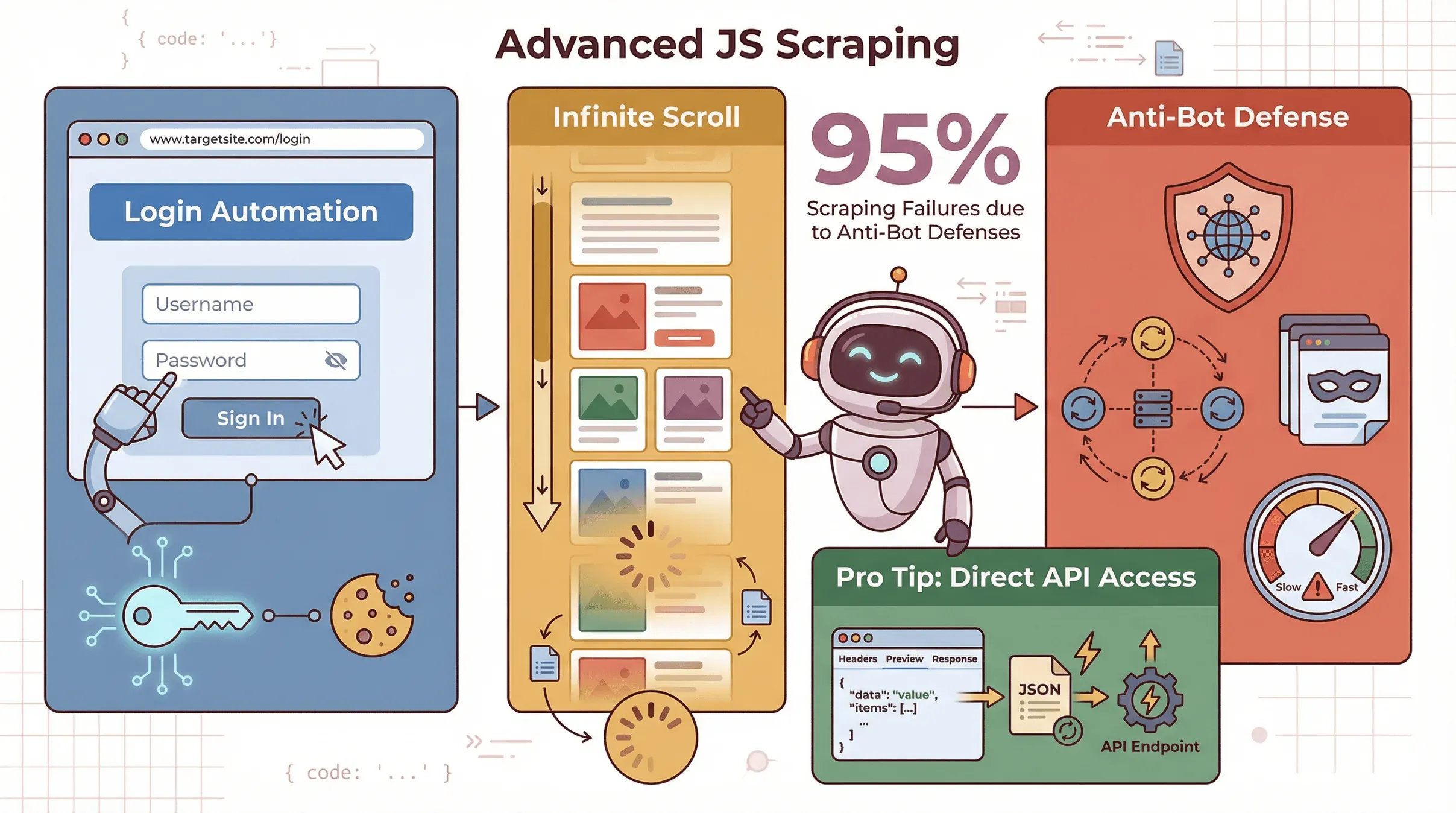 Sometimes you need to go further—scraping data behind logins, handling infinite scroll, or dodging anti-scraping defenses.
- Logins/Sessions: With Puppeteer, you can automate logging in by filling forms and clicking buttons, then scrape data as an authenticated user.
- Infinite Scroll: Programmatically scroll the page, wait for new content, and repeat until all data is loaded (Browserless).
- Anti-Scraping Measures: Use proxies, rotate user agents, and throttle your requests to avoid getting blocked. Over 95% of scraping failures are due to anti-bot defenses (Thunderbit).
Pro tip: Sometimes, you can skip the browser entirely by finding the site’s hidden API endpoints (check the Network tab in DevTools). If you can fetch JSON data directly, your scraper will be much faster.
Optimizing and Maintaining Your JavaScript Web Crawler
Building a scraper is only half the battle—keeping it running smoothly is the other half.
- Async Processing: Use async/await and fetch pages in parallel (but don’t overload the server).
- Batching: Process data in chunks to avoid memory issues.
- Error Handling: Catch errors, retry failed requests, and log issues for debugging.
- Pagination: Detect “Next” links or buttons and loop through pages.
- Selector Resilience: Use unique IDs or classes; avoid brittle selectors that break if the site layout changes.
- Monitoring: Set up alerts if your scraper starts returning empty data or errors.
Best practice: Scraping is never “set it and forget it.” Plan for regular updates and monitoring (Octoparse).
Comparing JavaScript Scraping Solutions: Traditional vs. Thunderbit
Here’s a quick side-by-side for business users:
| Approach | Time to Value | Skill Needed | Handles Dynamic Content | Maintenance | Export Options | Scalability |
|---|---|---|---|---|---|---|
| Manual JS (Cheerio) | Slow | Coding | No | High | Code it yourself | Good for static |
| Advanced JS (Puppeteer) | Moderate | Coding+ | Yes | High | Code it yourself | Slower per page |
| Thunderbit | Fast | None | Yes (AI-powered) | Low | 1-click to Sheets/CSV | Cloud or browser |
For most business users, Thunderbit is the fastest way to get from “I need this data” to “Here’s my spreadsheet.”
Scrape Any Website with Thunderbit
Conclusion & Key Takeaways
Building a JavaScript web scraper is a superpower in today’s data-driven world. Here’s what I’ve learned (and what I recommend):
- Start simple: Use Cheerio and Axios for static sites.
- Go advanced when needed: Use Puppeteer for dynamic, interactive, or login-required sites.
- Save time with AI tools: For most business needs, Thunderbit lets you skip the code and get results in minutes.
- Plan for maintenance: Websites change—your scrapers should be ready to adapt.
- Always scrape ethically: Respect site terms, avoid overloading servers, and use data responsibly.
If you’re curious to try scraping without the headaches, download Thunderbit’s Chrome Extension and see how easy it can be. And if you want to dive deeper, check out the Thunderbit Blog for more guides, tips, and real-world examples.
Happy scraping—and may your selectors always be unique!
Try AI Web Scraper Get Started Free
FAQs
1. What is a JavaScript web scraper?
A JavaScript web scraper is a program (or script) written in JavaScript that automatically extracts data from websites. It can run in the browser or on the server (with Node.js), and is especially good at handling dynamic, JavaScript-heavy sites.
2. Why choose JavaScript over Python for web scraping?
JavaScript is the language of the web, making it ideal for scraping sites that load content dynamically or require user interactions. Python is great for static sites and data analysis, but needs extra tools for dynamic content.
3. What tools do I need to build a JavaScript scraper?
For static sites: Node.js, Axios (or fetch), and Cheerio. For dynamic sites: add Puppeteer or Playwright for headless browser automation. For no-code scraping, try Thunderbit.
4. How does Thunderbit simplify web scraping?
Thunderbit uses AI to automatically detect and extract data from any website. Just click “AI Suggest Fields,” then “Scrape,” and export your data—no coding or selector wrangling required.
5. Is web scraping legal and ethical?
Web scraping is legal when done responsibly—only scrape publicly available data, respect site terms, and don’t overload servers. Avoid scraping personal data without consent, and always use data ethically.
Want to see JavaScript scraping in action? Check out Thunderbit’s YouTube Channel for tutorials, or explore more on the Thunderbit Blog.
Learn More




