

The web design world in 2026 is a paradox: there are more designers and agencies than ever, yet businesses still struggle to find the right partner for their needs. I’ve seen this firsthand—talented designers hustling for projects, while business owners bounce from one agency to the next, frustrated by missed expectations. According to recent industry reports, the number of web designers and firms continues to outpace client demand, creating a hyper-competitive landscape where standing out is half the battle (Influencer Marketing Hub). But here’s the good news: with the right strategies—and a little help from modern tools like Thunderbit—you can cut through the noise, attract your ideal clients, and build a thriving web design business.
Scrape competitor reviews and win more clients Get Started Free
Let’s dive into what it really takes to get web design clients today, from pinpointing your perfect audience to leveraging content, referrals, social media, and community engagement. I’ll also show you how Thunderbit can supercharge your client acquisition workflow, making research and outreach faster (and a lot less painful).
What Does It Mean to Get Web Design Clients Today?
Getting web design clients in 2025 isn’t just about having a killer portfolio or a slick website. It’s about understanding what clients actually want—and meeting them where they are. Today’s clients expect more than just a pretty homepage. They’re looking for:
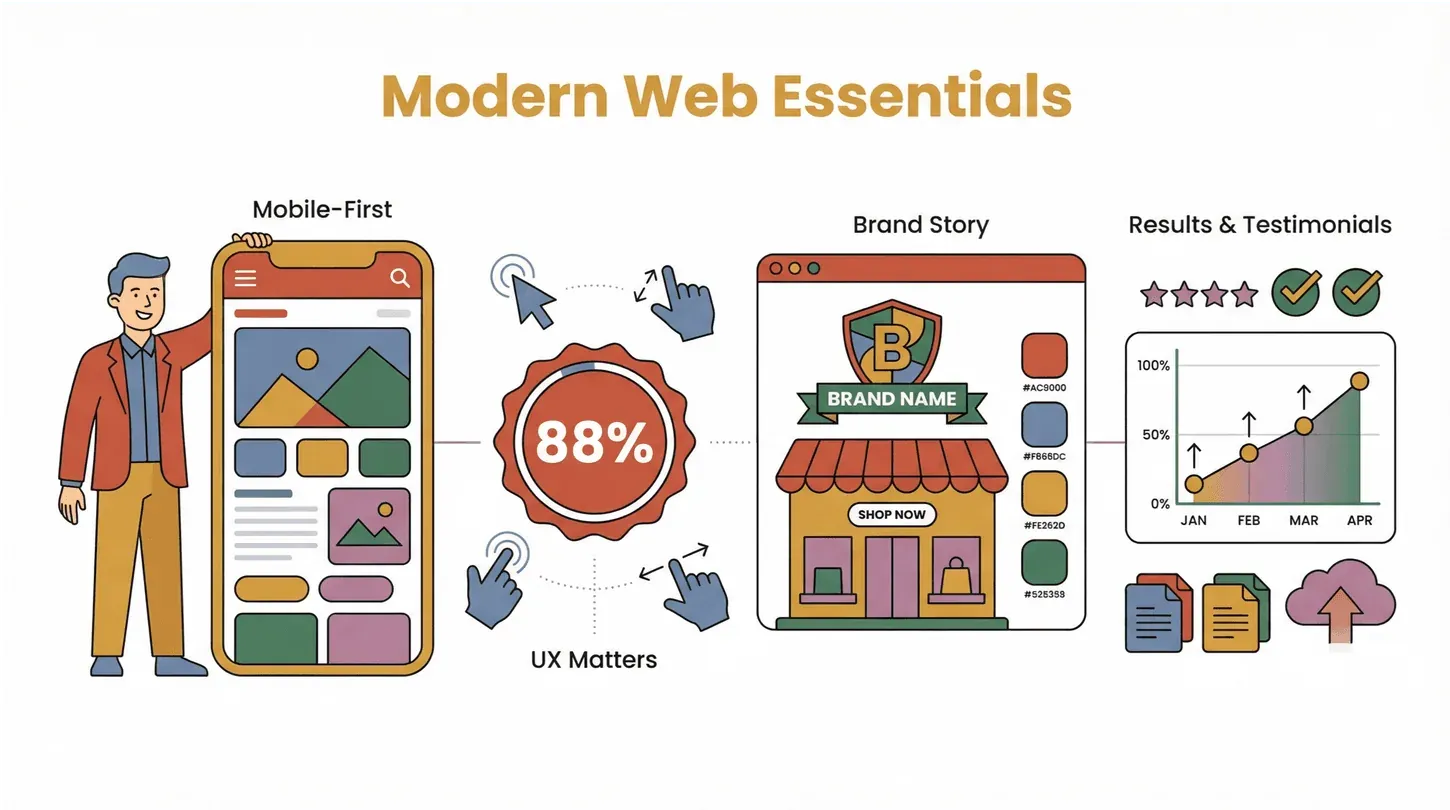
- Mobile-first design: Mobile is now around 60% of global web traffic (Statista, cited at 58.67% on Influencer Marketing Hub's web-design statistics roundup). A site that doesn't work on a phone is a dealbreaker.
- User experience (UX): Per the same Influencer Marketing Hub roundup, 88.5% of visitors abandon slow-loading pages and 73.1% leave non-responsive sites — every UX friction point is a churn risk before a prospect even sees your portfolio.
- Brand alignment: Businesses want their site to reflect their unique story and values, not just follow the latest design trend (Exposure Ninja).
- Proof of results: Case studies, testimonials, and clear ROI are more persuasive than buzzwords.
In this post, I’ll walk you through actionable strategies to attract and win clients—market research, content marketing, referrals, social media, and community building—plus how to use Thunderbit to make each step smarter and more efficient.
Why Getting Web Design Clients Matters for Your Business
Let’s be real: a steady flow of clients is the lifeblood of any web design business. It’s not just about keeping the lights on—it’s about fueling growth, building your reputation, and unlocking bigger opportunities down the road.
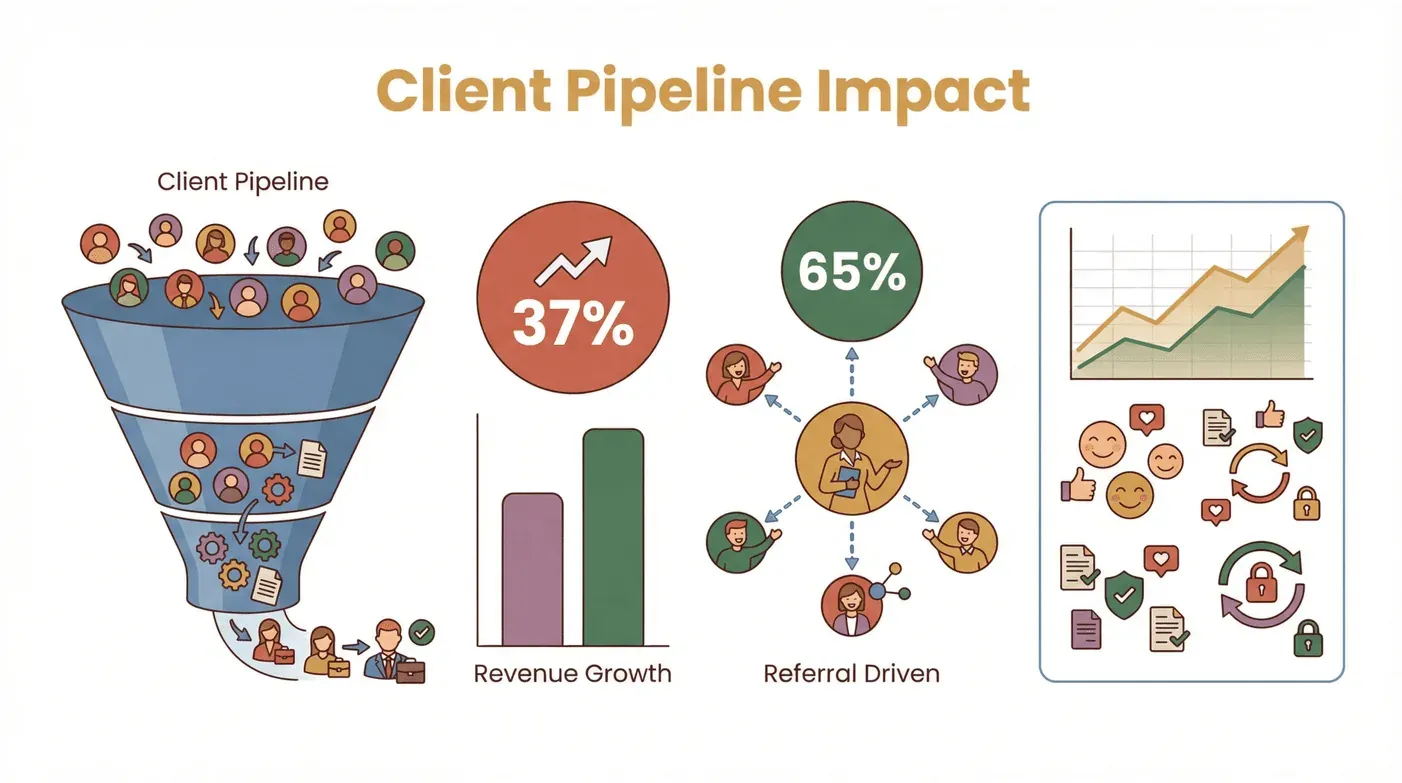
Here’s how a healthy client pipeline impacts your business:
| Use Case | Business Outcome |
|---|---|
| Consistent Lead Generation | Predictable revenue, less feast-or-famine stress |
| Market Research | Services that actually match client needs, leading to higher win rates |
| Workflow Automation | More time for creative work, less time chasing leads |
| Referral Network | Lower acquisition costs, higher conversion rates |
| Community Engagement | Stronger brand authority, more inbound inquiries |
AgencyAnalytics' 2024 marketing-agency benchmarks name client acquisition as the top challenge agencies report year over year, and rank referrals as the most promising source of new business — both pointing the same direction: a deliberate acquisition system is what separates the agencies that grow from the ones that stall. And with roughly 65% of new business opportunities coming from referrals and recommendations (DemandSage, December 2025), building a system for attracting and delighting clients pays off in more ways than one.
Pinpointing Your Ideal Web Design Clients: Market Research Made Simple
Before you can win clients, you need to know who you’re actually trying to reach. In my experience, the designers who struggle most are the ones trying to be everything to everyone. The secret? Get laser-focused on your ideal client’s needs, pain points, and decision criteria.
How to Identify Your Target Clients
- Niche down: Are you best at e-commerce, SaaS, local businesses, or personal brands? The more specific, the better (Design Bread).
- Research market demand: What are businesses in your target niche actually looking for? What are their biggest frustrations with past web design projects?
- Analyze competitor reviews: What do clients love (or hate) about other agencies? This is a goldmine for positioning your own services.
Using Thunderbit for Market and Competitor Insights
This is where Thunderbit really shines. Instead of manually scrolling through endless review sites or competitor portfolios, you can use Thunderbit’s AI web scraper to:
- Scrape client reviews from agency directories (like Clutch, UpCity, or Google Reviews) to see what clients care about most.
- Extract competitor service offerings, pricing, and testimonials for side-by-side comparison.
- Aggregate industry-specific pain points—for example, what e-commerce brands complain about most in web design projects.
Here’s a quick workflow:
- Open Thunderbit’s Chrome Extension on a competitor’s review page.
- Click “AI Suggest Fields” to automatically detect review text, star ratings, and client industries.
- Scrape the data and export it to Google Sheets for analysis.
- Look for patterns: Are clients frustrated by slow timelines? Poor communication? Lack of mobile optimization?
- Use these insights to refine your own pitch and service offering.
For more on this, check out Thunderbit’s guide to web scraping companies.
Try Thunderbit for Competitor Research
Attract Web Design Clients with Content Marketing
Let’s face it: cold emails and generic ads just don’t cut it anymore. Today’s clients want to see proof of expertise before they even reach out. That’s where content marketing comes in.
Why Content Marketing Works
- Builds authority: Sharing your knowledge positions you as a go-to expert.
- Drives organic traffic: Well-written blog posts and guides attract clients searching for answers.
- Nurtures trust: Clients are more likely to hire someone they’ve learned from.
A simple content strategy for web designers might include:
- Blog posts: "How to Choose a Web Designer," "Top 5 UX Mistakes to Avoid," or "2026 Web Design Trends."
- Social media: Share project breakdowns, before-and-after shots, or quick design tips on LinkedIn and Instagram.
- Workshops/webinars: Host free sessions on topics like “Branding for Startups” or “DIY Website Audits.”
Using Thunderbit to Supercharge Content Research
Here’s my favorite hack: use Thunderbit to scrape industry news, trending topics, and competitor content. For example:
- Scrape headlines and topics from top design blogs or news sites.
- Analyze which posts get the most engagement or shares.
- Use this data to brainstorm your own content calendar—no more guessing what your audience wants.
For more inspiration, see Thunderbit’s blog on article scraping.
Creating High-Impact Content for Your Audience
- Address real client questions: Use scraped data from forums or review sites to find common pain points.
- Show your process: Walk through a recent project, step by step.
- Share results: Use stats, testimonials, or before-and-after images to prove your impact.
Remember, the best content isn’t just about showing off your skills—it’s about solving your clients’ problems.
Win Over Clients with Case Studies and Referrals
When it comes to closing deals, nothing beats a great case study or a warm referral. In fact, existing and past clients are the #1 source of referrals for agencies.
How to Structure a Compelling Case Study
- Start with the client’s challenge: What problem were they facing?
- Show your solution: How did you approach the design? What unique strategies did you use?
- Highlight the results: Use metrics—traffic increase, conversion rate, sales growth.
- Include testimonials: Let your client speak for you.
Using Thunderbit for Benchmarking and Analysis
Want to make your case studies even stronger? Use Thunderbit to:
- Scrape and compare top-performing websites in your client’s industry.
- Benchmark your results against industry averages.
- Pull in visual examples and data to make your case study more persuasive.
For a deep dive, check out Webflow’s guide to writing case studies.
Building a Referral System That Works
- Ask at the right time: After a successful launch or positive feedback.
- Make it easy: Provide a simple email template or referral link.
- Reward referrals: Offer a discount, free consultation, or small gift.
Per DemandSage's referral-marketing roundup (last updated December 2025), referred customers convert at 3-5x the rate of customers from other channels. Don't leave that on autopilot — systematize it.
Social Media Promotion: Connect with Web Design Clients Where They Are
Social media isn’t just for cat memes and vacation pics—it’s a powerhouse for finding and engaging web design clients. The trick is knowing where your audience hangs out and how to stand out.
Best Platforms for Web Designers
- LinkedIn: Great for B2B, agencies, and professional networking. 40% of B2B marketers rate LinkedIn as the most effective channel for high-quality leads (Sprout Social, updated March 2026, citing LinkedIn's own marketing-solutions data).
- Instagram: Perfect for visual storytelling, portfolio sharing, and connecting with creative brands.
- Behance/Dribbble: Showcases your work to a design-savvy audience (and potential collaborators).
Using Thunderbit to Automate Portfolio Updates
Keeping your portfolio fresh on multiple platforms can be a headache. With Thunderbit, you can:
- Scrape your latest project images and descriptions.
- Auto-format and upload them to LinkedIn, Instagram, or Behance.
- Schedule regular updates to keep your work top-of-mind for potential clients.
Growing Your Audience and Engagement
- Post consistently: Aim for 2–3 times per week.
- Use hashtags and tags: Make your posts discoverable.
- Engage with others: Comment, share, and join conversations in relevant groups.
- Share client wins: Tag clients (with permission) and celebrate project launches.
For more social media tips, see Thunderbit’s blog on scraping Twitter/X.
Build Trust and Authority Through Community Activities
Want to be seen as a leader in your field? Get involved in the web design community—online and offline. This isn’t just about networking; it’s about building real relationships and staying ahead of industry trends.
Ways to Engage:
- Join design communities: Sites like Designer Hangout, Dribbble, and these top 15 web design communities are great places to connect and share work.
- Attend or host events: Conferences, webinars, and portfolio reviews are goldmines for meeting potential clients (see Webdesigner Depot's annual roundup of top web-design conferences for the current year's list).
- Contribute to forums: Answer questions, share advice, and offer feedback.
Using Thunderbit for Trend Analysis and Event Research
Thunderbit can help you:
- Scrape upcoming event listings and attendee lists.
- Track trending topics in design forums and social groups.
- Analyze which community activities drive the most client inquiries.
Leveraging Community Insights for Client Acquisition
- Follow up with new contacts: Send a personalized message after events.
- Share your learnings: Post event recaps or insights on your blog or LinkedIn.
- Offer value: Volunteer to speak, mentor, or organize a session.
Many designers land their biggest clients through community connections—don’t underestimate the power of showing up.
Get Started with Thunderbit for Client Acquisition
Step-by-Step Guide: Using Thunderbit to Get Web Design Clients
Let’s get practical. Here’s how you can use Thunderbit at every stage of your client acquisition journey:
1. Market Research & Competitor Analysis
- Open Thunderbit on review or directory sites.
- Use “AI Suggest Fields” to extract client pain points, ratings, and service details.
- Export to Google Sheets for analysis and adjust your service offering accordingly.
2. Content Ideation & Research
- Scrape trending topics from top design blogs and news sites.
- Analyze which content gets the most engagement.
- Build your own content calendar based on real data, not guesswork.
3. Case Studies & Benchmarking
- Scrape and compare top industry websites for visual and functional benchmarks.
- Use Thunderbit’s subpage scraping to pull detailed project data.
- Create richer, more persuasive case studies.
4. Social Media Automation
- Scrape your latest projects and auto-upload to LinkedIn, Instagram, and Behance.
- Schedule regular updates to keep your portfolio fresh everywhere.
5. Community & Event Insights
- Scrape event listings, attendee lists, and trending forum topics.
- Identify which events or communities are most active in your target niche.
- Track which activities lead to the most client inquiries.
For a full walkthrough, check out Thunderbit’s documentation or our YouTube Channel.
Conclusion & Key Takeaways
Getting web design clients in today’s crowded market isn’t about shouting louder—it’s about working smarter. By combining focused market research, content marketing, compelling case studies, social media engagement, and community involvement, you can build a steady pipeline of high-quality clients.
More tips on the Thunderbit Blog Get Started Free
And with tools like Thunderbit, you can automate the grunt work—scraping reviews, benchmarking competitors, researching content, and updating your portfolio—so you spend less time chasing leads and more time doing great work.
Here’s your action plan:
- Define your ideal client and niche.
- Use Thunderbit to research pain points and competitor gaps.
- Create content that addresses real client needs.
- Showcase your wins with case studies and ask for referrals.
- Promote your work on the right social platforms.
- Engage with the design community and follow up with new contacts.
The web design market may be crowded, but with the right strategies (and a little AI-powered help), you can stand out and win the clients you deserve. Ready to level up your client acquisition? Download Thunderbit and start building your pipeline today.
Try Thunderbit for Web Design Client Acquisition Get Started Free
FAQs
1. What are the biggest challenges in getting web design clients today?
The main challenges are oversupply of designers, clients struggling to find the right fit, and rising expectations for mobile-first, UX-focused, and brand-aligned websites. Standing out requires targeted strategies and proof of results.
2. How can Thunderbit help me get more web design clients?
Thunderbit lets you quickly scrape competitor reviews, benchmark top industry sites, gather content ideas, and automate portfolio updates—saving you hours of manual research and helping you make data-driven decisions.
3. What content should I create to attract web design clients?
Focus on blog posts, case studies, and social updates that address real client pain points, showcase your process, and highlight measurable results. Use data from Thunderbit to inform your topics.
4. How important are referrals for web design businesses?
Referrals are huge—up to 65% of new business for agencies comes from referrals, and they convert at much higher rates than cold leads. Build a system for asking and rewarding referrals.
5. What’s the best way to use social media to get web design clients?
Share your work consistently on platforms like LinkedIn and Instagram, engage with your audience, and use Thunderbit to automate updates. Focus on building relationships and providing value, not just self-promotion.
For more tips and deep dives on web scraping, content marketing, and client acquisition, check out the Thunderbit Blog.
Learn More




