
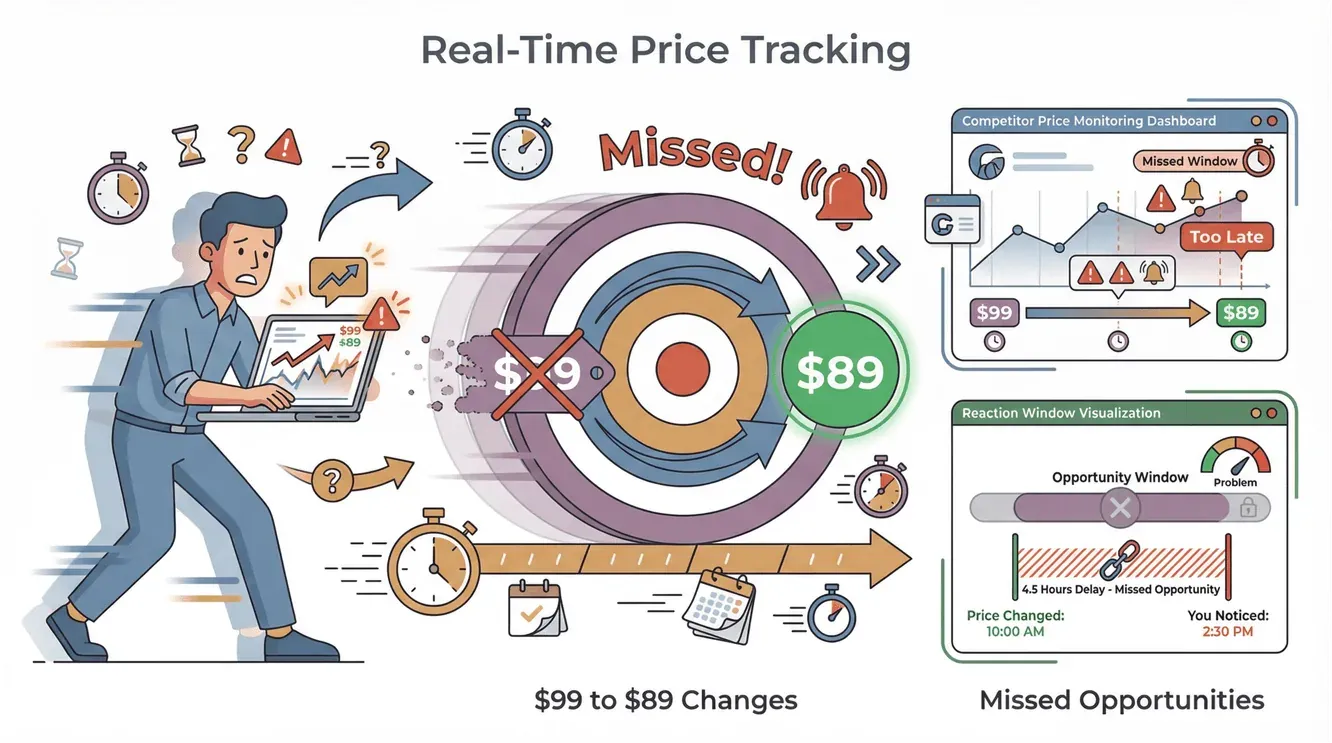
Staying on top of website changes used to feel like chasing a moving target—one minute your competitor’s price is $99, the next it’s $89, and by the time you notice, you’ve missed the window to react. In today’s information-rich world, websites update constantly: prices shift, policies evolve, new products appear, and critical details can change in the blink of an eye. For anyone in sales, marketing, ecommerce, or operations, missing a key update isn’t just annoying—it can mean lost revenue, compliance headaches, or falling behind the competition. Manual checking? That’s a recipe for burnout and missed opportunities.
 That’s why “get alert when website changes” tools have become essential for modern business. These aren’t just fancy notification systems—they’re your digital early warning radar, automatically flagging the updates that matter most so you can act fast, stay competitive, and never get blindsided by a surprise change again.
What Does “Get Alert When Website Changes” Mean?
What Is Data Scraping and How to Do It in 2025 Get Started Free
Let’s break it down. A “get alert when website changes” tool is software that monitors specific web pages for any updates—big or small—and notifies you as soon as something changes. Think of it as a watchdog that never sleeps, checking your chosen sites around the clock and pinging you the moment a price drops, a new product launches, or a legal disclaimer gets tweaked.
Unlike general website monitoring (which checks if a site is up or down), these tools focus on content change detection. They track the actual information on the page—text, images, prices, availability, and more. When a change is detected, you get an alert via email, Slack, SMS, or even a webhook to your favorite workflow tool (PageCrawl.io).
Typical alerts might look like:
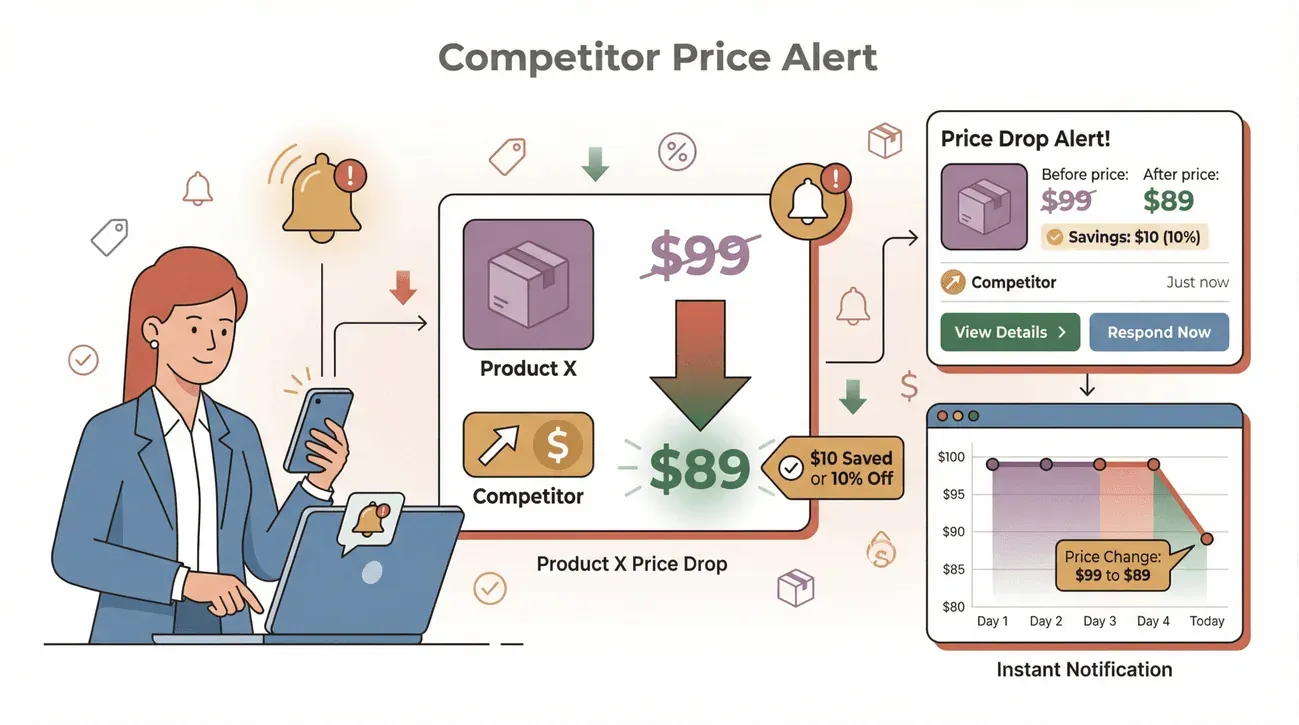
- “Competitor price on Product X dropped from $99 to $89.”
- “New privacy policy section added.”
- “Out-of-stock item is now available.”
- “New job posting detected on careers page.”
In short, these tools automate the tedious job of checking web pages for updates, so you don’t have to.
Why Get Alert When Website Changes Tools Matter for Business
Let’s get real: in today’s hyper-competitive landscape, speed is everything. The first team to spot a competitor’s price cut, a regulatory update, or a new product launch often wins the deal—or at least avoids a nasty surprise. But with thousands of potential changes happening every day, manual monitoring just can’t keep up.
Here’s where automated website change alerts shine:
| Use Case | Who Benefits | Example Alert | Business Impact |
|---|---|---|---|
| Competitor Price Tracking | Ecommerce, Sales | “Competitor A dropped price on SKU 123” | Adjust pricing, protect margins |
| Policy & Regulatory Monitoring | Legal, Compliance | “GDPR policy updated on vendor site” | Stay compliant, avoid fines |
| Product Launch & Stock Updates | Marketing, Ops | “New product added to competitor’s catalog” | Respond with campaigns, update inventory |
| Vendor/Partner Website Changes | Procurement, Ops | “Supplier changed shipping terms” | Negotiate, adjust contracts |
| News & Press Release Alerts | PR, Execs | “Competitor announced new funding round” | Inform strategy, prep responses |
Missing these updates has a real cost. Competition in ecommerce can shift hour to hour — a competitor that drops a price overnight or runs a weekend promo will pull away customers from anyone still relying on a manual weekly check (PageCrawl.io). In regulated industries, missing a policy update is worse than awkward: it can mean compliance violations and fines (ChangeTower).
The ROI is clear: faster response, less manual work, and better decision-making.
How Get Alert When Website Changes Tools Work
So, how does this magic happen? Here’s the basic workflow:
- Select the Page(s) to Monitor: Choose the URLs or specific sections you care about—product pages, competitor homepages, legal disclaimers, etc.
- Set Up Monitoring Rules: Decide what kind of changes matter (any update, only price changes, only new text, etc.).
- Receive Alerts: When a change is detected, you get notified via your chosen channel (email, Slack, SMS, webhook, etc.).
- Review & Act: Check the highlighted difference, decide if action is needed, and move fast.
You can track all sorts of changes:
- Text updates (e.g., new terms, product descriptions)
- Price changes (for SKUs, services, subscriptions)
- Stock/availability (in-stock/out-of-stock toggles)
- Image swaps (new product images, banners)
- New/deleted sections (policy updates, new features)
Here’s a quick comparison of manual vs. automated monitoring:
| Task | Manual Checking | Automated Alerts |
|---|---|---|
| Time Spent | High (hours/week) | Low (minutes/week) |
| Accuracy | Human error-prone | Consistent, reliable |
| Frequency | Limited (daily/weekly) | As often as needed (min/hr) |
| Reaction Speed | Slow | Instant |
| Coverage | Few pages at a time | Hundreds/thousands |
Manual checking is like watering your lawn with a teaspoon. Automated alerts are like installing a smart sprinkler system.
Types of Website Changes You Can Monitor
Let’s get specific. Here are the main categories of changes business users care about:
- Content Updates: New blog posts, product descriptions, or documentation changes.
- Price Changes: Competitor or vendor pricing on SKUs, subscriptions, or services.
- Stock Status: In-stock/out-of-stock toggles, new inventory arrivals.
- Policy/Legal Updates: Terms of service, privacy policies, compliance language.
- Product Launches: New SKUs, features, or categories added.
- Regulatory Notices: New compliance requirements, government updates.
- Visual Changes: New images, banners, or layout tweaks.
Most modern tools let you monitor any or all of these—some even let you track specific keywords or page elements (Thunderbit Blog).
Thunderbit: AI-Powered Get Alert When Website Changes Solution
Now, here’s where things get really interesting. Thunderbit isn’t just another website change alert tool—it’s an AI-powered web scraper and monitoring agent designed for business users who want results without a PhD in coding.
With Thunderbit, you don’t have to fiddle with complex rules or selectors. Just describe what you want to monitor in plain English (“Alert me when this product’s price changes” or “Let me know if this page adds a new section about returns”), and the AI figures out the rest. It’s as close to “set it and forget it” as website monitoring gets.
Thunderbit’s approach is all about lowering the barrier to entry. You don’t need to be a developer or spend hours configuring templates. The AI handles the heavy lifting, so you can focus on what matters—responding to change, not chasing it.
And when a change is detected? Thunderbit can email you the result, or push the updated rows straight into Excel, Google Sheets, Airtable, or Notion—so your whole team picks it up wherever they already work (Thunderbit Blog).
Try Thunderbit Website Change Alerts for Free
Key Features of Thunderbit for Website Change Alerts
Here’s what makes Thunderbit stand out for website change monitoring:
- AI Suggest Fields: Click once, and Thunderbit’s AI scans the page, suggests what to monitor (price, stock, description, etc.), and sets up the monitor for you.
- Subpage Monitoring: Need to track changes across a whole category or set of product pages? Thunderbit can follow links, monitor subpages, and aggregate changes into one dashboard.
- Scheduled Scraping: Set up checks to run hourly, daily, or on your custom schedule. Thunderbit’s AI turns your natural language (“check every Monday at 9am”) into a recurring job (Thunderbit Docs).
- Instant Export: When a change is detected, export the new data directly to your favorite tools—no manual copy-paste.
- AI-Powered Classification: Thunderbit doesn’t just spot changes; it can classify, label, and prioritize them. Want to only get pinged for “major” updates? The AI can score the importance and filter out the noise.
- No-Code Setup: Everything is point-and-click or natural language—no templates, no scripts, no headaches.
- Cloud & Browser Scraping: Choose between fast cloud checks or browser-based monitoring for pages that require login.
Thunderbit is trusted by over 100,000 users worldwide, from solo founders to enterprise teams.
How AI Enhances Get Alert When Website Changes Tools
Traditional website change monitors work by comparing page snapshots or tracking specific elements. That’s fine—until the site layout changes, or you get flooded with alerts about tiny, irrelevant tweaks.
Here’s where AI makes a huge difference:
- Smarter Detection: AI can “read” the page like a human, understanding context, structure, and meaning—not just raw HTML.
- Noise Reduction: Instead of alerting you to every minor pixel shift, AI can filter out unimportant changes and highlight what really matters (Rootly).
- Grouping & Summarization: AI can group similar changes, summarize what’s new (“3 new products added”), and even translate or categorize updates (Distill.io).
- Prioritization: AI can score the importance of each change, so you only get notified about the updates that impact your business (Rootly).
- Adaptability: When a website’s structure changes, AI can adapt—no need to rebuild your monitoring rules from scratch.
Example: Let’s say you’re monitoring a competitor’s product page. Traditional tools might alert you every time a review count changes. Thunderbit’s AI can be told, “Only alert me if the price drops by more than 10% or a new feature is added.” That’s actionable intelligence, not alert fatigue.
Comparing Traditional vs. AI-Powered Website Change Alerts
Here’s how the old and new approaches stack up:
| Feature | Traditional Rule-Based | AI-Powered (Thunderbit) |
|---|---|---|
| Setup Time | High (manual selectors) | Low (AI suggests fields) |
| Maintenance | Frequent (breaks easily) | Rare (AI adapts to changes) |
| Accuracy | Basic (raw diffs) | High (context-aware) |
| Noise Filtering | Low | High (smart prioritization) |
| Customization | Limited | Flexible (natural language) |
| Data Enrichment | None | Built-in (label, score, etc.) |
| Integration | Basic (email/SMS) | Advanced (Sheets, Slack, etc.) |
AI isn’t just a buzzword here—it’s the difference between drowning in alerts and actually getting value from your monitoring.
Boosting Business Efficiency with Get Alert When Website Changes Tools
How to Scrape Any Website Using AI Get Started Free
Let’s talk about the real-world impact. Automated website change alerts aren’t just a “nice to have”—they’re a force multiplier for business teams.
Sales Teams: Instantly spot when a competitor drops their price or launches a new offer. No more losing deals because you were the last to know.
Ecommerce Ops: Monitor vendor stock levels and product changes. Set up alerts for when suppliers update SKUs or change shipping terms.
Marketing: Track new content, product launches, or campaign rollouts by competitors. Respond faster, plan smarter.
Compliance & Legal: Get notified the moment a partner or vendor updates their privacy policy or terms—no more quarterly manual checks (ChangeTower).
Best Practices:
- Integrate alerts with your workflow tools (Slack, Sheets, Airtable) so the right team members see them instantly.
- Use AI-powered classification to filter out noise and focus on high-impact changes.
- Schedule regular reviews of your monitoring rules—let AI suggest improvements as your needs evolve.
The Future of Website Change Monitoring: From Manual to Intelligent Automation
Looking ahead, website change monitoring is only getting smarter. Here’s where I see things heading:
- Deeper AI Integration: Predictive analytics will spot trends before they happen—imagine getting an alert that “competitor X is likely to launch a new product soon” based on historical change patterns.
- Adaptive Monitoring: AI will automatically adjust what it tracks as websites evolve, so you’re never caught off guard by a redesign.
- Multi-Language & Contextual Understanding: As global business grows, AI will translate and interpret changes across languages and regions.
- Automated Workflows: Alerts will trigger actions—like updating your pricing, sending a Slack message, or even launching a campaign—without human intervention (PageCrawl.io).
Thunderbit is already building toward this future, with a roadmap focused on smarter AI, more integrations, and even easier setup for non-technical users.
Choosing the Right Get Alert When Website Changes Tool
Not all tools are created equal. Here’s what to look for when picking your solution:
- Ease of Use: Can non-technical users set up monitors in minutes?
- AI Capabilities: Does the tool offer AI-powered field suggestions, noise filtering, and smart classification?
- Integration Options: Can you export data to Sheets, Notion, Airtable, Slack, or your CRM?
- Alert Channels: Email, SMS, Slack, webhooks—pick what fits your workflow.
- Cost: Is there a free tier? Does pricing scale with your needs? (Thunderbit Pricing)
- Support & Documentation: Is help available when you need it?
Here’s a quick checklist:
| Criteria | Thunderbit | Traditional Tools |
|---|---|---|
| No-Code Setup | Yes | Sometimes |
| AI-Powered | Yes | Rarely |
| Subpage Support | Yes | Sometimes |
| Scheduled Checks | Yes | Yes |
| Export Options | Sheets, Notion, Airtable, Excel, CSV | Often limited |
| Free Tier | Yes | Sometimes |
Conclusion: Stay Ahead with Smart Website Change Alerts
In a world where information moves at warp speed, waiting for manual updates is like bringing a horse to a Tesla race. Automated website change alerts are now mission-critical for any business that wants to stay competitive, compliant, and in control.
With AI-powered tools like Thunderbit, you don’t need to be a tech wizard to monitor the web. Just describe what matters, let the AI do the heavy lifting, and get notified the moment something important changes. It’s the easiest way to turn information overload into actionable insight—and to make sure you’re always a step ahead.
Ready to see how Thunderbit can transform your workflow? Download the Chrome extension and try it for free. Your future self (and your team) will thank you.
For more tips and deep dives into web automation, check out the Thunderbit Blog.
FAQs
1. What is a “get alert when website changes” tool?
It’s software that monitors web pages for updates and sends you notifications (email, Slack, SMS, etc.) when changes are detected—so you never miss important updates.
2. Who should use website change alert tools?
Anyone who needs to stay on top of web updates: sales teams tracking competitors, ecommerce ops monitoring prices and stock, marketers watching launches, or compliance teams keeping up with policy changes.
3. How is Thunderbit different from other website change alert tools?
Thunderbit uses AI to make setup simple—just describe what you want to monitor, and the AI handles the rest. It also classifies, labels, and prioritizes changes, so you only get the alerts that matter.
4. Can Thunderbit monitor changes across multiple pages or subpages?
Yes! Thunderbit’s subpage monitoring lets you track entire categories, product lines, or directories with a single setup.
5. Is there a free way to try Thunderbit’s website change alerts?
Absolutely. Thunderbit offers a free tier so you can monitor a handful of pages and experience AI-powered alerts before upgrading.
Ready to stop missing out and start acting on every critical update? Give Thunderbit a try and see the difference for yourself.
Try AI Website Change Alerts with Thunderbit Get Started Free
Learn More




