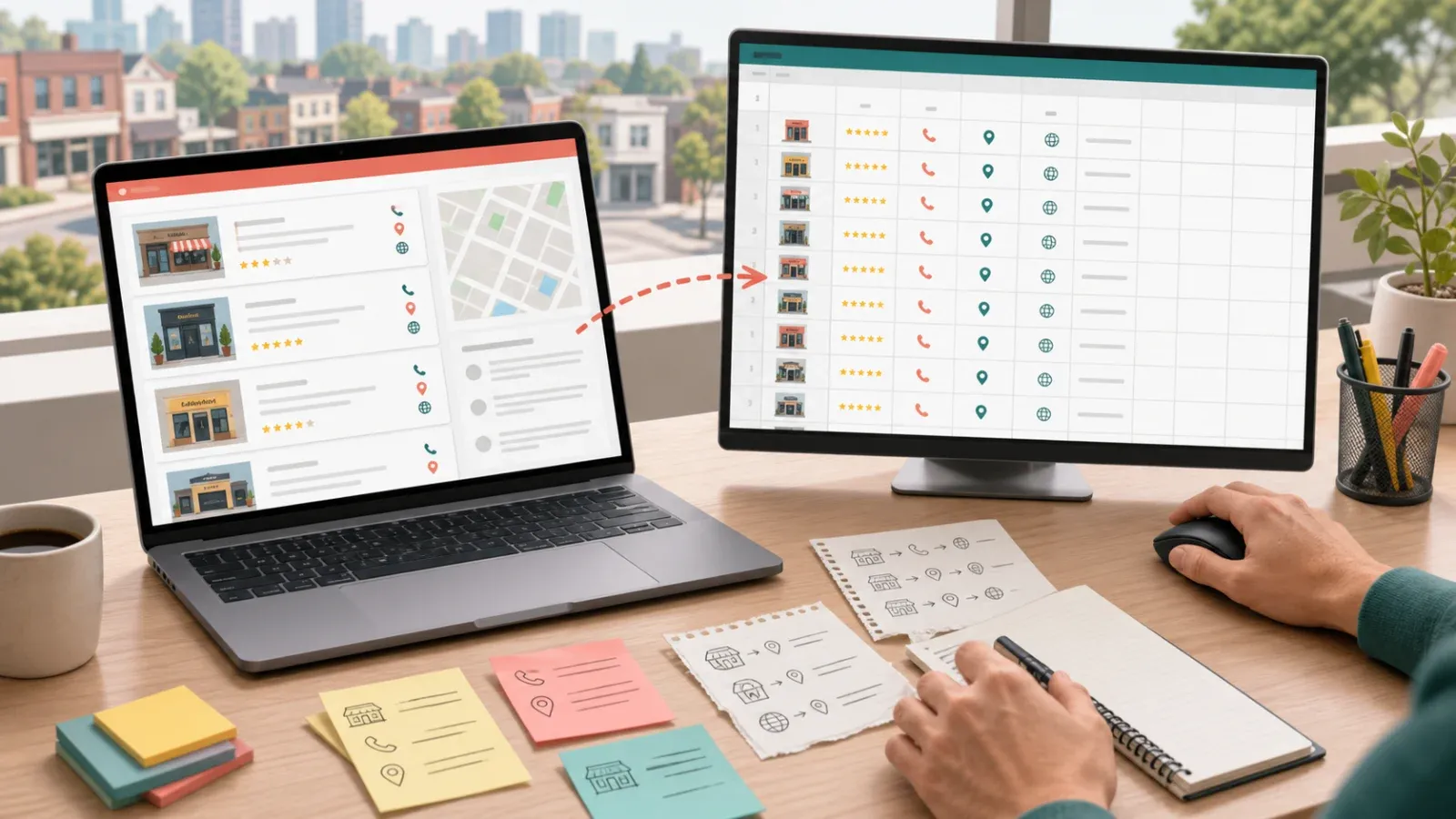
YouTube isn’t just the world’s video playground—it’s where brands, creators, and marketers hustle for attention, partnerships, and, let’s be honest, a little bit of that influencer magic. With and influencer marketing set to hit , the demand for direct, professional connections with YouTube creators is at an all-time high. But here’s the catch: actually finding a YouTube channel’s email for business outreach can feel like tracking down a rare Pokémon—sometimes it’s there, sometimes it’s not, and sometimes it’s hiding behind a CAPTCHA just to keep things interesting.
I’ve seen sales and marketing teams spend hours clicking through About pages, squinting at channel banners, or even playing detective on Instagram, all in the hope of uncovering that one golden email address. The good news? There’s a smarter, faster way. In this guide, I’ll walk you through both the old-school manual methods and the AI-powered approach we’ve built at —so you can skip the wild goose chase and get straight to building real partnerships.
What Does "How to Find a YouTube Channel's Email" Really Mean?
Let’s get clear on the mission. When people talk about “finding a YouTube channel’s email,” they’re after the business contact address that a creator provides for sponsorships, collaborations, or professional inquiries. This isn’t about spamming someone’s personal inbox—it’s about connecting for legitimate business reasons: influencer marketing, partnership deals, PR outreach, or even recruiting creators for content consulting.
Typical use cases include:
- Influencer marketing campaigns: Brands reach out for sponsored videos, product placements, or reviews.
- Sponsorships and partnerships: Negotiating deals, affiliate programs, or event invitations.
- PR and media: Coordinating interviews, press coverage, or product seeding.
- Business development: Exploring collaborations, joint ventures, or even hiring creators for special projects.
The challenge? YouTube doesn’t make these emails universally available, and even when they are, you might have to jump through a few hoops to get them.
Why Finding a YouTube Channel's Email Matters for Sales and Operations
Let’s talk ROI. Having a creator’s direct email isn’t just a nice-to-have—it’s a competitive advantage. Here’s why:
- Faster, more reliable communication: Email lands in a creator’s business inbox, not buried in a sea of YouTube comments or ignored DMs.
- Higher response rates: Personalized, professional emails can see when targeted well.
- Deeper collaborations: Email enables detailed conversations—think product seeding, event invites, or long-term ambassador programs.
- Operational efficiency: With a list of verified emails, sales and ops teams can automate outreach, track responses, and integrate contacts into CRMs.
| Use Case | Why Email Matters |
|---|---|
| Sponsorship Deals | Direct negotiation, faster deal cycles |
| Product Reviews/Seeding | Builds trust, enables detailed offers |
| Event Invitations | Formal invites more likely to be seen and accepted |
| Affiliate/Ambassador | Clear onboarding, long-term relationship building |
| B2B Networking | Opens doors to unique partnerships and collaborations |
In a world where , being able to quickly and respectfully reach out to the right creators can make or break your campaign.

Manual Methods: Traditional Ways to Find a YouTube Channel's Email (and Their Limitations)
Before automation, finding a YouTube channel’s email was a bit like a scavenger hunt. Here’s how most people still do it:
1. Check the YouTube “About” Page
- Go to the channel’s About tab (on desktop).
- Look for the “For business inquiries” section.
- Click “View email address.”
- Solve the CAPTCHA (because YouTube wants to make sure you’re not a robot).
- Copy the email—if it’s there.
Limitations:
- Only works if the creator actually lists an email.
- YouTube .
- CAPTCHA can’t be bypassed by bots or scripts.
- Not available on mobile.
2. Scan Video Descriptions and Channel Banners
- Some creators list their email in video descriptions, channel banners, or pinned comments.
- Requires manually reading or searching for “@” symbols.
3. Google Search
- Try “[Channel Name] email” or “[Creator Name] contact.”
- Sometimes you’ll find a website, press article, or social profile with the info.
- Often outdated or generic.
4. Cross-Reference Social Media and Personal Sites
- Visit linked Instagram, Twitter, or personal websites.
- Check bios or contact pages for business emails.
5. Use Email Lookup Tools
- Tools like Hunter.io or Apollo can sometimes find emails based on domain records.
- Usually yields generic or agent emails, not the creator’s direct address.
Why Manual Methods Fall Short:
- Time-consuming: Great for one or two channels, but a nightmare for 50+.
- YouTube limits: Hard cap on daily email reveals.
- CAPTCHA roadblocks: Automation can’t solve them for you.
- Not always available: Many creators don’t list an email at all.
- Error-prone: Copy-paste mistakes are common.
- Doesn’t scale: Building a campaign list by hand? Good luck.
As one marketer put it, “Doing this for dozens of channels is a recipe for carpal tunnel.”
Automate the Process: How to Find a YouTube Channel's Email with Thunderbit AI Web Scraper
This is where Thunderbit steps in. is an AI-powered Chrome Extension that turns the email hunt into a two-click operation. No code, no scripts, no endless clicking.
What makes Thunderbit different?
- AI “Suggest Fields”: Thunderbit scans the page and automatically suggests relevant fields—like Channel Name, Email Address, Subscriber Count, and more.
- Natural language prompts: Just describe what you want (“Find the channel’s business email”), and Thunderbit figures out the rest.
- Handles tricky cases: Whether the email is in plain text, hidden behind a button, or even embedded in an image, Thunderbit’s AI and OCR features can extract it.
- Bulk scraping: Need emails from 50 channels? Paste the URLs, and Thunderbit scrapes them in parallel—no more one-at-a-time drudgery.
- Free, instant export: Send your results directly to Excel, Google Sheets, Airtable, or Notion—no extra fees, no manual copy-paste.
Compared to other tools (like Phantombuster, Bardeen, or influencer databases), Thunderbit is built for business users who want results fast, without a technical learning curve or a hefty price tag.
Step-by-Step: Using Thunderbit to Find YouTube Channel Emails
Ready to see how easy it can be? Here’s my go-to workflow:
1. Install the Thunderbit Chrome Extension
- .
- Sign up for a free account (the free tier lets you scrape a handful of pages to get started).
2. Navigate to the YouTube Channel’s About Page
- Open the channel in Chrome.
- Go to the About tab.
- If there’s a “View email address” button, click it and solve the CAPTCHA so the email is visible.
3. Use “AI Suggest Fields” in Thunderbit
- Click the Thunderbit icon in your browser toolbar.
- In the Thunderbit side panel, hit “AI Suggest Fields.”
- Thunderbit will scan the page and suggest fields like Channel Name, Email Address, and more.
- Adjust or add fields as needed (e.g., add “Subscriber Count” if you want it).
4. Click “Scrape” to Extract Emails
- Hit “Scrape.”
- Thunderbit instantly pulls the data into a structured table.
- For multiple channels, paste a list of URLs and use Thunderbit’s cloud mode to scrape up to 50 at once.
5. Review and Export the Results
- Preview your data in Thunderbit.
- Click “Export” and choose Excel, Google Sheets, Airtable, Notion, CSV, or JSON.
- Your data is ready to use—no extra fees, no headaches.
Troubleshooting Tips
- No email found? The creator might not have listed one. Try their social links or website.
- CAPTCHA issues? Make sure you’ve revealed the email before scraping. Thunderbit can’t solve CAPTCHAs, but once you’ve done it, you’re good for that session.
- Image-based emails? Use Thunderbit’s OCR feature to extract text from images.
- Bulk scraping? Use cloud mode for speed and scale.
Thunderbit’s Natural Language Processing: Extracting the Right Data with Simple Prompts
One of my favorite features is Thunderbit’s natural language interface. You don’t need to know HTML, CSS, or even what a “selector” is. Just tell Thunderbit what you want:
- “Find the channel’s email and name.”
- “Extract all business emails on this page.”
- “Get the creator’s email and subscriber count.”
Thunderbit’s AI reads the page like a human, understands your intent, and pulls the right data. It’s like having a super-smart assistant who never gets tired or distracted.
Sample Prompt:
Suppose you’re on a YouTube channel and want the email and subscriber count. Type or select those fields, and Thunderbit’s AI will find and label them—no technical setup required.
Business users love this because it means anyone on the team can extract data—no more waiting for IT or learning complicated tools.
Export and Integrate: Moving YouTube Email Data to Excel, Google Sheets, or CRM
Getting the emails is just step one. Thunderbit makes it dead simple to move your data wherever you need it:
- Export to Excel or CSV: Download your list and open it in Excel for sorting, filtering, or mail merges.
- Export to Google Sheets: Instantly send your data to a new or existing Google Sheet—perfect for collaboration and tracking outreach.
- Airtable and Notion: Thunderbit uploads images and text fields directly, so your influencer database is always up to date.
- CRM integration: Import your CSV or Sheet into Salesforce, HubSpot, or your favorite CRM to launch campaigns, track responses, and manage follow-ups.
Pro tip:
Set up a tracking sheet with columns like “Contacted?”, “Date Sent,” and “Response” to manage your outreach pipeline. Thunderbit’s structured export makes this a breeze.
And yes, exports are free—even on the free plan. No hidden fees, no paywalls.
Staying Compliant: Legal and Ethical Considerations When Using YouTube Channel Emails
With great data comes great responsibility. Here’s how to stay on the right side of the law (and good manners):
- Only use public emails: Scrape only what creators have made available for business inquiries.
- Respect YouTube’s terms: Don’t try to bypass CAPTCHAs at scale or scrape thousands of channels in one go.
- Follow email laws:
- CAN-SPAM (US): Include an unsubscribe option, truthful subject lines, and your physical address.
- GDPR (EU): Have a legitimate reason to contact, respect opt-outs, and don’t add emails to general marketing lists without consent.
- Respect “do not contact” signals: If a creator says “no business inquiries,” don’t email them.
- Be transparent: If asked, explain you found their email on their public YouTube profile.
- Keep data secure: Don’t share or sell your scraped list.
- Include opt-out: Every outreach email should offer a way to opt out—this isn’t just legal, it’s polite.
Thunderbit helps by structuring your data, making it easy to track opt-outs and manage compliance. But ultimately, it’s up to you to use the data responsibly.
Comparing Methods: Manual vs. Automated YouTube Email Extraction
Let’s break it down:
| Approach | Ease of Use | Speed & Scale | Accuracy & Output | Best For |
|---|---|---|---|---|
| Manual (YouTube) | Easy for 1–2 | Very slow, not scalable | Prone to errors, unstructured | Individuals, one-off needs |
| Code/Custom Scraper | Technical | Fast if set up, breaks easily | Structured, but fragile | Developers, regular large-scale scraping |
| Thunderbit (AI) | No-code, simple | Very fast, bulk scraping | High accuracy, structured | Sales/marketing teams, business users |
| Influencer Databases | User-friendly | Fast, but expensive | May be outdated, overkill | Agencies, large-scale influencer search |
| Browser Automation | Moderate | Fast for small batches | Depends on setup | Tech-savvy users, repetitive tasks |
Bottom line:
Manual is fine for one or two emails. Thunderbit is a lifesaver for anyone who needs more—fast, accurate, and easy to use, with built-in compliance support.
Conclusion & Key Takeaways
Finding a YouTube channel’s email used to be a time-consuming, error-prone chore. But with the rise of influencer marketing and the sheer scale of YouTube, manual methods just don’t cut it anymore.
Here’s what to remember:
- Direct email outreach is crucial for influencer marketing, partnerships, and business development.
- Manual methods are slow, limited, and don’t scale.
- Thunderbit’s AI web scraper turns hours of work into minutes, with no technical skills required.
- Natural language prompts and AI “Suggest Fields” make data extraction accessible to everyone.
- Free, instant export means your data is ready for campaigns, CRM, or analytics—no extra fees.
- Compliance matters: Always use data responsibly and legally.
If you’re ready to supercharge your influencer outreach or sales campaigns, and give it a try. You might just find your next big partnership in less time than it takes to watch a cat video.
Want more tips on web scraping, influencer marketing, or automation? Check out the for deep dives and tutorials.
FAQs
1. Is it legal to scrape YouTube channel emails for outreach?
Yes, as long as you’re collecting emails that creators have made publicly available for business inquiries and you comply with laws like CAN-SPAM and GDPR. Always respect opt-outs and don’t use scraped emails for unrelated marketing.
2. Can Thunderbit extract emails hidden behind CAPTCHAs?
Thunderbit can’t solve CAPTCHAs automatically, but once you reveal the email manually, it can scrape the data. For bulk scraping, make sure emails are visible or use Thunderbit’s browser mode after solving CAPTCHAs.
3. What if a YouTube channel doesn’t list an email?
Thunderbit (and any tool) can only extract what’s publicly available. If no email is listed, try checking the creator’s linked social profiles or website, or use Thunderbit’s OCR feature to extract emails from images.
4. How do I export emails from Thunderbit to my CRM or marketing tool?
After scraping, use Thunderbit’s export feature to send data to Excel, Google Sheets, Airtable, or Notion. From there, import the list into your CRM or email platform—Thunderbit’s structured output makes this seamless.
5. What’s the best way to ensure compliance when emailing scraped contacts?
Always identify yourself, explain why you’re reaching out, include an opt-out option, and only contact creators who have provided their email for business inquiries. Keep your outreach relevant and respectful.
Ready to connect with YouTube creators the smart way? and take your outreach to the next level.
Learn More