
The web is overflowing with data—so much so that it’s almost dizzying. Every day, businesses are making decisions based on insights pulled straight from the internet, and the pace is only accelerating. In fact, 72% of mid-to-large companies now rely on web data extraction for competitive monitoring, and the impact of web scraping on business agility is undeniable: what used to take days or weeks can now be done in hours. But as the buzz grows, so does the confusion—what exactly is “data scraping”? How is it different from “web data extraction”? And why does it matter for your business?
Scrape data from any website using AI Get Started Free
As someone who’s spent years building automation tools (and, yes, scraping more websites than I care to admit), I’ve seen firsthand how these techniques can transform everything from sales prospecting to market research. Let’s break down what data scraping and web data extraction really mean, why they’re so important, and how tools like Thunderbit are making it easier than ever—even for folks who’d rather not touch a line of code.
Data Scraping vs. Web Data Extraction: What Do These Terms Mean?
Let’s start with the basics. Data scraping and web data extraction are often used interchangeably, but there are some subtle differences worth understanding—especially if you’re trying to sound smart at your next team meeting.
Data scraping is the process of automatically collecting information from any digital source—websites, PDFs, images, or even databases. Think of it as using a robot to copy and paste data for you, but at lightning speed and with far fewer typos.
Web data extraction, on the other hand, is a specific type of data scraping focused on pulling information from websites. It’s like sending a digital assistant to browse the web, find exactly what you need (say, product prices or contact info), and organize it neatly in a spreadsheet.
Here’s an analogy I like: Imagine you’re at a library. Data scraping is like hiring someone to copy information from any book, magazine, or even the sticky notes people left behind. Web data extraction is hiring someone just to copy info from the internet section.
Both are about turning messy, unstructured information into something you can actually use—like a clean table in Excel or Google Sheets. And both are essential for businesses that want to make decisions based on facts, not gut feelings.
For a more technical definition, Wikipedia describes web scraping as “the process of using bots to extract content and data from a website.” Meanwhile, Oxylabs notes that data scraping covers everything from research to AI training.
Why Data Scraping & Web Data Extraction Matter for Modern Businesses
Let's be real: the companies winning in 2026 are the ones who know how to turn web data into business gold. Whether you’re in sales, marketing, ecommerce, or operations, having access to fresh, accurate data gives you a serious edge.
Here’s why these techniques are so valuable:
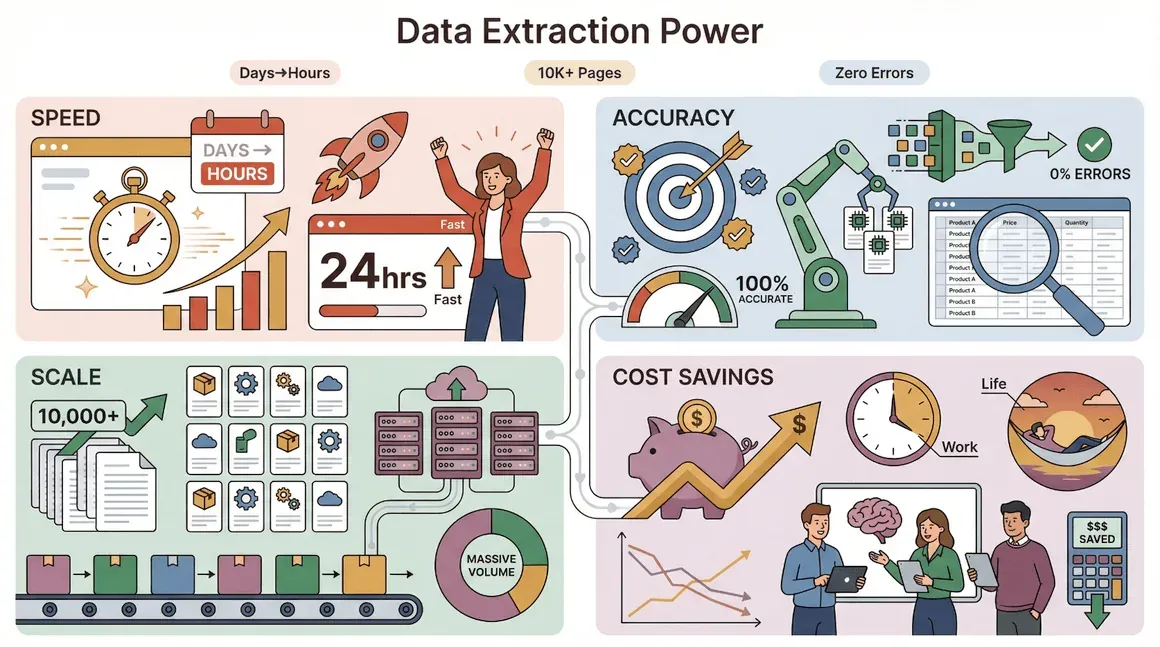
- Speed: Automated data extraction can reduce the time to gather market insights from days to hours (Kanhasoft).
- Accuracy: Machines don’t get bored or distracted, so you get fewer errors compared to manual copy-paste.
- Scale: Need data from 10,000 product pages? No problem—scraping tools can handle it.
- Cost Savings: By automating repetitive tasks, teams can focus on high-value work (and maybe even leave the office before sunset).
Here’s a quick table of ROI-focused use cases:
| Use Case | Manual Effort | Automated Data Scraping Benefit |
|---|---|---|
| Lead Generation | Hours of research | 1-click extraction of 1,000+ leads |
| Price Monitoring | Daily checks | Real-time alerts on price changes |
| Content Aggregation | Copy-paste articles | Consolidate news in minutes |
| Competitor Analysis | Tedious tracking | Instant competitor data feeds |
| Market Research | Survey fatigue | Up-to-date trend analysis |
It’s no wonder that 85% of ecommerce retailers now scrape competitor data daily to stay ahead.
Common Use Cases: How Businesses Leverage Data Scraping
Let’s get practical. Here’s how real teams use data scraping and web data extraction every day:
Market Research & Competitive Analysis
Companies use web data extraction to monitor competitors, track product launches, and spot market trends before they go mainstream. For example, a SaaS company might scrape competitor pricing pages and feature lists to inform their own roadmap. According to Scrap.io, big brands now rely on automated scraping to keep tabs on anything that might move their market.
Price Monitoring & Dynamic Pricing
Ecommerce and retail teams use data scraping to track competitor prices, stock levels, and promotions. This isn’t just about “spying”—it’s about making sure you’re not leaving money on the table. One Shopify aggregator case study showed that automated price monitoring helped optimize margins and react to market changes in real time.
Content Aggregation & News Monitoring
Marketing and content teams use web data extraction to pull news articles, reviews, and social media sentiment into a single dashboard. This lets them spot PR opportunities, track brand mentions, and stay on top of industry chatter without manually sifting through endless feeds (Kanhasoft).
Lead Generation & Contact Discovery
Sales teams extract contact info from directories, LinkedIn, or niche industry sites to build targeted outreach lists. One lead generation case study found that scraping public sites for decision-maker contacts led to 88 qualified leads in just three months—far faster than manual research.
The Challenges of Manual Data Collection
Let’s face it: manual data collection is about as fun as watching paint dry (and about as efficient). Here’s why it just doesn’t cut it anymore:
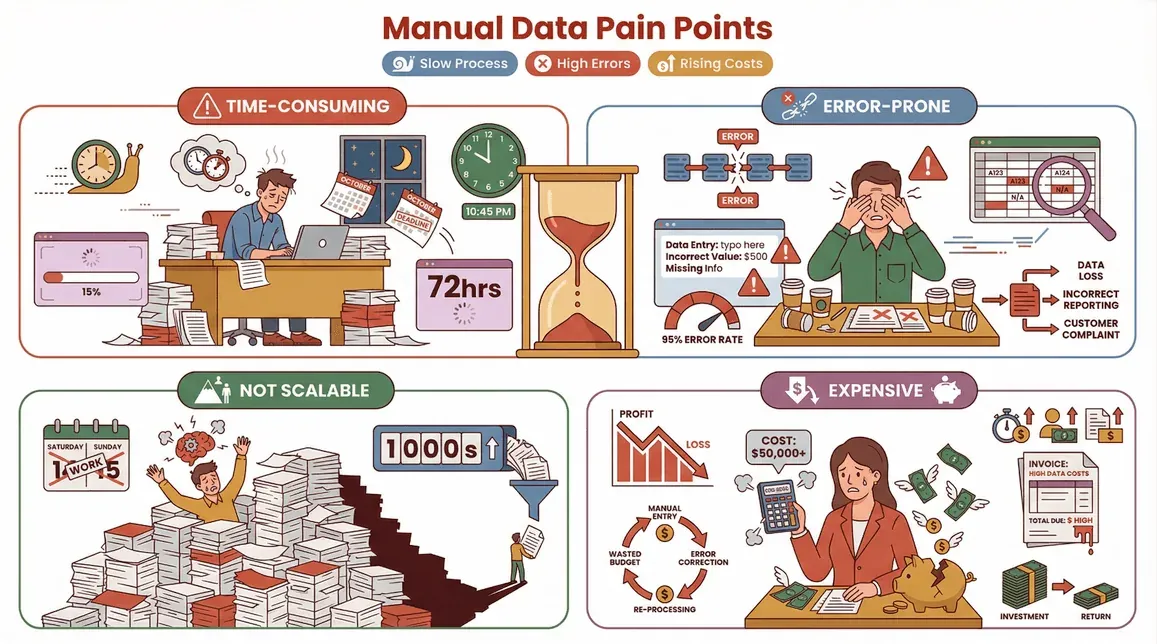
- Time-consuming: Copying data by hand is slow, especially at scale.
- Error-prone: Fatigue and distractions lead to mistakes—sometimes costly ones.
- Not scalable: Good luck collecting data from thousands of pages without losing your mind (or your weekend).
- Expensive: Labor costs add up, and reprocessing incorrect data can generate even more costs (Retica).
Here’s a side-by-side comparison:
| Method | Speed | Accuracy | Cost | Scalability |
|---|---|---|---|---|
| Manual Collection | Slow (days/weeks) | Prone to errors | High (labor) | Low |
| Automated Scraping | Fast (minutes/hours) | 95%+ accuracy (Retica) | Low (software) | High |
No wonder more companies are ditching manual methods for automated tools.
How Data Scraping Works: From Request to Structured Data
Curious how the magic happens? Here’s a high-level overview of the typical data scraping workflow—no computer science degree required:
- Request: The tool visits the target website or digital source.
- Extract: It identifies and pulls out the relevant information (like product names, prices, or emails).
- Clean & Structure: The raw data is cleaned up, formatted, and organized into a table or database.
- Export: The final dataset is exported to your favorite tool—Excel, Google Sheets, Airtable, Notion, or wherever you need it.
Think of it as a supercharged “copy-paste”—but with brains and brawn.
For a more technical breakdown, Oxylabs describes modern data scraping systems as a combination of data collectors, processors, and storage systems working together to deliver ready-to-use information.
Thunderbit: Making Web Data Extraction Easy for Everyone
Here’s where I get excited. At Thunderbit, we set out to make web data extraction so simple that anyone—yes, even your least tech-savvy coworker—can do it. No code, no templates, no headaches.
Thunderbit is an AI-powered web scraper Chrome Extension that lets you extract data from any website in just a couple of clicks. Here’s what sets it apart:
- AI Suggest Fields: Just click “AI Suggest Fields,” and Thunderbit scans the page, recommends the columns to extract (like “Name,” “Price,” or “Email”), and even writes the extraction instructions for you.
- Subpage Scraping: Need more details? Thunderbit can automatically visit each subpage (like product details or LinkedIn profiles) and enrich your table—no extra setup required.
- Instant Templates: For popular sites like Amazon, Zillow, or Shopify, Thunderbit offers one-click templates—no need to mess with settings.
- Free Data Export: Export your results to Excel, Google Sheets, Airtable, or Notion—totally free.
- Scheduled Scraping: Set up recurring jobs to keep your data fresh, whether you’re tracking prices or monitoring leads.
- Works on PDFs & Images: Thunderbit can even extract data from PDFs and images using AI-powered OCR.
And the best part? You don’t need to be a developer. Thunderbit is designed for sales, ecommerce, marketing, and operations teams who just want results—fast.
For a deeper dive, check out our Instant Data Scraper review and comparison.
Try Thunderbit AI Web Scraper for Free
Thunderbit’s AI-Powered Features for Non-Technical Users
Let’s walk through how Thunderbit makes web data extraction a breeze:
- AI Suggest Fields: Open the extension, click “AI Suggest Fields,” and Thunderbit reads the page, suggesting the best columns to extract. You can tweak or add fields as needed.
- Subpage Scraping: Scraped a list of products? Click “Scrape Subpages,” and Thunderbit will visit each product page, pulling in specs, reviews, or images—automatically.
- Instant Templates: For sites like Amazon or Shopify, just select the template and export your data instantly.
- Free Data Export: Once you have your data, export it to your tool of choice—no paywalls, no fuss.
Thunderbit is trusted by over 100,000 users worldwide, and we're just getting started.
Staying Legal: The Importance of Compliance in Data Scraping
Now, let’s talk about the elephant in the room: is data scraping legal? The answer is… it depends.
- Public Data: Generally, scraping publicly available data (like product listings or public directories) is legal, but you should always check the website’s terms of service and robots.txt file (Kinsta).
- Private or Protected Data: Scraping behind logins, paywalls, or for commercial resale can get you into hot water (GroupBWT).
- Data Privacy Laws: Always respect privacy laws like GDPR or CCPA when collecting personal information.
Best practices for compliance:
- Respect robots.txt and terms of service.
- Don’t scrape sensitive or private data.
- Limit your scraping speed to avoid overloading servers.
- Use scraped data ethically—especially when it comes to personal info.
For a more detailed compliance guide, see Web Scraping Legal Issues: 2025 Enterprise Compliance Guide.
Key Takeaways: Unlocking the Power of Data Scraping & Web Data Extraction
- Data scraping and web data extraction are essential tools for modern businesses—enabling faster, more accurate, and scalable data collection.
- Manual data collection is slow, error-prone, and expensive. Automated tools like Thunderbit make it easy to extract, clean, and export web data—no coding required.
- Thunderbit stands out for its AI-powered simplicity, subpage scraping, instant templates, and free data export—making web data extraction accessible to everyone.
- Compliance matters: Always respect website rules and data privacy laws when scraping.
Ready to put web data to work for your business? Download Thunderbit and see how easy it is to turn the web into your own data goldmine. And if you want to dig deeper, check out the Thunderbit Blog for more guides and tips.
Learn More About Data Scraping
FAQs
1. What’s the difference between data scraping and web data extraction?
Data scraping is the broad process of automatically collecting information from any digital source, while web data extraction specifically refers to pulling data from websites. Both aim to turn unstructured info into usable datasets.
2. Is data scraping legal?
Scraping public data is generally legal, but you should always check a website’s terms of service and respect privacy laws. Avoid scraping private or protected content without permission.
3. What are the main business benefits of web data extraction?
Web data extraction enables faster, more accurate, and scalable data collection for use cases like lead generation, price monitoring, market research, and content aggregation.
4. How does Thunderbit make data scraping easier?
Thunderbit uses AI to suggest fields, automate subpage scraping, and provide instant templates for popular sites. It’s designed for non-technical users and offers free data export to Excel, Google Sheets, and more.
5. What should I do to stay compliant when scraping data?
Always respect robots.txt, terms of service, and data privacy laws. Don’t scrape sensitive or private data, and use scraped information ethically and responsibly.
Want to learn more? Explore What Is Data Scraping and How to Do It in 2025 or browse the Thunderbit Blog for more insights.
Try AI Web Scraper Get Started Free
Learn More




