The web is bursting at the seams with data—and in 2026, web scraping projects have become the secret sauce for everything from business analytics to trend-spotting and research breakthroughs. Python web scraping has moved from a hobbyist's weekend script to a real piece of infrastructure on a lot of data teams — though "mission-critical engine of innovation" is the kind of phrase that gets written into pitch decks more than into actual postmortems, so let's just say: a lot of teams now depend on it, and the tooling has caught up.
Whether you’re a data scientist, a developer, or just a curious tinkerer, the right project idea (and the right tool) can unlock insights that would otherwise stay buried in the digital haystack. And the best part? With AI-powered solutions like Thunderbit, even the most complex scraping tasks are now within reach—no PhD in regex required.
Ready to level up your skills and build something that actually moves the needle? I’ve pulled together 32 creative, advanced, and practical Python web scraping project ideas—each mapped to the best tools (from BeautifulSoup to Scrapy to Thunderbit), with tips on complexity, automation, and real-world impact. Let’s dive in and see just how far you can take your next data-driven project.
Why Python Web Scraping Projects Are Essential for Data-Driven Innovation
What Is Data Scraping and How to Do It in 2026 Get Started Free
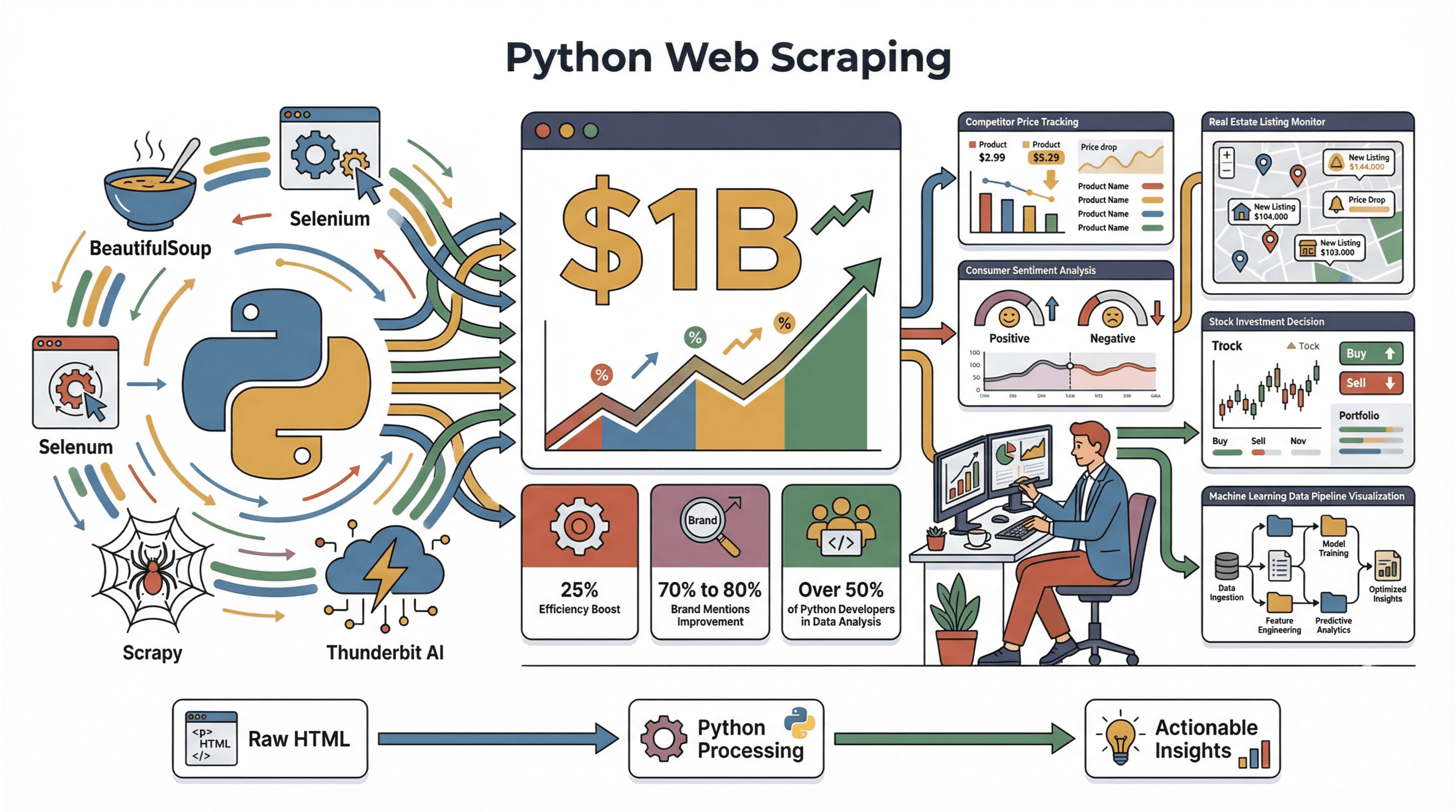
Web scraping has exploded into a $1 billion industry in 2026, and it’s only getting bigger (PromptCloud). Companies are using scraping pipelines to track competitor prices, monitor shifting consumer sentiment, and even automate investment decisions. Quant funds and retail-research desks now treat scraped alt-data — earnings call transcripts, job-posting feeds, e-commerce price scrapes — as a normal input to their models. I don't have a clean industry-wide number for how much that's improved decisions (the ones floating around aren't well-sourced), but the demand signal is clear from how much money is going into managed scraping services and proxy networks.
Python is the go-to language for these projects, and it’s easy to see why. Per JetBrains' 2025 State of Python survey, 51% of respondents said they work on data exploration and processing — the first year that bucket has held an outright majority (JetBrains). And Python's ecosystem — BeautifulSoup, Selenium, Playwright, Scrapy, and now AI-assisted tools like Thunderbit — makes the path from raw HTML to a usable dataset shorter every year.
Whether you’re scraping product reviews for sentiment analysis, tracking real estate listings, or building a custom dataset for machine learning, Python web scraping projects are the backbone of modern data-driven innovation.
How to Choose the Right Web Scraping Project Idea
With so many possibilities, how do you pick a project that’s worth your time? Here’s my framework:
- Start with your goal: What decision or process will this data inform? If you’re after competitive intelligence, scrape competitor prices or product lines. If you want customer insights, look at reviews or social media.
- Check data availability: Is the data public, behind a login, or available via an API? Public, static sites are easier; dynamic or protected sites require more advanced tools.
- Match the tool to the task: For static pages, BeautifulSoup is great. For dynamic content, Selenium or Playwright might be necessary. For complex or multi-format data (like PDFs or images), AI-powered tools like Thunderbit can save you hours.
- Think about scalability and automation: Will you need to run this project once, or on a schedule? Scheduled scraping and easy export (to Google Sheets, Excel, etc.) are a must for ongoing projects.
The best projects balance business value with technical feasibility. And if you’re not a coding wizard, don’t worry—AI tools like Thunderbit are making advanced scraping accessible to everyone.
Comparing Python Web Scraping Tools: From BeautifulSoup to Thunderbit
Let’s break down the main tools you’ll want in your arsenal:
| Tool | Best For | Handles JavaScript? | Scalability | Ease of Use | Maintenance |
|---|---|---|---|---|---|
| BeautifulSoup | Static pages, quick jobs | No | Low | High | Manual |
| Selenium | Dynamic, JS-heavy sites (legacy) | Yes | Medium | Medium | Moderate |
| Playwright | Modern dynamic / SPA scraping | Yes (auto-wait) | Medium-High | Medium | Low-Moderate |
| Scrapy | Large-scale, structured crawling | No (but can add) | High | Medium | Moderate |
| Thunderbit | AI-powered, complex/mixed data | Yes | High | Very High | Low |
- BeautifulSoup is perfect for small, static sites—think blogs or simple directories.
- Selenium shines when you need to interact with dynamic content, logins, or infinite scroll — and the community + driver support is the broadest of any browser-automation library, so if you're inheriting an existing codebase, stay on it.
- Playwright (via
playwright-python) is what I'd reach for on a fresh project in 2026. The big practical difference is auto-waiting: the API waits for elements to be actionable before clicking, instead of you scatteringtime.sleep(3)calls and praying. That alone removes the single biggest source of flaky scraper bugs. Trade-off: smaller community than Selenium, and a few enterprise/legacy browser-version cases Playwright still doesn't cover. - Scrapy is built for industrial-scale crawling and structured exports, but has a steeper learning curve. Still actively maintained — version 2.15 shipped in January 2026 and dropped Python 3.9 support, so check your runtime before upgrading.
- Thunderbit brings AI to the table, handling everything from subpage navigation to PDF/image extraction, and even suggesting the best fields to scrape. It’s my go-to for projects where speed, resilience, and ease of use matter most.
For a deep dive on tool selection, check out Thunderbit’s guide to web scraping tools.
Project Complexity and Tool Recommendation Grid
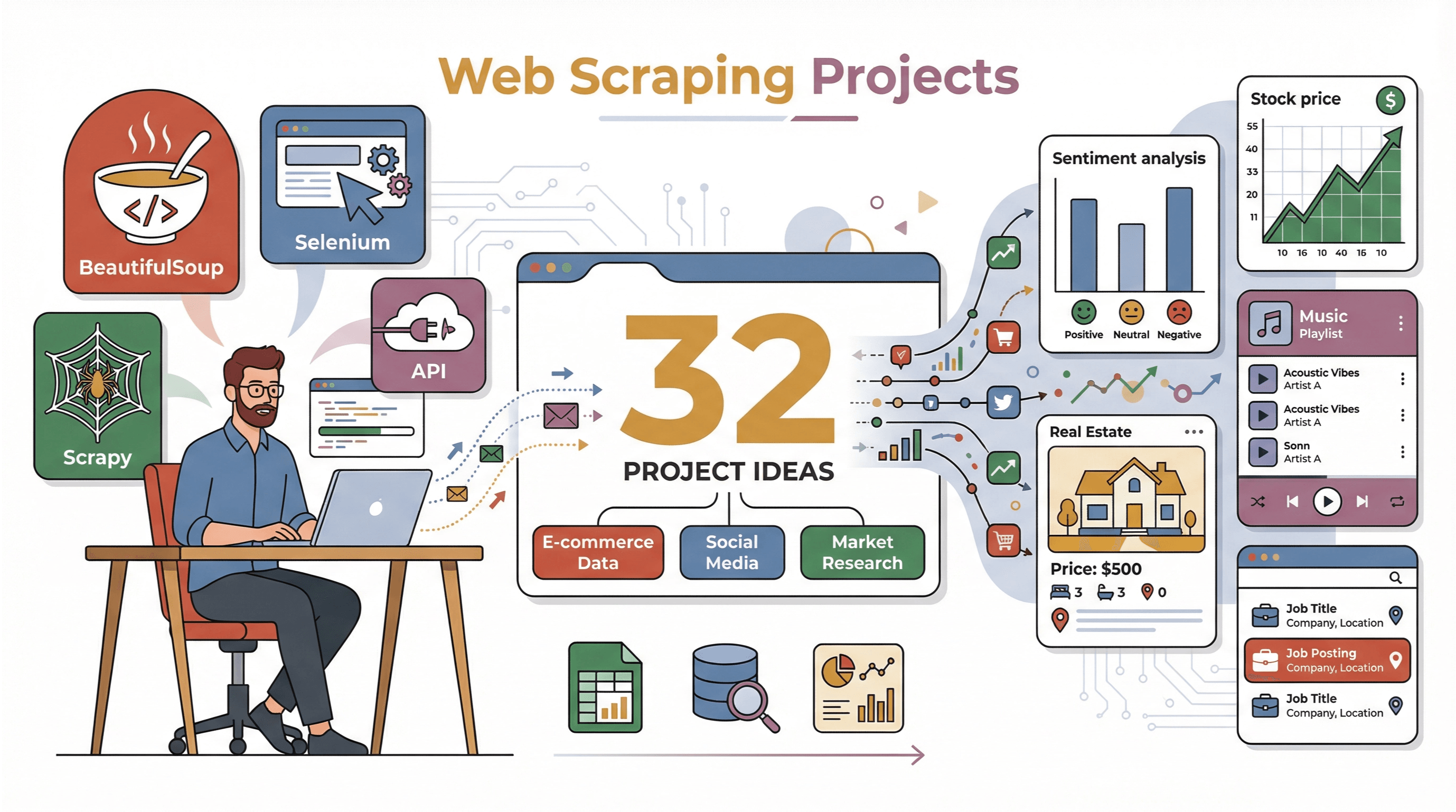 Here’s a quick reference grid to help you match each project idea to the right tool and gauge complexity:
| Project Idea | Recommended Tool(s) | Complexity | Key Output |
|---|---|---|---|
| Amazon Review Sentiment Analysis | BeautifulSoup + NLP | Medium | Reviews + sentiment scores |
| Esports Live Scores | Selenium | High | Real-time stats |
| Quora Trending Q&A | Selenium | Med-High | Q&A dataset |
| Spotify Playlist Data | Spotify API | Low | Playlist tracks, metrics |
| Travel Attraction Ratings | BeautifulSoup | Medium | Ratings, reviews, location mapping |
| Movie Box Office Trends | API or BeautifulSoup | Low-Med | Box office time-series |
| Twitter Trends & Content | Selenium/API | Medium | Trending topics, sentiment |
| Zhihu Q&A | Selenium | High | Chinese Q&A dataset |
| Real Estate Monitoring (Thunderbit) | Thunderbit | Low-Med | Listing data, price trends |
| Ebook Bestseller Analysis | Selenium/API | Medium | Rankings, reviews |
| Ecommerce Price Tracking | Scrapy + proxies | High | Price history, alerts |
| Reddit Subreddit Analysis | Reddit API | Medium | Topic heat, engagement |
| Stock Data Tracking | yfinance/API | Low | Historical prices, indicators |
| Job Listings (Scrapy) | Scrapy | Medium | Job postings, salary info |
| Google Play Reviews | API/Selenium | Medium | Reviews, ratings, NLP summary |
| Competitor Blog Aggregation | RSS + BeautifulSoup | Medium | Content repository, topic clusters |
| Online Course Feedback | Selenium/API | Medium | Course ratings, feedback |
| Business Directory Cleanup | Scrapy + Python | Medium | Clean, deduped business list |
| Podcast Releases & Trends | API + NLP | Medium | Trending podcasts, episode data |
| Thunderbit File Extraction | Thunderbit | Low | Structured data from PDFs/images |
| Academic Citation Trends | API + parsing | Medium | Citation counts, trendlines |
| Web Game Data via OCR | Selenium + OCR | High | Game stats from images |
| Retailer Reviews Analysis | Scrapy + NLP | Med-High | Consumer review database, summary |
| Live News with Selenium | Selenium + scheduling | Medium | Real-time headlines |
| Fashion Trend Tracking | Scrapy + image analysis | Medium | Popular styles, trend data |
| Competitor Product Export (Thunderbit) | Thunderbit | Low | Product list, key attributes |
| Tumblr Multimedia Analysis | API/Selenium | Medium | Posts, tags, media links |
| Logistics Company Reviews | BeautifulSoup + NLP | Medium | Service review sentiment |
| Sports Brand Exposure | Social API + scraping | High | Regional exposure metrics |
| YouTube Product Comments | YouTube API + NLP | Medium | Comment sentiment, feature mentions |
| Ecommerce Promo Frequency | Scrapy | Medium | Promo calendar, frequency analysis |
| Multi-language Series Data | Scrapy + translation API | High | Multi-lang descriptions |
Now, let’s get into the good stuff—32 project ideas, each with a quick how-to, tool tips, and pro-level insights.
1. Amazon Product Review Sentiment Analysis (BeautifulSoup)
Scrape Amazon product reviews and run sentiment analysis to uncover what customers really think. Use BeautifulSoup to extract review text, star ratings, and reviewer metadata. Handle pagination to collect a robust dataset, then apply Python NLP libraries (like VADER or TextBlob) to score sentiment and surface common themes. For best results, pace your requests to avoid CAPTCHAs (Oxylabs).
2. Esports Live Scores and Statistics (Selenium)
Want to track live esports scores? Use Selenium to scrape dynamic, JavaScript-rendered scoreboards from sites like ESL or Liquipedia. Selenium lets you automate browser actions, handle logins, and extract real-time stats for games like League of Legends or CS:GO. Pro tip: Check browser network calls for hidden API endpoints to speed up extraction (YouTube).
3. Quora Trending Q&A Data Scraping
Collect trending questions and answers from Quora using Selenium to handle infinite scroll and login requirements. Parse out question text, answer content, upvotes, and author info. For deeper analysis, click “Read More” buttons to get full answers and filter out ads or promoted content (ScraperAPI).
4. Collecting Spotify Playlist Data with Python
Use the Spotify Web API (with the spotipy library) to fetch playlist tracks, metadata, and audio features. Analyze playlist trends, track popularity, and even song attributes like tempo or energy. Visualization ideas: genre breakdowns, artist networks, or track turnover rates (Spotipy Docs).
5. Web Scraping for Tourist Attraction Ratings
Scrape tourist attraction ratings and reviews from platforms like TripAdvisor using BeautifulSoup. Extract attraction names, locations, average ratings, and review counts. Clean and geocode the data for mapping, then analyze trends by city or season (DataHen).
6. Movie Box Office Data and Trend Visualization
Fetch historical box office data from sources like Box Office Mojo using their API or BeautifulSoup. Visualize trends with Python libraries like Matplotlib or Plotly—think revenue over time, genre breakdowns, or seasonal spikes (Kaggle).
7. Twitter Trending Topics and User Content Analysis
Monitor Twitter trends using the API (if you have access) or tools like snscrape and Selenium. Scrape trending hashtags, collect tweets, and analyze sentiment or hashtag co-occurrence. For heavy JS content, browser automation is a must (Thunderbit Blog).
8. Data Scraping Interactive Q&A from Zhihu
Scrape Zhihu’s trending questions and answers using Selenium (and login cookies if needed). Extract question text, answer content, upvotes, and user engagement. For Chinese text analysis, use libraries like Jieba or SnowNLP.
9. Real-Time Real Estate Market Monitoring (Thunderbit)
With Thunderbit, you can monitor real estate listings and prices with just a few clicks. Use “AI Suggest Fields” to auto-detect property data, leverage subpage scraping for details, and set up scheduled scrapes for daily updates. Export everything to Google Sheets or Airtable—no code required (Thunderbit Real Estate Guide).
Scrape Real Estate Listings with Thunderbit
10. Ebook Platform Bestseller Rankings Analysis
Scrape bestseller lists and reviews from Amazon Kindle or Goodreads using Selenium or APIs. Track ranking changes over time, analyze genre trends, and correlate reviews with sales rank (Oxylabs).
11. Analyzing Ecommerce Price Fluctuations
Use Scrapy (with proxies) to track product prices on ecommerce sites. Collect data on a schedule, build a historical price database, and set up alerts for significant drops. Analyze dynamic pricing patterns and competitor strategies (Opensend).
12. Reddit Subreddit Topic Discussion Heat Analysis
Extract posts and comments from subreddits using the Reddit API (PRAW). Analyze post frequency, upvotes, and comment volume to identify hot topics and engagement trends. Visualize with heatmaps or bar charts.
13. Historical Stock and Financial Indicators Tracking
Fetch stock prices and financial indicators using yfinance or other finance APIs. Build time-series datasets, plot trends, and correlate with economic indicators (AbstractAPI).
14. Scraping Job Postings with Scrapy
Use Scrapy to crawl job boards, extract job titles, companies, locations, and salaries. Handle pagination and export structured data for analysis—think salary distributions, skill demand, or hiring trends (Scrapy Docs).
15. Scripting Google Play App Reviews and Ratings
Scrape app reviews from Google Play using the API or Selenium. Extract review text, ratings, and metadata, then use NLP to summarize user feedback and sentiment (SerpApi).
16. Competitor Tech Blog Content Aggregation
Aggregate competitor blog posts using RSS feeds and BeautifulSoup. Organize content, deduplicate, and use topic clustering to spot trends and content gaps.
17. Scraping Course Feedback and Ratings from Online Education Platforms
Extract course ratings and feedback from platforms like Coursera or Udemy using Selenium or APIs. Visualize course popularity, satisfaction, and common feedback themes.
18. Business Directory and Yellow Pages Data Organization
Scrape business listings from directories like Yellow Pages using Scrapy. Normalize addresses, deduplicate entries, and build a clean business database (Oxylabs).
19. Collecting Latest Releases and Popular Content from Podcast Platforms
Use the iTunes or Spotify API to fetch podcast metadata, episode releases, and popularity metrics. Analyze emerging topics and release trends.
20. Uploading Files to Thunderbit for Custom Data Extraction
Upload PDFs or images to Thunderbit and let its AI-powered OCR extract structured data—no manual typing or regex needed. Perfect for digitizing business cards, invoices, or attendee lists (Thunderbit Docs).
21. Academic Citation Trend Analysis
Scrape citation data from academic databases using APIs (like CrossRef). Analyze citation counts over time to spot emerging research trends.
22. Web Game Data Extraction via OCR
Combine Selenium and OCR libraries (like pytesseract) to extract stats from image-based web games. Useful for games that display scores or data as images.
23. Online Retailer Consumer Review Extraction and Analysis
Scrape consumer reviews from online retailers using Scrapy. Apply NLP for sentiment scoring, summarize key product pros/cons, and compare competing products.
24. Real-Time News Headlines and Summary Scraping (Selenium)
Use Selenium to scrape live news headlines and summaries from dynamic news sites. Schedule regular scrapes for real-time updates.
25. Fashion Website Trend and Style Tracking
Scrape fashion sites for trending products and styles using Scrapy. Optionally, use image analysis to detect popular colors or patterns.
26. Exporting Competitor Product Lists with Thunderbit
With Thunderbit, export competitor product lists and attributes in minutes. Use AI field suggestions and subpage scraping for deep data, then export directly to your favorite spreadsheet tool.
27. Tumblr Multimedia Content Analysis
Scrape multimedia posts from Tumblr using the API or Selenium. Analyze images, videos, and tags for content trends.
28. Logistics Company Review Data Extraction
Scrape reviews and ratings for logistics companies from platforms like Trustpilot using BeautifulSoup. Map feedback to operational improvements with text analytics.
29. Sports Brand Regional Market Exposure Statistics
Collect and analyze market exposure data for sports brands using social media APIs and web scraping. Track mentions, retail presence, and regional trends.
30. YouTube Product Comment Experience Analysis
Scrape YouTube comments using the API, then use NLP to extract sentiment and feature mentions related to product experiences.
31. Ecommerce Promotion Event Frequency and Ratio Tracking
Track promotional events on ecommerce platforms using Scrapy. Aggregate event data and visualize trends over time.
32. Multi-Platform, Multi-Language Series Description Scraping
Build scripts with Scrapy and translation APIs to collect and standardize series descriptions from multiple streaming platforms in different languages.
At-a-Glance: Project Comparison Table
| # | Project Idea | Tool(s) | Complexity | Key Output |
|---|---|---|---|---|
| 1 | Amazon Review Sentiment Analysis | BeautifulSoup + NLP | Medium | Reviews + sentiment |
| 2 | Esports Live Scores | Selenium | High | Real-time stats |
| 3 | Quora Trending Q&A | Selenium | Med-High | Q&A dataset |
| 4 | Spotify Playlist Data | Spotify API | Low | Playlist tracks, metrics |
| 5 | Travel Attraction Ratings | BeautifulSoup | Medium | Ratings, reviews, mapping |
| 6 | Movie Box Office Trends | API/BeautifulSoup | Low-Med | Box office time-series |
| 7 | Twitter Trends & Content | Selenium/API | Medium | Trending topics, sentiment |
| 8 | Zhihu Q&A | Selenium | High | Chinese Q&A dataset |
| 9 | Real Estate Monitoring (Thunderbit) | Thunderbit | Low-Med | Listing data, price trends |
| 10 | Ebook Bestseller Analysis | Selenium/API | Medium | Rankings, reviews |
| 11 | Ecommerce Price Tracking | Scrapy + proxies | High | Price history, alerts |
| 12 | Reddit Subreddit Analysis | Reddit API | Medium | Topic heat, engagement |
| 13 | Stock Data Tracking | yfinance/API | Low | Historical prices, indicators |
| 14 | Job Listings (Scrapy) | Scrapy | Medium | Job postings, salary info |
| 15 | Google Play Reviews | API/Selenium | Medium | Reviews, ratings, NLP summary |
| 16 | Competitor Blog Aggregation | RSS + BeautifulSoup | Medium | Content repository, topic clusters |
| 17 | Online Course Feedback | Selenium/API | Medium | Course ratings, feedback |
| 18 | Business Directory Cleanup | Scrapy + Python | Medium | Clean, deduped business list |
| 19 | Podcast Releases & Trends | API + NLP | Medium | Trending podcasts, episode data |
| 20 | Thunderbit File Extraction | Thunderbit | Low | Structured data from PDFs/images |
| 21 | Academic Citation Trends | API + parsing | Medium | Citation counts, trendlines |
| 22 | Web Game Data via OCR | Selenium + OCR | High | Game stats from images |
| 23 | Retailer Reviews Analysis | Scrapy + NLP | Med-High | Consumer review database, summary |
| 24 | Live News with Selenium | Selenium + scheduling | Medium | Real-time headlines |
| 25 | Fashion Trend Tracking | Scrapy + image analysis | Medium | Popular styles, trend data |
| 26 | Competitor Product Export (Thunderbit) | Thunderbit | Low | Product list, key attributes |
| 27 | Tumblr Multimedia Analysis | API/Selenium | Medium | Posts, tags, media links |
| 28 | Logistics Company Reviews | BeautifulSoup + NLP | Medium | Service review sentiment |
| 29 | Sports Brand Exposure | Social API + scraping | High | Regional exposure metrics |
| 30 | YouTube Product Comments | YouTube API + NLP | Medium | Comment sentiment, feature mentions |
| 31 | Ecommerce Promo Frequency | Scrapy | Medium | Promo calendar, frequency analysis |
| 32 | Multi-language Series Data | Scrapy + translation | High | Multi-lang descriptions |
Conclusion: Unlocking New Possibilities with Python Web Scraping Projects
Web scraping with Python is more than just a technical exercise—it’s a launchpad for data-driven breakthroughs. Whether you’re building dashboards, powering machine learning models, or just satisfying your curiosity, these 32 project ideas are proof that the only limit is your imagination. And with tools like Thunderbit, you don’t have to be a coding expert to tackle even the toughest scraping challenges.
So pick a project, set up your Python environment, and start experimenting. The web is your data playground—go build something amazing, and let the insights roll in.
For more deep dives and hands-on guides, check out the Thunderbit Blog.
Try Thunderbit AI Web Scraper for Your Next Project Get Started Free
FAQs
1. What is the best Python tool for web scraping projects?
It depends on your project. For static pages, BeautifulSoup is simple and effective. For dynamic or interactive sites, Selenium is a solid choice. For large-scale or scheduled scraping, Scrapy is ideal. For AI-powered, no-code scraping (including PDFs and images), Thunderbit is a top pick.
2. How do I avoid getting blocked when scraping websites?
Use realistic user agents, add delays between requests, and respect robots.txt. For high-frequency or sensitive sites, consider rotating proxies and using browser automation to mimic human behavior.
3. Can I use web scraping for commercial projects?
Yes, but always check the target site’s terms of service and legal restrictions. Many sites allow scraping for personal or research use, but commercial use may require permission or API access.
4. How does Thunderbit simplify complex web scraping tasks?
Thunderbit uses AI to auto-detect fields, handle subpages, and extract data from dynamic sites, PDFs, and images. It offers natural language prompts and exports data directly to Google Sheets, Excel, Airtable, or Notion—no coding required.
5. What’s the best way to get started with Python web scraping projects?
Pick a project idea that excites you, install the necessary libraries (BeautifulSoup, Selenium, Scrapy, or Thunderbit), and start small—scrape one page, then scale up. Experiment, iterate, and don’t be afraid to try AI-powered tools to speed up your workflow.
Happy scraping—and may your data always be fresh, structured, and full of insight.
Learn More