
Ever tried to match up two addresses in your CRM, only to realize “123 Main St.” and “123 Main Street” are treated as different places? Or maybe you’ve seen a delivery go sideways because of a tiny typo or a missing apartment number. In my years building automation tools and working with sales and logistics teams, I’ve learned that comparing addresses is a deceptively tough challenge—one that can quietly drain profits, frustrate customers, and make operations way more complicated than they need to be.
The numbers back this up: about 4.7% of all shipments are impacted by bad addresses, leading to failed deliveries, extra costs, and unhappy customers. And it’s not just shipping—sales teams lose deals, marketing campaigns flop, and customer service gets bogged down, all because of messy address data. So, how do you actually compare addresses effectively, catch the subtle differences, and make sure your business runs smoother? Let’s break it down, step by step.
Why Accurate Address Comparison Matters in Business
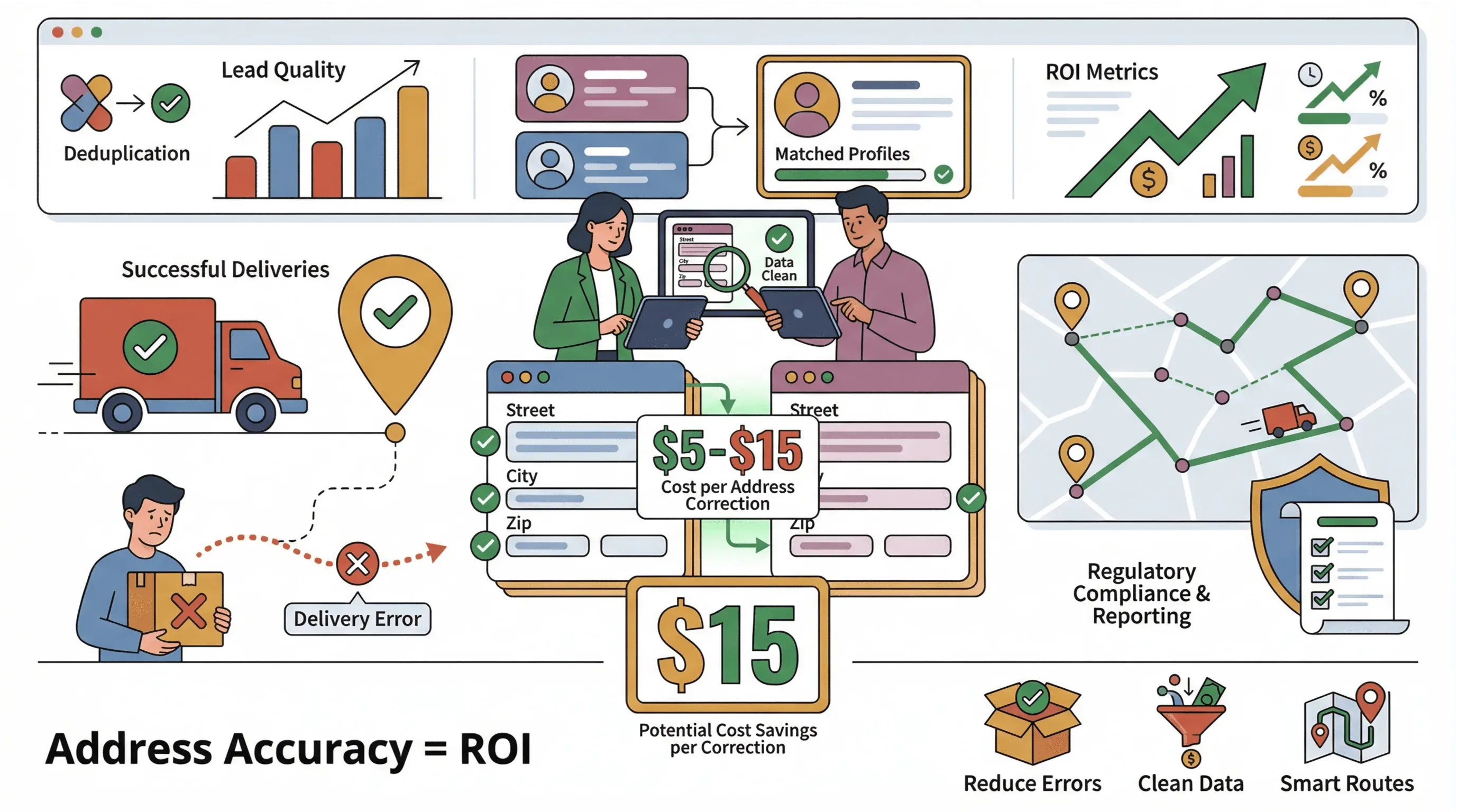 Address comparison isn’t just a technical exercise—it’s a business-critical process that touches nearly every part of operations, from logistics to sales to customer service. Here’s why it matters so much:
- Reducing Delivery Errors: In logistics and ecommerce, a single wrong address can mean a failed delivery, extra shipping fees, and a frustrated customer. Each address correction can cost between $5–$15, not counting the cost of lost business or negative reviews.
- Improving Lead Quality: For sales and marketing, matching addresses helps deduplicate leads, enrich customer profiles, and ensure you’re not sending mailers to the wrong place (or twice to the same person).
- Optimizing Route Planning: Delivery and field service teams rely on clean, comparable addresses to plan efficient routes and reduce wasted miles.
- Ensuring Regulatory Compliance: Many industries (especially finance and healthcare) require accurate address data for compliance and reporting.
Here’s a quick table showing where address comparison delivers real ROI:
| Application Scenario | Business Impact | ROI Metrics |
|---|---|---|
| Logistics & Delivery | Fewer failed deliveries, lower costs | Up to 25% fewer returns, cost savings per shipment (BirdseyePost) |
| Sales & CRM | Better lead quality, less duplication | 10–25% increase in campaign ROI (Fullcast) |
| Customer Service | Faster issue resolution, happier clients | Higher NPS, fewer complaints |
| Compliance & Auditing | Accurate reporting, reduced risk | Fewer fines, audit readiness |
In short: mastering address comparison isn’t just about data hygiene—it’s about protecting your bottom line and keeping customers happy.
Understanding the Challenges: Why Comparing Addresses Is Hard
What Is Data Scraping and How to Do It in 2026 Get Started Free
If comparing addresses was easy, we wouldn’t be talking about it. Here’s what makes it so tricky:
- Inconsistent Formats: “123 Main St.” vs. “123 Main Street” vs. “123 Main St, Apt 4B”—all technically the same, but formatted differently.
- Abbreviations and Typos: “Ave.” vs. “Avenue,” “Blvd” vs. “Boulevard,” or just plain misspellings (“Mian St.”).
- Missing or Extra Fields: Sometimes the zip code is missing, or the city is abbreviated (“NYC” vs. “New York”).
- Language and International Variations: Addresses in different countries follow different rules and field orders.
- Manual Entry Errors: Humans make mistakes—especially when copying addresses from handwritten forms or phone calls.
Here’s a real-world example:
| Address 1 | Address 2 | Are They the Same? |
|---|---|---|
| 123 Main St, Apt 4B, New York, NY | 123 Main Street, #4B, NYC, NY | Yes (but not obvious) |
Traditional systems often miss these matches, leading to duplicate records or delivery mistakes. And if you’re still comparing addresses by hand, you know how tedious (and error-prone) it can be.
The Core Process: How to Compare Two Addresses Step by Step
So, how do you actually compare two addresses—accurately and efficiently? Here’s the workflow I recommend (and what we’ve built into Thunderbit):
Step 1: Address Formatting and Standardization
Before you can compare, you need to get all your addresses into a standard format. This means:
- Expanding Abbreviations: “St.” → “Street,” “Ave” → “Avenue”
- Consistent Capitalization: Make everything uppercase or lowercase
- Field Order: Always put street, city, state, zip in the same order
- Removing Extra Spaces and Punctuation: Clean up stray commas, periods, or spaces
You can do this in Excel with formulas, or use address standardization tools (Placekey). Here’s a quick cheat sheet for common abbreviations:
| Abbreviation | Standard Form |
|---|---|
| St. | Street |
| Ave | Avenue |
| Blvd | Boulevard |
| Rd | Road |
| Apt | Apartment |
Step 2: Field-by-Field Address Matching
Once standardized, compare each address component:
- Street Address: Use exact or “fuzzy” matching to catch minor differences (“Main St” vs. “Main Street”)
- City: Watch for abbreviations (“NYC” vs. “New York”)
- State/Province: Use standard two-letter codes (“NY” for New York)
- Postal/Zip Code: Make sure these are present and formatted correctly
For spreadsheets, you can use formulas like =EXACT() for strict matches, or fuzzy matching techniques (like Levenshtein distance) for near-matches. Many CRM systems offer built-in deduplication tools, but they’re often limited.
Step 3: Final Validation
After matching, always validate your results:
- Spot-Check Matches: Look for false positives or missed matches
- Flag Exceptions: If a field is missing or ambiguous, flag for manual review
- Enrich Data: If possible, use third-party APIs to validate or enrich addresses
This process ensures you’re not just matching “close enough”—you’re actually comparing addresses accurately.
Traditional Solutions for Address Comparison: Pros and Cons
Let’s talk about the old-school ways of comparing addresses, and why they’re falling short in today’s fast-paced business world.
| Method | Pros | Cons |
|---|---|---|
| Manual Review | Flexible, human judgment | Slow, error-prone, not scalable |
| Spreadsheet Formulas | Easy for small datasets | Breaks with messy data, limited logic |
| Legacy Software | Handles large volumes, some automation | Expensive, hard to customize, outdated |
| AI-Powered Tools | Fast, accurate, adapts to new formats | Requires setup, but modern tools are easy |
Manual review is fine for a handful of addresses, but if you’re dealing with hundreds or thousands, it’s a recipe for mistakes. Spreadsheet formulas can help, but they struggle with typos, abbreviations, or inconsistent formats. Legacy address matching software can be powerful, but it’s often clunky, expensive, and hard to update for new address formats.
Boosting Efficiency: How to Compare Addresses with AI Web Scraper
Scrape and Compare Addresses with AI Get Started Free
This is where modern AI tools like Thunderbit come in. Thunderbit is an AI Web Scraper Chrome Extension that makes address comparison fast, accurate, and—dare I say—almost fun.
What makes Thunderbit different?
- Natural Language Prompts: Just describe what you want (“Compare addresses from this page and highlight differences”), and Thunderbit’s AI figures out the rest.
- Automated Extraction: Pull addresses from websites, PDFs, or even images—no manual copy-paste.
- Smart Standardization: The AI automatically formats and cleans addresses before comparing.
- Field-by-Field Matching: Thunderbit compares each address component, using fuzzy logic to catch near-matches and typos.
- Batch or Real-Time: Whether you need to check one address or thousands, Thunderbit handles both.
Thunderbit isn’t just for techies. It’s designed for business users—sales, ops, logistics, you name it—who want results without a steep learning curve. User reviews consistently mention how easy it is to get started and how much time it saves.
Thunderbit in Action: Address Comparison Workflow
Here’s how a typical address comparison workflow looks with Thunderbit:
- Install the Thunderbit Chrome Extension: Download here.
- Import Address Data: Paste your list of addresses, upload a spreadsheet, or let Thunderbit scrape them from a website, PDF, or image.
- Describe Your Task: Use plain English—“Compare these two address lists and flag any mismatches.”
- AI Suggest Fields: Thunderbit’s AI will recommend the best way to structure and compare your data.
- Run the Comparison: Click “Scrape” and let the AI do the heavy lifting—standardizing, matching, and flagging differences.
- Export Results: Download your matched list, with mismatches highlighted, to Excel, Google Sheets, Notion, or Airtable.
You can even use Thunderbit’s Addresses Scraper template for common use cases—no setup required.
Try Thunderbit for Address Comparison
Real-Time Address Validation vs. Batch Comparison
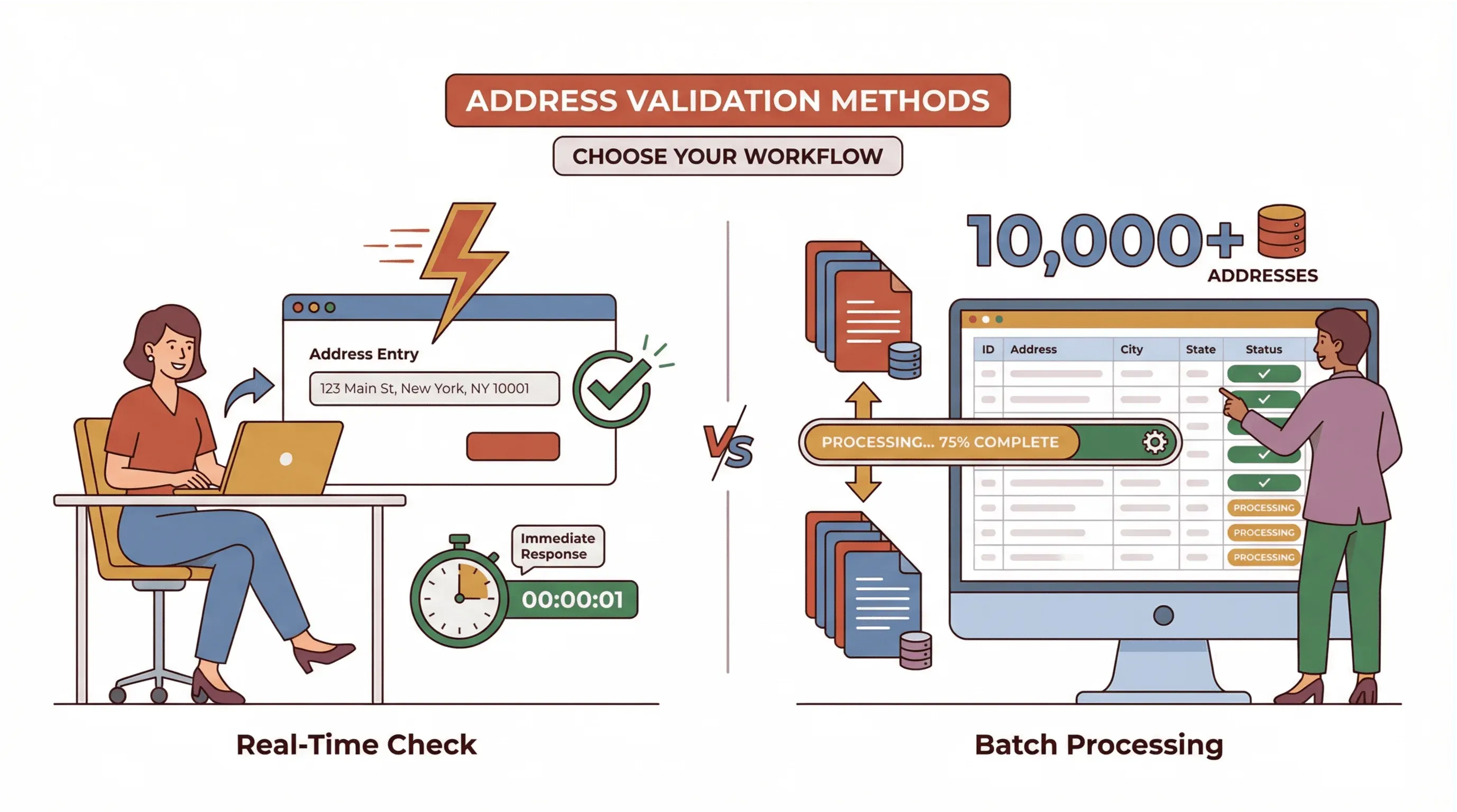 Not all address comparison needs are created equal. Sometimes you need to check one address on the fly; other times you’re dealing with a huge list.
- Real-Time Validation: Perfect for single entries—like checking an address during checkout or when adding a new lead. Ensures accuracy before the data even enters your system (Firstlogic).
- Batch Comparison: Ideal for cleaning up existing databases, deduplicating records, or prepping for a big campaign. Lets you process thousands of addresses at once, with high reliability (Data Ladder).
Which should you use?
- Use real-time validation for customer-facing workflows (checkouts, sign-ups).
- Use batch comparison for back-office data cleaning, migrations, or campaign prep.
With Thunderbit, you get both—real-time checks for single addresses, and batch tools for large datasets.
Thunderbit’s User-Friendly Approach: No Technical Skills Required
One of my favorite things about Thunderbit is how approachable it is. You don’t need to be a data scientist or a coder—just open the extension, describe your task, and let the AI handle the rest.
- Intuitive Interface: Clean, simple, and designed for business users.
- AI-Powered Suggestions: Thunderbit recommends the best fields and matching logic for your data.
- Minimal Learning Curve: Most users are up and running in minutes, not hours.
- Perfect for SMBs: No need for a dedicated IT team or expensive consultants.
Don’t just take my word for it—users rave about Thunderbit’s ease of use, especially compared to clunky legacy tools.
Step-by-Step Guide: How to Compare Two Addresses with Thunderbit
Ready to try it yourself? Here’s a quick tutorial:
- Install Thunderbit: Get the Chrome Extension and sign up (free tier available).
- Prepare Your Address Lists: You can paste addresses directly, upload a CSV, or let Thunderbit scrape them from a website or PDF.
- Open Thunderbit and Select Data Source: Choose “URLs,” “PDF,” “Image,” or “Manual Input.”
- Describe Your Comparison Task: For example, “Compare these two lists and highlight any differences in street, city, or zip code.”
- AI Suggest Fields: Click to let Thunderbit recommend the best columns and matching logic.
- Run the Comparison: Hit “Scrape.” Thunderbit will standardize, match, and flag differences automatically.
- Review and Export: Preview the results, then export to Excel, Google Sheets, Notion, or Airtable. Mismatches will be clearly highlighted for easy review.
Pro Tips:
- For tricky cases (like international addresses), add custom instructions to help the AI understand local formats.
- Use Thunderbit’s subpage scraping if you need to enrich addresses with extra info (like pulling apartment numbers from detail pages).
- Schedule regular batch comparisons to keep your database clean and up to date.
Start Comparing Addresses with Thunderbit
Key Takeaways: Making Address Comparison Simple and Reliable
Let’s recap:
- Accurate address comparison is essential for logistics, sales, and customer service. It saves money, reduces errors, and keeps customers happy.
- The biggest challenges are inconsistent formats, typos, and manual entry errors—problems that traditional methods struggle to solve at scale.
- Modern AI tools like Thunderbit make address comparison fast, accurate, and accessible to everyone—no coding required.
- Thunderbit’s workflow: Install, import, describe your task, let AI suggest fields, run the comparison, and export results. It’s that simple.
- Both real-time and batch comparison are important—Thunderbit supports both, so you can handle any use case.
If you’re tired of wrestling with messy address data, or you just want to make sure your deliveries, leads, and customer records are spot-on, give Thunderbit a try. It’s free to start, and you might be surprised how much time (and headache) you save.
Want to dive deeper? Check out the Thunderbit Blog for more guides on data automation, address scraping, and workflow tips.
Try AI Address Comparison with Thunderbit Get Started Free
FAQs
1. Why is address comparison so important for logistics and sales?
Accurate address comparison reduces failed deliveries, saves costs, and ensures you’re reaching the right customers. In sales, it helps deduplicate leads and improve campaign ROI.
2. What’s the hardest part about comparing addresses?
The biggest challenges are inconsistent formats, abbreviations, typos, and missing fields. Traditional methods struggle to catch subtle differences, especially at scale.
3. How does Thunderbit help with address comparison?
Thunderbit uses AI to extract, standardize, and compare addresses from websites, PDFs, and images. It automates the process, flags mismatches, and exports clean data—no coding required.
4. Should I use real-time validation or batch comparison?
Use real-time validation for single entries (like checkout forms), and batch comparison for cleaning up large datasets. Thunderbit supports both approaches.
5. Do I need technical skills to use Thunderbit for address comparison?
Nope! Thunderbit is designed for business users. Just describe your task in plain English, and the AI handles the rest. It’s perfect for SMBs and teams without dedicated IT support.
Ready to make address comparison the easiest part of your workflow? Download Thunderbit and see the difference for yourself.
Learn More




