

YouTube has over 2 billion monthly users and 500+ hours of video uploaded every minute. It's also one of the hardest platforms to scrape without hitting a wall of CAPTCHAs, 429 errors, or outright IP bans.
If you've ever tried pulling channel data, comments, or transcripts at any kind of scale, you already know the frustration. You get a few hundred results, then YouTube slams the door. I've spent a lot of time evaluating how different scraping approaches hold up against YouTube's evolving anti-bot defenses, and the gap between tools that work reliably and tools that get you blocked within minutes is enormous.
This guide covers the 6 best YouTube scrapers for 2026—tools that are actually designed to handle YouTube's hostility without torching your IP or your workflow. Whether you're a marketer tracking competitor channels, a sales team sourcing creator contacts, or a developer building a data pipeline, there's an option here that fits.
What YouTube Actually Blocks in 2026 (And Why Most Scrapers Fail)
YouTube's anti-bot defenses aren't a single wall—they're a layered system. Understanding what you're up against is the first step to not getting blocked.
Here's what YouTube does in 2026 to detect and shut down automated access:
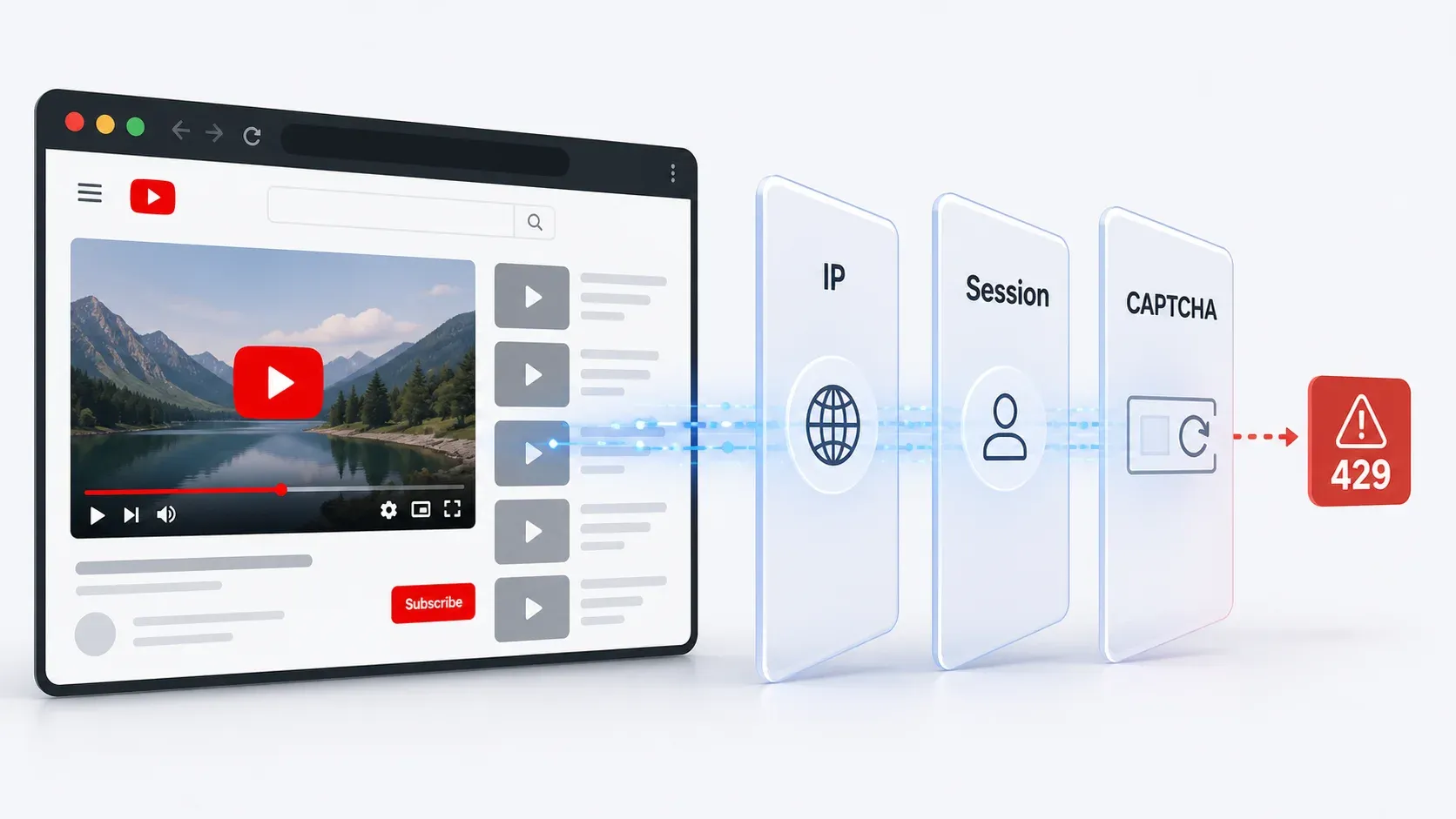
- IP reputation and velocity checks: Repeated requests from datacenter IPs, VPNs, or shared proxies get flagged fast. You'll see 403 errors, 429 rate limits, or "sign in to confirm you're not a bot" screens.
- Browser and JavaScript fingerprinting: YouTube checks whether the client behaves like a real browser—executing scripts, rendering elements, and maintaining expected state. Headless browsers and raw HTTP clients often fail these checks silently (you just get empty or partial data).
- Cookie and session trust: If your requests don't come from a recognized, long-lived browser session, YouTube escalates verification. Logged-in sessions with browsing history are trusted more than fresh, anonymous ones.
- Behavioral analysis: Uniform request intervals, too-fast scrolling, or repeated page patterns trigger throttling. YouTube looks for navigation that no human would perform.
- CAPTCHA gates: When risk is high, YouTube forces human verification—especially on search results and comment sections.
- API quota enforcement: The official YouTube Data API enforces project-level daily quotas (10,000 units/day default), and search-heavy workflows burn through them in minutes.
The typical user experience: you start scraping, get a few hundred results, then hit Error 429, a CAPTCHA wall, or silently degraded data. Cloud-based scrapers running from datacenter IPs are especially vulnerable.
| Detection Method | What It Does | User Symptom | Tools That Reduce Risk |
|---|---|---|---|
| IP reputation/velocity | Flags datacenter/VPN/shared IPs | 403, 429, bot confirmation | Browser session scraping, residential proxies |
| JS fingerprinting | Checks for real browser execution | Silent missing data, CAPTCHA | Real browser extension, full rendering |
| Cookie/session trust | Compares to logged-in profiles | "Sign in to confirm" | User cookies, authenticated session |
| Behavioral analysis | Detects non-human patterns | Throttling after ~200 rows | Human-like delays, randomization, small batches |
| API quota enforcement | Caps daily API units | 403 quotaExceeded | Use scrapers for search/comments, API for targeted lookups |
| CAPTCHA gates | Forces human verification | Extraction stops mid-run | Browser session, proxy/unblocker, slower pacing |
The bottom line: tools that operate inside a real browser session (like Thunderbit) naturally sidestep many of these checks because the request looks identical to a human browsing YouTube. Cloud-only scrapers need proxy rotation, CAPTCHA solving, and careful pacing to survive.
Try Thunderbit for YouTube Scraping
YouTube API vs. Best YouTube Scrapers: A Practical Decision Framework
The YouTube Data API v3 is the "official" way to access YouTube data programmatically. It's reliable for basic metadata at low volume—but its quota model makes it impractical for most real-world competitive intelligence and research workflows.
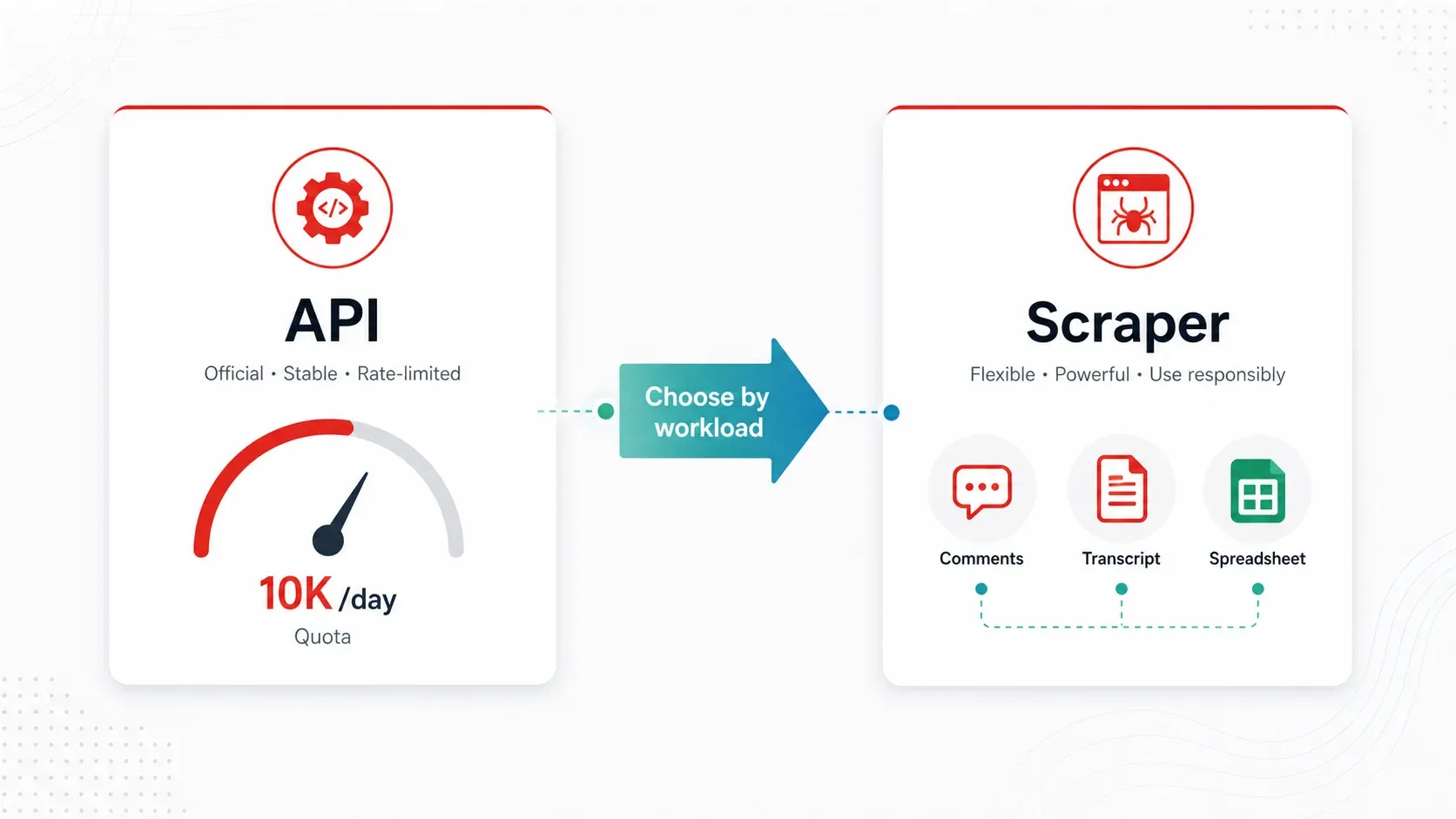
Here's the math. Every API project gets 10,000 quota units per day. Key endpoint costs:
search.list= 100 units per page (max 50 results per page)videos.list= 1 unit per call (up to 50 video IDs per call)commentThreads.list= 1 unit per call (up to 100 threads per call)
So if you run 100 keyword searches per day, you've burned your entire daily quota before enriching a single video. A comment-heavy workflow is cheaper per call, but real-world pagination, disabled comments, and reply expansion eat into capacity fast.
When the API is enough:
- You need fewer than 100 videos/day and only public metadata (title, views, likes, duration)
- A developer can set up OAuth and manage quota
When a scraper is better:
- You need comments at scale (the API works but quota friction is real)
- You need transcripts/captions as text (the API doesn't expose caption text easily for bulk use)
- You're monitoring 100+ channels regularly (quota escalates, scheduling is manual)
- You need enriched or labeled data (categorization, translation, or AI-powered field detection)
- You're a non-technical user who just wants a spreadsheet
The API also doesn't expose everything you'd see on the web: Shorts shelf data, public emails from channel descriptions, community posts, and some channel metadata are only accessible through scraping the actual YouTube pages.
Scrape YouTube data with AI Get Started Free
For most business users doing competitive research, creator sourcing, or content strategy, a scraper tool is more practical than the API.
How We Picked the 6 Best YouTube Scrapers
Every tool on this list was evaluated against the same criteria—weighted toward what actually matters when YouTube is actively trying to block you:
| Criteria | Why It Matters |
|---|---|
| Anti-ban reliability | Users' #1 pain point—rate limiting and IP bans at scale |
| Cost per 1,000 results | Normalized pricing lets budget-conscious users compare apples to apples |
| Data types supported | Metadata, comments, transcripts, Shorts, thumbnails—varies widely by tool |
| Scale capacity | Can it handle 100+ channels or 10K+ videos without crashing? |
| Ease of setup | First-time scrapers need actionable, no-code-friendly options |
| Export formats | CSV, JSON, Google Sheets, Airtable—different workflows need different outputs |
| Maintenance burden | YouTube changes break tools; who fixes them? |
All tools were evaluated against current YouTube block patterns users encounter in 2026.
1. Thunderbit
Thunderbit is an AI-powered Chrome extension that turns YouTube pages into structured data in about two clicks. Instead of running from a cloud server (which YouTube flags easily), Thunderbit operates inside your own browser session—so to YouTube, it looks like you browsing normally.
The core workflow for YouTube: install the Thunderbit Chrome Extension, navigate to a YouTube channel, search results page, or video page, and click "AI Suggest Fields." The AI reads the page and proposes columns—video title, URL, views, upload date, description, thumbnail URL, comment text, author, likes, and more. You review, click "Scrape," and export directly to Google Sheets, Excel, Airtable, Notion, CSV, or JSON. No code, no selectors, no API keys.
Key features for YouTube scraping:
- AI field detection: Thunderbit's AI reads whatever YouTube page you're on and suggests relevant columns automatically. No need to manually map CSS selectors or XPaths.
- Subpage scraping: Scrape a channel's video list, then click into each video page to enrich with comments, descriptions, tags, and transcripts (if visible).
- Scheduled scraping: Set up recurring jobs to monitor channels weekly without manual intervention.
- Browser Mode: Runs in your authenticated browser session, reducing the "cloud datacenter IP" fingerprint that triggers most YouTube blocks.
- Free export: Data goes to Google Sheets, Excel, Airtable, or Notion without a paywall on export.
Anti-ban approach: Browser-based session scraping with the user's own authenticated session. YouTube sees a real browser, real cookies, real session history. For high-volume jobs, scheduled smaller batches reduce risk further.
Pricing: Free tier (6 pages), trial boost (10 pages). Paid plans are credit-based. Check Thunderbit Pricing for current numbers.
Best for: Marketers, sales teams, content strategists, and operations users who want fast channel/search/comment research without technical setup.
How to Scrape YouTube with Thunderbit (Step-by-Step)
- Install the Thunderbit Chrome Extension.
- Navigate to a YouTube channel page, search results, playlist, or video page.
- Click "AI Suggest Fields" — the AI reads the page and proposes columns (title, URL, views, date, description, thumbnail, etc.).
- Review and adjust the suggested fields if needed.
- Click "Scrape" — data is extracted into a structured table.
- Export to Google Sheets, Excel, Airtable, Notion, CSV, or JSON.
For deeper extraction (e.g., pulling comments from each video in a channel), use subpage scraping: scrape the video list first, then let Thunderbit visit each video page and extract comment data, descriptions, or transcript availability.
The whole process takes under two minutes for a typical channel research task. No API keys, no proxy setup, no code.
Try Thunderbit on YouTube in 2 Clicks
2. Apify
Apify is a cloud-based scraping platform with pre-built YouTube "Actors"—specialized scrapers for videos, comments, channels, Shorts, and transcripts. It's designed for developers who want to build automated data pipelines rather than do one-off research.
Apify's YouTube ecosystem includes separate Actors for different tasks. A well-maintained Actor titled "YouTube Scraper — Videos, Comments & Transcripts" accepts channels, playlists, searches, and direct video URLs. It supports Shorts filtering, comment scraping, and transcripts with timestamps.
Key features:
- Separate Actors for videos, comments, channels, Shorts, and transcripts
- Accepts search terms, channel URLs, and playlist IDs as input
- Cloud scheduling and webhook integrations
- Export to JSON, CSV, Excel, or push to databases via API
- Actor-level rate control and proxy rotation
Anti-ban approach: Actor-specific pacing, Apify's proxy infrastructure, and YouTube's internal API (Innertube) access where applicable. Each Actor implements its own retry and rate-limit logic.
Pricing: The cited YouTube Scraper Actor lists approximately $15 per 1,000 videos, $8 per 1,000 comments, and $5 per transcript. Platform plans start at $49/month.
Drawbacks: Usage costs scale quickly for large jobs. The interface is developer-oriented—non-technical users may find it complex. Output schemas vary between Actors, so data cleanup is often needed. Actor quality differs across the marketplace.
Best for: Developers building automated data pipelines, teams needing scheduled extraction into APIs or databases, and marketing ops teams running recurring comment-sentiment workflows.
3. Bright Data
Bright Data is an enterprise data infrastructure platform with the largest residential proxy network in the industry and dedicated YouTube scrapers. If you need to scrape YouTube at massive scale across geographies, this is the heavy artillery.
Bright Data offers multiple YouTube scrapers (channel profiles, videos, comments) plus ready-to-use YouTube datasets for purchase. Their managed scraping service means they build and maintain the scraper for you.
Key features:
- 150M+ residential IPs across 195 countries
- YouTube-specific scrapers for channels, videos, and comments
- Full browser rendering and CAPTCHA solving
- Geo-targeted scraping (compare YouTube results across countries)
- Managed service option (they handle maintenance)
- Batch processing up to 5K URLs per request
Anti-ban approach: Massive residential proxy pool, automated IP rotation, browser fingerprint emulation, and integrated CAPTCHA solving. This is the strongest anti-blocking infrastructure on the list.
Pricing: Free trial (1K requests for one week), pay-as-you-go at $3.50 per 1K records, Scale plan at $499/month with 384,000 records included and $2.30 per 1K additional.
Drawbacks: Overkill for small projects. Complex pricing (bandwidth + requests + IPs can create "bill shock" if limits aren't set). The platform requires more setup than a Chrome extension.
Best for: Large corporations, agencies monitoring hundreds of channels, and teams needing geo-specific YouTube data at enterprise scale.
4. Octoparse
Octoparse is a desktop and cloud scraping tool with a point-and-click visual interface. You build YouTube extraction workflows by clicking elements on the page—no code required, but with more customization than a simple extension.
Octoparse has pre-built YouTube templates, including a YouTube Comments & Replies Scraper updated in April 2026. It extracts usernames, comment text, likes, publish time, and reply threads from video URLs.
Key features:
- No-code visual workflow builder—click elements to define scraping logic
- Pre-built YouTube templates for comments, search results, and video metadata
- Cloud scheduling with automatic proxy rotation
- Export to Excel, CSV, JSON, and database connections
- Built-in IP rotation and anti-detection on cloud plans
Anti-ban approach: Cloud execution with built-in IP rotation and anti-detection measures. Templates handle infinite scroll and dynamic loading for common YouTube pages.
Pricing: YouTube comments template listed at $0.20 per 1,000 lines. Platform plans start around $75/month (Standard, billed annually) with cloud servers, scheduling, and proxy options.
Drawbacks: Complex YouTube pages (infinite scroll, lazy-loaded comments, Shorts tabs) can require tuning wait times and scroll behavior. Transcript/caption extraction is limited compared with yt-dlp or dedicated transcript actors. Learning curve for advanced workflows.
Best for: Marketing analysts and business researchers who prefer visual workflow tools but need more customization than a Chrome extension.
5. YT-DLP
YT-DLP (available on GitHub) is an open-source command-line tool that extracts video metadata, subtitles, transcripts, and more from YouTube (and 1,000+ other sites). It's the Swiss Army knife for technical users who want maximum control and zero subscription costs.
For scraping-style work, yt-dlp can extract metadata without downloading video files using flags like --skip-download, --write-info-json, --dump-json, and --flat-playlist. It distinguishes between auto-generated and human-written captions—a distinction most other tools miss.
Key features:
- Extract video metadata (title, views, likes, upload date, description, tags) without downloading video
- Download complete playlists and channels in bulk
- Access subtitles/transcripts (auto-generated AND human-written, separately)
- Batch processing with custom output templates
- Cookie/authentication support for session-based access
- Completely free, active open-source community
Anti-ban approach: User cookies for authentication (--cookies-from-browser), configurable throttle settings, and community-maintained extractor updates that adapt to YouTube changes.
Pricing: Free.
Drawbacks: Requires command-line proficiency. No visual interface. Breaks when YouTube changes (the community fixes quickly, but you still need to update and troubleshoot). No built-in scheduling or export to spreadsheets—you build your own pipeline.
Best for: Developers, data scientists, and technical teams who need maximum control over metadata and transcript extraction and don't mind terminal commands.
6. Phantombuster
Phantombuster is a cloud automation platform with YouTube-specific "Phantoms" designed for growth marketing and lead generation rather than pure data warehousing. It's the pick when your goal is finding creator contacts and building outreach lists.
Phantombuster's YouTube Channel Video Extractor pulls channel info, video lists, and public emails from channel descriptions. Its official rate-limit documentation says the YouTube Channel Video Extractor supports up to 100 videos per launch and warns that unusual activity can still trigger YouTube restrictions.
Key features:
- YouTube channel scraper (subscriber count, video list, channel info, public emails)
- Video and comment extraction for competitor analysis
- Integration with CRM and outreach tools
- Scheduling and workflow automation
- 14-day free trial, Start plan at $56/month (billed annually, 20h/month execution)
Anti-ban approach: Built-in delays between actions, phantom browser sessions, cloud execution with paced automation. Designed for safe-paced workflows rather than high-speed bulk extraction.
Pricing: Start plan at $56/month (annual), Grow at $128/month, Scale at $352/month. Cost per 1,000 results varies by execution time rather than per-record pricing.
Drawbacks: Slower than pipeline-focused tools. Pricing is based on execution hours and credits, not clean cost-per-row. Limited transcript/caption support. The 100-video-per-launch limit means large channels require multiple runs.
Best for: Growth marketers doing influencer research, sales teams extracting creator contact info, and agencies monitoring competitor YouTube activity.
Every Data Type You Can Extract from YouTube (Tool-by-Tool Matrix)
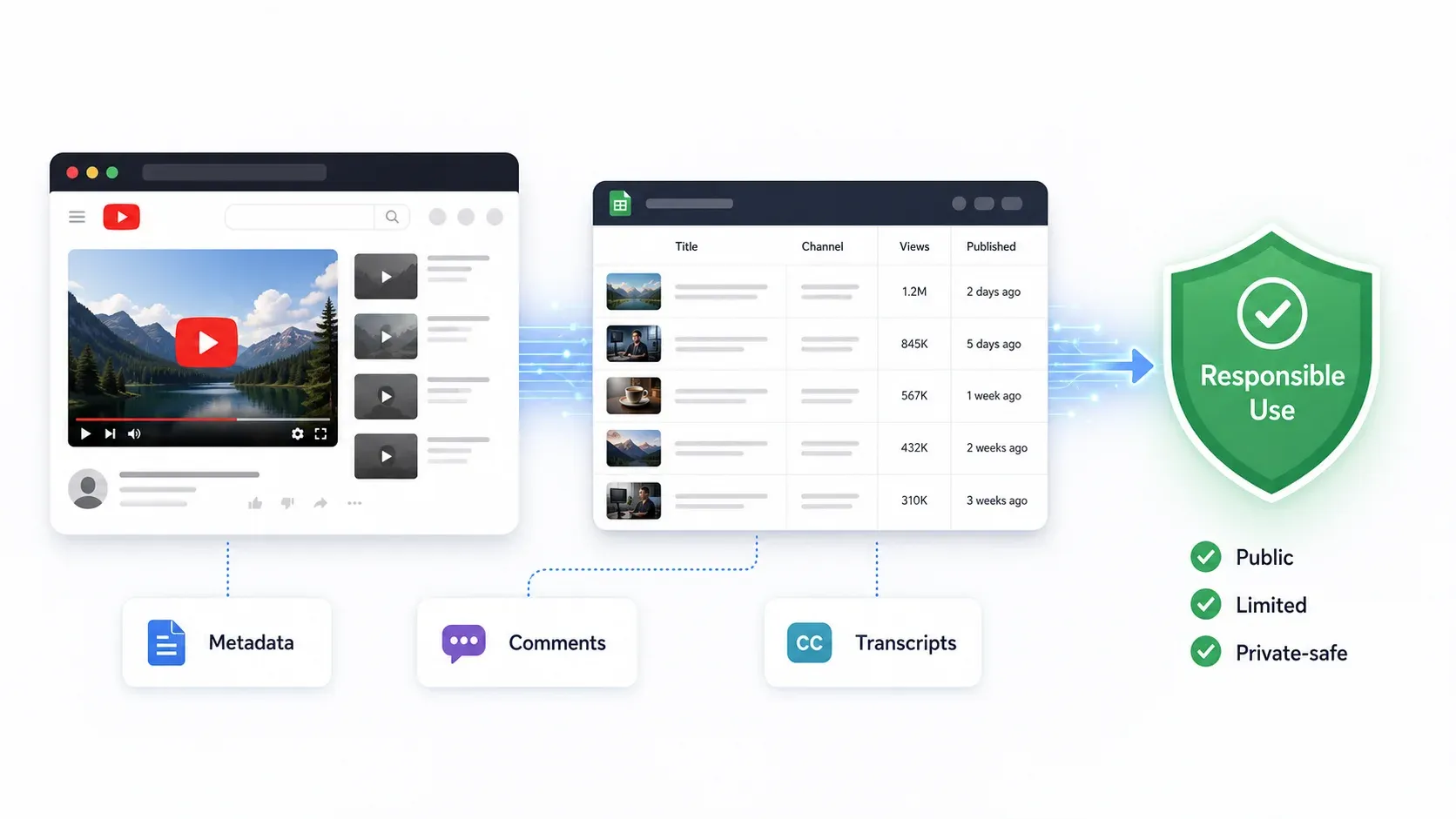
Different tools support different YouTube data types. Before committing to a tool, you need to know exactly what you'll get. Here's the breakdown:
| Data Type | Thunderbit | Apify | Bright Data | Octoparse | YT-DLP | Phantombuster |
|---|---|---|---|---|---|---|
| Video metadata (title, views, likes, duration, date) | ✅ | ✅ | ✅ | ✅ | ✅ | ✅ |
| Comments (bulk with author, timestamp, likes) | ✅ | ✅ | ✅ | ✅ | ❌ | ⚠️ |
| Comment replies | ⚠️ | ✅ | ✅ | ✅ | ❌ | ⚠️ |
| Transcripts/captions | ⚠️ (page-dependent) | ✅ | ⚠️ | ⚠️ | ✅ | ❌ |
| Auto vs. manual captions (distinguished) | ⚠️ | ✅ | ⚠️ | ❌ | ✅ | ❌ |
| Shorts metrics | ✅ | ✅ | ✅ | ⚠️ | ✅ | ⚠️ |
| Channel analytics (subscribers, total views, join date) | ✅ | ✅ | ✅ | ✅ | ✅ | ✅ |
| Thumbnails/images | ✅ | ✅ | ✅ | ✅ | ✅ | ❌ |
| Public emails from channel descriptions | ✅ (if visible) | Actor-dependent | ⚠️ | ⚠️ | ❌ | ✅ |
Most valuable data by business use case:
- Comments → sentiment analysis, objection mining, competitor complaints, audience research
- Transcripts → LLM/RAG pipelines, competitor messaging analysis, content repurposing
- Channel metadata → creator sourcing, competitor tracking, sales/influencer prospecting
- Video metadata → content strategy, title/thumbnail analysis, upload cadence, SEO ideation
- Public emails → creator outreach (use responsibly and in compliance with email/privacy rules)
Best YouTube Scrapers Compared: Side-by-Side Table
| Tool | Type | Anti-Ban Approach | Cost/1K Results | Best For | Setup | Export Formats | Scale |
|---|---|---|---|---|---|---|---|
| Thunderbit | AI Chrome Extension | Browser session, AI field detection | Free tier (6 pages); paid credit-based | No-code channel/search research | Very easy | Sheets, Excel, Airtable, Notion, CSV/JSON | Small-medium, scheduled |
| Apify | Cloud actor platform | Actor-specific pacing, proxies, Innertube | ~$5–$15/1K (varies by actor) | Developer pipelines | Medium | JSON, CSV, Excel, API, webhooks | Medium-high |
| Bright Data | Enterprise scraper/proxy | 150M+ residential IPs, CAPTCHA solving | $3.50/1K records (PAYG) | Enterprise extraction | Medium-hard | JSON, NDJSON, CSV, webhooks | Very high |
| Octoparse | Visual workflow builder | Cloud IP rotation, anti-detection | ~$0.20/1K lines (template) + plan | Visual custom workflows | Medium | Excel, CSV, JSON, DB | Medium |
| YT-DLP | Open-source CLI | Cookies, throttle settings, community updates | Free | Technical metadata/transcript extraction | Hard (non-technical) | JSON, subtitles, custom output | Depends on user setup |
| Phantombuster | Cloud growth automation | Built-in delays, paced sessions | Plan-based ($56+/mo); ~100 videos/launch | Creator lead gen, growth workflows | Easy-medium | CSV/JSON/API/CRM | Medium, paced |
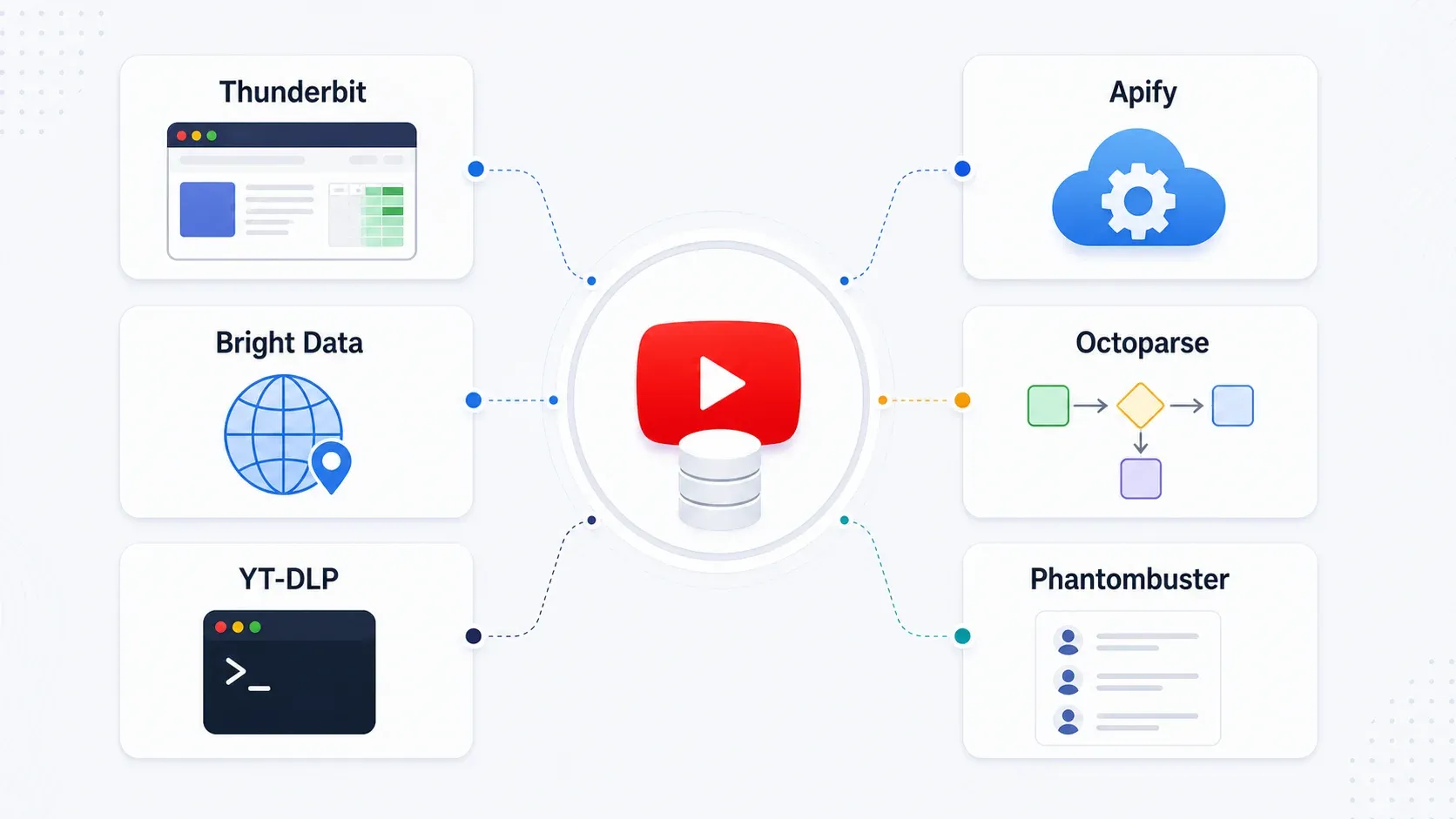
Category winners:
- Best for non-technical users: Thunderbit
- Best for developer pipelines: Apify
- Best for enterprise scale: Bright Data
- Best visual builder: Octoparse
- Best free technical option: YT-DLP
- Best growth marketing workflow: Phantombuster
Free vs. Paid YouTube Scrapers: When Free Tools Are Enough
Free tools work when your task is narrow, infrequent, and you're comfortable with technical maintenance. Here's when to stay free and when to invest:
| Scenario | Best Free Option | When to Upgrade to Paid | Why |
|---|---|---|---|
| One-off transcript download | YT-DLP | Need 500+ videos or non-technical teammates | CLI setup and cookie management add friction |
| Quick competitor channel check | Thunderbit free tier (6 pages) | Regular monitoring or more than 10 pages | Scheduled scraping saves hours/week |
| Building LLM training dataset | YT-DLP + custom scripts | Need auto/manual caption filtering at scale | Apify's dedicated actors handle edge cases |
| Weekly monitoring of 10+ channels | — | Immediately | Scheduling and schema reuse save real time |
| Marketing team extracting creator leads | Thunderbit free trial | 10+ channels/week | Credit-based scaling is cheaper than time spent scripting |
The honest take: free tools like YT-DLP are powerful, but they require ongoing technical maintenance. YouTube layout changes, cookie expiration, throttle adjustments, and output formatting all need manual attention. A script that breaks every two weeks can cost more in engineer time than a paid scraper subscription.
AI-powered tools like Thunderbit read pages fresh each time and adapt to layout changes automatically. That hidden maintenance cost is what justifies paid tools for most business teams.
What Scraped YouTube Data Actually Looks Like (Real Output Samples)
One of the biggest gaps in scraper reviews is that nobody shows you what you'll actually get. Here are realistic examples of scraped YouTube output:
Example 1: Channel Metadata
| channel_name | handle | subscribers | total_views | video_count | join_date | description_snippet | public_email |
|---|---|---|---|---|---|---|---|
| Example SaaS Tutorials | @examplesaas | 184K | 22.4M | 412 | 2018-06-14 | Weekly product tutorials and workflow guides | partnerships@example.com |
| Data Ops Weekly | @dataopsweekly | 92K | 8.7M | 215 | 2020-01-03 | Analytics, automation, and AI workflow demos | Not visible |
Example 2: Comments Export
| video_url | timestamp | author | comment_text | likes | reply_count |
|---|---|---|---|---|---|
| youtube.com/watch?v=abc123 | 2026-04-18 | @workflowfan | This answered the pricing question better than the vendor page. | 28 | 3 |
| youtube.com/watch?v=abc123 | 2026-04-18 | @opslead | Would love a follow-up comparing this with Apify. | 11 | 0 |
| youtube.com/watch?v=abc123 | 2026-04-19 | @examplesaas | Good point, we are testing that next. | 4 | 0 |
Example 3: Transcript Extraction
00:00:00.000 - 00:00:04.200  Today we are comparing six YouTube scraping workflows for marketers.
00:00:04.200 - 00:00:09.800  The main difference is whether you need metadata, comments, or transcripts.
00:00:09.800 - 00:00:15.300  For non-technical users, a browser-based scraper is usually easier to maintain.
Common cleanup issues to expect:
- View counts may include localized suffixes (K, M) or non-English labels
- Upload dates are sometimes relative ("3 years ago") instead of ISO dates
- Comments may be sorted by Top rather than New by default
- Hidden replies and lazy-loaded comments require scrolling or pagination
- Public email fields can be hidden behind interaction or account restrictions
- Transcripts may be unavailable, auto-generated, or in an unexpected language
For Thunderbit specifically, the workflow is: AI Suggest Fields → Scrape → Export to Google Sheets. The AI handles field detection, so you don't need to manually define what "views" or "upload date" looks like on the page.
Is It Legal to Scrape YouTube in 2026?
The short version: scraping publicly available YouTube data is generally lower-risk than accessing private data, but it's not a legal free-for-all.
YouTube's Terms of Service explicitly prohibit automated access except for public search engines following robots.txt or with YouTube's prior written permission. However, enforcement against legitimate business research is rare—YouTube primarily targets large-scale abuse, content piracy, and privacy violations.
US legal precedent offers some clarity. The Ninth Circuit's hiQ v. LinkedIn decision found serious questions about whether scraping publicly available data violates the CFAA. The EFF has argued that scraping public websites is not a crime. But platform ToS, copyright, privacy, and anti-spam laws still apply.
Practical guidelines:
- Only collect public data your account is allowed to view
- Don't scrape personal data at unnecessary scale
- Don't bypass access controls or paywalls
- Respect copyright—don't republish transcripts or video content wholesale
- Rate-limit jobs and avoid overloading YouTube servers
- For outreach, comply with CAN-SPAM, GDPR, and local rules
- Consult a legal professional for high-risk use cases
The tools on this list all include rate limiting and respectful pacing by design. That's not just good ethics—it's what keeps your scraping working long-term.
Which YouTube Scraper Should You Pick?
Here's the quick decision guide:
- Thunderbit → Best for non-technical users who want fast, ban-resistant YouTube scraping into spreadsheets. Start here if you're a marketer, sales rep, or content strategist.
- Apify → Best for developers building automated pipelines with scheduled jobs, webhooks, and API delivery.
- Bright Data → Best for enterprise-scale extraction across geographies with managed anti-blocking infrastructure.
- Octoparse → Best for analysts who want visual workflow building with more customization than a Chrome extension.
- YT-DLP → Best free option for technical users who need maximum control over metadata and transcripts.
- Phantombuster → Best for growth marketers doing creator sourcing and YouTube-based lead generation.
The key to not getting banned isn't one secret trick—it's choosing a tool with smart anti-detection built in. Browser-based session scraping, proxy rotation, pacing, and scheduled small batches all reduce risk. Brute-forcing thousands of requests from a single cloud IP is what gets you blocked.
If you want to see what modern YouTube scraping looks like without code, give Thunderbit's free tier a spin. Two clicks to structured data. And if your needs are more technical or enterprise-scale, the other tools on this list have you covered. For more on web scraping approaches, check out our guides on best automated web scraping tools and scraping data from websites to Excel. You can also watch tutorials on the Thunderbit YouTube Channel.
Try Thunderbit for YouTube Scraping Get Started Free
FAQs
What data can you scrape from a YouTube channel?
Extractable public data includes video titles, URLs, thumbnails, views, likes (where visible), upload dates, descriptions, duration, comments, replies, commenter names/handles, comment likes, transcripts/captions (auto-generated and human-written), Shorts indicators, channel name, handle, subscriber count, video count, total views, description, links, and public emails if visible on the channel page.
How many YouTube videos can I scrape per day without getting banned?
There's no universal number. Browser-based tools like Thunderbit are lower-risk for user-like workflows because they operate inside a real session. Phantombuster's YouTube Channel Video Extractor supports up to 100 videos per launch. Cloud platforms with proxy rotation can handle thousands with proper pacing. Raw scripts from cloud servers without rate limiting will get blocked quickly. The safest approach is smaller scheduled batches rather than one massive run.
Can I scrape YouTube comments for sentiment analysis?
Yes. Thunderbit, Apify, Bright Data, and Octoparse all support bulk comment extraction with author, timestamp, likes, and reply counts. Export to Google Sheets or CSV for analysis. Apify's YouTube actor explicitly supports configurable maximum comments per video for this use case.
Is there a free YouTube scraper that actually works in 2026?
YT-DLP is the best free option for technical users—especially for metadata and transcripts. Thunderbit offers a free tier for non-technical users (6 pages, with a trial boost to 10) that exports directly to Google Sheets. Both work, but YT-DLP requires command-line skills while Thunderbit requires only a browser.
How do YouTube scrapers avoid getting blocked?
Different tools use different approaches: browser-based session scraping (Thunderbit) uses the user's authenticated browser context; residential proxy rotation (Bright Data, Apify) distributes requests across millions of IPs; cookie authentication (YT-DLP) maintains session trust; built-in delays and pacing (Phantombuster) avoid behavioral detection. The most reliable approach combines real browser context with conservative pacing and scheduled smaller jobs.
Learn More




