
Yelp sits on 330 million cumulative reviews and over 8.4 million claimed business locations — and if you've tried to extract any of that data recently, you know the pain is real. Between aggressive CAPTCHAs, IP bans, and broken Python scripts, scraping Yelp in 2026 feels like trying to sneak past a bouncer who already knows your face.
I spent the last few weeks testing 10 Yelp review scrapers head-to-head — from no-code Chrome extensions to developer APIs to enterprise data platforms. My goal was simple: find out which tools actually work on Yelp today, which ones are more marketing than substance, and which ones deserve your time (and budget).
Below, I'll walk you through every tool, share a full comparison table, and cover the practical stuff nobody else talks about — like handling duplicates, scraping for lead generation, and what exported Yelp data actually looks like. If you're a sales rep, a local marketer, or an ops person who just wants clean Yelp data without writing a single line of code, this one's for you.
Why Scrape Yelp Reviews in 2026 (And Why It's Gotten Harder)
Yelp is not just a review site — it's a live business intelligence database. 82% of Yelp users hire or buy from a business they found on the platform within a week, and more than 85,000 new requests or messages are sent to businesses daily. For businesses, that translates into real use cases:
- Competitor analysis: Compare ratings, review counts, categories, amenities, and neighborhood positioning across your market.
- Sentiment monitoring: Track review text, star ratings, dates, and owner replies over time.
- Lead generation: Pull business names, phones, websites, addresses, categories, and sometimes owner-related profile content.
- Local SEO research: Study review velocity, category labeling, photos, and engagement signals.
But here's the catch: Yelp made scraping much harder starting in 2024. Their 2025 Trust & Safety Report shows the platform processed 22 million reviews, closed over 1.3 million user accounts, and flagged suspicious behavior linked to single IP addresses. On the technical side, Yelp now deploys TLS/JA3 fingerprinting, obfuscated CSS classes, and aggressive IP reputation checks. A 2026 benchmark from AIMultiple over 500 Yelp business-page URLs found that generic unblockers often failed outright.
The user evidence is just as blunt. One Reddit user in October 2024 reported their Beautiful Soup script was "completely broken" after a new CAPTCHA. Another on Stack Overflow described repeated 503 errors with Scrapy. Vanilla requests + BeautifulSoup workflows? Confirmed broken. Old Selenium scripts without undetected-chromedriver? Same story.
That's why picking the right tool matters more than ever — and why I tested 10 of them so you don't have to.
What Makes the Best Yelp Review Scraper? (Selection Criteria)
Not all Yelp scrapers are created equal. I evaluated every tool in this roundup against seven criteria that matter whether you're a developer, a sales rep, or a small agency owner:
| Criterion | Why It Matters |
|---|---|
| Ease of use (no-code vs. code) | Forum users explicitly want to skip Python headaches and Fiverr middlemen |
| Anti-bot / CAPTCHA handling | The #1 pain point — Yelp's 2024–2026 crackdown makes this make-or-break |
| Data fields extracted | Users want reviews + owner names + emails + phone — not just star ratings |
| Export formats | CSV, Google Sheets, Airtable, Notion — real workflow integration matters |
| Pricing / free tier | "How to scrape Yelp without paid tools" is a top user question |
| Pagination & scale | Avoiding duplicates at scale is a recurring, unsolved pain point |
| Subpage enrichment | Can the tool go from a search listing → individual business detail page automatically? |
For reference, Yelp business pages can expose a surprisingly rich field set: business name, rating, review count, category, address, phone, website, hours, neighborhood, photos, review text, review dates, reviewer names, and sometimes owner-reply or business-profile content on claimed pages. The best tools extract most of these; the weakest only grab a few.
Why Chrome Extension Scrapers Deserve a Spot on This List
Here's something I noticed while researching this article: every top-ranking "best Yelp scraper" post focuses on SaaS platforms, APIs, or Python libraries. Not a single one covers browser-extension-based scrapers. Yet the demand is real — on that same October 2024 Reddit thread, a user whose Python scraper broke after Yelp's new CAPTCHA reported that Instant Data Scraper still worked because it "just runs in the browser."
Browser-based scrapers inherit a more human-looking browsing context: an existing session, normal JS execution, realistic cookies, and fewer obvious server-side bot fingerprints. They're not invincible — Yelp's support center explicitly says scraping via browser extensions is forbidden. But from a practical anti-bot standpoint, browser-based collection triggers fewer problems than raw HTTP requests, especially on list pages and light-duty workflows.
Thunderbit and Instant Data Scraper both earned spots on this list because they represent a scraper category every competitor article ignores — and they solve a real problem for non-technical users.
Try Thunderbit for Yelp Scraping
1. Thunderbit — Best Yelp Review Scraper for Non-Technical Users
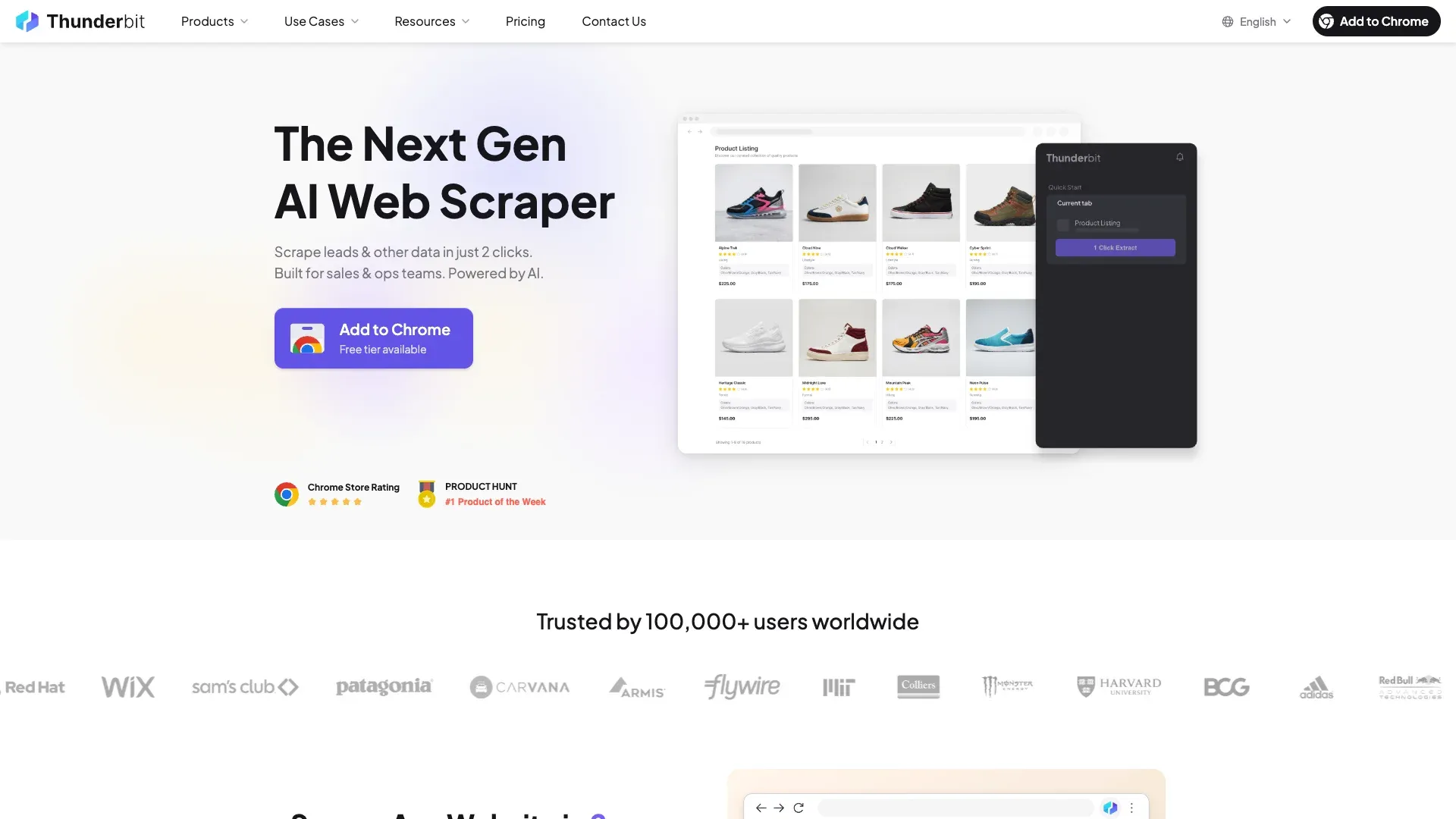 Thunderbit is the tool we built at our company, so I'll be upfront about that — but I'm including it first because it genuinely has the strongest no-code Yelp coverage in this set. Thunderbit is an AI-powered Chrome extension with dedicated templates for both Yelp business pages and Yelp review pages, and the workflow is built around a simple pattern:
 AI Suggest Fields → Scrape → Export.
What makes Thunderbit especially relevant for Yelp is its dual scraping modes. Browser scraping runs in your own Chrome session, which is useful when Yelp is more hostile to server-side requests (which, in 2026, is most of the time on directory pages). Cloud scraping can process up to 50 pages simultaneously for public business profile pages where the anti-bot pressure is lighter.
The subpage scraping feature is where things get interesting for lead gen. You can start from a Yelp search results page, scrape the listings, and then have Thunderbit automatically visit each individual business page to append richer fields — owner name, website URL, email (via Thunderbit's free email extractor), and phone number (via free phone extractor). That's a workflow I haven't seen any other no-code tool replicate on Yelp.
Key features for Yelp scraping
- AI Suggest Fields: Click one button, and Thunderbit's AI reads the Yelp page and proposes columns like Business Name, Rating, Review Count, Phone, Address, Category, Website.
- Browser + Cloud modes: Browser mode for anti-bot-heavy search pages; cloud mode for scale on public profile pages.
- Subpage scraping: Go from search results to individual business pages automatically.
- AI data cleaning: Labels, categorizes, reformats phone numbers (E.164), and can translate reviews — all during scraping.
- Pagination handling: Supports both click pagination and infinite scroll.
- Scheduled scraping: Set recurring scrapes with natural-language scheduling for monitoring.
- Free exports: Google Sheets, Airtable, Notion, Excel, CSV, JSON — no paywall on exports.
Yelp fields Thunderbit can extract
| Yelp page type | Fields |
|---|---|
| Search / business listings | Business name, URL, rating, phone, opening hours, address, review count, categories, services, website, description, price, status, lat/long, email |
| Review pages | Reviewer username, reviewer profile URL, business URL, review content, numeric rating, review date, reviewer location, reactions |
A typical Yelp workflow in Thunderbit
- Open a Yelp restaurant search results page in Chrome.
- Click AI Suggest Fields — Thunderbit proposes columns.
- Adjust fields if needed (or just go with the AI's suggestions).
- Click Scrape.
- Optionally use subpage scraping to visit each business page and add richer fields.
- Export directly to Google Sheets, Airtable, or your preferred format.
Setting up a basic Yelp scrape took me about 3 clicks. The subpage enrichment workflow adds a step, but it's still no-code.
Pricing: Credit-based system (1 credit = 1 output row). Free tier available; paid plans start around $15/month or $9/month billed yearly for 500 credits. A free trial lets you scrape up to 10 pages.
Best for: Sales teams doing local lead generation, local marketers who want Yelp data without coding, and operations teams monitoring competitor reviews on a schedule.
| Pros | Cons |
|---|---|
| Best no-code Yelp coverage (business + review templates) | Credit model can get expensive at high row counts |
| Strong exports and subpage enrichment | Still a browser-first product, not a pure API |
| Browser mode is useful on anti-bot-heavy sites | Exact free-tier limits vary across product pages |
| Scheduled scraping and AI formatting built in |
2. Apify — Best Yelp Scraper for Scalable Cloud Runs
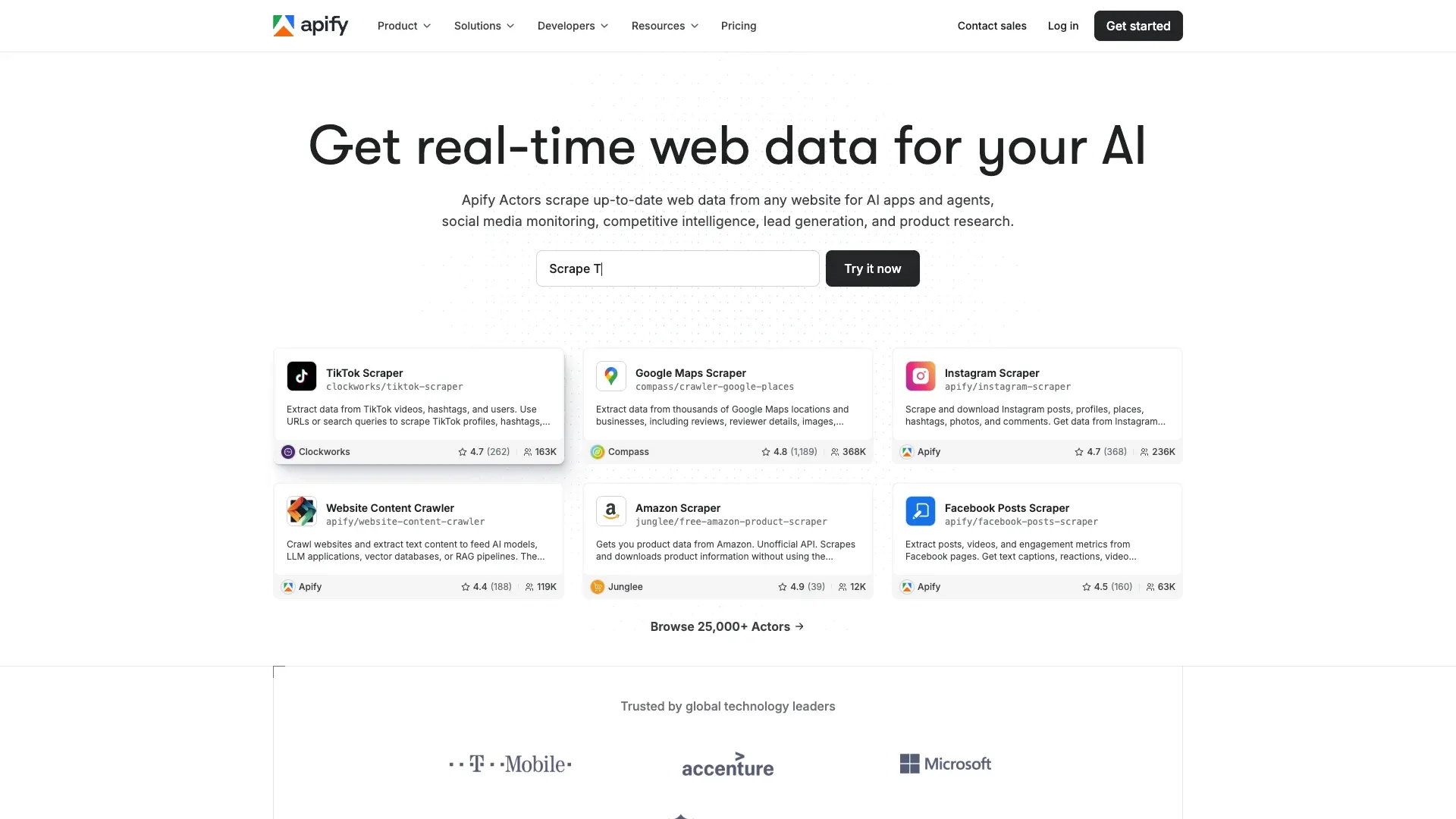 Apify is a Czech-based marketplace with community-built "actors" — and the Yelp ecosystem here is surprisingly deep. You'll find actors for Yelp business scraping, Yelp reviews, and even Yelp lead scraping with email enrichment. The tradeoff is variability: some actors are excellent, some are stale, and public ratings range from 0.0 to 5.0.
Depending on the actor, you can extract business name, rating, reviews, categories, price, address, phone, website, hours, photos, owner info, amenities, review text, author details, reaction counts, and owner replies.
Exports are a strong Apify advantage: datasets can be exported as JSON, CSV, XML, Excel, HTML Table, RSS, and JSONL.
Pricing: Free plan with $5 usage credit; Starter at $49/month; Scale at $499/month. Some actors charge separately by result.
Best for: Teams that want cloud-based recurring collection with scheduling and strong export options.
| Pros | Cons |
|---|---|
| Best actor marketplace for Yelp | Quality varies by actor maintainer |
| Strong export and scheduling support | Anti-bot handling depends on proxy config |
| Lead-enrichment actors exist | UI can be cluttered for beginners |
3. SerpApi — Best Yelp Review Scraper for Developers Who Want Structured JSON
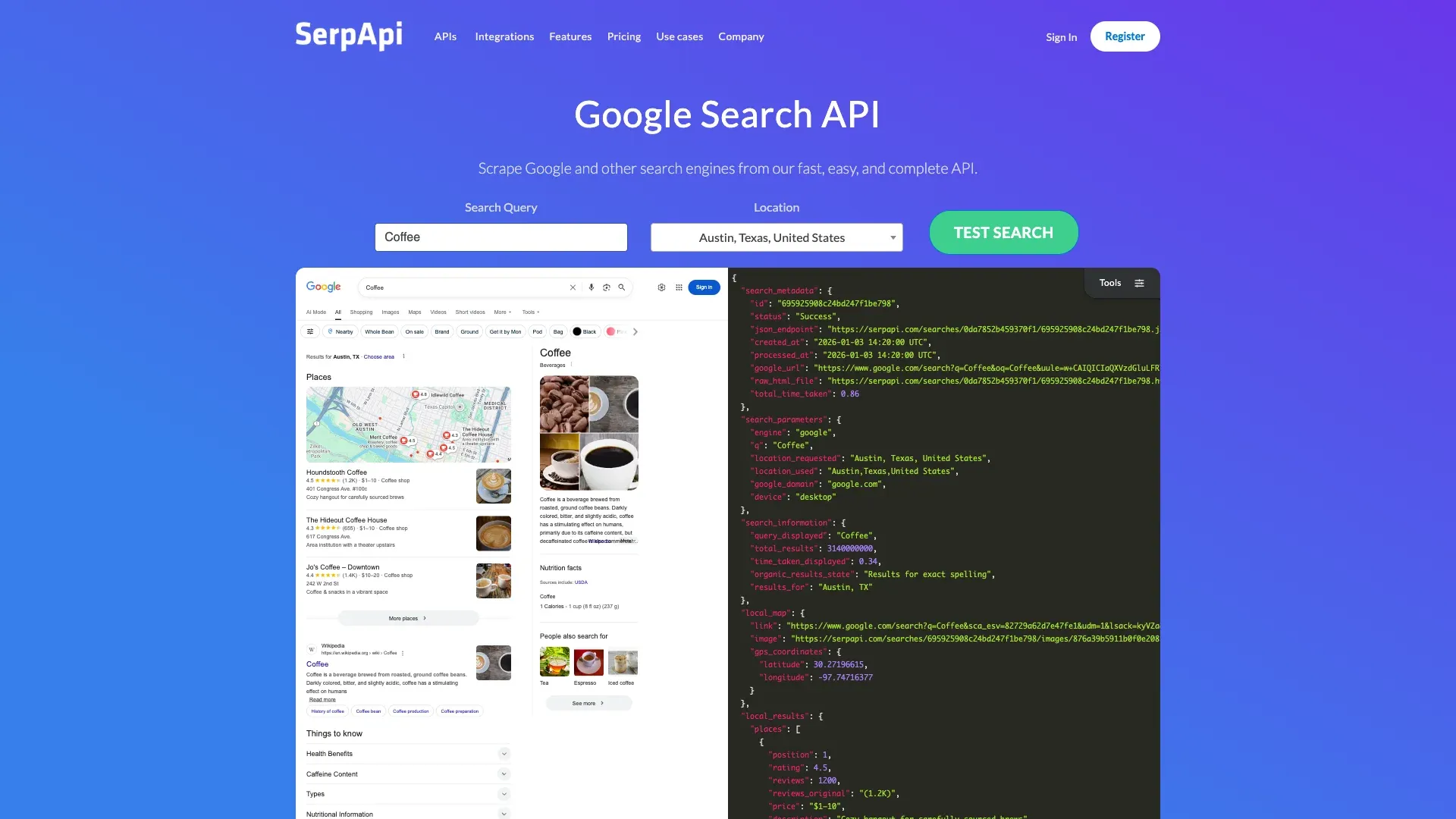 SerpApi is the cleanest API-first option for Yelp. It exposes dedicated endpoints for both Yelp search (
engine=yelp) and Yelp reviews (engine=yelp_reviews), returning well-structured JSON rather than raw HTML.
On the search side, you get fields like place_ids, title, categories, price, rating, reviews, neighborhoods, snippet, and service_options. The reviews endpoint returns user name, user ID, user address, review text, language, date, rating, feedback counts, and owner replies. The Yelp Reviews API caps at 49 results per page, and cache expires after 1 hour.
Pricing: Free plan is 250 searches/month; Starter at $75/month for 5,000 searches; Developer at $150/month for 15,000 searches.
Best for: Developers who want structured Yelp JSON for analytics pipelines — no parser maintenance required.
| Pros | Cons |
|---|---|
| Best structured Yelp JSON in this roundup | Requires coding |
| No parser maintenance | No no-code UI |
| Strong fit for analytics pipelines | Cost scales with search volume |
4. Octoparse — Best Yelp Scraper with a Visual Workflow Builder
 Octoparse is the strongest point-and-click workflow builder here, but its current Yelp template is list-page focused — showing fields like title, customer rating, number of recommended posts, categories, price class, address, and opening time. For review text, you'd likely need to build a custom workflow.
Octoparse supports cloud extraction, task scheduling, pagination and infinite scroll, IP rotation, residential proxies, and automatic CAPTCHA solving. The visual builder is powerful but has a real learning curve for custom setups.
Pricing: Free plan with 10 tasks, 1 device, 2 concurrent local runs, and up to 50K rows/month. Paid plans add cloud runs and more capacity. Add-ons like residential proxies ($3/GB) and CAPTCHA solving ($1–$1.50/thousand) can add up.
Best for: Users who want a visual workflow builder and don't mind investing time in setup.
| Pros | Cons |
|---|---|
| Best visual workflow builder here | Yelp template is narrower than some competitors |
| Strong exports and scheduling | Advanced setups have a learning curve |
| Cloud scraping and proxy support | Small teams can get priced out by add-ons |
5. ScraperAPI — Best Proxy Layer for Building Your Own Yelp Scraper
 ScraperAPI isn't a Yelp scraper per se — it's a proxy, rendering, and anti-bot layer for developers who want to control extraction themselves. Their Yelp solution page and tutorial show how to route requests through rotating proxies with JavaScript rendering and CAPTCHA handling, but you still write the parser.
The credit system is explicit: a basic request costs 1 credit, render=true costs 10 credits, and premium + render costs 25. That adds up fast on Yelp, where JS rendering is often required.
Pricing: Free plan with 1,000 API credits/month; 7-day trial with 5,000 credits; Hobby at $49/month for 100,000 credits.
Best for: Developers who already write scrapers and need a reliable anti-bot layer for Yelp.
| Pros | Cons |
|---|---|
| Great anti-bot layer for custom workflows | Requires coding |
| Works with any scraping script | No Yelp-native visual interface |
| JavaScript rendering and geo-targeting | You own extraction logic and maintenance |
6. Lobstr.io — Best Pre-Built No-Code Yelp Search Scraper
 Lobstr.io is one of the clearest Yelp lead-export products rather than a pure review scraper. Its Yelp Search Export page promises 19 data attributes, 30 leads per minute, and around $1 per 1,000 leads.
The published fields include URL, name, reviews (count), score, is closed, is claimed, price, categories, website, phone, menu links, address, lat/long, amenities, email, advertiser status, and is sponsored. That's a strong lead-gen field set. But I didn't find current evidence that Lobstr extracts review body text — which makes it more of a lead scraper than a review-monitoring tool.
Pricing: Free plan with 3,500 results/month; paid plans from €0.19–€0.30 per 1,000 results.
Best for: Budget-conscious users who need Yelp business data for lead gen, not review analysis.
| Pros | Cons |
|---|---|
| Very cheap | Not ideal for review text extraction |
| Straightforward no-code workflow | Less customizable than general-purpose platforms |
| Strong lead fields including email enrichment |
7. Bright Data — Best Yelp Scraper for Enterprise-Scale Data Collection
 Bright Data is the most enterprise-heavy option here, with both a Yelp scraper and a Yelp Reviews Dataset product. The dataset alone contains 203.5M+ records with 17 fields, starting at roughly $0.0025 per record.
Bright Data claims 400M+ monthly proxy IPs across 195 countries, automated proxy management, full browser rendering, CAPTCHA solving, unlimited concurrency, and scheduling. The Yelp scraper starts at $1.50/1K records pay-as-you-go, with a Scale plan at $499/month for 384K records.
Pricing: Premium — pay-as-you-go from $1.50/1K records; one-time trial of 1K requests for one week.
Best for: Enterprise teams that need massive-scale Yelp data collection or pre-built datasets.
| Pros | Cons |
|---|---|
| Strongest enterprise delivery story | Complex and expensive for small teams |
| Very large Yelp dataset product | Overkill for light Yelp projects |
| Powerful anti-bot infrastructure | Steeper setup for beginners |
8. PhantomBuster — Best for Sales Teams Already Using It for LinkedIn
 PhantomBuster is the weakest pure Yelp fit in this roundup, and I want to be honest about that. Current official docs surface dedicated Phantoms for Google Maps and Yellow Pages, but I couldn't find a clearly documented Yelp-first Phantom the way many roundup posts imply.
PhantomBuster is still widely used by sales teams for multi-step cloud automations, recurring runs, CSV/JSON exports, and CRM-friendly workflows. If your team already uses PhantomBuster for LinkedIn outbound and you want to add Yelp data to the mix, it can work — but it's not purpose-built for Yelp review scraping.
Pricing: Free tier with exports limited to 10 rows; Start at $56/month; Grow at $128/month; 14-day free trial.
Best for: Sales teams already using PhantomBuster for outbound automation who want to add Yelp data to their workflow.
| Pros | Cons |
|---|---|
| Good for multi-platform lead gen workflows | Yelp-specific coverage is weaker than the headline implies |
| Useful for workflow chaining and CRM handoff | Not purpose-built for review scraping |
| Cloud automations and scheduling | Value is stronger for sales automation than Yelp extraction |
9. Instant Data Scraper — Best Free Chrome Extension for Quick Yelp Grabs
 Instant Data Scraper is the zero-cost browser extension option with 1,000,000+ users and a 4.9/5 rating on the Chrome Web Store. Install it, navigate to a Yelp page, click the extension icon, and it auto-detects data on the page using AI heuristics.
The reason it still works on Yelp when Python scripts don't is exactly what I described earlier: it runs in your browser. That October 2024 Reddit user confirmed as much. But it's a blunt instrument — no subpage scraping, no AI field customization, no anti-bot handling beyond your browser session, no scheduling, and exports are limited to Excel or CSV.
Community reviews also note it can stall on next-page workflows, stop unexpectedly, and struggle with Yelp's dynamic loading. It's great for a quick one-page grab, but it's not a production tool.
Pricing: Completely free. No account required.
Best for: Anyone who needs a quick, free Yelp data grab and doesn't need scale or customization.
| Pros | Cons |
|---|---|
| Free and instant | No cloud runs, scheduling, or subpage scraping |
| No account required | No AI field customization |
| Works on simple pages | Brittle on dynamic or large Yelp flows |
| CSV/Excel only — no Sheets or Airtable |
10. Webautomation.io — Best Yelp Scraper with Pre-Built Templates and Cloud Runs
 Webautomation.io sits between a visual tool and a hosted extraction platform. Its marketplace lists a Yelp Business Data Extractor, and the platform emphasizes retries, scheduling, fingerprinting protection, and cloud execution.
Published output fields include URL, title, location, address, image link, amenities, opening hours, phone, rating, reviews, website link, and category. Each scraped row costs 25 credits according to the public extractor page.
Pricing: 14-day free trial with unlimited trial credits; pay-as-you-go around $5/1,000 credits; annual plans from $74/month.
Best for: Users who want a cloud-based Yelp extractor with scheduling and retry logic.
| Pros | Cons |
|---|---|
| Cloud-based with scheduling and retries | Smaller market presence |
| Ready-made Yelp extractor exists | Output is more business-metadata than review-text |
| Fingerprinting protection built in | Pricing is less intuitive than flat subscriptions |
All 10 Best Yelp Review Scrapers Compared (At-a-Glance Table)
No competitor article has a single all-tools-at-a-glance table, so here's the one I wish existed when I started this research:
| Tool | Ease of Use | Anti-Bot Handling | Data Fields | Export Formats | Pricing / Free Tier | Pagination & Scale | Subpage Enrichment |
|---|---|---|---|---|---|---|---|
| Thunderbit | No-code (Chrome ext.) | Strong (browser + cloud) | Business + review fields | Excel, Sheets, Airtable, Notion, CSV, JSON | Free tier; from ~$9/mo | Yes (click + scroll) | Yes |
| Apify | Low-code to medium | Actor-dependent, proxy-backed | Strong business + review + lead | JSON, CSV, XML, Excel, JSONL, more | Free + usage pricing | Yes | Some actors yes |
| SerpApi | Code required | Strong backend | Clean structured JSON | JSON | 250 free searches/mo; from $75/mo | Yes (via API) | Via API flows |
| Octoparse | No-code to medium | Strong on paid cloud | Good business/list fields | CSV, JSON, HTML, XML, Excel, DB, Sheets | Free tier; paid plans + add-ons | Yes | Yes |
| ScraperAPI | Code required | Strong proxy/render layer | Depends on your parser | HTML, JSON | 1K free credits/mo; from $49/mo | Yes | Custom |
| Lobstr.io | No-code | Claims anti-bot bypass | Strong lead fields, weak on review text | CSV, JSON, API | Free plan; ~$1/1K results | Search-scale friendly | Limited |
| Bright Data | Medium to hard | Very strong | Comprehensive business + reviews | JSON, CSV, Parquet, API | Trial + premium pricing | Excellent | API/dataset-driven |
| PhantomBuster | No-code | Cloud automation (not Yelp-first) | Workflow-dependent | CSV, JSON | Trial; from $56/mo | Good for automation | Not Yelp-native |
| Instant Data Scraper | No-code (Chrome ext.) | Browser-only, no dedicated stack | Whatever is visible on-page | Excel, CSV | Free | Limited at scale | No |
| Webautomation.io | No-code to low-code | Strong published posture | Good business metadata | CSV, Excel, JSON, JSONL, XML | Trial; from ~$74/mo | Yes | Yes |
The short version: Thunderbit wins for no-code overall, SerpApi for developer APIs, Octoparse for visual workflows, Bright Data for enterprise, Instant Data Scraper for free quick grabs, and Lobstr.io for budget lead-export.
Beyond Reviews: Using Yelp Scrapers for Lead Generation
Most Yelp scraper articles treat Yelp as purely a review site. In my experience, that misses the bigger picture. Yelp is also a lead database — and in some ways, it's richer than Google Maps for local prospecting.
The strongest lead-gen workflow isn't just "download a list." It's:
- Scrape Yelp search results for a category and location.
- Visit each business page via subpage scraping.
- Append website, phone, hours, categories, and owner-related content.
- Optionally enrich the website URL for email addresses.
Thunderbit's subpage scraping + free email/phone extractor was designed for exactly this workflow. But tools like Apify's Yelp Lead Scraper and Lobstr's Yelp Search Export also support lead-gen-oriented extraction.
What Data Can You Actually Pull from Yelp for Leads?
| Field | On Search Results Page? | On Business Detail Page? | Notes |
|---|---|---|---|
| Business name | Yes | Yes | Core field across all tools |
| Rating | Yes | Yes | Useful for lead scoring |
| Review count | Yes | Yes | Useful for reputation scoring |
| Phone | Often | Yes | Good sales/outreach field |
| Address | Often | Yes | Clearer on business page |
| Website | Sometimes | Yes | Often requires detail page scrape |
| Hours | Limited | Yes | Usually requires detail page |
| Neighborhood | Sometimes | Sometimes | SerpApi explicitly surfaces neighborhoods |
| Owner / from-the-business info | Rarely | Sometimes | Requires claimed-page content |
| Review text | Limited preview | Yes | Requires review or business page scrape |
Yelp vs. Google Maps for Local Lead Gen
Google Maps is the broader top-of-funnel source — more than 2 billion users monthly, and 81% of consumers use Google to find reviews. But Yelp has unique advantages for lead gen:
| Data Point | Yelp | Google Maps |
|---|---|---|
| Business owner name | Often listed on claimed pages | Rarely available |
| Direct email | Sometimes on profile | Sometimes on profile |
| Phone number | Yes | Yes |
| Review text | Yes | Yes |
| Menu / services | Yes | Limited |
| Categories and amenities | Rich | More limited |
Yelp is best thought of as a high-intent secondary source — especially valuable when you need owner names, detailed categories, or amenity data that Google Maps doesn't consistently expose.
Handling Pagination and Avoiding Duplicates at Scale
This is the problem nobody talks about, but three separate forum users independently raised it. ScraperAPI's Yelp tutorial confirms that Yelp review pagination uses the start parameter (e.g., &start=10, &start=20). Yelp's own search-ranking explanation notes that sponsored results can appear ahead of numbered results and that ranking depends on multiple signals — not a simple stable list order.
The result? Three practical problems:
- Sponsored listings repeat or distort row counts across pages.
- Overlapping searches can pull the same business more than once.
- Recurring monitoring jobs re-import the same business unless you key by stable ID or URL.
DO / DON'T Checklist for Yelp Pagination
- DO use business URL or business ID as your dedup key.
- DO scrape first, then merge/dedup in Google Sheets, Airtable, or your database.
- DO expect Yelp ads and sponsored rows to distort simple pagination counts.
- DON'T trust visible row count alone as your unique-business count.
- DON'T assume search ordering is stable across runs.
Among the tools tested, Thunderbit handles both click pagination and infinite scroll, and its export to Google Sheets/Airtable makes dedup straightforward. Octoparse also supports pagination and parent-child flows, but dedup logic is on the user. Instant Data Scraper can paginate in lighter cases but is the least reliable here on Yelp.
For monitoring workflows, Thunderbit's scheduled scraper lets you set recurring scrapes with natural-language scheduling — useful for tracking new businesses or review changes over time without manual re-runs.
What Exported Yelp Data Actually Looks Like (Real Examples)
One of the biggest trust gaps in scraper roundups is that they never show you what the export actually looks like. I think that's a disservice — you should know what you're getting before you commit to a tool.
A realistic Yelp restaurant export from Thunderbit might include columns like:
Business Name | Rating | Review Count | Phone | Address | Category | Website URL | Hours | Reviewer Username | Review Content | Review Date | Reviewer Location
Here's how field completeness compares across a few tools for the same Yelp query:
| Field | Thunderbit | Apify | Instant Data Scraper | DIY Python |
|---|---|---|---|---|
| Business name | ✅ | ✅ | ✅ | ✅ |
| Owner name | ✅ (via subpage) | ⚠️ Depends on actor | ❌ | ✅ (manual code) |
| Phone (E.164 formatted) | ✅ Auto-formatted | ✅ Raw | ✅ Raw | ✅ Raw |
| AI categorization | ✅ Built-in | ❌ | ❌ | ❌ (needs post-processing) |
| Export to Sheets/Airtable | ✅ Free | ✅ Paid tiers | ❌ CSV only | ❌ Manual |
The distinction between raw and AI-cleaned output matters more than you'd think. Thunderbit's Field AI Prompt can categorize businesses, reformat phone numbers to E.164, and even translate reviews — all during the scrape itself. APIs like SerpApi and ScraperAPI return cleaner structured data for pipelines, but you handle downstream normalization yourself.
A Quick Note on Yelp Scraping and Legal Considerations
I'll keep this brief — it's not the focus of this article, but you should know the basics.
Yelp's Terms of Service prohibit robots, spiders, scrapers, and building a searchable database of Yelp content unless expressly permitted. Their support center separately says scraping is not permitted through bots, browser plug-ins, or browser extensions.
That said, "not allowed by ToS" and "illegal" are different things. The current legal backdrop still includes the hiQ v. LinkedIn line of cases, and commentary on Meta v. Bright Data in 2024 continued to treat public-data scraping as fact-sensitive rather than categorically unlawful.
My recommendations: respect rate limits, don't scrape private or login-gated data, comply with local data privacy laws (GDPR, CCPA), and use data responsibly.
Yelp also has an official Fusion API — but it's limited. Search returns up to 240 businesses, the reviews endpoint returns only up to 3 review excerpts, and rate limiting is strict. For most use cases, the official API isn't sufficient — which is exactly why scraping tools exist.
Which Yelp Review Scraper Should You Pick?
After testing all 10, here's my honest take by use case:
- Non-technical users who want the easiest setup → Thunderbit. Two clicks to scrape, strong Yelp templates, free exports.
- Developers who want structured API data → SerpApi. Clean JSON, no parser maintenance, dedicated Yelp endpoints.
- Teams needing massive scale → Bright Data. Enterprise proxy network, pre-built Yelp datasets, unlimited concurrency.
- Budget-conscious users who want a free option → Instant Data Scraper for quick grabs, or Lobstr.io free tier for lead gen.
- Sales teams doing multi-platform lead gen → PhantomBuster if you already use it for LinkedIn, or Lobstr if the workflow is specifically Yelp leads.
- Users who want a visual workflow builder → Octoparse.
If the question is "what actually works on Yelp today," the honest answer is that browser-led or Yelp-specific products outperform generic scrapers. The tools with the clearest current fit are Thunderbit for non-technical users, SerpApi for developers, Bright Data for enterprise, Apify for cloud flexibility, and Octoparse for visual workflow fans.
Want to see what 2-click Yelp scraping looks like? Give Thunderbit's free tier a try — or check out the Thunderbit YouTube channel for walkthrough videos. And if you want to go deeper on web scraping, here are a few related reads from our blog:
- How to Scrape Yelp with Python
- Best Automated Web Scraping Tools
- Scrape Data from Website into Excel
- Best AI Web Scrapers
- Web Scraping for Lead Generation Best Practices
Happy scraping — and may your exports always be clean, your duplicates few, and your CAPTCHAs nonexistent.
Try Thunderbit for Yelp Scraping
Try Thunderbit AI Web Scraper Get Started Free
FAQs
Can you scrape Yelp reviews for free?
Yes, but only at small scale. The best free options in 2026 are Instant Data Scraper (completely free, no account needed), Thunderbit's free tier (limited credits), Apify's free plan ($5 usage credit), SerpApi's 250 free searches/month, and Lobstr.io's free entry (3,500 results/month). Each comes with meaningful limits on volume, automation, or field depth — but they're enough to test workflows and scrape a few pages.
What data can you extract from Yelp besides reviews?
Quite a lot. Current tools can extract business name, rating, review count, phone, website, address, category, hours, neighborhood, photos, amenities, and sometimes owner-related profile content or enriched email fields. The richest field sets come from tools that support subpage scraping — scraping a search results page and then visiting each individual business page to append deeper data.
Does Yelp block scrapers?
Yes — aggressively. Yelp explicitly forbids scraping in its Terms of Service and support center, and recent technical evidence shows CAPTCHAs, 503 errors, TLS/JA3 fingerprinting, obfuscated CSS classes, and stronger blocking on directory/search pages than on individual business pages. Browser-based tools and proxy-enabled APIs have the best success rate in 2026.
What's the difference between browser scraping and cloud scraping for Yelp?
Browser scraping runs inside your own Chrome session and inherits a more human-looking browsing context — existing cookies, normal JS execution, realistic fingerprints. It's less likely to trigger Yelp's bot detection on search and directory pages. Cloud scraping sends requests from remote servers and is better for scale (Thunderbit can process 50 pages simultaneously in cloud mode), but it's more dependent on proxy quality and anti-bot bypass. Some tools like Thunderbit offer both modes, which is why they fit Yelp better than single-mode tools.
Is Yelp's official API enough for most use cases?
Not really. Yelp's Fusion API limits search results to 240 businesses, the reviews endpoint returns only up to 3 review excerpts per business, businesses without reviews aren't returned, and rate limiting is strict. For serious competitor analysis, lead generation, or review monitoring, the official API is too limited — which is exactly why dedicated scraping tools exist.
Learn More




