
The web is growing at a pace that makes my morning coffee look slow—and trust me, I drink it fast. In 2026, web data extraction isn’t just a “nice-to-have” for techies; it’s the secret sauce powering sales prospecting, ecommerce price tracking, market research, and even real estate analysis. With over 49% of companies now using web scraping tools weekly, the right library or tool can mean the difference between hours of tedious work and a spreadsheet full of actionable insights—delivered before your competition even finishes lunch.
But here’s the fun part: web scraping libraries in 2026 come in all shapes and flavors, from code-free AI Chrome extensions to hardcore developer frameworks. Whether you’re a sales rep who just wants leads in Excel, an operations manager tracking 500 SKUs, or a Python wizard building a custom crawler, there’s a tool for you. I’ve spent years in SaaS and automation (and more late nights than I care to admit) exploring these libraries—so let’s break down the top 10 web scraping libraries you should know about this year, and how to pick the one that’ll make your life easier.
What Makes a Web Scraping Library Powerful in 2026?
Scrape data from any website using AI Get Started Free
Before we dive into the list, let’s talk about what actually matters when choosing a web scraping library. In my experience, the best tools in 2026 have a few things in common:
- Ease of Use: Can a non-coder get results in minutes? Or does it require a PhD in Python?
- Dynamic Content Handling: Can it scrape modern, JavaScript-heavy sites? Or does it choke on anything more complex than static HTML?
- Language & Platform Support: Does it work in your favorite language—Python, JavaScript, Java—or even directly in your browser?
- Scalability: Can it handle hundreds (or thousands) of pages without breaking a sweat?
- Integration & Export: Does it play nice with Excel, Google Sheets, Notion, or your data pipeline?
- AI & Automation: In 2026, AI-driven tools that “just work” with natural language prompts are a huge plus—especially for business users who’d rather not touch code.
The reality is, business teams want speed, accuracy, and as little setup as possible. The less time you spend fixing broken scrapers or wrangling with code, the more time you have to act on the data. And with the rise of AI and browser automation, even non-technical users can now scrape data that used to require a developer’s help (PromptCloud).
Alright—let’s get to the good stuff.
Top 10 Powerful Web Scraping Libraries to Use in 2026
- Thunderbit for no-code, AI-powered web scraping in your browser
- Beautiful Soup for easy HTML parsing and data cleaning in Python
- Scrapy for large-scale, high-speed crawling and pipelines
- Selenium for browser automation and scraping dynamic, JavaScript-heavy sites
- lxml for blazing-fast XML/HTML parsing in Python
- PyQuery for jQuery-style HTML selection in Python
- Requests-HTML for all-in-one HTTP, HTML parsing, and JS rendering in Python
- MechanicalSoup for automating forms and simple browser tasks in Python
- Puppeteer for headless Chrome automation in Node.js
- Jsoup for robust HTML parsing in Java
1. Thunderbit
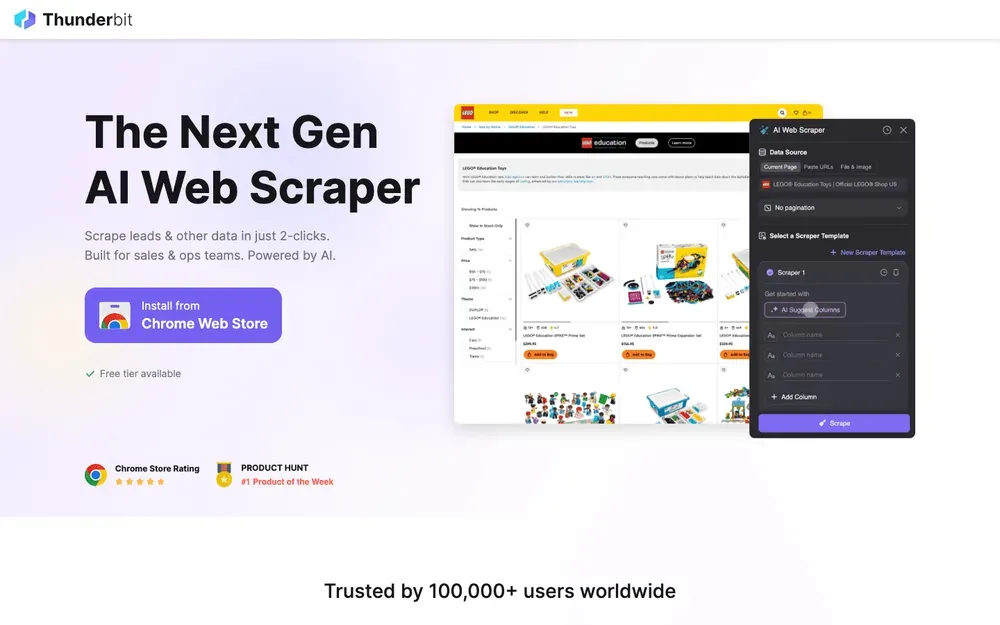
Thunderbit is my go-to recommendation for anyone who wants to scrape web data without writing a single line of code. This AI-powered Chrome extension lets you describe what you want (“Get all product names, prices, and images from this page”), and the AI figures out the rest. No templates, no setup—just click “AI Suggest Fields,” adjust if needed, and hit “Scrape.”
Why Thunderbit stands out in 2026:
- No-code, natural language interface: Anyone can use it—sales, ops, marketing, real estate. No Python required.
- AI Suggest Fields: The AI reads the page and recommends the best columns to extract.
- Subpage Scraping: Need more details? Thunderbit can visit each subpage (like product or profile pages) and enrich your table automatically (Thunderbit Blog).
- Instant templates for popular sites: Amazon, Zillow, Shopify, and more—scrape with one click.
- Export to Excel, Google Sheets, Notion, Airtable: Your data lands where your team needs it.
- Supports 34 languages: Perfect for global teams.
- Cloud or browser scraping: Choose what fits your workflow—cloud is blazing fast for public sites, browser mode handles logins.
Thunderbit is trusted by over 30,000 users worldwide, and the free tier lets you scrape up to 6 pages (or 10 with a trial boost). If you want to see what modern web scraping looks like, this is where I’d start.
Try Thunderbit AI Web Scraper for Free
2. Beautiful Soup
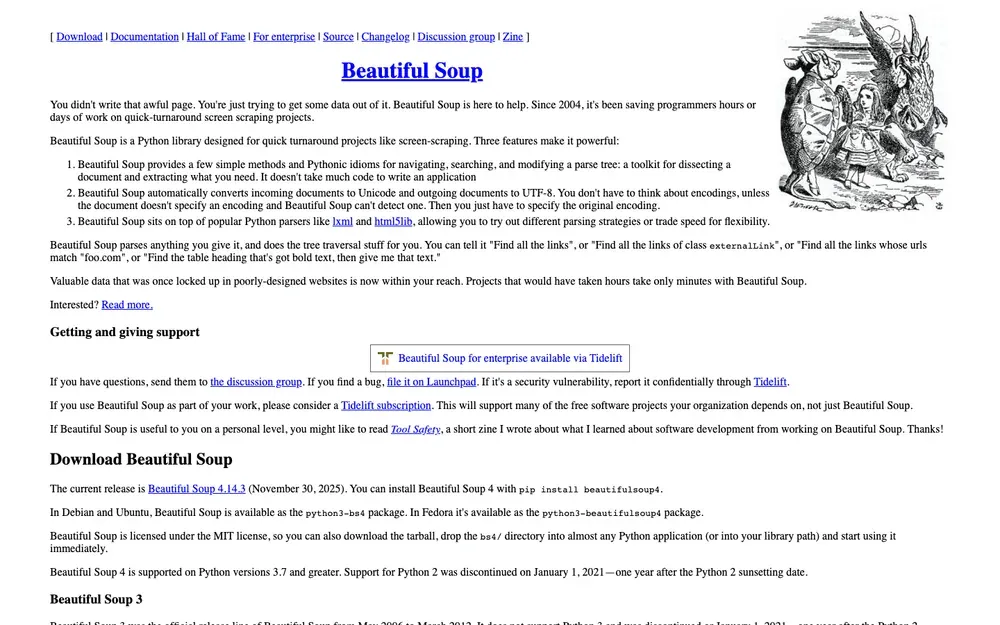
Beautiful Soup is a classic Python library beloved by data scientists and analysts for its simplicity and power in parsing messy HTML. If you’ve ever tried to extract data from a page with broken tags or weird formatting, Beautiful Soup is your friend.
What makes Beautiful Soup great:
- Handles irregular HTML: Perfect for cleaning up and extracting data from “ugly” web pages (Beautiful Soup Docs).
- Easy to learn: Even Python beginners can get up and running quickly.
- Flexible: Works well with HTTP clients like Requests, and can be combined with lxml for speed.
- Typical use cases: Quick data extraction, cleaning up web data, integrating with small scripts.
If you’re dealing with static pages or need to wrangle messy markup, Beautiful Soup is a solid choice.
3. Scrapy
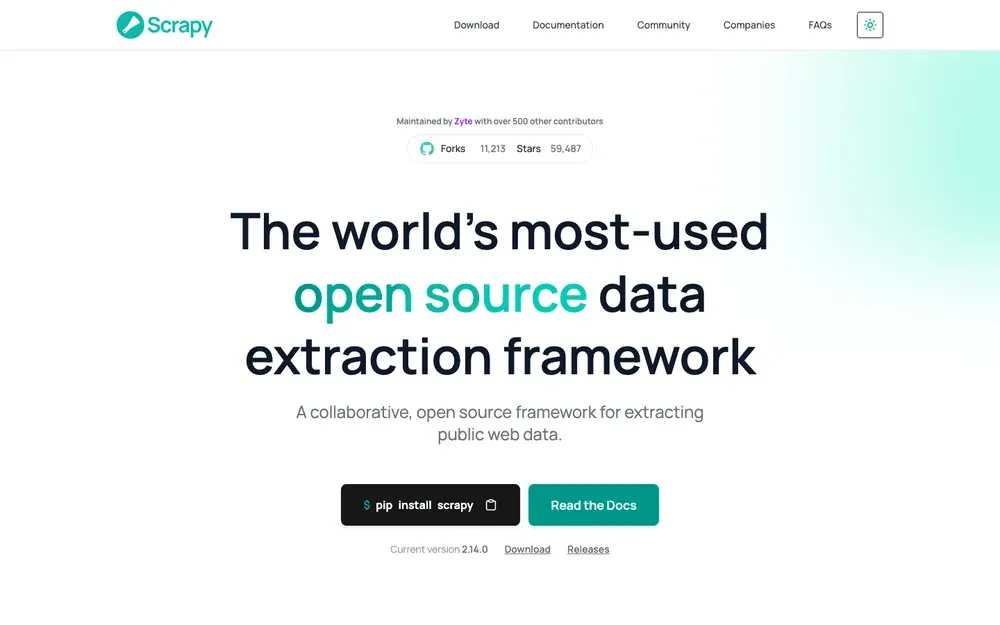
Scrapy is the heavy hitter of Python web scraping. It’s a full-featured framework for building scalable crawlers and data pipelines. If you need to scrape thousands of pages, follow links, and process data at scale, Scrapy is built for you.
Why Scrapy is a top pick:
- Highly modular: Build complex spiders, pipelines, and middlewares (Scrapy Docs).
- Handles large projects: Perfect for market research, competitive analysis, or any job that needs to crawl and extract from many sites.
- Asynchronous and fast: Designed for speed and efficiency.
- Extensive community: Tons of plugins, tutorials, and support.
Scrapy does have a learning curve, but for big jobs, it’s a powerhouse.
4. Selenium
Selenium is the go-to tool for automating browsers. It’s used for everything from testing web apps to scraping sites that require logins, clicks, or handling pop-ups. If you need to interact with JavaScript-heavy or highly dynamic sites, Selenium can mimic a real user (ScrapingBee Selenium Guide).
Selenium’s strengths:
- Automates real browsers: Chrome, Firefox, Safari, Edge—you name it.
- Handles logins, pop-ups, and user actions: Great for scraping after authentication or navigating multi-step workflows.
- Multi-language support: Python, Java, C#, and more.
- Best for: Sites that block simple scrapers, or when you need to simulate real user behavior.
It’s a bit heavier than HTTP-based libraries, but sometimes, you just need a real browser.
5. lxml
lxml is a high-performance XML and HTML parser for Python. If speed is your top priority (think: parsing thousands of large documents), lxml is hard to beat (Python HTML Parser Performance).
Why lxml is a favorite:
- Blazing fast: Outperforms most other Python parsers, especially on big files.
- Robust: Handles both XML and HTML, and integrates well with other tools.
- Great for: Processing large datasets, combining with Beautiful Soup or Scrapy for extra power.
If you’re scraping at scale or need to process huge files, lxml is a must-have in your toolkit.
6. PyQuery
PyQuery brings the power of jQuery’s selector syntax to Python. If you love how easy it is to select elements with $('.class') in jQuery, PyQuery lets you do the same in your scraping scripts (PyQuery Docs).
PyQuery highlights:
- jQuery-style selectors: Intuitive for anyone familiar with front-end development.
- Concise, readable code: Makes complex selections simple.
- Integrates with lxml: Fast and efficient under the hood.
- Best for: Projects where you want quick, jQuery-like HTML manipulation in Python.
It’s a great bridge for folks moving from web development to data extraction.
7. Requests-HTML
Requests-HTML is a Python library that combines the ease of Requests (for HTTP) with built-in HTML parsing and even JavaScript rendering.
What sets Requests-HTML apart:
- All-in-one: Fetch pages, parse HTML, and even render JavaScript in one package.
- Beginner-friendly: Perfect for small to medium scraping projects.
- Great for: Quick scripts, sites with some dynamic content, and users who want simplicity.
If you’re just starting out or need a flexible tool for smaller jobs, Requests-HTML is a winner.
8. MechanicalSoup
MechanicalSoup is a Python library that automates web forms and simple browser interactions. It’s built on top of Beautiful Soup and Requests, making it easy to log in, fill out forms, and navigate basic workflows (ScrapingBee MechanicalSoup Guide).
Why MechanicalSoup is handy:
- Automates forms and logins: Great for scraping data behind authentication.
- Simple API: Easy for beginners to pick up.
- Best for: Repetitive browser tasks, simple workflows, and sites where full browser automation is overkill.
It’s not as powerful as Selenium for complex sites, but it’s much lighter and easier to use for basic needs.
9. Puppeteer
Puppeteer is a Node.js library for controlling headless Chrome or Chromium. It’s a favorite for scraping JavaScript-heavy, highly interactive websites (Scrape.do Puppeteer Guide).
Puppeteer’s superpowers:
- Full browser automation: Click, scroll, fill forms, and interact just like a user.
- Handles dynamic content: Perfect for sites that load data via JavaScript.
- Great for: Ecommerce, social media, or any site where traditional scrapers fail.
If you’re a JavaScript developer or need to scrape the “modern web,” Puppeteer is a must.
10. Jsoup
Jsoup is the gold standard for HTML parsing in Java. It’s like Beautiful Soup, but for Java developers (Baeldung Jsoup Guide).
Why Java teams love Jsoup:
- Simple, powerful API: Extract and manipulate data with just a few lines of code.
- Handles messy HTML: Cleans up and parses even poorly formatted pages.
- Best for: Integrating scraping into Java-based business apps or backend workflows.
If your stack is Java, Jsoup is the obvious choice.
Web Scraping Libraries Comparison Table
Here’s a quick side-by-side look at all 10 libraries:
| Library | Language | Ease of Use | Dynamic Content | AI/No-Code | Typical Use Cases | Best For |
|---|---|---|---|---|---|---|
| Thunderbit | Chrome Ext. | ⭐⭐⭐⭐⭐ | ⭐⭐⭐⭐ | Yes | Sales, ops, research, real estate | Non-coders, business users |
| Beautiful Soup | Python | ⭐⭐⭐⭐ | ⭐ | No | HTML parsing, data cleaning | Python beginners, analysts |
| Scrapy | Python | ⭐⭐⭐ | ⭐⭐ | No | Large-scale crawling, pipelines | Devs, big data projects |
| Selenium | Multi | ⭐⭐ | ⭐⭐⭐⭐⭐ | No | Browser automation, logins | QA, scraping dynamic sites |
| lxml | Python | ⭐⭐⭐ | ⭐ | No | Fast parsing, big files | Power users, large datasets |
| PyQuery | Python | ⭐⭐⭐⭐ | ⭐ | No | jQuery-style selection | Web devs, concise scripts |
| Requests-HTML | Python | ⭐⭐⭐⭐ | ⭐⭐ | No | Quick scripts, JS rendering | Beginners, small projects |
| MechanicalSoup | Python | ⭐⭐⭐⭐ | ⭐⭐ | No | Form automation, logins | Simple browser tasks |
| Puppeteer | Node.js | ⭐⭐⭐ | ⭐⭐⭐⭐⭐ | No | JS-heavy sites, automation | JS devs, dynamic web scraping |
| Jsoup | Java | ⭐⭐⭐⭐ | ⭐ | No | HTML parsing in Java | Java teams, backend workflows |
How to Choose the Right Web Scraping Library for Your Business
What Is Data Scraping and How to Do It in 2025 Get Started Free
So, which library should you use? Here’s my advice, based on years of trial, error, and a few too many late-night debugging sessions:
- Non-coders or business users: Start with Thunderbit. The AI/no-code approach means you can get results in minutes, not days. If your team just wants data in Excel or Sheets, don’t overcomplicate things.
- Python developers: Beautiful Soup and Requests-HTML are great for small jobs. Scrapy is your friend for big projects. Combine with lxml or PyQuery for extra power.
- Need to handle logins or dynamic content? Selenium (multi-language) or Puppeteer (Node.js) are your best bets.
- Java teams: Jsoup is the clear winner for integrating scraping into Java apps.
- Need to automate forms or simple workflows? MechanicalSoup is lightweight and easy to use.
Key factors to consider:
- Technical skill level: No-code tools like Thunderbit are perfect for non-technical teams. Developers may prefer the flexibility of code-based libraries.
- Data complexity: For simple, static pages, Beautiful Soup or Jsoup are great. For dynamic, JavaScript-heavy sites, go with Selenium or Puppeteer.
- Scale: Scrapy and lxml shine for large-scale, high-speed jobs.
- Integration: Thunderbit’s direct export to Sheets, Notion, and Airtable saves tons of time for business workflows.
For more on choosing the right tool, check out PromptCloud’s guide.
See Thunderbit Pricing & Free Tier
Conclusion: Unlocking Web Data with the Right Tools
Web scraping in 2026 is no longer just for coders or data scientists. With the explosion of AI-powered and no-code tools, every team—from sales to research—can tap into the web’s data goldmine. The right library can save you hundreds of hours a year (Browsercat), boost your accuracy, and give your business a real edge.
My advice? Start with your needs—speed, scale, technical comfort—and try out a few options. Thunderbit’s free tier is a great way to dip your toes in, and open-source libraries like Beautiful Soup or Scrapy are always there if you want to get your hands dirty.
Want to dig deeper? Check out the Thunderbit Blog for more guides, or subscribe to our YouTube channel for hands-on tutorials.
Happy scraping—and may your data always be clean, structured, and ready for action.
Try Thunderbit AI Web Scraper for Free Get Started Free
FAQs
1. What is the easiest web scraping library for non-coders in 2026?
Thunderbit is the top pick for non-coders. Its AI-driven Chrome extension lets users scrape data with natural language prompts—no coding required.
2. Which library is best for scraping JavaScript-heavy or dynamic websites?
Puppeteer (Node.js) and Selenium (multi-language) are best for scraping dynamic, JavaScript-rendered sites. They automate real browsers and handle complex interactions.
3. What’s the difference between Beautiful Soup and Scrapy?
Beautiful Soup is great for parsing and extracting data from single pages or small projects, especially with messy HTML. Scrapy is a full framework for building scalable crawlers and processing large datasets.
4. Can I export scraped data directly to Google Sheets or Notion?
Yes—Thunderbit offers direct export to Google Sheets, Notion, Airtable, and Excel. Most code libraries require you to write export logic yourself.
5. How do I choose the right web scraping library for my business?
Consider your technical skills, the complexity of the sites you want to scrape, your data volume, and integration needs. No-code tools like Thunderbit are ideal for business teams, while developers may prefer libraries like Scrapy, Beautiful Soup, or Puppeteer for more control.
Learn More




