

Trustpilot holds 361 million active reviews across 1.27 million businesses — and most scrapers built to extract that data broke months ago. If you've tried pulling reviews recently, you've probably hit the infamous page 10 login wall and watched your tool return nothing but an error.
I've spent the last few weeks testing, researching, and comparing tools that can still reliably extract Trustpilot review data in 2026. The landscape has changed significantly: Trustpilot's anti-bot protections are more aggressive, its Next.js frontend generates class names that shift with every deployment, and — most critically — unauthenticated access now cuts off after just 10 pages of reviews. A Reddit thread from late 2025 captured the frustration perfectly: "none of the actors on the store work."
So which tools actually do? I evaluated five based on how they handle the login wall, anti-bot measures, maintenance burden, and the practical needs of both marketers and developers.
Why Scraping Trustpilot Reviews Is Harder Than It Looks in 2026
Trustpilot is not a simple static website you can hit with a basic HTTP request and parse with BeautifulSoup. It's a modern, dynamically rendered platform built on Next.js, and its defenses have gotten noticeably tighter over the past year.
What you're actually up against:
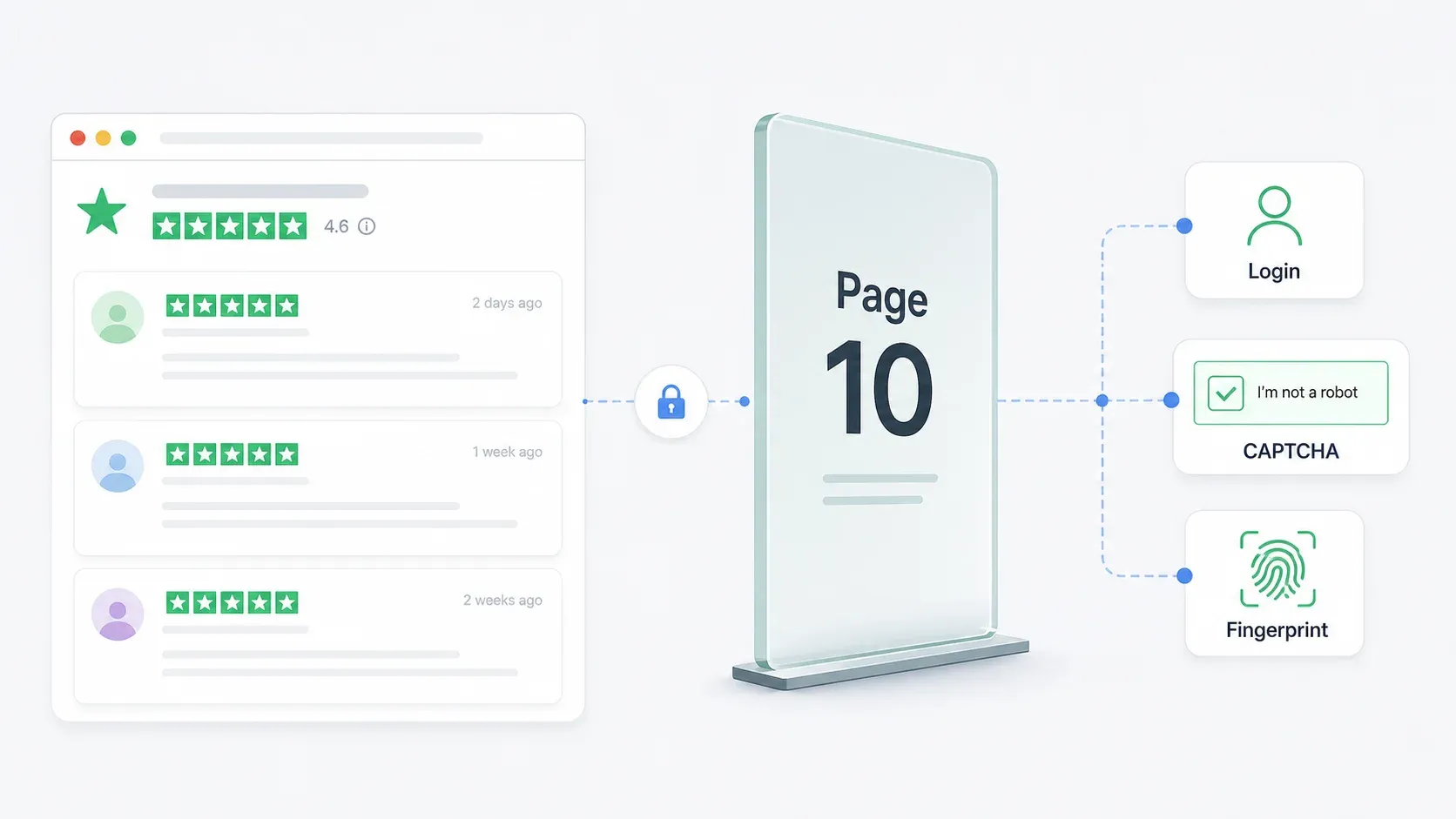
The page 10 login wall. This is the single biggest pain point. Web Scraper's own March 2026 Trustpilot guide confirms that Trustpilot allows only the first 10 review pages before showing a login prompt. For a business with 2,000 reviews (roughly 100 pages at 20 reviews per page), you're locked out of 90% of the data unless you have an authenticated session.
Anti-bot protections. Trustpilot uses reCAPTCHA, session-based blocking, CDN-level request filtering, and browser fingerprinting. Its About page explicitly states the site is "protected by reCAPTCHA" and collects device and interaction signals.
Dynamic CSS class names. Because Trustpilot uses Next.js with CSS modules, class names like styles_reviewCardInner__EwDq2 are generated at build time and change whenever Trustpilot deploys an update. ScraperAPI's own tutorial relies on these exact selectors — meaning any code following that tutorial will break the next time Trustpilot pushes a frontend change.
DOM structure changes. Beyond class names, the actual HTML hierarchy can shift. Elements get nested differently, new wrappers appear, and pagination components get restructured.
CSS-selector-based scrapers — whether they're Apify Actors, Octoparse workflows, or custom Python scripts — are structurally fragile on Trustpilot. They work until they don't. And "until they don't" is often measured in weeks, not months.
What We Looked For in the Best Trustpilot Review Scrapers
I didn't evaluate these tools on generic "can it scrape a webpage" criteria. Every tool on this list can extract data from a simple HTML page.
The real question: can it handle Trustpilot specifically, with all its quirks, in 2026?
Here's what mattered most:
| Criterion | Why It Matters for Trustpilot |
|---|---|
| Login wall handling (page 10+) | Most businesses have far more than 200 reviews. A 10-page cap means you're missing the majority of historical data. |
| Anti-bot bypass approach | reCAPTCHA, session blocking, and CDN filtering will stop naive scrapers cold. |
| Selector resilience / maintenance | Generated CSS classes break selector-based tools regularly. Does the tool self-heal? |
| Pagination support | Reviews span hundreds of pages. Manual page-by-page extraction is not viable. |
| No-code vs. code requirement | Marketers need point-and-click; developers want full control. |
| Pricing / free tier | Budget-conscious teams need clarity before committing. |
| Export options | Business users need Google Sheets, Airtable, Notion — not just raw JSON. |
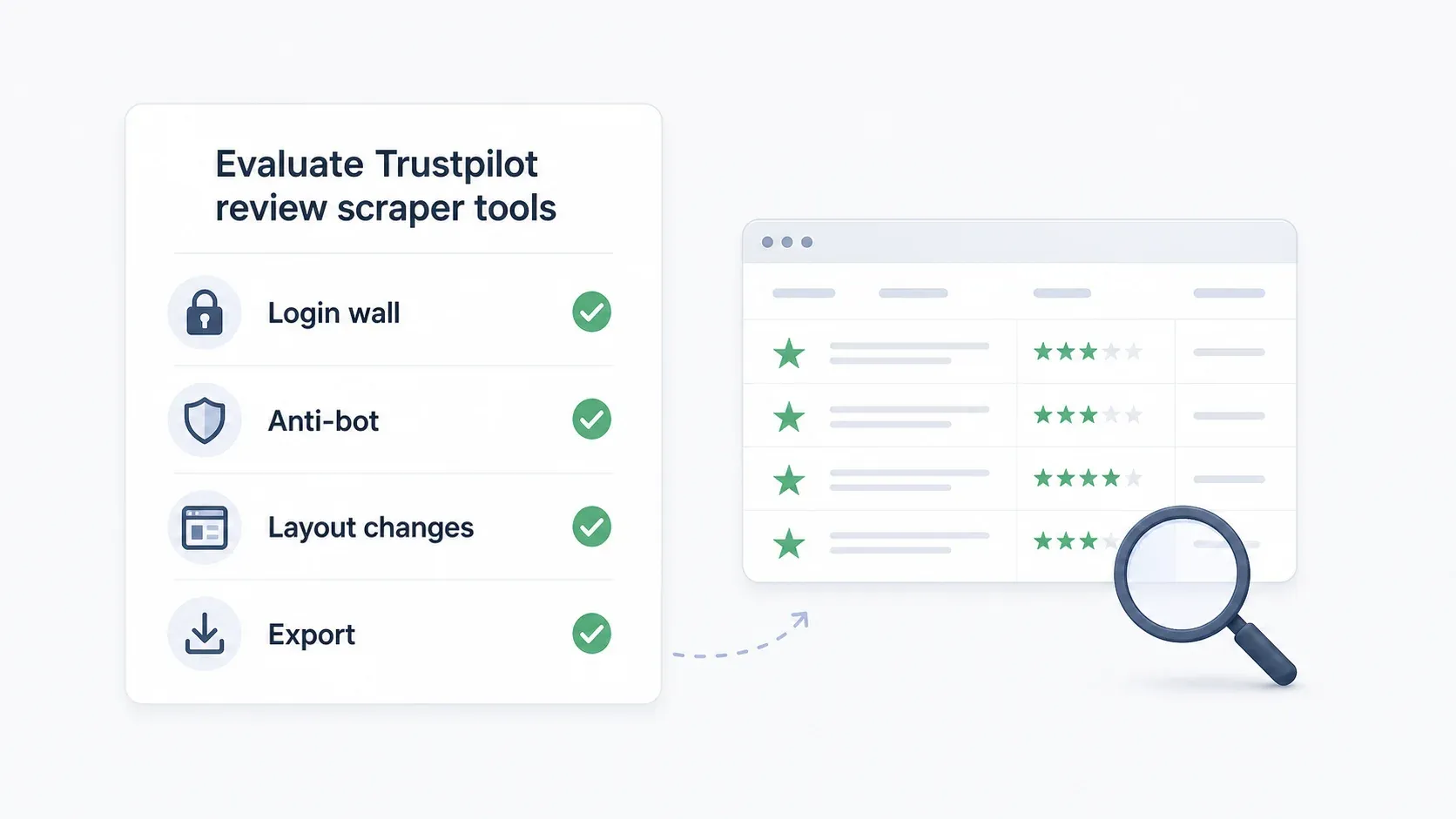
The login wall is the deal-breaker.
If a tool can't get past page 10 — or at least provide a clear path for authenticated access — it's not a viable Trustpilot scraper in 2026.
Best Trustpilot Review Scrapers at a Glance
The full comparison:
| Tool | Skill Level | Login Wall Handling | Anti-Bot Approach | Pagination | Free Tier | Export Options |
|---|---|---|---|---|---|---|
| Thunderbit | No-code | Browser mode (uses your logged-in Chrome session) | AI semantic extraction adapts to layout changes | Auto-detect, multi-page | 6 pages free/month | Excel, Sheets, Airtable, Notion, CSV, JSON |
| Apify | Low-code | Actor-dependent; some require cookie config for pages >10 | Built-in proxy rotation, Actor-specific | Configurable per Actor | $5/month free platform credits | JSON, CSV, Excel, XML, RSS |
| Octoparse | No-code (visual) | Manual cookie/session configuration | IP rotation, residential proxies, CAPTCHA solving (paid) | Click/scroll workflow | Free plan + 14-day premium trial | CSV, Excel, JSON, HTML, XML, databases |
| Web Scraper | No-code (sitemap) | Limited — own guide documents 10-page review cap | Cloud + proxy on paid plans | Configurable; JS click recommended | Free Chrome extension | CSV, XLSX |
| ScraperAPI | Developer (Python) | Code-level session/cookie management | 40M+ residential proxies, JS rendering, CAPTCHA handling | Code-based | 7-day trial, 5,000 API credits | Developer-defined (CSV, JSON, etc.) |
1. Thunderbit
Thunderbit is an AI-powered Chrome extension built for business teams who need structured data from websites without writing code. For Trustpilot specifically, it offers a dedicated review scraping template that extracts reviewer name, rating, review title, review text, date, and business response in two clicks.
I'm biased — I work here — but the reason we built Thunderbit this way ties directly to why Trustpilot scraping is hard. Our AI reads pages semantically rather than relying on CSS selectors. When Trustpilot changes its class names or restructures its DOM, Thunderbit adapts because it's looking for the meaning of page elements, not their specific HTML addresses.
Try Thunderbit for Trustpilot scraping
How Thunderbit Handles the Page 10 Login Wall
This is where browser mode matters. Thunderbit operates inside your Chrome browser — the same browser where you're already logged into Trustpilot. When you switch to browser scraping mode, the extension reads pages that are visible in your authenticated session. No proxy gymnastics. No cookie injection. No Playwright session pools.
The practical workflow: log into Trustpilot in Chrome, navigate to the review page you want, click "AI Suggest Fields," then click "Scrape." Pagination happens automatically from there — Thunderbit works through every page your browser session can access.
Why Thunderbit Doesn't Break When Trustpilot Changes
Our Trustpilot template page contrasts this directly: traditional scrapers break when layouts change and CSS selectors need updating. Thunderbit uses semantic AI that understands content without relying on specific CSS, handles dynamic content, and manages auto-pagination.
Compare that to ScraperAPI's tutorial code, which parses by class names like styles_reviewCardInner__EwDq2. That selector will break the next time Trustpilot deploys. Thunderbit's AI asks "where is the review text on this page?" rather than "what's inside this specific div class?"
Key Features for Trustpilot Scraping
- AI Suggest Fields: automatically detects review fields (name, rating, date, title, text, business response) without manual configuration
- Two-click workflow: AI Suggest Fields → Scrape. That's it.
- Browser mode for login-required pages: works within your authenticated Chrome session for page 10+ access
- Auto-pagination: handles multi-page review sets without manual intervention
- Subpage scraping: can visit individual reviewer profiles for enrichment data
- Scheduled scraping: set up weekly or monthly review monitoring for reputation tracking
- Exports: Google Sheets, Airtable, Notion, CSV, JSON — all included free
Pricing
- Free plan: 6 pages/month, no credit card required
- Credit-based system: 1 credit = 1 output row
- Paid plans: starting from ~$9/month on the pricing page
Best for: Marketing teams, operations teams, and business users who need Trustpilot reviews without touching code — and who don't want to maintain a scraper that breaks every few weeks.
2. Apify
Apify is a cloud-based scraping platform with a marketplace of pre-built "Actors" — scraping templates that other users and Apify's team have created. For Trustpilot, the store contains multiple community-maintained Actors with varying reliability.
The trade-off with Apify: it can be powerful, but it's fragmented. Some Actors work. Some are deprecated. Some require cookies for page 10+. And the Reddit complaints about "none of the actors on the store work" are real — they reflect how quickly Trustpilot changes can break Actor-specific logic.
Trustpilot Actors and Known Limitations
The Apify Store contains several Trustpilot Actors. At least one (by developer "burbn") explicitly documents that a cookie input is required for pages beyond 10. Others have 0.0 ratings, very low user counts, or very recent modification dates — signals that maintenance is ongoing and reliability varies.
The deprecated Actors are worth noting too. One older Actor read Trustpilot's embedded __NEXT_DATA__ JSON directly — a clever approach that was faster than DOM parsing but still broke when Trustpilot changed its data structure.
Login Wall and Anti-Bot Handling
- Login wall: depends entirely on which Actor you choose. Some support cookie injection for page 10+; others don't.
- Anti-bot: Apify's platform includes proxy rotation and compute-unit-based infrastructure. Residential proxies are available at $8/GB on Free/Starter plans.
- Maintenance: when an Actor breaks, you either wait for the maintainer to fix it, switch to a different Actor, or commission a custom private Actor.
Pricing
- Free plan: $5/month prepaid usage, no credit card required
- Starter: $9/month + pay-as-you-go
- Scale: $99/month + pay-as-you-go
- Exports: JSON, CSV, Excel, XML, RSS (Actor-dependent)
Best for: Technically comfortable users who can evaluate multiple Actors, configure cookies, and troubleshoot when things break. Not ideal for teams that want a set-and-forget solution.
3. Octoparse
Octoparse is a desktop-based no-code scraper with a visual point-and-click workflow builder. It sits between Thunderbit's two-click simplicity and ScraperAPI's full developer control — you get visual configuration without code, but you're still building and maintaining a workflow.
Setting Up a Trustpilot Scrape in Octoparse
The workflow is straightforward but manual:
- Paste a Trustpilot business review URL
- Visually select review elements (title, body, rating, date, reviewer name)
- Define a pagination loop using the next-page button
- Configure wait times (2-5 seconds recommended to avoid reCAPTCHA)
- Run locally for small samples or in the cloud for larger jobs
The setup takes 10-15 minutes for someone familiar with the tool. The catch: because Octoparse uses visual selectors tied to DOM elements, you'll need to update your workflow whenever Trustpilot changes its page structure.
Login Wall and Anti-Bot Handling
- Login wall: requires manual login/cookie/session configuration. Not handled automatically.
- Anti-bot: paid plans include IP rotation, residential proxies ($3/GB), and automatic CAPTCHA solving ($1-1.5 per thousand).
- Maintenance: moderate. Expect to rebuild or adjust your workflow when Trustpilot updates its frontend.
Pricing
- Free plan: free forever, 10 tasks, 1 device, local extraction, up to 50,000 rows/month
- Standard: $69/month (billed annually)
- Professional: $149/month
- 14-day premium trial: includes cloud extraction, scheduling, API, and templates
- Exports: Excel, CSV, JSON, HTML, XML; databases and Google Sheets on higher tiers
Best for: Users who want visual workflow control, don't mind initial setup time, and are comfortable maintaining workflows when pages change. Good for teams that need more customization than a two-click tool but less complexity than writing Python.
4. Web Scraper
Web Scraper is a Chrome extension and cloud platform with a sitemap-based approach to scraping. Its strongest Trustpilot offering is a prebuilt business pages template that extracts company-level data: business name, category, address, rating, review count, TrustScore, and website URL.
For review scraping specifically, Web Scraper has a documented limitation worth flagging.
Prebuilt Template vs. Custom Setup
The marketplace template works well for company discovery — scraping business profiles across Trustpilot categories. For custom review extraction, the Sitemap Wizard lets you build a scraper visually within the Chrome extension.
Web Scraper's own March 2026 guide recommends JavaScript click pagination rather than URL-based pagination, because Trustpilot can dynamically reorder content between pages, causing result shifting.
Login Wall and Anti-Bot Handling
Here's where candor matters: Web Scraper's official guide explicitly states that Trustpilot allows only the first 10 review pages before displaying a login prompt. The guide documents this as a known limitation rather than offering a workaround.
- Login wall: limited handling. The 10-page review cap is documented in their own guide.
- Anti-bot: cloud plans include proxy support; the guide recommends 2-5 second delays and reduced concurrency.
- Pagination: configurable, but practically limited to the first 10 review pages for unauthenticated access.
Pricing
- Free Chrome extension: local scraping, limited functionality
- Project: $50/month (5,000 URL credits)
- Professional: $100/month (20,000 URL credits)
- Scale: from $200/month (unlimited URL credits with conditions)
- 7-day free trial on paid cloud plans
- Exports: CSV, XLSX
Best for: Users who want a ready-made template for scraping Trustpilot company profiles, or who only need reviews from the first 10 pages. Not the right pick if you need full review history for high-review-count businesses.
5. ScraperAPI
ScraperAPI is scraping infrastructure for developers — not a point-and-click tool, but a proxy/rendering layer that handles anti-bot measures while you write the parsing logic. Its Trustpilot solution page advertises JS rendering, CAPTCHA handling, and 40M+ proxies.
If you're a Python developer who wants full control over extraction logic, ScraperAPI gives you the plumbing.
You also own the maintenance.
Building a Custom Trustpilot Scraper with ScraperAPI
ScraperAPI's January 2026 tutorial shows a Python + BeautifulSoup workflow:
import requests
from bs4 import BeautifulSoup

payload = {
    "api_key": "YOUR_API_KEY",
    "url": "https://www.trustpilot.com/review/example.com",
    "render": "true",
    "keep_headers": "true",
}

html = requests.get("https://api.scraperapi.com", params=payload).text
soup = BeautifulSoup(html, "html.parser")
The tutorial's completed code sets pages_to_scrape = 10 — implicitly acknowledging the public page limit. For page 10+, developers need to manage authenticated sessions, cookies, and tokens themselves.
Login Wall and Anti-Bot Handling
- Login wall: code-level session/cookie management required. ScraperAPI handles proxies and rendering; you handle authentication logic.
- Anti-bot: residential proxy pool with automatic IP rotation, JS rendering via
render=true, CAPTCHA handling through smart proxy rotation. Available on all plans. - Maintenance: when Trustpilot changes class names (which it does regularly), you must update your parsing code. The tutorial's
styles_reviewCardInner__EwDq2selector is already a ticking clock.
Pricing
- 7-day trial: 5,000 free API credits, no credit card required
- Hobby: $49/month (100,000 API credits)
- Startup: $149/month (1,000,000 credits)
- Business: $299/month (3,000,000 credits)
- Exports: whatever your code produces (typically CSV, JSON, database writes)
Best for: Developers who want full customization, can maintain their own parsing scripts, and need programmable control over session management, pagination logic, and data structure. Not for non-technical users.
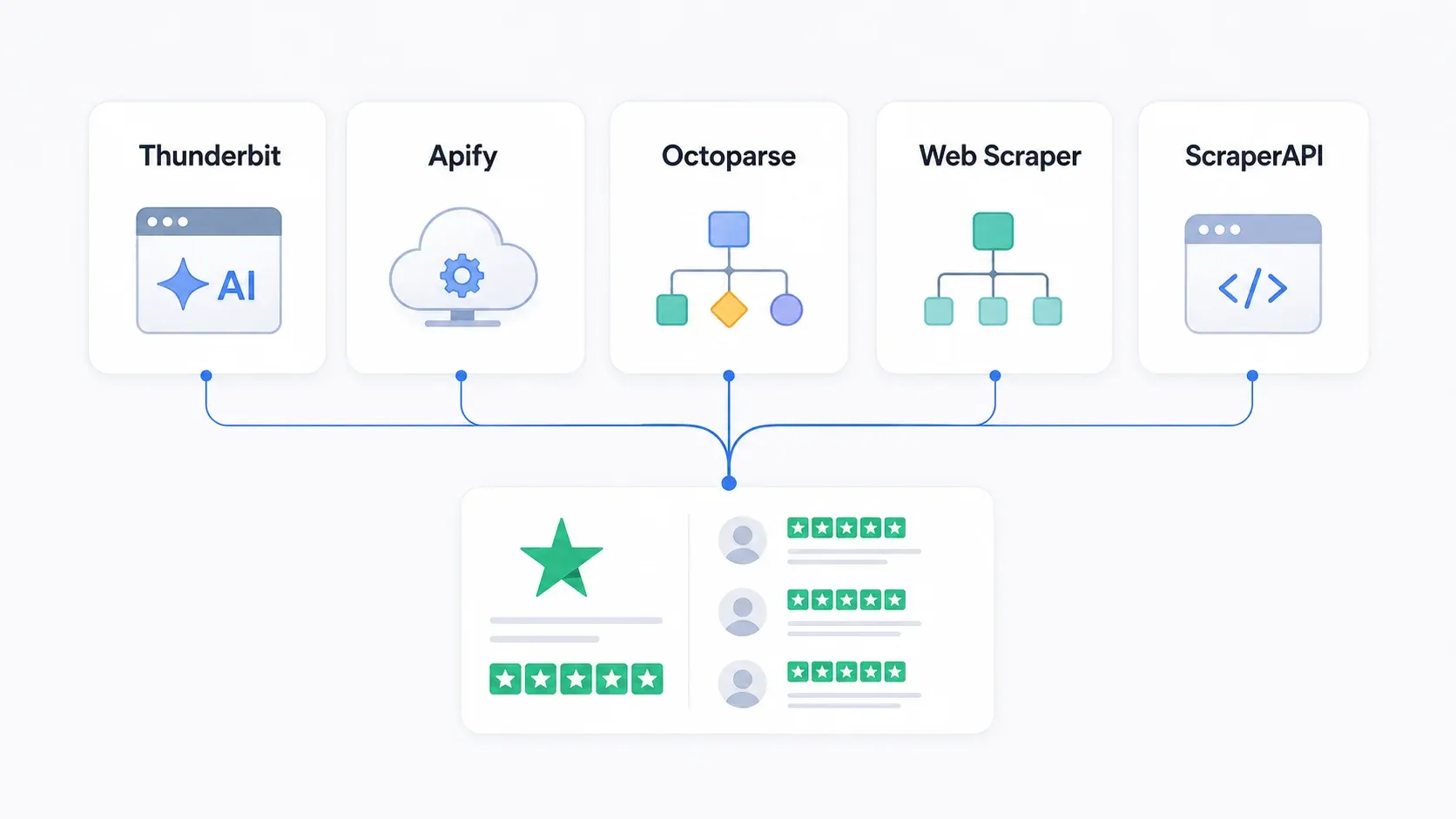
Why Trustpilot Scrapers Keep Breaking (and How to Pick One That Won't)
This is the most underappreciated factor in choosing a Trustpilot scraper. The question isn't "does this tool work today?" It's "will this tool still work in three weeks?"
Scrapers break on Trustpilot for four recurring reasons:
-
Generated CSS class changes. Next.js CSS modules produce class names like
styles_reviewCardInner__EwDq2. These change with every frontend deployment. Any scraper that targets these classes breaks. -
DOM structure changes. Trustpilot can restructure its HTML hierarchy — nesting review cards differently, changing wrapper elements, moving metadata to different positions.
-
Anti-bot trigger changes. reCAPTCHA thresholds shift. Session token rotation gets more aggressive. CDN filtering rules update.
-
Authentication/session changes. The page 10 login wall was introduced (or enforced more strictly) in late 2025. Future access restrictions could appear at any time.
The fundamental architectural difference is between selector-based and semantic extraction:
-
Selector-based tools (Apify Actors, Octoparse workflows, ScraperAPI scripts, Web Scraper sitemaps) ask: "Find the element at this exact CSS path." When the path changes, they fail silently or return empty data.
-
Semantic/AI tools (Thunderbit) ask: "Find the review text, rating, and date on this page." The AI interprets page content by meaning, not by address. Layout changes don't break it because the meaning hasn't changed.
My recommendation:
- Zero maintenance tolerance? → AI-based (Thunderbit)
- Some maintenance OK, want cloud automation? → Apify (with Actor selection and monitoring)
- Visual control, moderate maintenance? → Octoparse
- Template-based, limited scope? → Web Scraper
- Full control, own everything? → ScraperAPI
What to Do With Scraped Trustpilot Reviews
Extracting reviews is step one. The question I see in forums constantly: "I have the data — now what?"
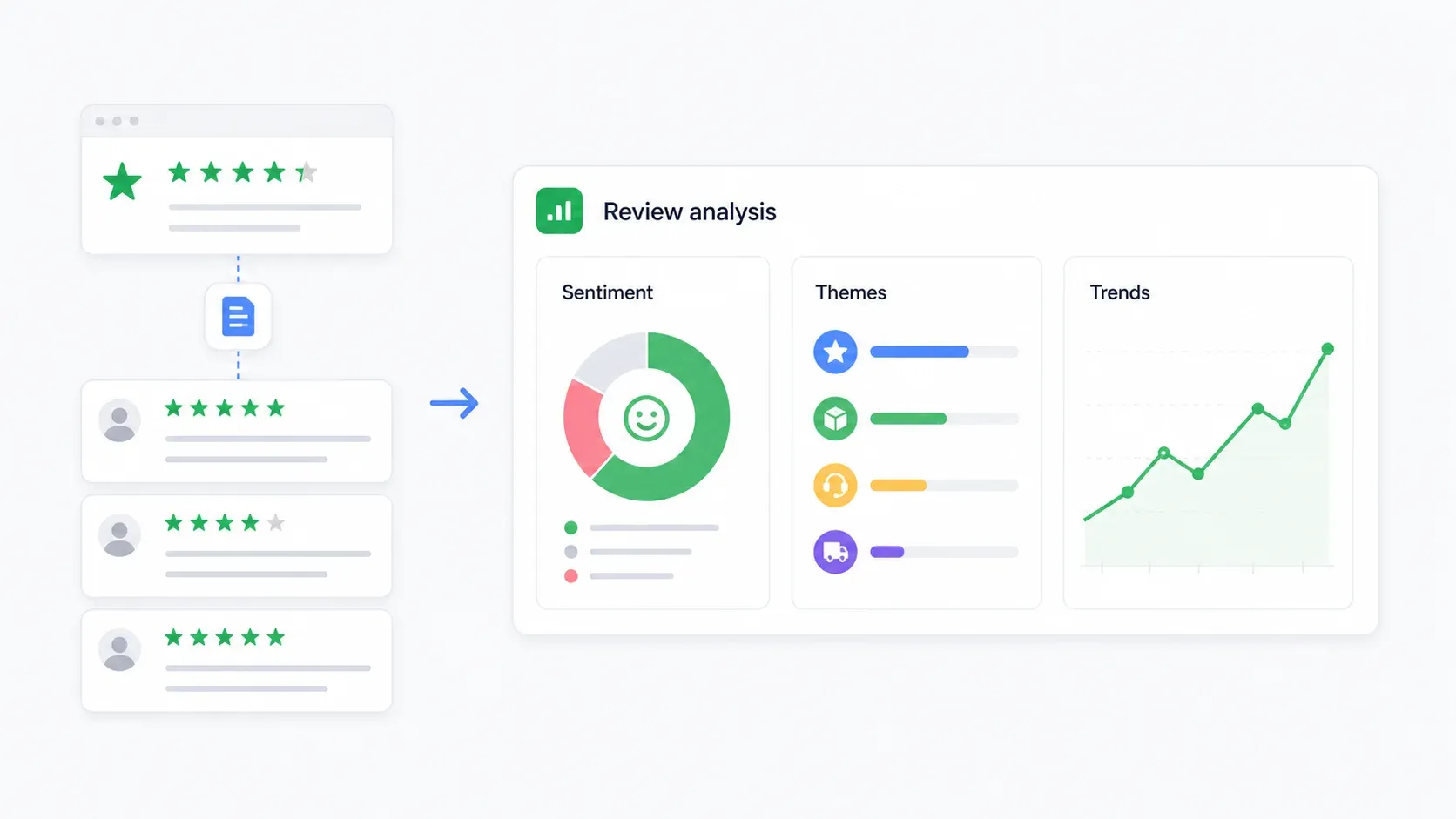
Sentiment Analysis
The simplest workflow: export reviews to Google Sheets, then use an AI tool (ChatGPT, Claude, or a Sheets AI function) to classify each review as positive, neutral, or negative. Add columns for complaint category, urgency, and suggested action priority.
For larger datasets, upload the CSV to ChatGPT and ask for a summary: "Classify these reviews by sentiment and identify the top 5 complaint themes with representative quotes."
Competitor Monitoring
Use Thunderbit's scheduled scraping to pull competitor reviews weekly or monthly. Track:
- Average rating trend over time
- Share of 1-star and 2-star reviews
- Review volume changes (are they getting more or fewer reviews?)
- Most common complaint themes
- Business response rate and speed
A simple Google Sheets dashboard with pivot tables by rating and date gives you a competitive intelligence feed that updates automatically.
Theme Extraction
Group reviews by common categories: shipping/delivery, customer support, refunds, product quality, billing, app usability, pricing/value, and fraud concerns. The output should be a table showing: theme, count, average rating, representative quotes, and suggested business action.
This is more useful than a word cloud. It tells you what's actually driving satisfaction or dissatisfaction.
Bulk Multi-Business Analysis
For category-level research, scrape reviews across multiple businesses in the same Trustpilot category. Compare review volumes, ratings, star distributions, and theme prevalence across an entire market segment. Web Scraper's business-listing template is useful for discovering companies; Thunderbit or ScraperAPI can handle review-level sampling for each.
Legal and Ethical Considerations for Scraping Trustpilot
I'm not a lawyer, and this isn't legal advice. But the compliance reality matters here.
Trustpilot's Terms of Use are explicit. They prohibit users from accessing or collecting content "by any means other than as provided or specifically approved by Trustpilot," and specifically call out text mining, data mining, and web scraping without express permission.
The risk spectrum looks like this:
- Lower risk: Exporting your own company's reviews for internal analysis, especially using Trustpilot's official business tools or API.
- Moderate risk: Scraping public competitor pages at low volume for market research. Still subject to ToS and privacy obligations.
- Higher risk: Scraping auth-walled page 10+ content, bypassing technical controls, redistributing reviewer data, or using scraped reviews for AI model training.
GDPR considerations: Reviewer names, profile links, review text, and location data can constitute personal data under EU privacy law. Practical safeguards include collecting only needed fields, hashing reviewer names for internal analytics, setting data retention periods, and not republishing raw review text at scale.
Public vs. authenticated data: There's a meaningful legal and ethical distinction between scraping pages anyone can see (the first 10 review pages) and scraping data behind an authentication wall. Tools that operate via public data only carry lower compliance risk than those requiring login credentials.
This should be a factor in your tool selection. Thunderbit's browser mode works with pages visible in your own session — it doesn't independently bypass authentication. ScraperAPI gives developers full control but also full responsibility for session management legality.
How to Choose the Right Trustpilot Review Scraper
Decision framework by persona:
- Non-technical marketer who needs reviews without code? → Thunderbit. Two clicks, AI handles the rest, exports to Sheets/Notion/Airtable.
- Low-code user comfortable with configuration and debugging? → Apify. Choose an Actor, configure cookies for page 10+, monitor for breakage.
- Visual builder who wants workflow control? → Octoparse. Point-and-click setup, but expect maintenance when Trustpilot changes.
- Need company-level data or first-10-page reviews only? → Web Scraper. Strong prebuilt templates for business profiles.
- Developer who wants full customization? → ScraperAPI. Own your parsing logic, session management, and data pipeline.
If maintenance tolerance is your primary concern, the spectrum runs from Thunderbit (near-zero maintenance) to ScraperAPI (you maintain everything). Budget-wise, every tool on this list has a free entry point — start there before committing.
Conclusion
Trustpilot review data is genuinely valuable for competitive intelligence, reputation monitoring, and customer insight.
But in 2026, extracting it reliably requires a tool that can handle the page 10 login wall, adapt to DOM changes, and manage anti-bot protections without constant manual intervention.
For most business users, Thunderbit is the path of least resistance — two clicks, AI-powered field detection, browser mode for authenticated pages, and zero maintenance when Trustpilot changes its frontend. You can try it free with 6 pages/month and no credit card.
For developers who want full control, ScraperAPI provides the infrastructure. For everyone in between, Apify, Octoparse, and Web Scraper each serve a specific niche. The key is matching the tool to your technical comfort, maintenance tolerance, and compliance requirements.
If you want to see how Thunderbit handles Trustpilot specifically, we have a walkthrough on our YouTube channel. And for broader context on web scraping without coding or what web scraping actually is, those guides cover the fundamentals.
FAQs
1. Can you scrape Trustpilot reviews past page 10?
Yes, but only with an authenticated path. Trustpilot blocks unauthenticated access after the first 10 review pages. Thunderbit's browser mode works within your logged-in Chrome session, so it can access pages you can see. ScraperAPI requires code-level session/cookie management. Apify Actors need cookie configuration. Octoparse requires manual login/cookie setup. Web Scraper's own documentation acknowledges the 10-page limitation without offering a built-in workaround.
2. Is it legal to scrape Trustpilot reviews?
Trustpilot's Terms of Use prohibit automated data collection without express permission. The legal risk varies by method and use case: scraping your own public reviews carries lower risk than bypassing authentication walls to scrape competitors. GDPR applies to EU reviewer data. This is not legal advice — consult counsel for large-scale or commercial scraping projects.
3. What data can you extract from Trustpilot?
Common fields include: reviewer name, star rating, review title, review text, date posted, date of experience, verified purchase status, reviewer location, business response text, company name, TrustScore, total review count, star distribution, and review URL.
4. How often do Trustpilot scrapers break?
Selector-based tools (Apify Actors, Octoparse workflows, custom Python scripts) can break whenever Trustpilot changes its CSS classes or DOM structure — which can happen multiple times per month. AI-semantic tools like Thunderbit adapt automatically because they interpret page meaning rather than targeting specific selectors. However, no tool is immune to major access-control changes like the page 10 login wall.
5. Can I scrape Trustpilot reviews for free?
Every tool on this list has a free entry point: Thunderbit offers 6 free pages/month, ScraperAPI provides 5,000 trial credits over 7 days, Web Scraper has a free Chrome extension for local use, Octoparse has a free-forever plan (10 tasks, 50,000 rows/month), and Apify includes $5/month in free platform credits. For small-scale sampling or testing, any of these work without payment.
Try Thunderbit for Trustpilot review scraping Get Started Free
Learn More




