
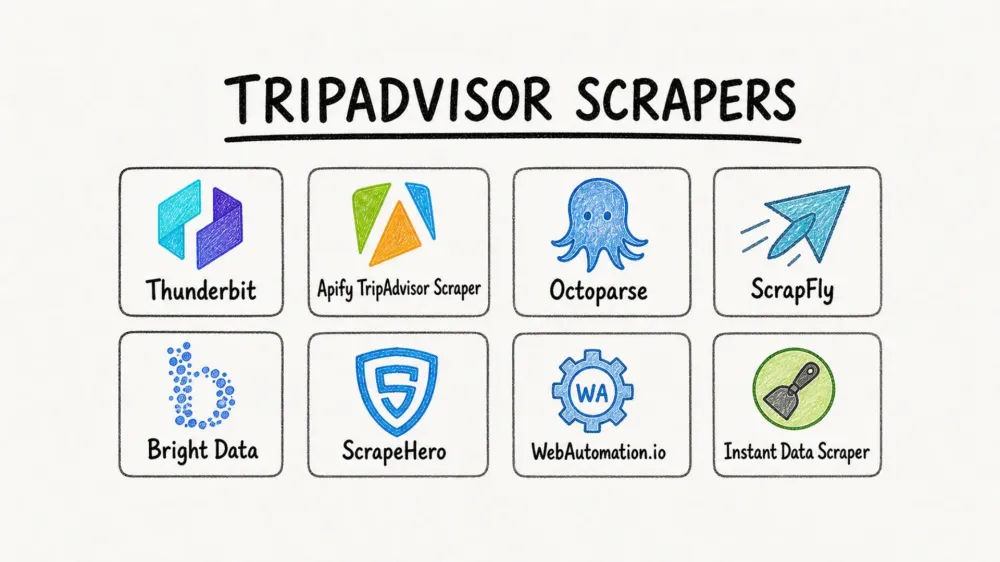
TripAdvisor holds over a billion reviews across millions of listings — hotels, restaurants, attractions, tours — and nearly every hospitality business I talk to wants a piece of that data. The problem? TripAdvisor's DataDome anti-bot protection makes it one of the most frustrating sites on the internet to scrape.
I've spent years building tools at Thunderbit that help non-technical teams extract web data without writing code, and TripAdvisor is one of the sites our users ask about most. The complaints are always the same: CAPTCHA puzzles that pop up after two pages, scripts that break overnight, proxies that burn through budgets.
So I put together this comparison of 8 TripAdvisor scrapers that actually deliver results in 2026 — evaluated across ease of use, anti-bot handling, pricing, export formats, and the data types they support. Whether you're a sales rep building a hotel lead list or a data analyst running sentiment analysis on 10,000 reviews, there's a tool here that fits.
Try Thunderbit for TripAdvisor scraping
Why Scrape TripAdvisor Data in 2026?
TripAdvisor isn't just a review site. It's a structured database of the global hospitality industry, and the data it exposes is commercially valuable for a surprising range of use cases.
Hotels list prices, ratings, amenities, room types, and category subscores (cleanliness, service, value, sleep quality). Restaurants expose cuisine type, price range, menu items, hours, and meal-type tags. Attractions show ticket prices, visitor tips, duration estimates, and, more recently, AI-generated review summaries that group opinions under aspect labels.
In Tripadvisor's own survey of hotel shoppers, 76% said they prefer long-form reviews when booking accommodations, and the part of a review that mattered most was its content, at 40%. That means the narrative text — not just the star rating — is where the real intelligence lives.
Here's a quick look at what different teams typically want from TripAdvisor:
| Use Case | Data Needed |
|---|---|
| Competitor pricing monitoring | Hotel prices, ratings, amenities |
| Brand reputation tracking | Review text, sentiment, subscores |
| Lead generation (hospitality sales) | Business name, email, phone, address |
| Restaurant market research | Cuisine, price range, menu items, reviews |
| Academic/travel research | Attraction ratings, visitor tips, ticket prices |
| Marketing copy research | Real customer language from reviews |
The catch is that not all scrapers handle TripAdvisor equally. The site's anti-bot defenses are aggressive enough that many tools fail silently — they return partial data, get blocked after a handful of pages, or require so much proxy configuration that the "no-code" promise evaporates.
The DataDome Problem: Why TripAdvisor Is One of the Hardest Sites to Scrape
If you've ever tried scraping TripAdvisor and hit a sliding puzzle CAPTCHA after two pages, you've met DataDome — the anti-bot service TripAdvisor uses to detect and block automated access, and it's genuinely good at its job. It doesn't just check your IP address: it looks at browser fingerprints (browser version, screen size, installed fonts), hardware fingerprints (GPU and CPU characteristics), how you answer JavaScript challenges, and how you behave (how fast you scroll, whether your mouse moves like a human), with rate limiting layered on top. A basic Python script with requests — or even a headless browser — gets blocked almost immediately.
Two questions come up every time someone asks us about TripAdvisor: why the block arrives so fast, and whether there's a way around it that doesn't involve paying for proxies and a solver.
The honest answer depends on scale. For a handful of pages, a Chrome extension running in your real browser session can sidestep most detection because it looks like a normal user. For thousands of pages, you need infrastructure — rotating proxies, CAPTCHA solvers, or a tool that bundles all of that behind the scenes.
Here's how the 8 tools in this article compare on anti-bot handling, plus a DIY Python script for reference:
| Anti-Bot Approach | Tools | Setup Effort | Ongoing Cost |
|---|---|---|---|
| Built-in (tool handles it) | Thunderbit (Cloud), Apify, Bright Data, ScrapFly, ScrapeHero, WebAutomation.io | Low | Included in plan |
| Built-in, but metered | Octoparse | Medium | Standard covers proxies and CAPTCHA solving; past the plan's add-on credit, top-ups run $3/GB and $1–1.5 per 1,000 solves |
| No built-in protection | Instant Data Scraper, DIY Python | None for Instant Data Scraper, high for DIY | $0 until you get blocked; DIY adds proxies and captcha solvers |
Thunderbit specifically offers two modes here. Cloud Scraping runs on Thunderbit's servers with built-in anti-bot handling for publicly accessible pages. Browser Scraping runs inside your own Chrome session — since it's a real browser with your cookies and login state, it can bypass some detection that trips up headless bots. For most TripAdvisor use cases, Cloud mode is the faster path.
What to Look for in the Best TripAdvisor Scrapers
Before jumping into the tools, here's the rubric I used. These are the criteria that actually matter when you're choosing a TripAdvisor scraper — not marketing buzzwords, but the things that determine whether you'll get usable data or waste an afternoon.
- Ease of Use — No-code, low-code, or full code required? If you're on a sales team and need data in Google Sheets by tomorrow, you can't afford a 4-hour setup.
- TripAdvisor Anti-Bot Handling — Does the tool handle DataDome/CAPTCHA natively, or do you need to bring your own proxies and solvers?
- Data Types Supported — Hotels only, or also restaurants, attractions, and tours? Many tools only support hotel pages.
- Pricing & Free Tier — What's the real cost for, say, 10,000 reviews? Are there free credits or a free tier?
- Export Formats — CSV, JSON, Excel, Google Sheets, Airtable, Notion? The fewer steps between scrape and spreadsheet, the better.
- Scale Capability — Max reviews or pages per run, pagination support, and whether the tool handles TripAdvisor's
or10-style review page offsets. - Subpage Enrichment — Can it follow links from a search results page into individual hotel/restaurant detail pages to pull richer data?
- Best For — Which user persona does this tool actually serve well?
If you're a developer building a custom pipeline, you'll weight API flexibility and anti-bot infrastructure. If you're a business user who just wants a spreadsheet, export options and ease of use matter more than anything else.
8 Best TripAdvisor Scrapers at a Glance
Here are all 8 tools side by side. The bill column is what a 10,000-review month actually costs on each tool — cheapest monthly-billed plan, with each vendor's free allowance already taken off; the arithmetic behind every figure is further down.
| Tool | Ease of Use | Anti-Bot Handling | Data Types | Monthly Bill (10K Reviews) | Export Formats | Scale | Subpage Enrichment | Best For |
|---|---|---|---|---|---|---|---|---|
| Thunderbit | No-code (1 click) | ✅ Built-in (Cloud + Browser) | Hotels, restaurants, attractions, tours | $288 one-off (30K credits); Business if monthly | Excel, CSV, Sheets, Airtable, Notion | 200 paginated pages and 2,000 URLs per run (Pro) | ✅ 1-click | Non-technical teams, sales, ops |
| Apify | Low-code (platform UI) | ✅ Built-in | Hotels, reviews, restaurants, attractions | $29/mo (Starter, either actor) | JSON, CSV, Excel, XML, API | High (cloud actors) | ⚠️ Actor-dependent | Data teams, developers |
| Octoparse | No-code (visual builder) | ✅ Proxies + CAPTCHA solving in plan | Hotels, reviews | $83/mo (Standard; billed by tasks, not rows) | CSV, Excel, JSON, DB | Cloud + local execution | ⚠️ Workflow setup | Visual scraper fans |
| ScrapFly | Code (Python SDK/API) | ✅ Built-in API | Any TripAdvisor page | $30/mo (Discovery, 200K credits) | Raw HTML/JSON (user parses) | High (API-based) | Manual coding | Python developers |
| Bright Data | Low-code to code | ✅ Built-in (400M+ proxies) | Hotels, reviews, datasets | $7.50 pay-as-you-go (after 5K free records) | CSV, JSON, API | Enterprise-grade | ✅ Scraper IDE | Enterprise teams |
| ScrapeHero | Zero setup (managed) | ✅ Fully managed | Hotels, reviews, restaurants | Custom quote (per site, not per row) | CSV, JSON, Excel, API | Managed delivery | ✅ Managed | Hands-off data buyers |
| WebAutomation.io | No-code (pre-built) | ✅ Included on every plan | Hotels (contact details focus) | From $1 (1,000 credits, no subscription) | CSV, JSON, XML | Moderate | ⚠️ Limited | Lead gen (emails, phones) |
| Instant Data Scraper | No-code (1 click) | ❌ None | Any visible table | $0 (blocked past a few pages) | CSV, Excel | Small (few pages) | ❌ No | Quick one-off grabs |
Quick verdict: Fastest for non-technical teams → Thunderbit. Best for high-volume review extraction → Apify. Best free option for small jobs → Instant Data Scraper. Best for developers → ScrapFly. Best for enterprise → Bright Data. Best for hands-off delivery → ScrapeHero.
Now, the details.
1. Thunderbit — Best TripAdvisor Scraper for Non-Technical Teams
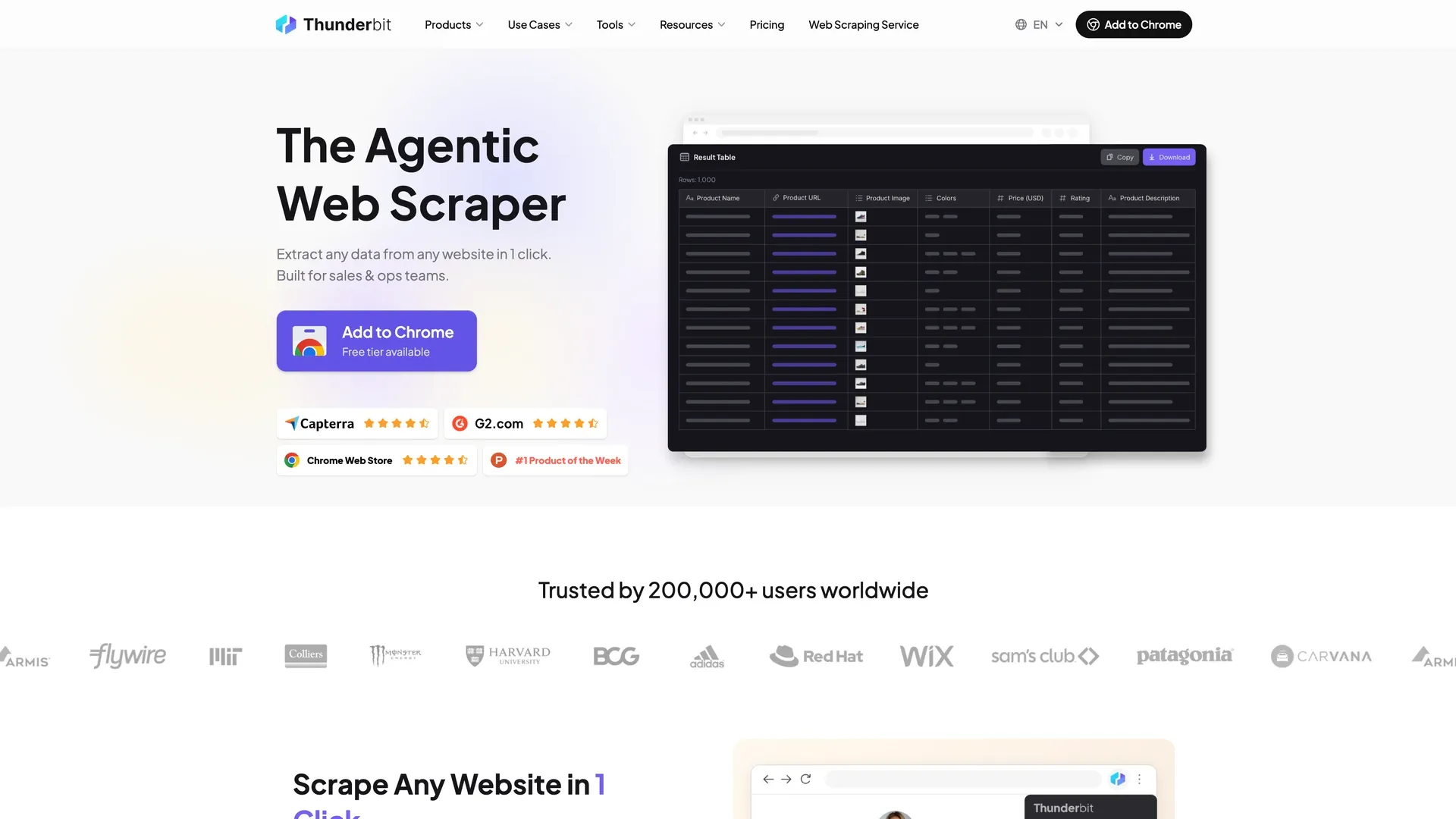 Thunderbit is the AI-powered Chrome extension my team and I built specifically to make web scraping accessible to people who don't write code. On TripAdvisor, the workflow is genuinely one click: open a hotel, restaurant, or attraction page and launch the extension. The AI reads the page, decides which fields to pull — hotel name, rating, price, review count, amenities, whatever the page shows — and starts pulling them. If you want something else, say so in plain English and it uses that instead. Either way you can leave it running, and you end up with a table you can send straight to Google Sheets, Excel, Airtable, or Notion.
Where Thunderbit really shines on TripAdvisor is subpage scraping. Say you're looking at a search results page with 30 hotels. Thunderbit can scrape the list, then automatically follow each hotel link to pull detail-page fields — full review text, amenity lists, contact info, price ranges, category subscores — without any additional setup. You click one button and get enriched data for every listing.
It works the same way on the other page types. On a restaurant page you get cuisine, price band, hours, and menu items instead of hotel amenities; on an attraction page, ticket prices, duration, and visitor tips.
No category-specific templates to maintain — the AI reads whatever's on the page. A few limits are worth knowing up front: on Pro a single run tops out at 200 paginated pages and 2,000 URLs, every row costs a credit (two if subpage scraping is on), and Cloud mode only works on public pages — anything behind a login has to run in Browser mode, which is slower.
Need recurring data? Thunderbit's Scheduled Scraper runs weekly or monthly — exactly what small hospitality businesses need for competitor price monitoring or reputation tracking.
Scrape TripAdvisor data with AI Get Started Free
Key Features
- 1-click scraping — the AI names the columns itself, or you say what you want in one line (adapts to any TripAdvisor page type)
- Subpage enrichment in one click — scrape a list, then enrich each listing's detail page
- Cloud Scraping (fast, built-in anti-bot) and Browser Scraping (uses your real Chrome session)
- Scheduled scraping for automated weekly/monthly monitoring
- Free exports to Excel, Google Sheets, Airtable, Notion, CSV, JSON
- Free email and phone extractors for lead generation
- Supports 34 languages
Pricing
- Free tier: 6 pages per month (up to 30 credits per page)
- Credit-based paid plans: 1 credit per output row, 2 when the row comes from a subpage. Starter is $15/month for 500 credits; Pro is $38/month for 3,000 credits. Annual billing delivers all credits upfront — $108/year for 5,000 credits on Starter, $288/year ($24/month) for 30,000 on Pro. There's no larger self-serve tier above Pro; higher volumes are quoted as a Business plan. See Thunderbit Pricing for current details.
Best For
- Sales and operations teams who need TripAdvisor data in a spreadsheet without coding
- Small businesses monitoring competitor reviews weekly
- Marketing teams pulling real customer language out of reviews for ad and landing-page copy
Try the Thunderbit Chrome Extension free to see how the 1-click flow works on your own TripAdvisor pages.
2. Apify TripAdvisor Scraper — Best for High-Volume Review Extraction
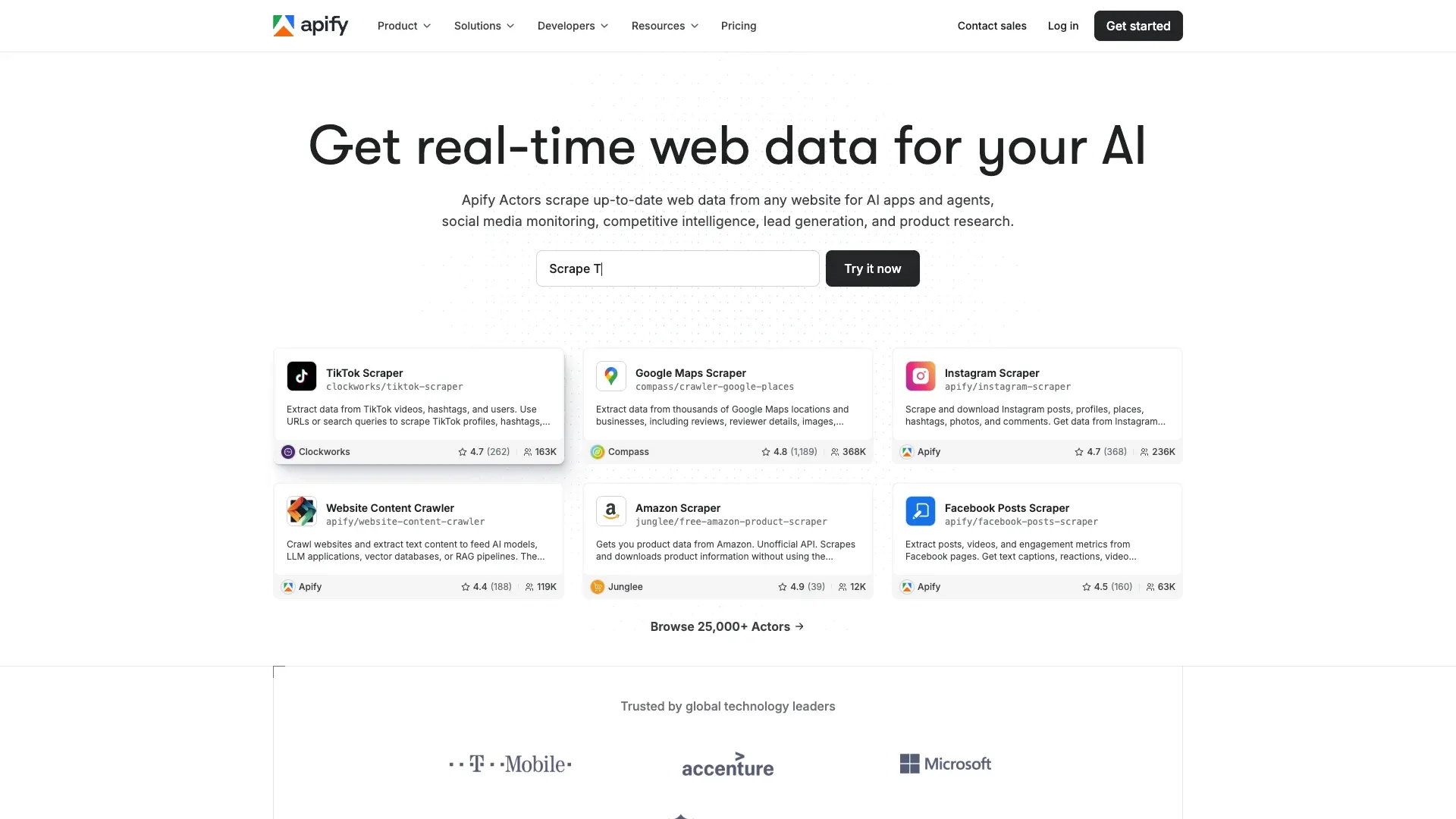 Apify is a cloud-based scraping platform with a marketplace of pre-built "Actors" — and there are several dedicated TripAdvisor actors. The most popular ones let you enter TripAdvisor URLs or search queries, configure parameters (location, place type, review count), run the actor, and download results as JSON, CSV, or Excel.
Apify's real strength is volume. If you need 10,000+ reviews for a sentiment analysis project, Apify's actors are built for that. The API Ninja TripAdvisor actor runs at about $0.50 per 1,000 results for hotel data, while the Crawler Bros actor costs $2.00 per 1,000 results but includes owner responses, helpful votes, and place metadata. Both handle anti-bot measures and pagination.
The trade-off: Apify requires some familiarity with its platform. It's not a Chrome extension — you're working in a web dashboard, configuring actor inputs, and waiting for cloud runs to complete.
Budget about ten minutes for a first run: create an account, pick an actor, paste in your URLs, and wait for the cloud run to finish.
Key Features
- Dedicated TripAdvisor Actors with pre-built extraction logic
- Handles pagination and anti-bot measures
- Scalable for large datasets (10K+ reviews)
- API access for automation and integration
- Supports hotels, reviews, restaurants, and attractions (actor-dependent)
Pricing
- Free plan: $5 of platform usage a month, no pay-as-you-go past it and no Apify Store discount
- Pay-per-result pricing: ~$0.50/1,000 results (API Ninja) to ~$2.00/1,000 results (Crawler Bros) — both rates need a paid plan: API Ninja charges $0.50 on every paid plan, while Crawler Bros charges $2.67 per 1,000 on Starter and only reaches $2.00 on its top plans
- Platform plans from $29/month (Starter) — that $29 is prepaid usage to spend, not a fee on top of it, and it brings the Store discount with it
Best For
- Data teams needing large-scale review datasets
- Developers wanting API-driven extraction
- Sentiment analysis and NLP projects
3. Octoparse — Best No-Code Desktop Scraper for TripAdvisor
 Octoparse is a visual, no-code desktop scraping tool with a point-and-click workflow builder. For TripAdvisor, Octoparse offers pre-built templates — you paste a URL, run auto-detect, review the suggested fields, and export. The TripAdvisor Hotel Reviews template is priced at $0.8/1,000 lines.
The visual workflow builder works well if you want more control than a Chrome extension but don't want to write code. You can set up conditional logic, handle pagination, and schedule cloud runs. But there are two caveats worth knowing. First, Octoparse's TripAdvisor templates can break when TripAdvisor changes its page layout — and TripAdvisor does this often. Second, the anti-blocking tools are included but the usage is metered: the Standard plan already covers IP rotation, residential proxies and automatic CAPTCHA solving, so there's nothing to bolt on before you start — but a DataDome-heavy job burns proxy bandwidth and solves, and past what the plan covers those are billed at $3/GB and $1–1.5 per 1,000.
Key Features
- Point-and-click workflow builder
- Pre-built TripAdvisor templates
- Cloud and local execution
- Scheduled scraping
Pricing
- Free plan: 10 tasks, local extraction, 50,000 rows of export a month
- Standard plan: $83/month billed monthly, or $69/month billed annually — the TripAdvisor template needs this tier. Octoparse's pricing page quotes a higher Standard price, $119/month, once you tell it you're covering several sites on a frequent schedule; one site stays on the $83/$69 price however often you refresh
- Template usage: $0.8/1,000 lines for TripAdvisor hotel reviews
- Included in Standard: IP rotation, residential proxies, automatic CAPTCHA solving, plus a monthly add-on credit that premium templates, proxies and CAPTCHA solves all draw on — Octoparse doesn't publish how much that credit is. Past what the plan covers, top-ups run $3/GB and $1–1.5 per 1,000 solves
Best For
- Users who want a visual scraper with more control than a Chrome extension
- Teams scraping multiple travel sites, not just TripAdvisor
4. ScrapFly — Best TripAdvisor Scraper for Python Developers
 ScrapFly is a web scraping API and SDK designed for developers. You send HTTP requests through ScrapFly's infrastructure, and it handles anti-bot bypass, JavaScript rendering, and proxy rotation on your behalf. ScrapFly has detailed TripAdvisor-specific tutorials and code samples, which is a nice touch.
The developer workflow is straightforward: use ScrapFly's Python SDK (or plain httpx/requests) to fetch TripAdvisor pages, and ScrapFly's backend handles DataDome, CAPTCHAs, and rendering. You get back raw HTML or JSON, and you write your own parsing logic to extract the fields you need.
If you want fine-grained control — custom field extraction, complex pagination logic, integration with your own data pipeline — ScrapFly delivers. But it's not for non-technical users.
There's no visual interface and no pre-built export to a spreadsheet, and the 1,000 free credits you get on signup cover about 200 TripAdvisor pages with anti-bot bypass on — enough to prototype, not enough to run a job.
Key Features
- Anti-bot bypass API (handles DataDome, CAPTCHAs)
- JavaScript rendering
- Rotating proxies built in
- TripAdvisor scraping tutorial and code samples
Pricing
- Free tier: 1,000 credits on signup, no card, no expiry
- Credits are charged per request: 1 for a plain datacenter fetch, 5 with JavaScript rendering or anti-bot bypass, 25 with residential proxies
- Discovery is $30/month for 200,000 prepaid credits; Pro is $100/month for 1,000,000
Best For
- Python developers building custom TripAdvisor scrapers
- Teams needing fine-grained control over extraction logic
5. Bright Data — Best TripAdvisor Scraper for Enterprise-Scale Operations
 Bright Data is the full-stack option. It offers a Web Scraper IDE for building custom scrapers, ready-made TripAdvisor datasets, and the largest proxy network in the industry — 400M+ IPs across residential, datacenter, and mobile categories. Built-in CAPTCHA solving is included.
Bright Data's TripAdvisor scraping guide walks through using Selenium with their managed browser infrastructure, targeting TripAdvisor search URLs with parameters like q, geo, ssrc, and offset. The guide also covers the common blocking challenges: JavaScript challenges, browser fingerprinting, and dynamic page content.
The trade-off is complexity, not price. Bright Data's Web Scraper API is $1.5/1,000 records on pay-as-you-go with no plan to buy, which puts 10,000 reviews at $15 — $7.50 in practice, since a new account gets 5,000 free records a month and those get spent first. The expensive part is the work around it: you're picking a ready-made dataset or wiring up the Scraper IDE, not clicking a button. And the $499/month Scale plan (384,000 records included) doesn't pay for itself until you're past roughly 338,000 records a month — enterprise territory, where the same pipeline is also pulling Booking.com and Google Maps.
Key Features
- Web Scraper IDE (visual + code)
- 400M+ residential and datacenter proxies
- Ready-made TripAdvisor datasets
- Built-in CAPTCHA and anti-bot handling
- Enterprise-grade compliance
Pricing
- Free tier: 5,000 records a month, renewed monthly and spent before anything paid
- Web Scraper API: $1.5/1,000 records PAYG
- Scale plan: $499/month for 384,000 records
- Custom enterprise pricing
Best For
- Enterprise teams needing TripAdvisor data at massive scale
- Companies requiring compliance-ready data collection
- Cross-platform aggregation (TripAdvisor + Booking.com + Google Maps)
6. ScrapeHero — Best Managed TripAdvisor Scraping Service
 ScrapeHero is a fully managed scraping service. You specify what TripAdvisor data you need — hotels in a region, reviews for a set of properties, restaurant listings in a city — and ScrapeHero builds, runs, and maintains the scraper for you. They deliver clean, structured data on your schedule.
This is the "I don't want to touch any tool" option. ScrapeHero handles anti-bot, proxies, maintenance, and data formatting — you get CSV, JSON, Excel, or API delivery.
The downside is cost. Managed services are significantly more expensive than self-service tools, and turnaround time for custom requests can be a bottleneck.
Key Features
- Fully managed scraping (no user setup)
- Custom data delivery schedules
- Handles anti-bot, proxies, maintenance
- Structured data output (CSV, JSON, Excel, API)
Pricing
- Custom pricing based on data volume and complexity — the pricing page calls its published figures a baseline, not a quote
- On Demand starts at $550 per site per refresh, setup included, no subscription
- Business starts at $199/month per site, with a one-time setup fee on top; both tiers are sized at 1–5K pages per site per month
Best For
- Business teams that want TripAdvisor data delivered without operating any tool
- Companies needing ongoing, reliable data feeds for hospitality intelligence
7. WebAutomation.io — Best for Extracting TripAdvisor Contact Details
 WebAutomation.io is a no-code scraping platform with pre-built TripAdvisor extractors focused on contact details: hotel names, addresses, facilities, emails, phone numbers, prices, reviews, and ratings. The workflow is simple — select the TripAdvisor extractor, input URLs, run the scrape, download data.
WebAutomation.io's edge is its focus on lead generation fields. If you're a hospitality sales team and your primary goal is building a contact list — names, emails, phone numbers, addresses — this tool is purpose-built for that. It's less flexible than Thunderbit or Octoparse for general-purpose scraping, but for the specific use case of extracting contact info from TripAdvisor listings, it does the job.
Key Features
- Pre-built TripAdvisor extractor
- Extracts contact details (email, phone, address)
- No coding required
- Scheduled scraping available
Pricing
- Free trial to test with — the plan card advertises 10M credits and the FAQ on the same page says 500, so treat it as a trial, not a volume tier
- Project is $99/month for 400,000 credits, then Start-Up $249, Business $449, Corporate $999; one credit is one successful page extraction, and top-ups without a subscription start at $1 per 1,000 credits
Best For
- Sales teams extracting hotel/restaurant contact info for outreach
- Lead generation from TripAdvisor listings
8. Instant Data Scraper — Best Free TripAdvisor Scraper for Quick Jobs
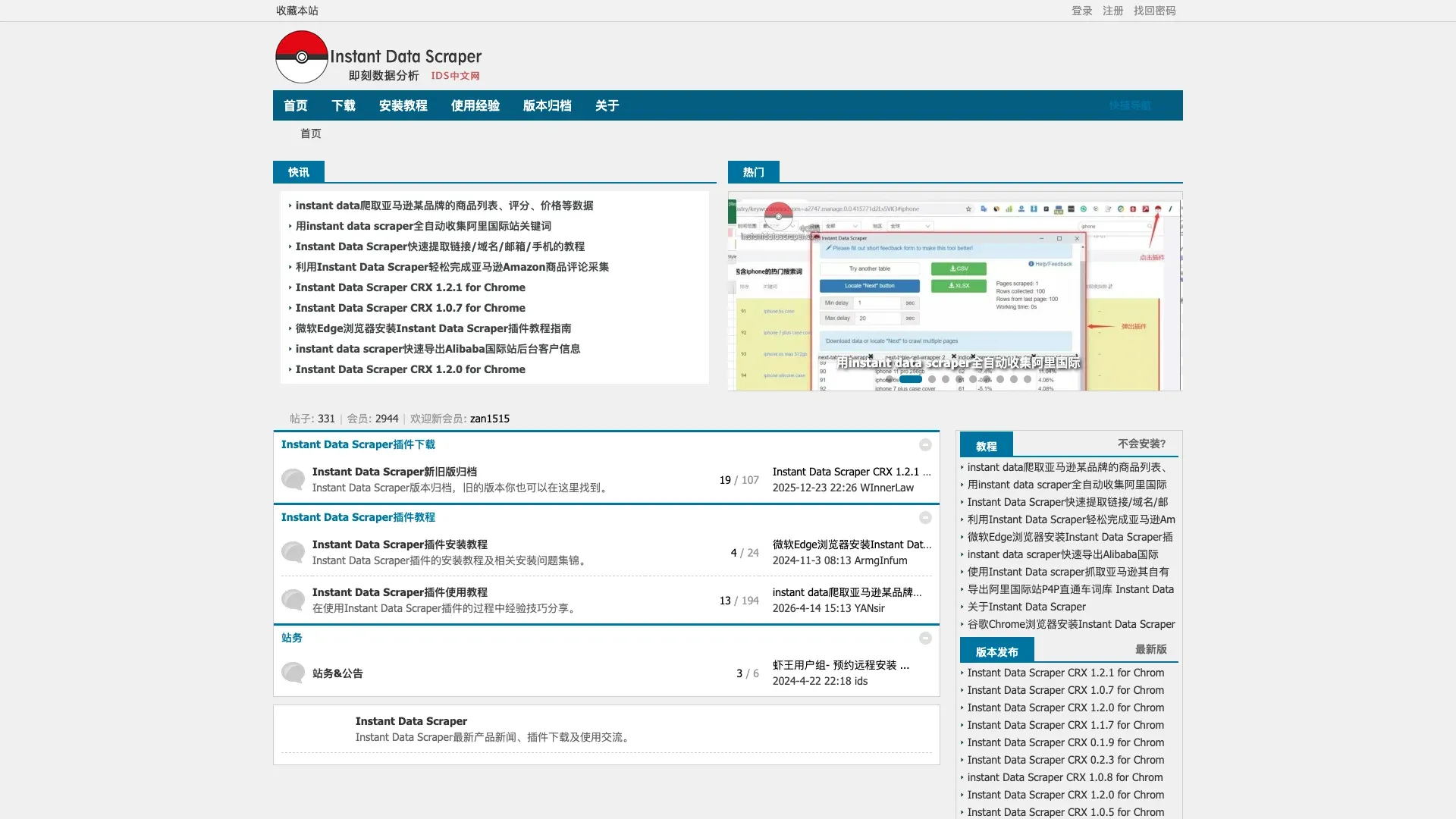 Instant Data Scraper is a free Chrome extension that auto-detects data tables on any webpage and lets you export with one click. Navigate to a TripAdvisor page, click the extension icon, it detects the data table, and you export to CSV or Excel. No account, no setup, no cost.
I like Instant Data Scraper for what it is: a fast, free way to grab a small sample of data. If you need the top 10 hotels on a search results page or a handful of reviews for a quick analysis, it works. But it has no anti-bot handling whatsoever. After a few pages, TripAdvisor's DataDome will block you. There's no subpage enrichment, no scheduling, no AI adaptation to page changes, and no way to scale beyond what's visible on a single page load.
Key Features
- Free Chrome extension
- Auto-detects data tables
- One-click export to CSV/Excel
- No account or setup required
Pricing
- Completely free
Best For
- Quick, one-off data grabs (a few pages of hotel listings)
- Academic researchers or students on zero budget
- Users who just need a small sample of TripAdvisor data
Beyond Hotels: Scraping TripAdvisor Restaurants, Attractions, and Tours
Most TripAdvisor scraping guides stop at hotels.
But restaurants and attractions make up a large share of TripAdvisor's listings. The data on those pages is just as valuable — maybe more so for certain use cases.
Restaurant pages expose cuisine type, price range, menu items, meal types, features, hours, address, phone, website, and review-level subscores for value, service, food, and atmosphere. Attraction pages show ticket prices, hours, duration estimates, visitor tips, and TripAdvisor's new AI-generated review summaries with aspect labels like "Atmosphere," "Duration," "Best time," and "Value." Tour pages go further with itineraries, group sizes, guide languages, inclusions, and product codes.
Template-based scrapers often only support hotel URLs. Paste a restaurant or attraction URL into a tool built around hotel page structure, and you'll get broken or incomplete data.
This is where AI-powered tools have an edge. Thunderbit works off whatever page you have open, so the same extension that handles a hotel listing also handles a restaurant page or an attraction page. You're not waiting on a vendor to ship a template for each category.
This matters for marketing copy research, too. Restaurant and attraction reviews are full of the exact phrases people use to describe a dining experience or a museum visit. If you're in hospitality marketing, that's the language you want in your ad copy, landing pages, and email campaigns.
How Much Does TripAdvisor Scraping Really Cost?
Cost is the question I hear most: can you do this without paying for proxies and CAPTCHA solvers? Here's a realistic breakdown for scraping 10,000 hotel reviews, a common benchmark.
First, a normalization note: TripAdvisor currently shows 10 reviews per page on hotel detail pages, so 10,000 reviews ≈ 1,000 review pages. Tools that meter by page versus by row have very different cost profiles, so the second column below is what your card actually gets charged in a month at this volume: free monthly allowances already taken off, and the cheapest plan the vendor bills by the month. Several of these vendors are cheaper if you prepay a year, but a yearly prepayment isn't a monthly bill, so it stays out of the column. Add-ons — proxies, solvers, developer time — stay out of the number and are explained in the column beside it.
| Tool | Actual Monthly Bill (10K Reviews) | How It's Billed, What's Deducted | Setup & Maintenance |
|---|---|---|---|
| Thunderbit | $288 one-off (Business if monthly) | Reviews pulled from each listing's own page are subpage rows, so they cost 2 credits each — 10,000 reviews is 20,000 credits. Annual Pro prepays 30,000 credits for $288, which covers a one-off pull of this size. Repeat it every month and you're past what the self-serve plans carry (Pro is 3,000 credits a month), so that becomes a Business quote. The free tier, 6 pages a month, doesn't stack with a paid plan. A run stops at 200 paginated pages, so this is five runs for the same credits. | 5 min; low — the AI re-reads the page each run |
| Apify (API Ninja actor) | $29/mo | Apify's Store discount starts on Starter, so the $0.50 per 1,000 results rate is a paid-plan rate — on the free plan the same actor bills ten times that, and the free $5 buys about a thousand results with no pay-as-you-go to carry you past it. Unlike Crawler Bros below, this actor charges the same $0.50 on every paid plan, so Starter pays the headline rate: 10,000 results cost $5.00 against $29 you have already prepaid, so $29 is the bill. | 10 min; low |
| Apify (Crawler Bros actor) | $29/mo | Same $29 plan, more of it spent. This actor prices by plan tier: Starter pays $2.67 per 1,000, so 10,000 results come to $26.70 — still inside the prepaid $29. The $2.00 per 1,000 headline is what the top plans pay. | 10 min; low |
| Instant Data Scraper | $0 | Free extension, no account, no allowance to deduct — and no way to finish the job either: DataDome blocks it after a few pages. | 2 min; nothing to maintain |
| Octoparse | $83/mo | Billed by tasks and cloud concurrency, not by rows, so the volume doesn't pick a tier — the template does, and it needs Standard: $83/mo, or $69/mo billed annually. A single site stays on that $83/$69 price however often you refresh. Template lines at $0.8/1,000, residential proxies at $3/GB and CAPTCHA solves are add-ons drawn from the monthly add-on credit the plan includes, and Octoparse doesn't publish that credit's size. | 30 min; medium — templates break when TripAdvisor moves things |
| ScrapFly | $30/mo | TripAdvisor needs anti-bot bypass switched on, which costs 5 credits a request, so 1,000 review pages = 5,000 credits. The 1,000 signup credits are one-off and cover about 200 pages, so the job runs on Discovery: $30/mo for 200,000 prepaid credits. Quota is never the binding constraint here — the plan fee is the whole bill. | 1–2 hours of code; medium — you own the parser |
| Bright Data | $7.50 | A record is one row, so 10,000 reviews = 10,000 records = $15 at $1.50/1,000 pay-as-you-go. A new account gets 5,000 free records a month, spent before anything paid, which halves it. No plan to buy, no minimum commitment. | 30 min; medium |
| ScrapeHero | Custom quote | Quoted per site and per refresh, not per row, and the pricing page calls its own numbers a baseline rather than a price. The floors are $550 per site per refresh (On Demand) or $199/mo per site plus a one-time setup fee (Business) — both sized at 1–5K pages per site, the bracket 1,000 review pages falls into. | None — they build and run it; none |
| WebAutomation.io | From $1 | One credit is one successful page extraction, so 1,000 review pages is about 1,000 credits, more wherever a page takes several requests or JavaScript rendering. Top-ups need no subscription and start at $1 per 1,000 credits; the cheapest subscription, Project at $99/mo, buys 400,000 credits you would never touch here. The free plan contradicts itself on the page — 10M credits on the card, 500 in the FAQ — so nothing is deducted. | No-code, pre-built extractor; low — the vendor maintains it |
| DIY Python + proxies | Metered by the gigabyte and by the solve | The bill is residential bandwidth, around $3/GB — what Octoparse charges for the same add-on — plus $1–1.5 per 1,000 CAPTCHA solves. Turning that into a monthly figure takes a megabytes-per-review-page number I can't source, so there's no honest single figure to put here. Developer time sits on top of both. | 4–8 hours; high — the code breaks |
The cost most people miss is maintenance. DIY Python scrapers break when TripAdvisor changes its GraphQL query IDs, updates DataDome, or shuffles page modules. I've seen teams spend more time debugging broken scrapers than they spent building them in the first place. AI-powered tools like Thunderbit re-read the page each run, so a layout change usually doesn't turn into work for you — that doesn't make you immune to being blocked, but you're not rewriting selectors every time TripAdvisor moves something.
Free paths do exist, and each one stops somewhere. Thunderbit's email and phone extractors are free, but the free tier is 6 pages a month. Apify's free plan gives you $5 of platform usage. Instant Data Scraper is free and keeps going until DataDome notices you.
Which TripAdvisor Scraper Fits Your Use Case?
Different workflows call for different tools. Here's a decision matrix based on the use cases I hear from our users most often:
| Use Case | Best Tool(s) | Why |
|---|---|---|
| Quick hotel review export (1 property) | Thunderbit, Instant Data Scraper | 1-click, no setup |
| Sentiment analysis at scale (10K+ reviews) | Apify, Bright Data | Built for volume + API output |
| Weekly competitor monitoring | Thunderbit (Scheduled Scraper), Apify | Automation scheduling |
| Academic research (a small sample, no budget) | Instant Data Scraper, Thunderbit free tier | Free — and small: 6 pages a month on the free tier, and Instant Data Scraper stops once DataDome notices you |
| Cross-platform aggregation (TA + Booking + Google) | Thunderbit, Bright Data | Multi-site capability |
| Hospitality lead generation (emails, phones) | Thunderbit, WebAutomation.io | Contact detail extraction |
| Custom data pipeline (developer) | ScrapFly, Apify | API-first, deep customization |
| Hands-off data delivery | ScrapeHero | Fully managed |
A question that comes up in forums: can you use AI coding assistants like ChatGPT or Claude to write TripAdvisor scrapers? In theory, an AI can draft a Python script. In practice, those scripts break almost immediately on TripAdvisor because DataDome defeats generic browser automation. An AI-powered scraping tool like Thunderbit is fundamentally different from an AI coding assistant — Thunderbit runs in a real browser environment with built-in anti-bot handling, while a ChatGPT-generated script runs in a naked headless browser that DataDome blocks on sight.
If two tools look equally good on that matrix, let the destination decide: a spreadsheet someone opens tomorrow, or a pipeline that has to keep running without anyone watching it.
No-Code vs. Code: The 1-Click Chrome Extension Advantage
The gap between a Chrome extension and a Python script is enormous for non-technical users. Here's how the three main approaches compare for a first-time TripAdvisor scraping task:
| Factor | Chrome Extension (Thunderbit) | No-Code Platform (Octoparse) | Python DIY |
|---|---|---|---|
| Time to first result | ~2 minutes | ~15–30 minutes | ~2–4 hours |
| Coding required | None | None | Intermediate Python |
| Handles layout changes | ✅ AI re-reads the page each run | ⚠️ Saved template stops matching the page | ❌ Manual fix required |
| Subpage enrichment | ✅ 1-click | ⚠️ Workflow setup needed | Manual coding |
| Anti-bot handling | Built-in (Cloud mode) | Included in the Standard plan | DIY proxy + CAPTCHA |
Here's the Thunderbit mini-tutorial for TripAdvisor:
- Navigate to any TripAdvisor page (hotel listing, restaurant, attraction) in Chrome
- Click the Thunderbit extension icon once
- Thunderbit maps the page into columns (hotel name, rating, price, review count, etc.)
- It starts pulling the data on its own — if a column isn't what you wanted, change it and run it again
- For richer data, send it one level deeper — Thunderbit follows each listing link to pull detail-page fields (amenities, full reviews, contact info)
- Export directly to Google Sheets, Excel, Airtable, or Notion
The entire process takes about two minutes for a list page, and the AI handles pagination automatically. No selectors to configure, no XPath to debug, no proxies to rotate.
Tips for Responsible TripAdvisor Scraping
A few ground rules for doing this responsibly:
- Scrape only publicly available data. Don't log in to scrape private or gated content.
- Respect rate limits. If you're using code-based tools, add delays between requests. Tools like Thunderbit and Apify handle this automatically.
- Don't store personal data unnecessarily. Reviewer names from public reviews are one thing; scraping and storing email addresses from reviews is another.
- Use data for legitimate business purposes — competitive analysis, market research, lead generation, academic study.
- Be aware of TripAdvisor's Terms of Service regarding automated access. The legal landscape around web scraping continues to evolve (GDPR, CCPA, platform policies), so stay informed.
For a deeper dive into the legal side, see our post on web scraping legal implications.
Picking the Best TripAdvisor Scraper for Your Needs
The short version:
- Thunderbit is the fastest path from a TripAdvisor page to a usable spreadsheet. One click, no code, AI that adapts to hotels, restaurants, attractions, and tours. Best for sales, ops, and marketing teams who need data now.
- Apify is the best value for high-volume review extraction if you're comfortable with a cloud platform. Great for sentiment analysis and data science projects.
- Instant Data Scraper is the best free option for grabbing a small sample — just don't expect it to scale past a few pages.
- Octoparse is solid for users who want a visual workflow builder with more control; proxies and CAPTCHA solving come with the plan, so what you budget for is template maintenance and top-ups if your volume outruns the allowance.
- ScrapFly is the developer's choice — deep customization, strong anti-bot API, but you're writing and maintaining your own parsing code.
- Bright Data is built for enterprise-scale, cross-platform data collection with the largest proxy network in the industry. Overkill for small teams.
- ScrapeHero is the hands-off option — submit your requirements, get clean data delivered.
- WebAutomation.io is a niche pick for hospitality lead generation, focused on extracting contact details from TripAdvisor listings.
If you want to see what modern TripAdvisor scraping looks like without writing a line of code, start with Thunderbit's free tier and try it on your own TripAdvisor page. I think you'll be surprised how fast you go from "I need this data" to "it's already in my spreadsheet."
Whatever you pick, run it on one page before you commit to a plan — you'll know in two minutes whether it gets past DataDome on the pages you actually care about.
Try AI TripAdvisor Scraping with Thunderbit Get Started Free
FAQs
Is it legal to scrape TripAdvisor?
Scraping publicly available data is generally considered legal in many jurisdictions, but you should respect TripAdvisor's Terms of Service, avoid scraping private or gated content, and comply with privacy regulations like GDPR and CCPA. The legal landscape is evolving, so it's worth staying informed. For more context, check out our guide on web scraping legal implications.
Why does TripAdvisor block my scraper so quickly?
Because DataDome profiles the browser and the behavior, not just the IP — so slowing your script down or switching to a fresh address doesn't help much once your setup has been fingerprinted. Two things do help: running from a real Chrome session you already use, which looks like a person browsing, or paying for infrastructure that deals with fingerprints and CAPTCHAs for you — Apify, Bright Data and ScrapFly all bundle proxies and solving, and Thunderbit's Cloud mode does it on its own servers.
Can I scrape TripAdvisor restaurants and attractions, not just hotels?
Yes, but not all tools support non-hotel pages. Template-based scrapers may only work with hotel URLs. AI-powered tools like Thunderbit adapt to any TripAdvisor page type — restaurants, attractions, tours — because they read the page structure dynamically rather than relying on fixed templates. Restaurants, attractions, and tours are a big part of what's listed on TripAdvisor, so there's plenty of data here beyond hotels.
Is there a completely free TripAdvisor scraper?
Instant Data Scraper is 100% free and works for small, quick jobs (a few pages of listings). Thunderbit offers a free tier with 6 pages, and Apify's free plan includes $5 of platform usage a month. For anything beyond a small sample, you'll likely need a paid tool — but you can absolutely start at $0 to test whether a tool fits your workflow.
Can I scrape TripAdvisor reviews without any coding?
Absolutely. Thunderbit requires just 1 click — open a TripAdvisor page, launch the extension, and the AI takes over: it chooses the columns, runs the extraction, and leaves you a finished table to export. Want particular fields? Say so, and it builds the table around that. Octoparse and WebAutomation.io also offer no-code interfaces, though they require more setup time. For a step-by-step walkthrough, check out our TripAdvisor scraper template or watch tutorials on the Thunderbit YouTube Channel. Learn More




