
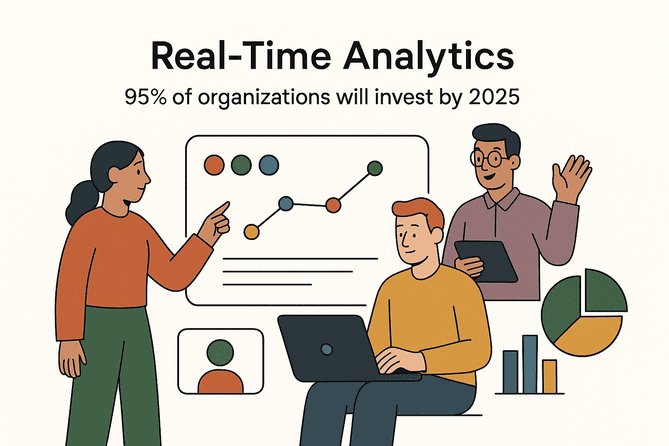
The world of business doesn’t wait for anyone. I’ve seen firsthand how the difference between acting on yesterday’s data and having live, up-to-the-minute insights can mean the difference between closing a deal and missing out. These days, the best live data scan tool isn’t just a “nice-to-have”—it’s the secret weapon for sales, operations, ecommerce, and real estate teams who want to move fast, stay agile, and outsmart the competition. And trust me, the pace isn’t slowing down: by 2025, nearly 95% of organizations will invest in real-time analytics.
But here’s the thing—just having a live data scan tool isn’t enough. Using it well is what separates the teams who get real value from those who end up with a pile of messy spreadsheets and a lot of headaches. In this guide, I’ll break down what makes the best live data scan tool, how to choose the right one, and—most importantly—how to actually get the most out of it in your business. I’ll show you how Thunderbit (the tool my team and I built) stacks up, but I’ll also give you a candid look at the broader landscape, best practices, and pitfalls to avoid. Let’s dive in.
What Is the Best Live Data Scan Tool and Why Does It Matter?
Let’s start with the basics: a live data scan tool is like having a supercharged digital assistant that constantly scans the web (or your internal systems), grabs the latest info, and delivers it to you in a structured, ready-to-use format. Imagine you’re running an ecommerce store and want to know your competitors’ prices—not last week, but right now. Or you’re in real estate, and you need to see new listings the minute they hit the market. Or maybe you’re in sales, and you want fresh leads as soon as they appear online. That’s where live data scan tools shine.
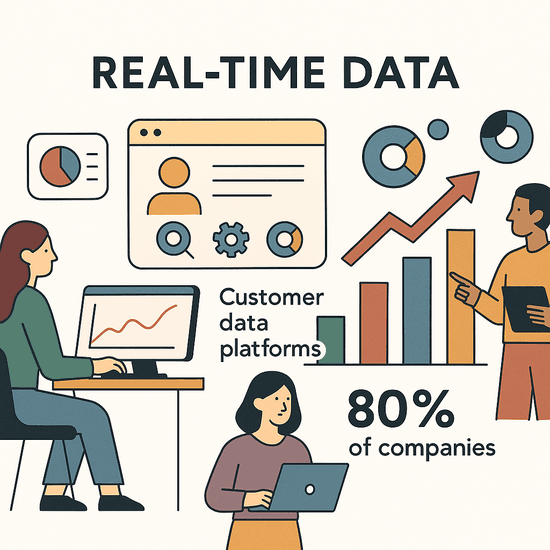
Unlike traditional data collection (think: exporting a CSV once a week, or manually copying and pasting info into a spreadsheet), the best live data scan tools give you a continuous, real-time feed of the data you care about. It’s the difference between checking the weather in yesterday’s newspaper and having a live radar feed on your phone. In today’s business world, that kind of immediacy isn’t just convenient—it’s mission-critical. 80% of companies with advanced customer data platforms say real-time data is critical to meeting business goals.
Where Live Data Scanning Makes a Difference
- Retail & Ecommerce: Instantly adjust prices, track inventory, and respond to trends as they happen (Nimbleway).
- Financial Services: Detect fraud or market shifts in real time, with ROI of 2–5×.
- Real Estate: Monitor new listings and price changes as soon as they appear.
- Sales & SaaS: Gather fresh leads and company info the moment it’s available.
The bottom line: the best live data scan tool turns the internet into your real-time business dashboard. But not all tools are created equal, and using them well takes more than just clicking “Start.”
Key Criteria for Choosing the Best Live Data Scan Tool for Your Business
If you’re shopping for a live data scan tool, don’t just grab the first one you see. Here’s what I always recommend looking for (and why it matters):
| Criterion | Why It Matters |
|---|---|
| Data Processing Speed & Accuracy | Fast, reliable data means you’re acting on the latest info—not old news. Slow or error-prone tools can leave you waiting or, worse, making decisions on bad data. |
| Integration & Compatibility | Seamless connection with your CRM, ERP, spreadsheets, or databases means data flows into your workflow—no manual copy-paste or data silos. |
| User Interface & Ease of Use | If it’s not easy, your team won’t use it. The best tools are intuitive for non-technical users, with minimal training required. |
| Scalability | As your needs grow, your tool should keep up—handling more data, more users, and more complex projects without crashing or slowing down. |
| Cost-Effectiveness | It’s not just about price—it’s about ROI. Does the tool save enough time or generate enough value to justify its cost? |
Let’s break down a couple of these in more detail.
Evaluating Data Processing Capabilities
Speed and accuracy are the lifeblood of live data scanning. If your tool can’t keep up with the pace of change—or if it scrapes data incorrectly—the “live” part loses all value. Before you buy, run a trial on a real site you care about: How fast does it scrape 100 pages? Does it get all the data right? Look for tools that handle dynamic content, pagination, and site changes with minimal fuss. Bonus points if they use AI to adapt to new layouts (more on that soon).
Assessing Integration and Compatibility
No tool should be an island. The best live data scan tool fits right into your workflow, exporting data directly to Excel, Google Sheets, your CRM, or wherever you need it. Ask vendors about specific integrations—can it connect to Salesforce? Zapier? Does it have an API? If it only exports to CSV and you need Google Sheets, you’ll end up doing manual work (and nobody wants that).
Thunderbit: Boosting Data Scan Efficiency with AI
Scrape data from any website using AI Get Started Free
Now, let’s talk about Thunderbit. I’m biased, but I genuinely believe Thunderbit is setting the bar for what a modern, AI-powered live data scan tool should be. Here’s why:
- AI Suggest Fields: Thunderbit’s AI reads the page and suggests the best columns to scrape—no need to mess with HTML or guess what’s possible. It even creates “Field AI Prompts” for each field, so you get structured data right out of the gate (Thunderbit Blog).
- 2-Click Scraping: Seriously, it’s that easy. Click “AI Suggest Fields,” then “Scrape.” Data flows into a table, ready to export. No coding, no templates, no headaches.
- Subpage & Pagination Scraping: Need to grab details from linked pages (like product details or contact info)? Thunderbit’s AI can automatically visit each subpage and enrich your table. It also handles multi-page lists and infinite scroll—just tell it what you want, and let it run.
- Instant Templates: For popular sites like Amazon, Zillow, or Shopify, Thunderbit has one-click templates—just pick your site and go.
- Free Data Export: Export to Excel, Google Sheets, Airtable, Notion, CSV, or JSON—unlimited and free. No paywalls for your own data.
- AI Autofill: Beyond scraping, Thunderbit can fill out web forms for you using AI. Automate repetitive workflows, not just data collection.
- Cloud vs. Browser Scraping: Choose between running scrapes in your browser (great for logged-in sites) or in the cloud (super fast for public data—up to 50 pages at once).
- Supports 34 Languages: Thunderbit is built for global teams.
Thunderbit is designed for business users, not just developers. Whether you’re in sales, ecommerce, real estate, or operations, it’s all about getting the data you need—fast, accurate, and with minimal setup.
How Thunderbit’s AI Makes Data Scanning Smarter
Here’s what really sets Thunderbit apart:
- AI Reads and Understands Web Pages: When you click “AI Suggest Fields,” Thunderbit’s AI scans the page, finds patterns, and suggests the right fields—just like a human would, but at machine speed. If the website changes tomorrow, Thunderbit’s AI can usually adapt, so you’re not left fixing broken scrapers.
- Field AI Prompts and Data Structuring: For each field, you can add instructions (“extract as number, exclude currency symbols,” or “categorize as Premium/Budget”). Thunderbit’s AI applies these on the fly, so your data is clean and ready to use.
- Subpage Navigation: Need more details? Thunderbit’s AI can follow links to subpages (like product details or profile pages), grab extra info, and append it to your table—no manual setup.
- User-Friendly by Design: All the AI magic happens under the hood. The interface is simple, so even non-technical users can get results in minutes.
- Adapts to Change: Websites change layouts all the time. Thunderbit’s AI is built to handle these changes, so you spend less time fixing scrapers and more time using your data.
Example: Let’s say you want to gather product data from an online store. Open the page, click “AI Suggest Fields,” review the suggested columns, and hit “Scrape.” Thunderbit pulls the data, handles pagination, and even lets you scrape subpages for more details. Export to Google Sheets, and you’re done—in minutes, not hours.
Try Thunderbit AI Web Scraper for Free
Visual Comparison: Radar Chart of Leading Live Data Scan Tools
It’s one thing to talk features, but I’m a visual person—so let’s look at how Thunderbit stacks up against other top tools like Apify, Octoparse, and Browse AI. Here’s a radar chart comparing them on five key attributes: Data Accuracy, User-Friendliness, Customization, Support, and Scalability.
| Tool | Data Accuracy | User-Friendliness | Customization | Support | Scalability |
|---|---|---|---|---|---|
| Thunderbit | 5 | 5 | 3 | 4 | 4 |
| Apify | 5 | 3 | 5 | 5 | 5 |
| Octoparse | 4 | 4 | 4 | 5 | 4 |
| Browse AI | 4 | 5 | 2 | 4 | 3 |
- Thunderbit: Excels in user-friendliness and data accuracy, with strong support and scalability. Customization is good for most business use cases, but if you need deep scripting, Apify is more flexible.
- Apify: The powerhouse for developers—maximum customization and scalability, but a steeper learning curve for non-coders.
- Octoparse: A robust no-code option with lots of features, but a bit more complex to learn.
- Browse AI: Super easy for simple tasks, but less customizable and not built for massive scale.
Interpreting the Radar Chart
- Need quick, reliable data and a simple interface? Thunderbit or Browse AI are your best bets.
- Have complex, large-scale scraping needs or want to write custom scripts? Apify is the way to go.
- Want a balance of power and usability? Octoparse is a solid middle ground.
Pick the tool that matches your team’s skills, your business needs, and your growth plans.
Best Practices for Integrating Live Data Scan Tools into Your Business
Getting the right tool is only half the battle. Here’s how to actually make it work for your business:
1. Start with a Clear Use Case and Pilot
Don’t try to automate everything at once. Pick a high-impact workflow—like competitor price monitoring or lead scraping—and run a pilot. Measure results (time saved, new opportunities found), iron out any kinks, and scale from there.
2. Invest in Team Training
Even the easiest tool benefits from a little training. Show your team how to use it, when to use it, and what success looks like. Teams that get proper training see over 40% higher quality output.
3. Integrate with Existing Workflows
Don’t let your data sit in a silo. Use integrations or automation platforms (like Zapier) to push data straight into your CRM, Google Sheets, or wherever your team works. Automate scheduled runs so data collection happens in the background.
4. Ensure Data Quality and Governance
Set up processes to validate and clean your data. Assign someone to spot-check results, and use validation rules to catch anomalies. Always respect privacy laws and website terms—scrape only what’s allowed, and avoid personal data unless you have consent (Thunderbit’s legal guide).
5. Align with Business Strategy and KPIs
Tie your live data efforts to real business goals—like increasing leads, reducing research time, or improving pricing agility. Measure the impact, report on wins, and refine your approach as you go.
Best Practices for Web Scraping Explore more guides and tips on the Thunderbit Blog. Get Started Free
Automating Workflows for Sales and Operations
Live data scan tools are a goldmine for automating repetitive tasks:
- Sales: Automate lead generation and enrichment, pulling fresh contacts from directories or public profiles and pushing them into your CRM.
- Ecommerce: Monitor competitor prices and stock levels daily, and adjust your own strategy in real time.
- Operations: Scrape supplier data, inventory levels, or routine reports—automatically, on a schedule.
Set up automations using built-in schedulers or platforms like Zapier. Document your workflows so everyone knows where the data goes and how it’s used.
Ensuring Data Quality and Compliance
- Validate and clean data regularly.
- Cross-verify critical info.
- Monitor for anomalies.
- Respect privacy and legal boundaries: Only scrape public, non-personal data unless you have a lawful basis. Always check website terms and robots.txt.
- Keep audit trails: Log what you scrape and when.
Common Mistakes to Avoid When Using Live Data Scan Tools
- Poor Integration: Don’t let your data get stuck in a spreadsheet—integrate with your core systems.
- Lack of Training: Make sure your team knows how (and when) to use the tool.
- Ignoring Compliance: Don’t scrape personal or restricted data without permission.
- Overloading the Tool: Know your tool’s limits—don’t try to scrape a million pages on a free plan.
- Neglecting Maintenance: Websites change; check your scrapers regularly.
- Data Security: Treat scraped data with the same care as any other sensitive info.
Maximizing ROI: Measuring Success with the Best Live Data Scan Tool
To get the most out of your tool, measure what matters:
- Define KPIs: Leads generated, time saved, revenue growth, decision speed.
- Set a baseline: Measure before and after implementation.
- Use dashboards: Visualize key metrics in real time.
- Quantify savings: Calculate hours saved, cost avoided, and new revenue.
- Refine based on results: Double down on what works, drop what doesn’t.
- Share success stories: Make sure leadership knows the value you’re getting.
Conclusion: Unlocking the Full Value of the Best Live Data Scan Tool
Here’s the bottom line: Live data scan tools are transforming how businesses operate, but the real magic happens when you combine the right tool with the right practices. Define your goals, pick the tool that fits your needs (Thunderbit is a great place to start for most business users), and integrate it deeply into your workflows. Automate, measure, and refine—and you’ll find yourself making faster, smarter decisions, every single day.
Ready to see what live data can do for your business? Download Thunderbit’s Chrome Extension and try it out for yourself. And if you want more tips, check out the Thunderbit Blog for guides, comparisons, and best practices.
Download Thunderbit Chrome Extension
FAQs
1. What exactly is a live data scan tool?
A live data scan tool is software (often AI-powered) that continuously extracts and updates information from websites or internal systems, delivering real-time, structured data for business use. Unlike static reports, it keeps your data fresh and actionable.
2. How do I choose the best live data scan tool for my business?
Look for speed, accuracy, integration options, user-friendliness, scalability, and cost-effectiveness. Match the tool’s strengths to your team’s skills and your business goals.
3. What makes Thunderbit different from other live data scan tools?
Thunderbit uses AI to suggest fields, handle subpages, and adapt to changing websites—making it easy for non-technical users to get accurate, structured data in just a couple of clicks. It also offers free, unlimited data exports and supports both cloud and browser scraping.
4. What are the biggest mistakes to avoid when using live data scan tools?
Common pitfalls include poor integration (data silos), lack of user training, ignoring data privacy and compliance, overloading the tool, and neglecting maintenance. Avoid these by planning, training, and monitoring your workflows.
5. How can I measure the ROI of my live data scan tool?
Track KPIs like time saved, leads generated, revenue growth, and decision speed. Compare before-and-after metrics, use dashboards for real-time monitoring, and regularly review your processes to maximize value.
Want to see Thunderbit in action or learn more about best practices? Visit the Thunderbit Blog or subscribe to our YouTube Channel for tutorials and deep dives. Here’s to making your business truly real-time—one scan at a time.
Try AI Web Scraper Get Started Free
Learn More




