
LinkedIn has officially — and roughly . It is, without question, the richest professional graph on the planet for B2B prospecting. But pick the wrong tool to extract data from it, and you could lose the very account that makes LinkedIn valuable in the first place.
I've spent years building automation and AI tools at , and before that, I worked in SaaS and ecommerce at places like Automation Anywhere and Jet.com. So I've seen both sides of the equation: the enormous upside of automated lead generation, and the very real pain when an account gets restricted because someone ran a scraper too aggressively. Forum threads are full of warnings — at least of account bans or restrictions tied to scraping and automation. One Reddit user put it bluntly: "I started to scrape super slow and they banned me really fast." That is the tension this guide is built around. I tested 10 LinkedIn scrapers across ban risk, export options, AI capabilities, pricing, and no-code friendliness — so you can make an informed choice without gambling your account.
Why Sales Teams Need the Best LinkedIn Scrapers in 2026
LinkedIn remains the dominant channel for B2B prospecting. LinkedIn's own data says , and . Meanwhile, Salesforce's 2026 State of Sales research (surveying ) found that sellers spend only 40% of their time actually selling, while 48% say they lack enough bandwidth for adequate cold outreach.
The math is simple. Manual prospecting is slow, expensive, and doesn't scale. Static lead databases like ZoomInfo can run , and even Apollo starts at . Most LinkedIn scrapers, by contrast, cost between free and about $99/month for individual use.
But the real value isn't just cost savings — it's freshness. Job changes, promotions, company moves, and buyer signals show up on LinkedIn first. One commenter in a said their team moved to near-send-time list building because "static lists decay insanely fast now." That's the core case for scraping: you trade some risk and effort for data that's actually current.
The common use cases I see teams running:
- Building targeted outbound lists from LinkedIn search or Sales Navigator.
- Enriching CRM records with current titles, companies, and profile URLs.
- Competitive and market research — pulling company pages, job postings, or press activity.
- Recruiting pipelines from Recruiter or profile search.
- Refreshing lists closer to send time to reduce bounce rates and data decay.
How We Evaluated: The Criteria Behind Our Best LinkedIn Scrapers List
Most comparison posts rank LinkedIn scrapers on features alone. That's not enough. A tool that exports beautifully but gets your account restricted is not "best" in any practical sense. So I built an evaluation framework around risk-adjusted utility — the dimensions that actually matter when your LinkedIn account is on the line.
| Criterion | Why It Matters |
|---|---|
| Ban Risk | The #1 user concern — 12+ forum mentions of accounts getting restricted or banned |
| Cookie/Login Required? | If a tool needs your LinkedIn session cookie, it's tightly coupled to your account. 5 mentions of credential theft fear in forums |
| Sales Navigator Support | Sales Navigator is where advanced filters live — a key differentiator for B2B users |
| Free Tier Available? | 6 mentions of cost concerns; buyers want to test without committing |
| Export Options | The workflow only matters if data lands where teams actually work (Sheets, CRM, Notion, etc.) |
| No-Code Friendliness | 4 mentions of demand for no-code/low-code; primary audience is non-technical |
| AI vs. Selector-Based | This drives reliability: will the tool break when LinkedIn moves the UI around? |
| Normalized Pricing | Sticker price alone is misleading if credits, overages, or seats drive the real cost |
How I Rated Ban Risk
Each tool gets a Low / Medium / High ban-risk rating based on:
- Does it require your LinkedIn session cookie?
- Does it run actions from your browser (detectable) or via cloud/API (less detectable)?
- Does it respect rate limits by default, or does the user need to configure them?
- Does it use residential proxies or direct connections?
No vendor can truthfully promise "zero ban risk." I'm rating lower-risk architecture, not making guarantees.
Best LinkedIn Scraper for Your Use Case: Quick-Pick Guide
Before the deep dive, here's a jump table so you can skip straight to the tool that fits your situation.
| If You Need… | Start With |
|---|---|
| Easiest no-code scraping (2-click setup) | Thunderbit |
| Sales Navigator–specific exports | Evaboot |
| Multi-step LinkedIn automations | PhantomBuster |
| Enterprise-scale data collection | Bright Data |
| Free email extraction | Skrapp (free tier), Thunderbit (free email extractor) |
| Multi-channel outreach (LinkedIn + email) | Waalaxy |
| Developer API for pipelines | Apify, Thunderbit Open API |
The full reviews below explain the tradeoffs behind each pick.
AI-Powered vs. Selector-Based LinkedIn Scrapers: Why It Matters
This is a distinction that no competitor article explains well, but it's the single biggest factor in whether your scraper keeps working next month.
Selector-based scrapers depend on CSS selectors or XPaths — basically, they look for data in specific spots in LinkedIn's page code. When LinkedIn updates its layout (which happens regularly), these tools break. You either wait for a fix or do it yourself.
AI-powered scrapers read page content semantically. Instead of looking for a div with a specific class name, they try to understand what the page means. That makes them more resilient to layout changes.
| Aspect | Selector-Based | AI-Powered |
|---|---|---|
| Setup | Manual CSS/XPath config or fixed templates | AI reads the page, suggests fields |
| When LinkedIn changes layout | Breaks; needs manual fix | Adapts automatically |
| Maintenance | Ongoing | Near-zero |
| Data labeling/transformation | Separate step | Often built in |
| Best for | Developers, stable pages | Business users, changing layouts |
In this list, Thunderbit is the clearest AI-powered entry. PhantomBuster, Linked Helper, Waalaxy, and Dux-Soup are automation-first with selector-based extraction. Apify offers some AI-capable actors but requires more configuration.
Evaboot and Skrapp sidestep the question entirely by focusing narrowly on Sales Navigator exports or email finding, respectively.
One found that the best overall accuracy for structured understanding across seven tasks was 65.43%, which is a useful reality check: AI extraction reduces maintenance, but it still benefits from validation on high-stakes workflows.
1. Thunderbit — Best LinkedIn Scraper for No-Code Lead Extraction
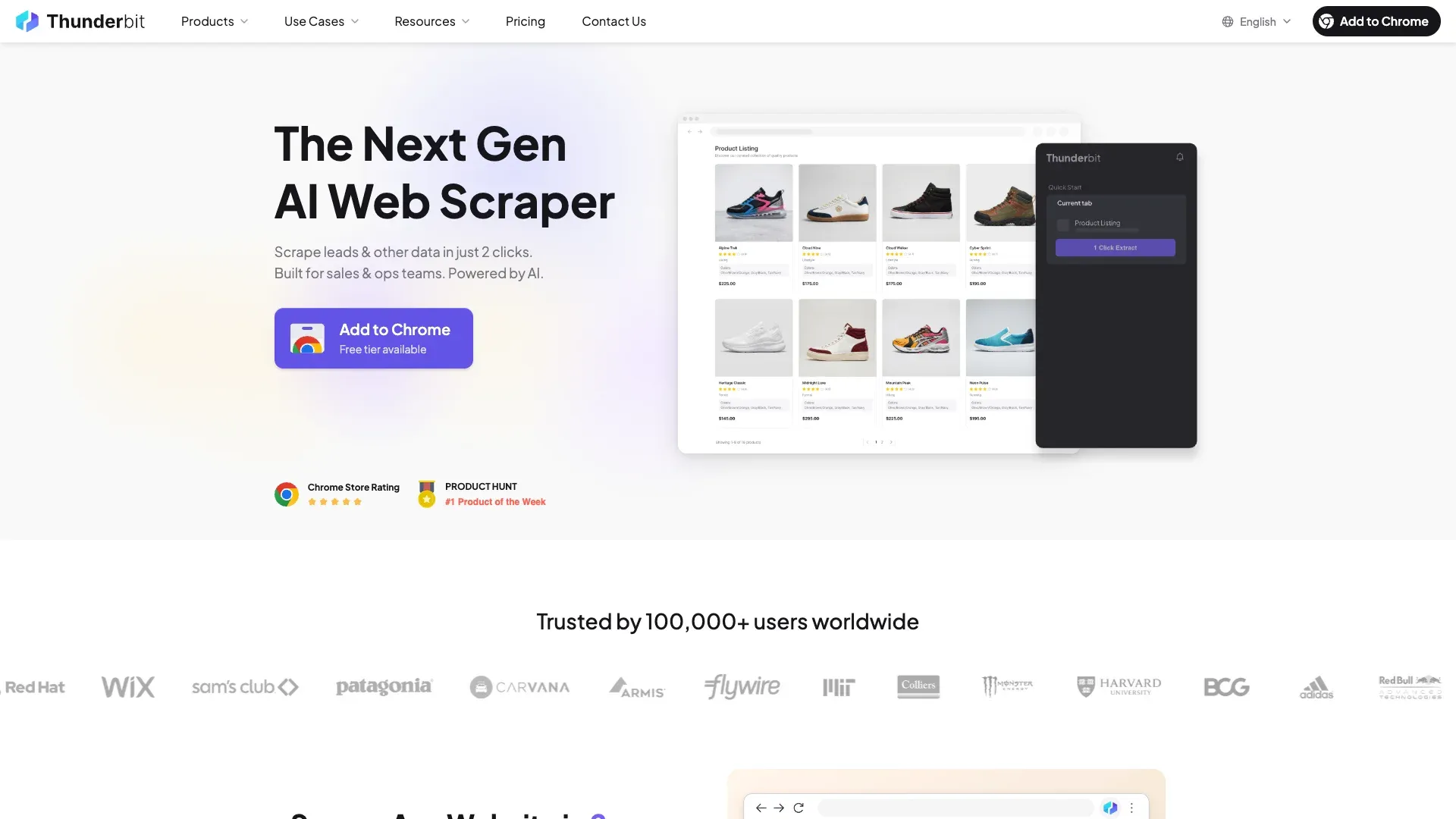 is the AI-powered Chrome extension we built for sales and ops teams who want to scrape LinkedIn profiles, search results, and Sales Navigator in 2 clicks — without writing code or worrying about selectors breaking.
The core differentiator is AI Suggest Fields: Thunderbit reads the page and proposes columns automatically. It re-reads fresh each time, so when LinkedIn changes its card layout or class names, the scraper adapts instead of breaking. That's a meaningful difference from template-based tools that need manual repair after every LinkedIn UI update.
Ban risk: Low. Thunderbit offers both cloud scraping (doesn't touch your logged-in session) and browser scraping (credentials stay local in your Chrome). For public data, cloud mode means your LinkedIn account isn't involved at all. For authenticated pages like Sales Navigator, browser mode keeps your cookie local rather than uploading it to a third-party server.
Cookie/login: Optional. Cloud mode doesn't need it; browser mode uses your local session.
Sales Navigator: Yes.
Free tier: Yes — free tier with credits, plus free email and phone extractors.
Export: Free export to Excel, Google Sheets, Airtable, and Notion, plus CSV/JSON download. That breadth is unusual — most tools charge for export or limit it to CSV.
Thunderbit Key Features for LinkedIn Scraping
- AI Suggest Fields for automatic column setup — no XPath, no CSS selectors, no maintenance
- Cloud vs. browser scraping toggle — choose your risk/convenience tradeoff per job
- Subpage enrichment — AI can visit each profile's detail page and add data to the table
- Built-in data labeling, translation, and categorization during the scrape
- Free email and phone extractors — useful for enrichment without a separate tool
- Scheduled scraper for recurring lead lists
- Open API (Distill + Extract endpoints) for developer pipelines
Thunderbit Pros, Cons, and Pricing
Pros:
- Easiest setup of any tool in this list — genuinely 2 clicks for many workflows
- AI-powered reliability means less breakage when LinkedIn changes
- Free exports to 4 platforms (Excel, Sheets, Airtable, Notion)
- Low ban risk with cloud mode
- No maintenance burden
Cons:
- Credit-based pricing can be harder to predict for very heavy users
- AI extraction can be slightly slower per row than highly specialized template tools on stable pages
- G2 review volume is still lighter than older incumbents (though Product Hunt reviews are positive)
Pricing: Free tier available. Paid plans start around $9/month (annual billing). API starts at $38/month (annual). See for current details. You can also check out the for video walkthroughs.
2. PhantomBuster — Best LinkedIn Scraper for Multi-Step Automations
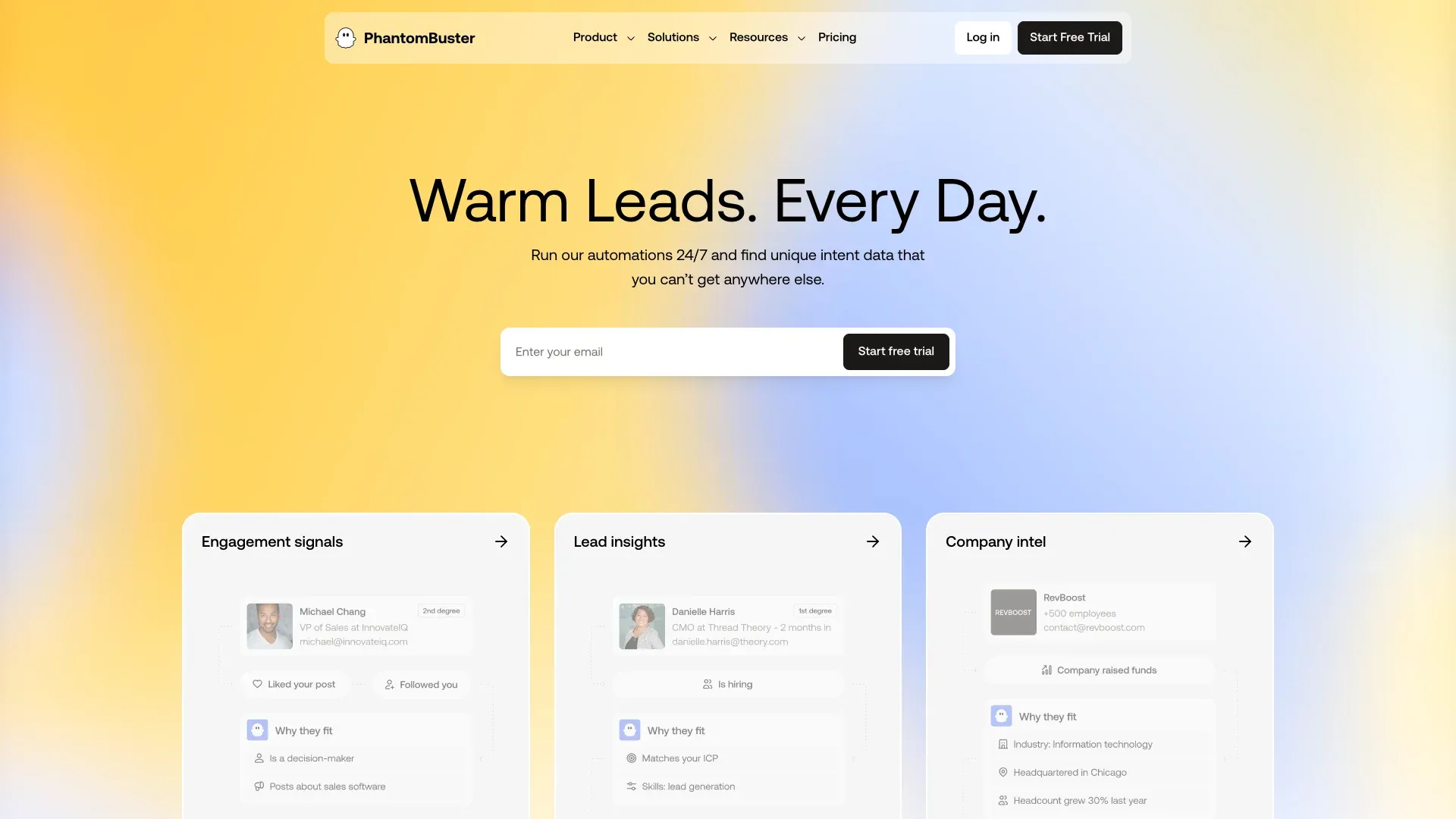 is a cloud-based automation platform with 100+ pre-built "Phantoms" for LinkedIn and other platforms. Its sweet spot is chaining multiple actions: scrape search results → visit profiles → extract emails → send connection requests.
Ban risk: Medium. PhantomBuster requires your LinkedIn session cookie and user agent. Actions run from the cloud but mimic a logged-in user, which means LinkedIn sees activity coming from your account. PhantomBuster recommends longer intervals when rate-limited in its support docs, but the fundamental architecture is account-coupled.
Cookie/login: Yes — requires session cookie upload.
Sales Navigator: Yes.
Free tier: Trial only (14 days).
Export: CSV/JSON, Google Sheets, CRM sync via Zapier.
PhantomBuster Key Features for LinkedIn Scraping
- LinkedIn Search Export, Profile Scraper, Sales Navigator Export Phantoms
- Scheduling and chaining of automations across 15+ platforms
- Cross-platform support (LinkedIn + Twitter + Instagram)
- Good documentation around rate limiting and cookie maintenance
PhantomBuster Pros, Cons, and Pricing
Pros:
- Deep library of pre-built workflows — strong for chained sequences
- Cloud-based, so no PC needs to stay running
- Large G2 review base with solid ratings
Cons:
- Medium ban risk — session cookie coupling
- Campaigns break when LinkedIn updates selectors
- "No-code" at setup, but operationally requires care
- Starts at $56/month billed annually
Pricing: Start $56/mo, Grow $128/mo, Scale $352/mo (all billed annually).
3. Evaboot — Best LinkedIn Scraper for Sales Navigator Exports
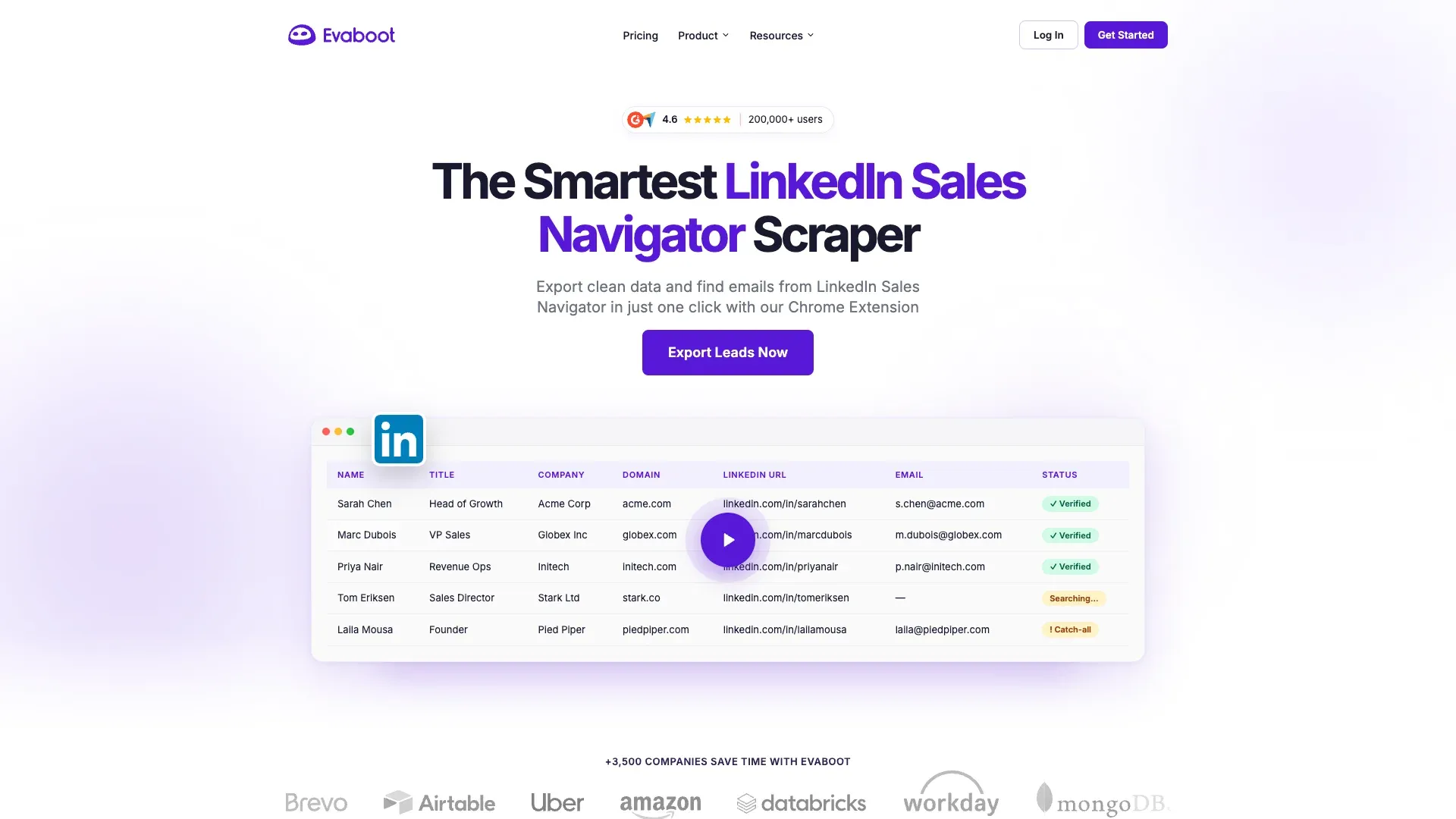 is the most specialized tool in this list. It's not trying to be a general scraper — it's built exclusively for exporting Sales Navigator search results into clean, outreach-ready files.
Ban risk: Low-Medium. Evaboot requires a logged-in Sales Navigator session, but auto-enforces daily limits to protect your account.
Cookie/login: Yes — logged-in Sales Navigator session required.
Sales Navigator: Yes (exclusive focus — it doesn't work without it).
Free tier: No free tier found in current public pricing.
Export: CSV-centric; tool/CRM connectivity via API.
Evaboot Key Features for LinkedIn Scraping
- One-click export from Sales Navigator search results
- Auto-cleaning: removes emojis, fixes capitalization, corrects typos
- Email finding and verification built in
- Lead filtering for relevance
Evaboot Pros, Cons, and Pricing
Pros:
- Dead-simple setup for Sales Navigator users
- Best data cleaning of any tool in this list
- Auto rate-limiting protects your account
Cons:
- Only works with Sales Navigator (not free LinkedIn)
- CSV-only export feel — no direct Google Sheets, Airtable, or Notion
- Credit-based pricing adds up at volume
Pricing: From $9/month for 100 credits.
4. Apify — Best LinkedIn Scraper for Developer Pipelines
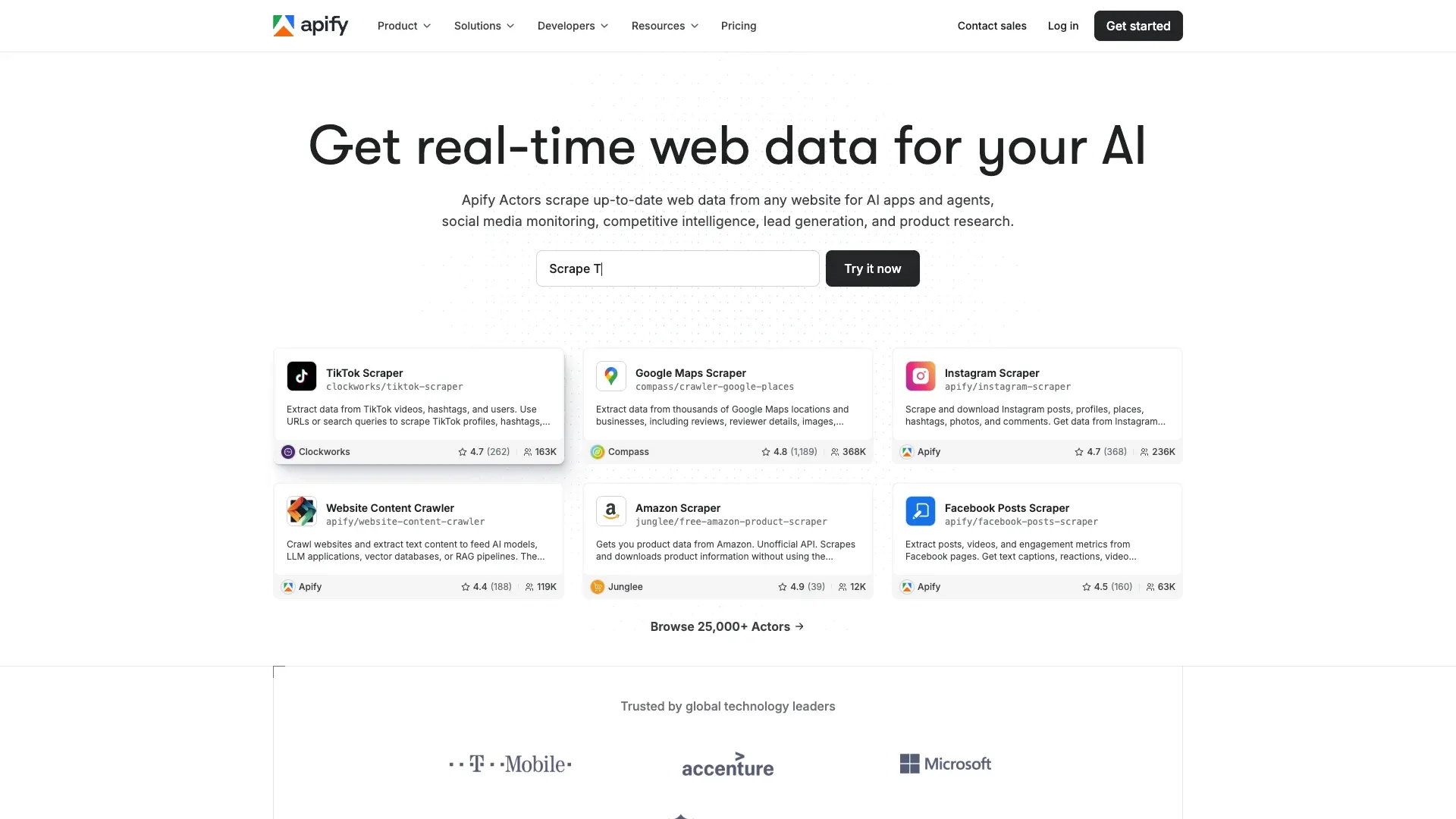 is best understood as a platform, not a single LinkedIn scraper. It hosts a marketplace of community-maintained "Actors" (scraping scripts), including several for LinkedIn — from profile scrapers to Sales Navigator scrapers.
Ban risk: Low for public-data actors; Low-Medium when a specific actor requires cookies.
Cookie/login: Depends on the actor. Some require it, some use proxy-based approaches.
Sales Navigator: Yes, via multiple actors.
Free tier: Yes (limited monthly credits).
Export: CSV, JSON, Excel, via datasets and API/webhook.
Apify Key Features for LinkedIn Scraping
- Marketplace of LinkedIn-specific actors (profile, company, job scrapers)
- API-first design for integration into existing pipelines
- Proxy management and anti-ban features
- Scheduling and webhook triggers
Apify Pros, Cons, and Pricing
Pros:
- Strongest marketplace model in the list
- Highly customizable for technical teams
- Good G2 reviews on flexibility
Cons:
- Requires technical knowledge — not beginner-friendly
- Actor quality and maintenance vary by community contributor
- Pricing can become opaque when you stack platform usage and actor rental
Pricing: Free tier. Starter $49/mo, Scale $499/mo, Business $999/mo, plus usage.
5. Bright Data — Best LinkedIn Scraper for Enterprise-Scale Collection
 is closer to a managed web data platform than a classic scraper app. You send LinkedIn URLs, and Bright Data handles proxies, CAPTCHAs, parsing, and delivery through its LinkedIn Scraper API.
Ban risk: Low relative to account-coupled tools. Bright Data's proxy-based architecture means your personal LinkedIn account isn't involved.
Cookie/login: No customer cookie requirement for the API/dataset flow.
Sales Navigator: Yes.
Free tier: Limited trial/free credit only.
Export: JSON, NDJSON, CSV, API, webhook, cloud storage delivery.
Bright Data Key Features for LinkedIn Scraping
- Massive proxy network (72M+ residential IPs)
- Pre-built LinkedIn datasets available for purchase
- Web Scraper IDE for custom scrapers
- CAPTCHA solving and anti-bot bypass built in
Bright Data Pros, Cons, and Pricing
Pros:
- Lowest personal account risk of any tool in this list
- Massive scale capability
- Compliance-focused architecture
- Strong G2 ratings
Cons:
- Expensive — enterprise pricing
- Complex setup, overkill for small teams
- No free tier for ongoing use
Pricing: Pay-as-you-go from about $2.5/1K records; larger plans from $499/month.
6. Linked Helper — Best LinkedIn Scraper for CRM-Style Automation
 is a desktop application that automates LinkedIn actions — profile visits, connection requests, messaging — with a built-in mini-CRM. It's been around long enough to have a loyal user base among recruiters and LinkedIn power users.
Ban risk: Medium. Runs from your desktop/browser, mimicking logged-in actions. Linked Helper does use separate cookies/cache per account and randomized fingerprints, which is a step up from simpler browser extensions.
Cookie/login: Yes.
Sales Navigator: Yes.
Free tier: 14-day trial only.
Export: CSV, webhooks, HubSpot, Salesforce, Pipedrive, Google Sheets, Zapier, Make.
Linked Helper Key Features for LinkedIn Scraping
- Auto-visit profiles, send connection requests, message sequences
- Built-in mini-CRM for managing contacts
- Tag and segment leads
- Works with free LinkedIn, Sales Navigator, and Recruiter
Linked Helper Pros, Cons, and Pricing
Pros:
- Full workflow control from one desktop app
- Mini-CRM included — useful for solo operators
- Works across LinkedIn tiers
- Good CRM/integration depth
Cons:
- Desktop-only (PC must be running)
- Medium ban risk — still automates through a real account
- Manual proxy configuration needed for extra safety
- Steeper learning curve than cloud tools
Pricing: Standard $15/month, Pro $45/month (one-month license).
7. Waalaxy — Best LinkedIn Scraper for Multi-Channel Outreach
 has evolved into a polished LinkedIn + email outreach suite rather than a narrow scraper. It's popular among solo founders and SMBs who want multi-channel prospecting from one dashboard.
Ban risk: Medium. Requires your LinkedIn session and automates actions from the cloud.
Cookie/login: Yes.
Sales Navigator: Yes.
Free tier: Yes — limited to about 80 invites/month.
Export: CSV, CRM sync with a large integration catalog.
Waalaxy Key Features for LinkedIn Scraping
- LinkedIn connection requests + email sequences in one workflow
- AI-powered messaging assistant for personalization
- Up to 800 invites/month on paid plans
- Simple drag-and-drop sequence builder
Waalaxy Pros, Cons, and Pricing
Pros:
- Very fast setup and approachable UI
- Free tier available for testing
- Multi-channel in one tool
- Strong G2 reviews
Cons:
- Medium ban risk — automates through a live account
- Bugs reported on newer features
- Less flexible than PhantomBuster for complex automations
Pricing: Freemium €0, Pro €19/user/month, Advanced €49, Business €69, Enterprise custom.
8. Dux-Soup — Best LinkedIn Scraper for Targeted Profile Visiting
 is a classic LinkedIn automation brand with a clear split between browser-heavy and cloud-heavy modes. Its strength is granular targeting and drip campaigns — visit → endorse → connect → message.
Ban risk: Medium. Browser-based mode ties activity to your session and fingerprint. The Cloud tier offers a stronger safety story.
Cookie/login: Yes, especially in browser flows.
Sales Navigator: Yes.
Free tier: Trial / limited starter path.
Export: CSV, direct CRM integrations, API.
Dux-Soup Key Features for LinkedIn Scraping
- Multi-step drip campaigns with granular personalization
- Tagging and segmentation for lead management
- Cloud or extension mode
- Detailed activity logs
Dux-Soup Pros, Cons, and Pricing
Pros:
- Strong segmentation and drip-campaign controls
- Long-term brand recognition in LinkedIn outreach
- Cloud tier improves safety posture
Cons:
- Browser mode can slow LinkedIn and increase detection risk
- Not beginner-friendly — more moving parts than Waalaxy
- Medium ban risk overall
Pricing: Pro $14.99/month, Turbo $55/month, Cloud $99/month.
9. Skrapp — Best LinkedIn Scraper for Email Extraction
 is the clearest email finder in this set. It uses LinkedIn, Sales Navigator, and Recruiter as acquisition surfaces, but the product promise is verified work email discovery, not broad profile scraping.
Ban risk: Low. Skrapp is primarily an enrichment/email tool. It doesn't automate LinkedIn actions heavily, so your account exposure is minimal.
Cookie/login: Login to Skrapp and LinkedIn surfaces, but docs don't emphasize session cookie export.
Sales Navigator: Partial-to-strong support as an acquisition surface.
Free tier: Yes — 100 credits/month.
Export: CSV, Excel, CRM sync, API on higher tiers.
Skrapp Key Features for LinkedIn Scraping
- Bulk email extraction (up to 2,500 per operation)
- Real-time email verification
- 200M+ prospect database
- Company domain search
Skrapp Pros, Cons, and Pricing
Pros:
- Lowest operational risk profile in the list
- Good free tier for testing
- Strong Chrome Web Store reviews
Cons:
- Not a full-profile scraper — narrower data breadth
- Limited CRM integrations on lower tiers
- Accuracy drops for non-corporate emails
Pricing: Free (100 credits/month), paid tiers from about $39/month.
10. Captain Data — Best LinkedIn Scraper for Workflow Orchestration
 is a workflow orchestration and data operations platform with LinkedIn as one important data source. It's built for revenue operations teams that need multi-step workflows, error handling, and native CRM sync.
Ban risk: Low-Medium. Optional cookie usage, cloud-based execution with rate limiting.
Cookie/login: Optional in some flows, explicit in LinkedIn sync docs.
Sales Navigator: Yes.
Free tier: Trial / 100 free credits.
Export: CSV, JSON/API, HubSpot, Salesforce, n8n, Make.
Captain Data Key Features for LinkedIn Scraping
- 40+ pre-built LinkedIn actions (scrape, enrich, connect, message)
- Workflow builder with conditional logic and error handling
- Native CRM integrations (Salesforce, HubSpot, Pipedrive)
- Team collaboration features
Captain Data Pros, Cons, and Pricing
Pros:
- Deep automation and orchestration — best fit for RevOps teams
- Robust error handling and retry logic
- Strong CRM connectivity
- Strong G2 ratings
Cons:
- Expensive — usage-based pricing adds up fast
- Steep learning curve for beginners
- Overkill for solo users or simple scraping jobs
Pricing: Usage-based; public estimator shows €600/month at 20K credits.
Best LinkedIn Scrapers Compared: The Master Table
| Tool | Ban Risk | Cookie Needed | Sales Nav | Free Tier | AI-Powered | No-Code Friendly | Export Options | Starting Price |
|---|---|---|---|---|---|---|---|---|
| Thunderbit | Low | Optional | Yes | Yes | Yes | Yes | Excel, Sheets, Airtable, Notion, CSV, JSON, API | Free; from ~$9/mo |
| PhantomBuster | Medium | Yes | Yes | Trial | No | Moderate | CSV, JSON, Sheets, Zapier, API | $56/mo |
| Evaboot | Low-Med | Yes (SN session) | Yes | No | No | Yes | CSV, tool/CRM, API | $9/mo |
| Apify | Low–Low-Med | Depends on actor | Yes | Yes | Partial | No | CSV, JSON, Excel, API, webhook | $49/mo + usage |
| Bright Data | Low | No | Yes | Limited trial | No | Low-Mod | CSV, JSON, NDJSON, API, cloud storage | ~$2.5/1K records |
| Linked Helper | Medium | Yes | Yes | Trial | No | Moderate | CSV, Sheets, webhooks, CRM | $15/mo |
| Waalaxy | Medium | Yes | Yes | Yes | No | Yes | CSV, CRM sync | €19/user/mo |
| Dux-Soup | Medium | Yes | Yes | Trial/limited | No | Moderate | CSV, CRM, API | $14.99/mo |
| Skrapp | Low | Not emphasized | Partial-strong | Yes | No | Yes | CSV, Excel, CRM, API | Free / ~$39/mo |
| Captain Data | Low-Med | Optional | Yes | Trial/credits | No | Moderate | CSV, JSON/API, CRM sync | ~€600/mo at 20K credits |
Export Ecosystem Comparison
One pattern that jumps out: most tools still rely on CSV as the primary export. Thunderbit is the only tool in this list that offers free export to all four major platforms — Excel, Google Sheets, Airtable, and Notion — without a paywall or third-party connector.
| Tool | CSV | Google Sheets | Airtable | Notion | CRM Sync | API |
|---|---|---|---|---|---|---|
| Thunderbit | ✅ Free | ✅ Free | ✅ Free | ✅ Free | Via export/API | ✅ |
| PhantomBuster | ✅ | ✅ | Via Zapier | Via Zapier | Via Zapier | ✅ |
| Evaboot | ✅ | — | — | — | Via CSV/API | ✅ |
| Apify | ✅ | Via integration | Via integration | — | Via webhook | ✅ |
| Bright Data | ✅ | — | — | — | Via API | ✅ |
| Linked Helper | ✅ | ✅ | — | — | ✅ | Webhooks |
| Waalaxy | ✅ | — | — | — | ✅ | Integration-first |
| Dux-Soup | ✅ | — | — | — | ✅ | ✅ |
| Skrapp | ✅ | — | — | — | ✅ | ✅ |
| Captain Data | ✅ | Integration | Integration | — | ✅ | ✅ |
Another clear pattern: most tools require your LinkedIn cookie. The most cookieless or least account-coupled options are Bright Data, many public-data Apify actors, and Skrapp's enrichment-first model. Thunderbit sits in a useful middle ground because it can operate in public/cloud or browser/authenticated modes depending on the job.
How to Keep Your LinkedIn Account Safe While Scraping
This is the section most competitor articles skip or reduce to a legal disclaimer. But forum data shows this is the #1 concern users have, so it deserves a proper playbook.
What LinkedIn's Anti-Scraping Protection Looks Like in 2026
LinkedIn doesn't publish a consumer-friendly anti-bot explainer, but the shape of the system is visible. LinkedIn enforces , , and . Its shows bcookie helps identify devices to detect abuse and fcookie is used for bot detection.
In April 2026, that LinkedIn was checking for 6,236 browser extensions and collecting device/browser telemetry. LinkedIn confirmed it checks for extensions that scrape data or violate its Terms of Service.
In plain language, LinkedIn watches:
- Velocity: too many profile views, search pages, or invites too quickly.
- Session consistency: unusual cookie, IP, device, or concurrent session changes.
- Browser fingerprints: extensions, device characteristics, patterns that don't look human.
- Behavior sequences: repetitive, clock-like automation is easier to flag than messy, human-like interaction.
analyzed 200B+ web and API transactions and found that scraping pressure remains large enough that over half of web content requests in protected environments came from scrapers. LinkedIn is one of the most aggressively defended sites on the web.
Cookie Safety Checklist: Protecting Your Credentials
A LinkedIn session cookie is equivalent to a live login. Treat it accordingly.
- Avoid tools that casually tell you to copy long-lived cookies into multiple systems. If a tool stores your cookie on its server, that's a single point of compromise.
- Prefer architectures that don't require cookie export for public data. Thunderbit's cloud mode and Bright Data's proxy-based flow are examples.
- If a cookie is required, don't share one account across people, devices, and automations. LinkedIn notices concurrent sessions from different IPs.
- Watch for tools that don't explain where cookies are stored or how they're rotated. That's a red flag.
Rate Limit Best Practices for LinkedIn Scraping
Vendor guidance varies, but the directional advice is consistent:
- Stay around for ordinary accounts.
- Start profile-view activity conservatively — Expandi suggests for warm-up.
- Space launches apart rather than firing identical jobs continuously. PhantomBuster explicitly recommends longer intervals when rate-limited.
- Avoid mixing heavy manual usage and automation sessions in parallel.
These are practical community and vendor norms, not official LinkedIn allowances. LinkedIn does not publish exact thresholds.
Cloud Scraping vs. Browser Scraping: Which Is Safer?
| Mode | Strength | Weakness | Best Use Case |
|---|---|---|---|
| Browser scraping | Keeps credentials local; can access authenticated views | Tied to your account session and fingerprint | Auth-required pages where you accept account coupling |
| Cloud scraping | Avoids touching your local browser session | Can create geo/IP mismatch; some tools still use session cookies server-side | Public data, APIs, or tools with managed anti-bot infrastructure |
Thunderbit is notable because it gives the clearest end-user explanation of this tradeoff — you toggle between modes per job. Bright Data and many Apify actors push cloud/API much harder. PhantomBuster, Waalaxy, Dux-Soup, and Linked Helper live closer to the logged-in automation end of the spectrum.
Which LinkedIn Scraper Should You Pick? Matching Tools to Your Scenario
| Scenario | Best Fit | Why |
|---|---|---|
| Solo sales rep on a budget | Thunderbit or Skrapp | Low setup friction, free tier paths, broad export options |
| Sales Navigator power user | Evaboot or Thunderbit | Evaboot is specialized; Thunderbit is more flexible |
| Outreach team doing LinkedIn + email | Waalaxy or PhantomBuster | Better workflow orchestration and multi-step outreach |
| Enterprise data team | Bright Data or Captain Data | Managed infrastructure, API delivery, better scale posture |
| Developer building a pipeline | Apify or Thunderbit API | Actor marketplace vs. AI extraction API |
Combining tools is often the smartest move. For example:
- Scrape public data with Thunderbit or Bright Data.
- Enrich emails with Skrapp.
- Run outreach in Waalaxy or PhantomBuster.
- Use Captain Data or Apify when orchestration or API workflows matter more than UI simplicity.
The cost difference is real. A typical solo user extracting 1,000 leads/month might spend $0–$50/month with Thunderbit or Skrapp, versus $56–$128/month with PhantomBuster, versus hundreds per month with Bright Data or Captain Data. Match the tool to the job, not to the feature list.
Wrapping Up
LinkedIn scraping in 2026 is a balancing act. The data is incredibly valuable — fresh, targeted, and available nowhere else at this scale. But LinkedIn's defenses are real, account restrictions are common, and the wrong tool choice can cost you more than it saves.
If I had to distill this guide into one sentence: pick the tool that matches your technical skill, your risk tolerance, and where your data needs to end up. For most non-technical sales and ops teams, that means starting with something AI-powered and low-risk — which is exactly why we built Thunderbit. But if you're a developer building pipelines, or an enterprise team that needs proxy-grade infrastructure, there are strong options in this list for you too.
Give a try — you can also install the directly if you want to see what 2-click LinkedIn scraping actually feels like. And if you want to go deeper on web scraping in general, check out our guides on , , and .
Happy scraping — and may your leads always be fresh, your exports clean, and your LinkedIn account untouched.
FAQs
1. Is scraping LinkedIn legal in 2026?
The short answer: public-data scraping has a stronger legal footing than logged-in scraping. The Ninth Circuit's undercut a CFAA theory for scraping public LinkedIn pages, though and hiQ paid . LinkedIn's explicitly prohibits scraping, bots, and cookie copying. Practical advice: scrape responsibly, respect rate limits, prefer public-data workflows, and don't resell raw data.
2. Will using a LinkedIn scraper get my account banned?
Not automatically, but the architecture matters. Tools that depend on your live session, copied cookies, or repetitive automated actions carry higher practical risk than public-data APIs or enrichment-first tools. LinkedIn's Help Center says violations can lead to . Use tools with built-in rate limiting, prefer cloud/proxy-based options for public data, and avoid aggressive automation bursts.
3. What's the difference between a LinkedIn scraper and a LinkedIn automation tool?
A scraper focuses on extracting data (names, titles, emails, company info). An automation tool focuses on actions (profile visits, connection requests, messaging). Some tools do both. In this list: Thunderbit, Bright Data, and many Apify actors are primarily scrapers. PhantomBuster, Linked Helper, Waalaxy, and Dux-Soup blend scraping with outreach automation. Evaboot and Skrapp specialize in export/enrichment.
4. Can I scrape LinkedIn without a Sales Navigator subscription?
Yes. Most tools in this list work with free LinkedIn. But Sales Navigator unlocks advanced search filters and higher limits, which makes targeting much more powerful. Evaboot is the exception — it only works with Sales Navigator. Thunderbit, PhantomBuster, Dux-Soup, and others work with both free LinkedIn and Sales Navigator.
5. Which LinkedIn scraper has the lowest risk of getting my account restricted?
Among the tools tested, Bright Data has the lowest personal account risk because it uses proxy-based infrastructure and doesn't require your LinkedIn session. Skrapp is also very low-risk because it's primarily an email finder, not a LinkedIn action automator. Thunderbit offers a strong middle ground: its cloud scraping mode avoids touching your logged-in session for public data, while browser mode keeps credentials local when you need authenticated access.
Learn More