
In 2026, the difference between a sales team that’s crushing quota and one that’s stuck in the mud often comes down to one thing: data quality. I’ve seen it firsthand—teams with enriched, up-to-date leads move faster, personalize better, and close more deals. But let’s be honest: with so many lead enrichment tools out there, picking the right one can feel like trying to choose a cereal in a grocery aisle the size of a football field. Do you go for the all-in-one behemoth, the nimble web scraper, or the tool that promises to know your prospects’ favorite pizza topping? (Okay, maybe not that last one—yet.)
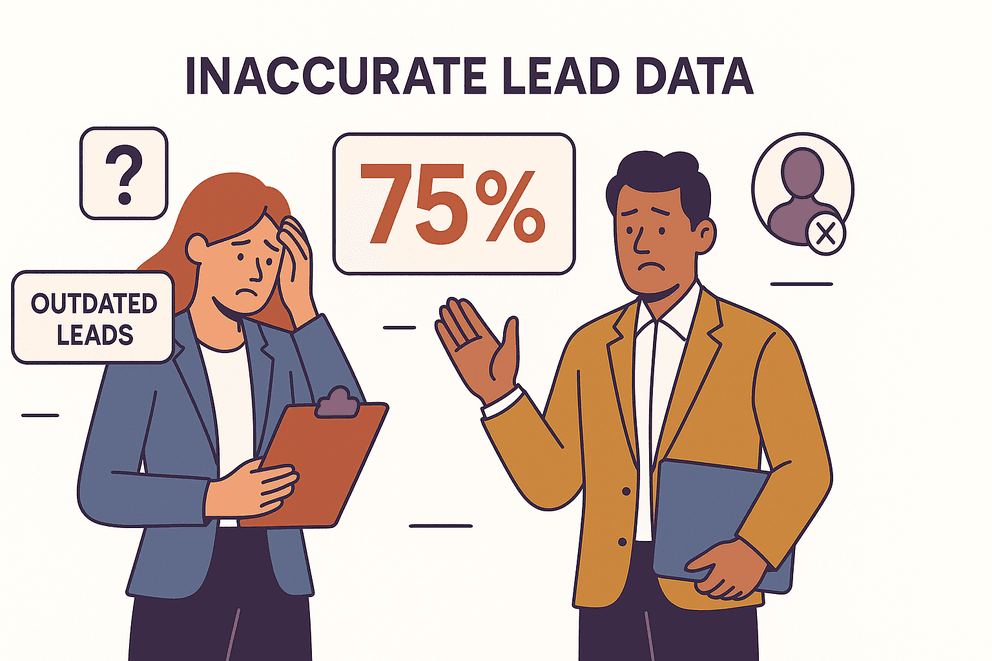
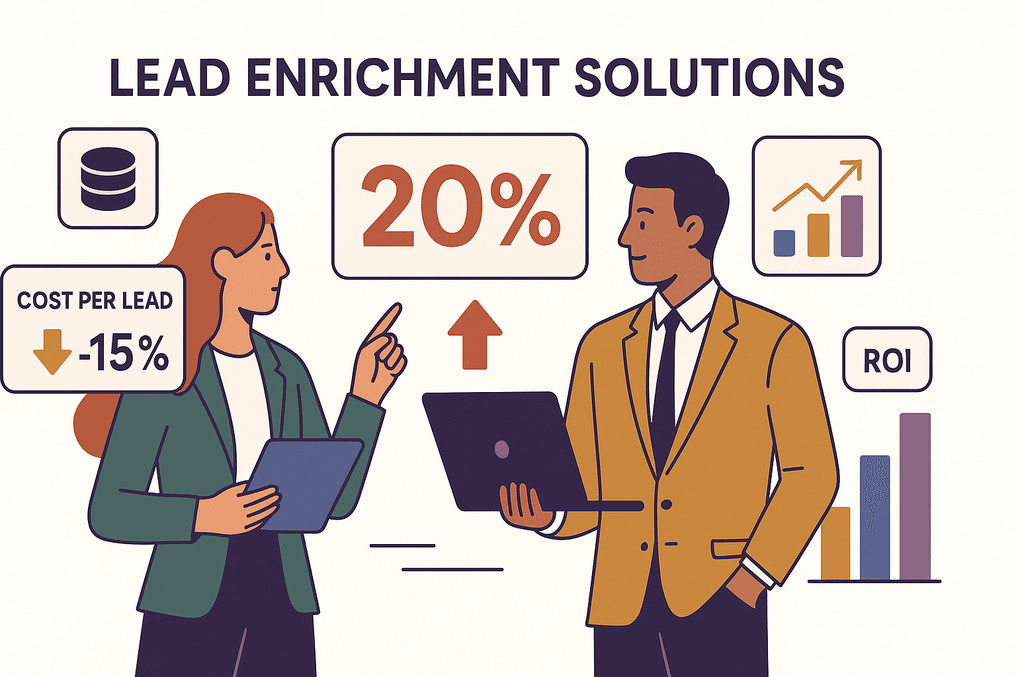 The stakes are real: companies using lead enrichment solutions have seen a 15% reduction in cost per lead and a 20% increase in ROI. But nearly 75% of B2B marketers still struggle with inaccurate or outdated lead data. So, how do you cut through the noise and find the enrichment tool that fits your business, your workflow, and your budget?
 I’ve done the research, talked to users, and—yes—built a tool myself. Here’s my take on the top 6 lead enrichment tools for 2026, with honest pros, cons, and the scenarios where each shines.
Why Lead Enrichment Tools Matter for Modern Teams
See How Agentic Web Scraping Builds Lead Lists Thunderbit's agentic web scraper reads any lead page and pulls contact and firmographic data in one click. Get Started Free
Let’s get real: in today’s sales and marketing world, raw lead lists just don’t cut it. You need context—job titles, company size, tech stack, intent signals, and more—to actually connect with prospects and move them through your funnel. Lead enrichment tools do the heavy lifting by:
- Improving lead quality and conversion: Enriched leads mean more personalized outreach, better segmentation, and higher win rates. Some teams have seen conversion rates jump by 25% or more.
- Saving time and boosting efficiency: No more hours lost to manual research or cleaning up “dirty” CRM data. Automation can cut research time significantly.
- Powering better segmentation and targeting: With richer data, you can run account-based campaigns, prioritize hot leads, and stop wasting time on dead ends.
The bottom line? In 2026, enriched data isn’t a luxury—it’s mission-critical for sales and marketing success.
How We Selected the Top Lead Enrichment Tools for 2026
With dozens of options on the market, I focused on tools that stand out for:
- Key features: Data coverage, enrichment depth, real-time updates, and workflow integrations.
- Data accuracy: How fresh and reliable is the info? Does the tool verify emails and phone numbers?
- Ease of use: Is it built for non-technical users, or does it require a PhD in “CRMology”?
- Integration: Does it play nice with your CRM, marketing automation, or spreadsheet tools?
- Pricing: Transparent, scalable, and fair for the value delivered.
- Best-fit scenarios: Which teams and industries get the most bang for their buck?
I’ve also included honest pros and cons, so you can match the right tool to your business needs.
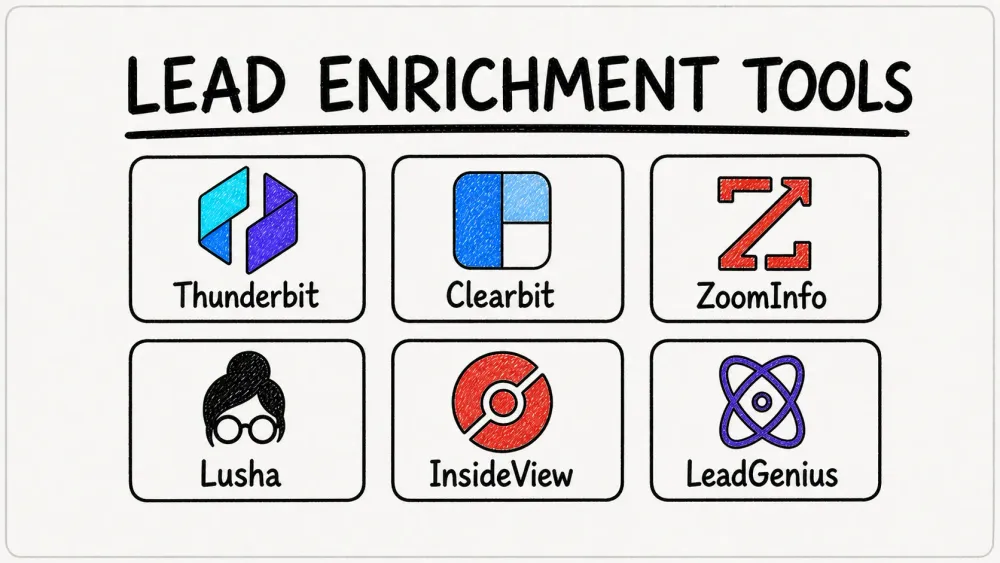
The Top 6 Lead Enrichment Tools for 2026
- Thunderbit for flexible, AI-powered web scraping and custom lead enrichment
- Clearbit for real-time CRM enrichment and deep integrations
- ZoomInfo for massive B2B data coverage and advanced sales intelligence
- Lusha for fast, affordable contact info and LinkedIn prospecting
- InsideView for market intelligence, account insights, and relationship mapping
- LeadGenius for custom, human-verified lead research and enrichment
1. Thunderbit
Thunderbit is my personal favorite for teams who need flexibility, speed, and the ability to enrich leads from anywhere on the web—not just from a static database. (Yes, I’m biased—I helped build it. But the feedback from thousands of users speaks for itself.)
Key Features
- AI-Powered Web Scraping: Thunderbit’s Chrome Extension lets you extract structured data from any website in a single click. Just hit “One Click Extract”—adjust the columns afterwards only if you want something different.
- Subpage & Pagination Scraping: Need to grab info from detail pages or multi-page lists? Thunderbit’s AI navigates subpages and paginated lists automatically.
- Instant Data Templates: For popular sites (think Amazon, LinkedIn, Shopify), use pre-built templates for 1-click data export.
- Free Data Export: Export to Google Sheets, Excel, Airtable, or Notion—no extra fees.
- Flexible Data Types: Extract emails, phone numbers, images, and more—even from PDFs and images.
Pros & Cons
Pros:
- Super easy for non-technical users—no coding or setup required.
- Handles messy, unstructured web data that other tools can’t touch.
- No long-term contract; pay only for what you use.
- Subpage scraping is a lifesaver for directories and niche sources.
Cons:
- Data accuracy depends on the source website (what you see is what you get).
- Large-scale enrichment (tens of thousands of leads) may require more credits.
- Not a “database”—it scrapes what’s publicly available, so it won’t magically find hidden emails.
Best Use Cases
- Teams needing to enrich leads from complex or unstructured web sources (e.g., industry directories, event attendee lists, competitor sites).
- B2B sales, ecommerce, and real estate teams who want to build their own custom lead lists.
- Anyone who’s tired of copy-paste marathons and wants to automate data collection.
Pricing
- Free tier: Scrape up to 6 pages (or 10 with a trial boost).
- Paid plans: Credit-based (1 credit = 1 output row); monthly plans start at $15 for 500 credits.
- No annual contract required—scale up or down as needed.
For a deeper dive into how Thunderbit works, check out the Thunderbit Blog.
Try Thunderbit Free – Agentic Web Scraper Thunderbit's Email and Phone Extractor pulls verified contact details from lead pages for free — it never spends credits. Get Started Free
2. Clearbit
Clearbit is the go-to for teams that want real-time enrichment and tight CRM integration. Now part of HubSpot, Clearbit is all about keeping your lead and account data fresh—automatically.
Key Features
- Real-Time CRM Enrichment: Instantly fills in company and contact info when a new lead hits your CRM.
- Robust Company & Contact Profiles: 100+ data points, including firmographics, technographics, social links, and buyer intent signals.
- Deep Integrations: Native with Salesforce, HubSpot, Marketo, Segment, and more.
- Lead Scoring & Role Normalization: Helps you prioritize and route leads based on job role, seniority, and more.
- IP Intelligence: Identifies anonymous website visitors for targeted outreach.
Pros & Cons
Pros:
- Data is updated automatically—no more stale records.
- Excellent for SaaS, tech, and fast-moving B2B companies.
- Powerful segmentation and workflow automation.
- Shortens lead forms (Clearbit fills in the blanks).
Cons:
- Premium pricing—starts around $12,000/year for SMB plans.
- Limited phone number verification (focuses on email and firmographics).
- Some technical setup required for advanced features.
Best Use Cases
- SaaS and tech companies needing always-fresh data in their CRM.
- Teams running inbound marketing and account-based campaigns.
- Organizations that want to personalize website content or run real-time lead scoring.
Pricing
- Free plan: 25 credits/month for basic usage.
- Paid plans: Start at ~$150–$275/month for a few hundred credits; full enrichment for teams is custom-quoted (often $12k+/year).
- Now more deeply integrated with HubSpot—some features may require being a HubSpot CRM customer.
3. ZoomInfo
ZoomInfo is the heavyweight champ for large sales teams and enterprises that want massive B2B data coverage and advanced sales intelligence.
Key Features
- Huge Contact & Company Database: 100M+ contacts, with direct dials, org charts, and verified emails.
- Advanced Filtering & List Building: Dozens of filters for building hyper-targeted lists.
- Intent Data & Real-Time Alerts: See which companies are “in-market” and get notified about key account changes.
- Sales Engagement Tools: Built-in dialer, conversation intelligence (via Chorus AI), and more.
- Deep CRM & Marketing Automation Integrations: Syncs with Salesforce, Dynamics, HubSpot, Marketo, and more.
Pros & Cons
Pros:
- Best-in-class for direct phone numbers (especially in the US).
- All-in-one platform—data, engagement, and analytics in one place.
- Excellent for high-volume outbound sales teams.
- Strong compliance and data governance.
Cons:
- Expensive: entry-level contracts start at $15,000/year; many teams pay $30k+.
- Data can be outdated (especially outside the US); email accuracy is 75–85%.
- Annual contract with strict auto-renewal; not ideal for small teams.
- Complex interface—training required for new users.
Best Use Cases
- Large sales teams and enterprises needing global reach and advanced segmentation.
- Organizations running high-volume outbound calling/email campaigns.
- Companies that want a single source of truth for B2B data and sales intelligence.
Pricing
- Custom quotes only: Entry-level ~$15,000/year; mid-market and enterprise deals can exceed $100k.
- Add-ons (intent data, conversation intelligence) cost extra.
- Annual contracts only; no month-to-month option.
4. Lusha
Lusha is beloved by sales reps and small teams for its speed, simplicity, and affordable entry point. If you want to grab emails and phone numbers from LinkedIn or company sites in seconds, Lusha is your friend.
Key Features
- Chrome Extension: 1-click access to emails and phone numbers while browsing LinkedIn or company websites.
- Simple Prospect Search: Search by name, company, or upload a list for enrichment.
- Basic Intent Signals & Job Change Alerts: Stay updated on your prospects.
- CRM Integrations: Export to Salesforce, HubSpot, and more.
- Community Data Sourcing: Leverages user network for fresh data.
Pros & Cons
Pros:
- Extremely easy to use—no training needed.
- Fast, accurate direct dial phone numbers (80%+ valid).
- Free tier with ~40–50 credits/month.
- Affordable for individuals and small teams.
Cons:
- Credit system can be limiting for heavy users (watch your “credit anxiety”).
- Data is static once exported (no auto-refresh).
- Email accuracy can vary; verify before large campaigns.
- Not as deep on company insights or intent as enterprise tools.
Best Use Cases
- Sales reps, SDRs, recruiters, and small teams needing fast, accurate contact info.
- Quick LinkedIn prospecting and targeted outreach.
- Teams on a budget who want to start enriching leads immediately.
Pricing
- Free plan: ~40–50 credits/month.
- Pro: ~$36/user/month (250 credits).
- Premium: ~$69/user/month (600 credits).
- Scale/Enterprise: Custom quotes for larger teams.
- Phone number reveals may cost more credits than emails.
5. InsideView
InsideView (now part of Demandbase) is all about market intelligence, account insights, and relationship mapping—perfect for strategic sellers and account-based marketing teams.
Key Features
- Comprehensive Company Profiles: Firmographics, org charts, key decision-makers, and more.
- Sales Triggers & News Alerts: Get notified about job changes, funding, acquisitions, and other key events.
- Relationship Mapping: See who in your network can introduce you to a target account.
- CRM Data Cleansing & Enrichment: Keep your records up to date and clean.
- Deep CRM Integrations: Especially strong with Microsoft Dynamics and Salesforce.
Pros & Cons
Pros:
- Rich contextual data—great for account research and warm introductions.
- Real-time news and social insights for strategic outreach.
- Focus on quality over quantity (validated, human-verified data).
- Tight CRM integration for seamless workflow.
Cons:
- Less focused on bulk contact info; database may be smaller than ZoomInfo.
- Pricing is not transparent; typically bundled with ABM platforms.
- May be overkill for transactional sales or small teams.
Best Use Cases
- Account-based sellers, marketers, and strategic sales teams targeting large or complex deals.
- Organizations using ABM or needing deep account insights.
- Companies already on Demandbase or Microsoft Dynamics CRM.
Pricing
- Subscription-based: Historically ~$100/user/month; now custom-quoted via Demandbase.
- No free plan; demo or sample data available on request.
6. LeadGenius
LeadGenius is the “custom shop” of lead enrichment—combining technology and human researchers to deliver bespoke, verified lead data for hard-to-reach segments.
Key Features
- On-Demand Lead Research: Define your ideal customer profile, and LeadGenius will source and verify leads for you.
- Human-Verified Data: Email, phone, and address verification, deduplication, and enrichment.
- Custom Criteria: Any region, role, or data point—even for niche or emerging markets.
- Workflow Integration: Data delivered via platform, CSV, or API; integrates with CRMs.
- Managed Outreach: Option for LeadGenius to run campaigns on your behalf.
Pros & Cons
Pros:
- Ultra-accurate, human-verified data—great for compliance and quality.
- Handles niche, custom, or hard-to-find segments.
- Flexible for enrichment, data cleaning, or large-scale CRM projects.
- Excellent support and project management.
Cons:
- Not instant—custom projects can take days or weeks.
- Pricing is custom and starts around $20,000/year; large projects can be six figures.
- Not a self-serve tool; best for teams with clear, specific data needs.
Best Use Cases
- Companies with unique targeting needs (e.g., niche industries, emerging markets).
- SMBs or enterprises needing ultra-clean, verified, and deduplicated data.
- Teams that want to outsource lead research and enrichment.
Pricing
- Custom quotes only: Starts at ~$20,000/year for smaller projects.
- Annual contracts or project-based fees; no free trial.
Lead Enrichment Tools Comparison Table
Here’s a quick side-by-side to help you choose:
| Tool | Key Features | Data Accuracy & Scope | Integrations | Pricing | Best For |
|---|---|---|---|---|---|
| Thunderbit | agentic web scraping, subpage/pagination, instant templates, free export | Real-time web data; accuracy depends on source; great for unstructured data | Chrome Extension, Google Sheets, Airtable, Notion | Free tier (6–10 pages), pay-per-row credits, no contract | Teams needing web data, B2B researchers, ecommerce, real estate |
| Clearbit | Real-time CRM enrichment, 100+ data points, intent, IP reveal | High accuracy on firmographics/emails; 20M+ companies, 200M contacts | Salesforce, HubSpot, Marketo, Segment, API | Free plan (25 credits), paid from ~$12k/year | SaaS, tech, fast-growth B2B, CRM-centric teams |
| ZoomInfo | Massive B2B database, direct dials, intent, engagement tools | Huge scope; best US phone coverage; 75–85% email accuracy | Salesforce, Dynamics, HubSpot, Marketo, API | Custom, from $15k/year, annual contract | Large sales teams, enterprises, high-volume outbound |
| Lusha | Chrome extension, instant emails/phones, basic intent, CRM export | Good phone accuracy (80%+), smaller database, static data | Salesforce, HubSpot, CSV, API | Free (~50 credits), Pro $36/user/mo, Premium $69/user/mo | Sales reps, SDRs, recruiters, small teams |
| InsideView | Company profiles, news alerts, relationship mapping, CRM enrichment | Validated company data, key roles, global coverage | Dynamics, Salesforce, Demandbase, CSV | Subscription, ~$100/user/mo, custom via Demandbase | ABM, strategic sales, market research |
| LeadGenius | Custom research, human-verified, deduplication, managed outreach | Ultra-accurate, niche data, not limited to database | CSV, API, CRM (custom) | Custom, from ~$20k/year | Niche targeting, SMBs, high-quality enrichment |
Choosing the Right Lead Enrichment Tool for Your Business
Extract Data From Any Website in One Click Point Thunderbit's agentic web scraper at any lead page and it reads the page itself, no manual setup required. Get Started Free
So, how do you pick the right tool? Here’s my advice:
- Need to enrich leads from web directories, event pages, or messy sources? Go with Thunderbit—it’s built for flexibility and custom data extraction.
- Want real-time, always-fresh CRM data for inbound leads? Clearbit is your best bet, especially if you’re on Salesforce or HubSpot.
- Running a large outbound sales team with a big budget? ZoomInfo delivers scale, direct dials, and all-in-one sales intelligence.
- Solo rep or small team, focused on LinkedIn prospecting? Lusha is fast, easy, and affordable.
- Doing account-based marketing or strategic enterprise sales? InsideView (Demandbase) gives you the deep insights and relationship mapping you need.
- Need ultra-clean, human-verified, or niche data? LeadGenius is the custom shop for hard-to-reach segments.
And don’t be afraid to combine tools! Many teams use Thunderbit for web scraping, Lusha for quick hits, and Clearbit or ZoomInfo for CRM enrichment.
Pro tip: Always trial before you buy. Most tools offer free credits, demos, or pilots—use them to test data quality in your real-world workflow.
Conclusion: Unlocking 2026 Growth with the Right Lead Enrichment Tools
Lead enrichment isn’t just a “nice to have” in 2026—it’s the engine that powers modern sales and marketing. With the right tool (or mix of tools), you’ll spend less time cleaning data and more time closing deals. Whether you’re a scrappy startup or a global enterprise, there’s a solution on this list that can help you turn raw leads into revenue.
Ready to see what enriched data can do for your team? Download Thunderbit’s Chrome Extension and try it for free, or check out the Thunderbit Blog for more tips on sales automation and data-driven growth.
Enrich Your Leads with Thunderbit Export enriched leads straight to Google Sheets, Airtable, or Notion for free, no extra plugins needed. Get Started Free
FAQs
1. What is lead enrichment, and why does it matter in 2025?
Lead enrichment is the process of supplementing raw leads with additional data—like job titles, company size, contact info, and intent signals—to improve targeting and conversion. In 2025, enriched leads help teams personalize outreach, boost conversion rates, and save time on manual research.
2. How do I choose the best lead enrichment tool for my business?
Match the tool to your needs: Thunderbit for web scraping, Clearbit for real-time CRM enrichment, ZoomInfo for large-scale B2B data, Lusha for quick LinkedIn prospecting, InsideView for account insights, and LeadGenius for custom, verified lists. Always trial tools to test data quality in your workflow.
3. What are the main differences between Thunderbit and database-centric tools like ZoomInfo?
Thunderbit scrapes live data from any website, making it ideal for unstructured or niche sources. Database tools like ZoomInfo offer massive, pre-built contact lists with advanced filtering, but may have outdated info or less flexibility for custom needs.
4. Is it worth combining multiple lead enrichment tools?
Absolutely. Many teams use a mix—Thunderbit for custom web data, Lusha for fast contact lookup, and Clearbit or ZoomInfo for CRM enrichment. Combining tools covers more use cases and fills gaps in data coverage.
5. How much should I expect to pay for a lead enrichment tool?
Pricing varies widely: Thunderbit and Lusha start free or under $50/month for small teams; Clearbit and ZoomInfo start at $12k–$15k/year for full features; LeadGenius is custom-quoted, starting around $20k/year. Always weigh the cost against the value of better leads and higher conversions.
Ready to enrich your pipeline? Try Thunderbit today, or explore more sales automation tips on the Thunderbit Blog.
Try AI Lead Enrichment with Thunderbit Get Started Free
Learn More




