
Google News pulls from over 50,000 sources worldwide, making it one of the richest real-time news surfaces on the internet. But here's the thing nobody tells you upfront: Google killed its official News API back in 2011 and never replaced it.
That leaves PR teams tracking brand mentions, sales reps monitoring industry signals, and analysts building competitive intelligence dashboards stuck. You need structured news data—headlines, sources, dates, article text—but Google actively discourages automated scraping with CAPTCHAs, rate limiting, and constantly shifting page layouts. I've spent years building and testing data extraction tools at Thunderbit, and I can tell you the gap between "I'll just scrape Google News real quick" and actually getting reliable, structured data is wider than most people expect.
This guide covers the 10 best Google News scrapers I've found across APIs, no-code tools, and free tiers—with honest pricing comparisons, anti-bot breakdowns, and the kind of field-level detail that actually helps you pick the right tool.
Try Thunderbit for Google News Scraping
Why Google News Is Hard to Scrape (and Why There's No Official API)
Google deprecated its News API in 2011. Since then, every tool calling itself a "Google News API" is a third-party wrapper—scraping or proxying Google News results on your behalf. The closest official programmatic option is the Custom Search JSON API, which gives you 100 free queries per day and charges $5 per 1,000 queries. But it requires configuring a custom search engine, and it's not a drop-in replacement for Google News.
Meanwhile, Google's anti-scraping defenses are real:
- IP-based rate limiting: Hit Google News too fast, and you'll see 429 errors or CAPTCHA challenges.
- Consent and interstitial pages: Depending on your location, Google may serve cookie consent screens that break most parsers.
- JavaScript-rendered content: Much of Google News is dynamically loaded, so simple HTTP requests return incomplete HTML.
- Redirect-wrapped URLs: Google News links often route through Google's own redirect layer before reaching the publisher page.
- Layout drift: Google regularly changes how news cards, story clusters, and topic sections are structured.
In March 2025, Google also fully transitioned to automatically generated publication pages, making the platform even more dynamic. Community threads on GitHub and Stack Overflow are full of developers sharing workarounds for consent pages, broken selectors, and shifting URL formats.
So why do people still scrape it? Because billions of searches happen on Google every day, and 15% of those are queries Google has never seen before. For brand monitoring, trend analysis, lead-signal detection, and competitive intelligence, Google News remains one of the broadest, most query-flexible news surfaces available.
RSS vs. API vs. No-Code Scraping: Picking the Right Method
Not all Google News scrapers work the same way. Before you pick a tool, it helps to understand the three main approaches—and when each one makes sense.
| Approach | Best For | Limitations | Example Tools |
|---|---|---|---|
| Google News RSS feeds | Simple headline monitoring, free, low volume | No full text, max ~100 results, limited filtering | Built-in RSS readers, n8n |
| SERP / News API | Scalable keyword monitoring, structured metadata | Ongoing cost, headlines + snippets only (usually) | SerpApi, Scrapingdog, Newsdata.io |
| Direct scraping (no-code) | Full article content, custom data fields, one-off research | Needs anti-bot handling, less scalable than APIs | Thunderbit, Octoparse, Apify |
| Direct scraping (code) | Maximum control, custom pipelines | High maintenance, CAPTCHA management, breaks often | Scrapy, BeautifulSoup + Selenium |
Most competitor articles only cover APIs and Python libraries. But the user intent data I've seen tells a different story: a huge chunk of people searching for "best Google News scrapers" are non-developers—PR managers, operations leads, sales teams—who need a point-and-click solution, not a coding project. That's why this list includes browser extensions and no-code platforms alongside the API heavyweights.
Worth noting: Google News RSS feeds are still free and useful for lightweight headline monitoring. You can subscribe to a topic or keyword feed and get ~100 results with titles, links, and publication dates. But if you need full article text, author names, sentiment, or more than a hundred results, you'll need one of the tools below.
How We Evaluated the Best Google News Scrapers
I applied the same criteria to every tool on this list:
- Ease of use: No-code vs. code-required vs. API-only
- Anti-bot / CAPTCHA handling: Critical for Google
- Data fields extracted: Headline, source, date, snippet, URL, full article text, author, images, sentiment
- Free tier availability and limitations
- Normalized cost per 1,000 requests: Because every vendor quotes pricing differently (per month, per credit, per request), I standardized to cost per 1,000 successful results at the lowest paid tier
- Export formats: JSON, CSV, Google Sheets, Airtable, Notion, etc.
- Scalability: Daily volume limits, rate limits, concurrency
- Best-fit use case
Pricing normalization matters more than you'd think. One tool charges per "search" (which returns 10 results), another charges per "credit" (where 1 credit = 1 row), and a third charges per "request" (where rendering JavaScript costs extra). Without normalizing, you're comparing apples to orangutans.
The 10 Best Google News Scrapers at a Glance
Here's the master comparison table. I'll go deeper on each tool below, but this should help you narrow the field fast.
| Tool | Type | Free Tier | ~Cost per 1K Results | Anti-Bot Handling | Full Article Extraction | Export Formats | Best For |
|---|---|---|---|---|---|---|---|
| Thunderbit | Chrome extension / AI no-code | Free tier (6 pages) | ~$6–$30 per 1K rows (plan-dependent) | Browser mode (your session) + cloud mode | Yes (subpage scraping) | Excel, CSV, Sheets, Airtable, Notion, JSON | Non-technical users, business teams |
| SerpApi | SERP API | 250 searches/mo | ~$5–$15 per 1K results | SERP-specific anti-detection | No (headlines + snippets) | JSON | Developers, structured API pipelines |
| ScraperAPI | Generic scraping API | 5,000 credits (7-day trial) | ~$0.10–$0.49 per 1K requests | Proxy rotation, JS rendering | No dedicated parser | JSON, HTML | Budget developers, generic scraping |
| Apify | Cloud scraping platform | Free plan ($5/mo credit) | Varies by actor/compute | JS rendering, headless browser | Depends on actor | JSON, CSV, Excel, API | Technical teams, pre-built workflows |
| Bright Data | Enterprise scraper/dataset | 5,000 credits/mo free | ~$1.30–$2.50 per 1K records | Proxies, CAPTCHA solving, browser rendering | Yes (News Scraper product) | JSON, CSV | Enterprise pipelines |
| Octoparse | Visual no-code platform | Free plan (limited) | ~$9–$25 per 1K rows (amortized) | Cloud execution, anti-blocking | Yes (template includes body text) | CSV, Excel, JSON, databases | Visual workflow builders |
| ScrapingBee | Scraping API | Trial credits | Varies (credit-based, JS costs more) | Headless Chrome, proxy rotation, CAPTCHA | No dedicated parser | JSON, HTML | Developers needing JS rendering |
| Oxylabs | SERP / scraper API | Up to 2,000 results trial | ~$1.00–$2.35 per 1K results | 100M+ proxies, CAPTCHA solving | No (SERP data) | JSON | Large-scale, geo-targeted scraping |
| Scrapingdog | Budget SERP API | 200 free credits | ~$0.20 per 1K requests | SERP-specific anti-detection | No (headlines + snippets) | JSON | Budget-conscious developers |
| Newsdata.io | Dedicated news API | 200 req/day | Varies by plan | N/A (not scraping Google directly) | Yes (premium plans) | JSON | News-specific NLP features |
A few things jump out. Cheapest per-request cost? Scrapingdog and ScraperAPI. Easiest no-code setup? Thunderbit and Octoparse. Enterprise-grade reliability with geo-targeting? Bright Data and Oxylabs.
On to the detailed breakdowns.
1. Thunderbit — Best No-Code Google News Scraper for Business Users
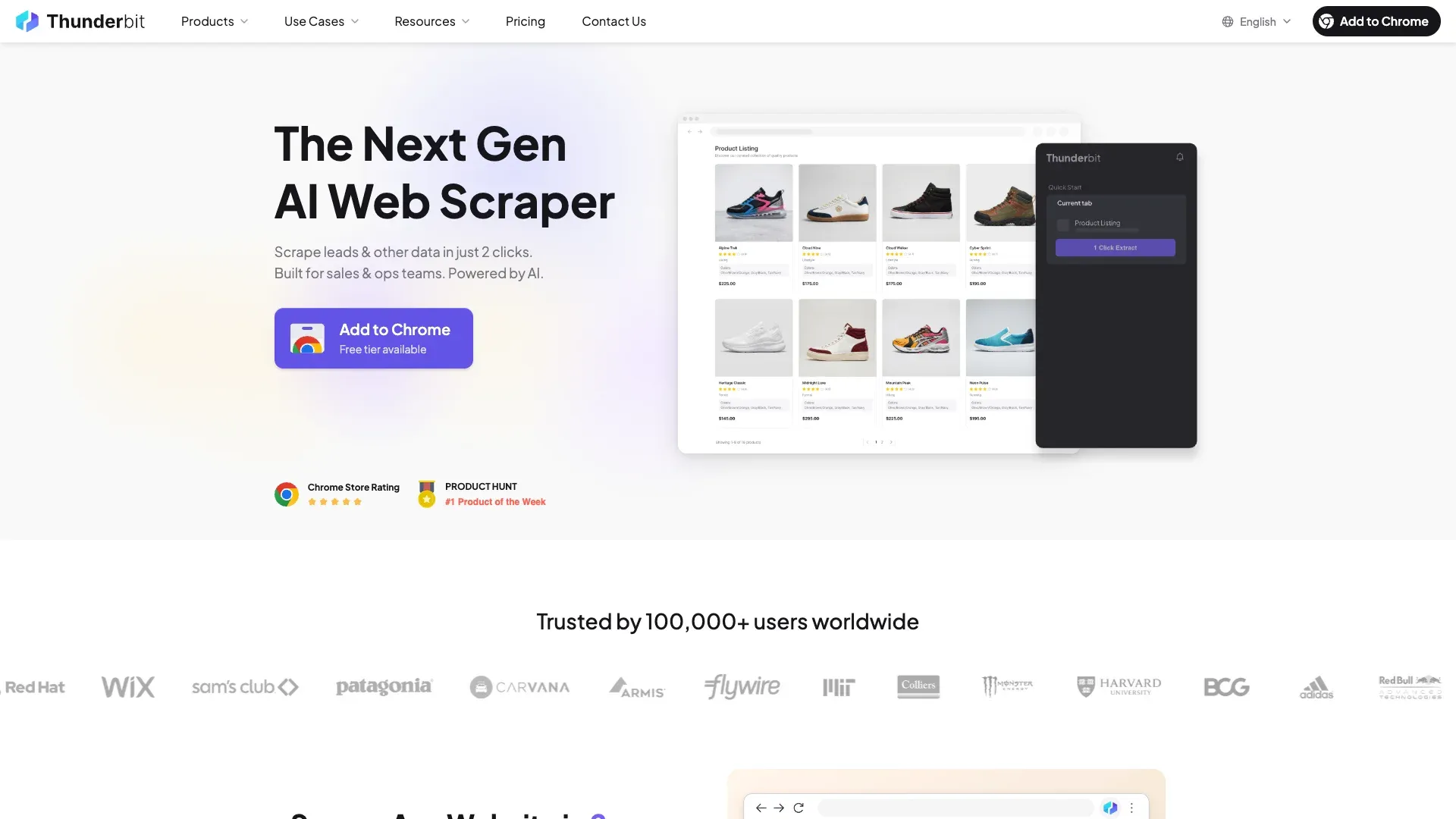 Thunderbit is the tool we built at our company, so I'll be upfront about that. But I'll also be specific about what it does and doesn't do, because I think honesty is more useful than hype.
Thunderbit is an AI-powered Chrome extension designed for people who need structured data from websites without writing code. For Google News specifically, the workflow looks like this:
- Open Google News search results in Chrome.
- Click "AI Suggest Fields" — the AI reads the page and auto-detects columns like headline, source, date, snippet, and URL.
- Click "Scrape" to extract structured data into a table.
That's the listing page. The real power for news use cases comes next: after scraping the Google News results, you can click "Scrape Subpages" to visit each article URL and extract full article text, author, images, and more. This directly solves the "I have links but still need to crawl and extract the actual content" problem that comes up constantly in forums.
Field AI Prompt lets you add custom AI instructions per column. For example, you could add a "Sentiment" column with a prompt like "Classify this article as positive, negative, or neutral toward [brand]." That means you're extracting data and enriching it in one pass—something none of the pure API tools offer.
Thunderbit supports both Browser Scraping (runs in your Chrome session, inheriting your cookies and login state, which avoids many bot-detection triggers) and Cloud Scraping (handles up to 50 pages at a time with built-in anti-bot infrastructure). You can also set up scheduled scraping for recurring news monitoring.
Key Features
- AI Suggest Fields auto-detects headline, source, date, URL columns
- Subpage scraping for full article content, author, and images
- Field AI Prompt for sentiment analysis, translation, or custom labeling
- Cloud and Browser scraping modes
- Scheduled scraping for daily/weekly monitoring
- Free data export to Google Sheets, Airtable, Notion, Excel, CSV, JSON
Pricing
- Free tier: 6 pages
- Free trial: 10 pages
- Paid plans start at ~$9/month (credit-based, 1 credit = 1 output row)
- Normalized cost per 1K rows: roughly $6–$30 depending on plan
Best For
Sales teams, PR professionals, operations managers, and anyone who needs structured Google News data without writing a line of code. Especially strong when you need full article content plus AI-enriched fields like sentiment.
2. SerpApi — Best Structured Google News API for Developers
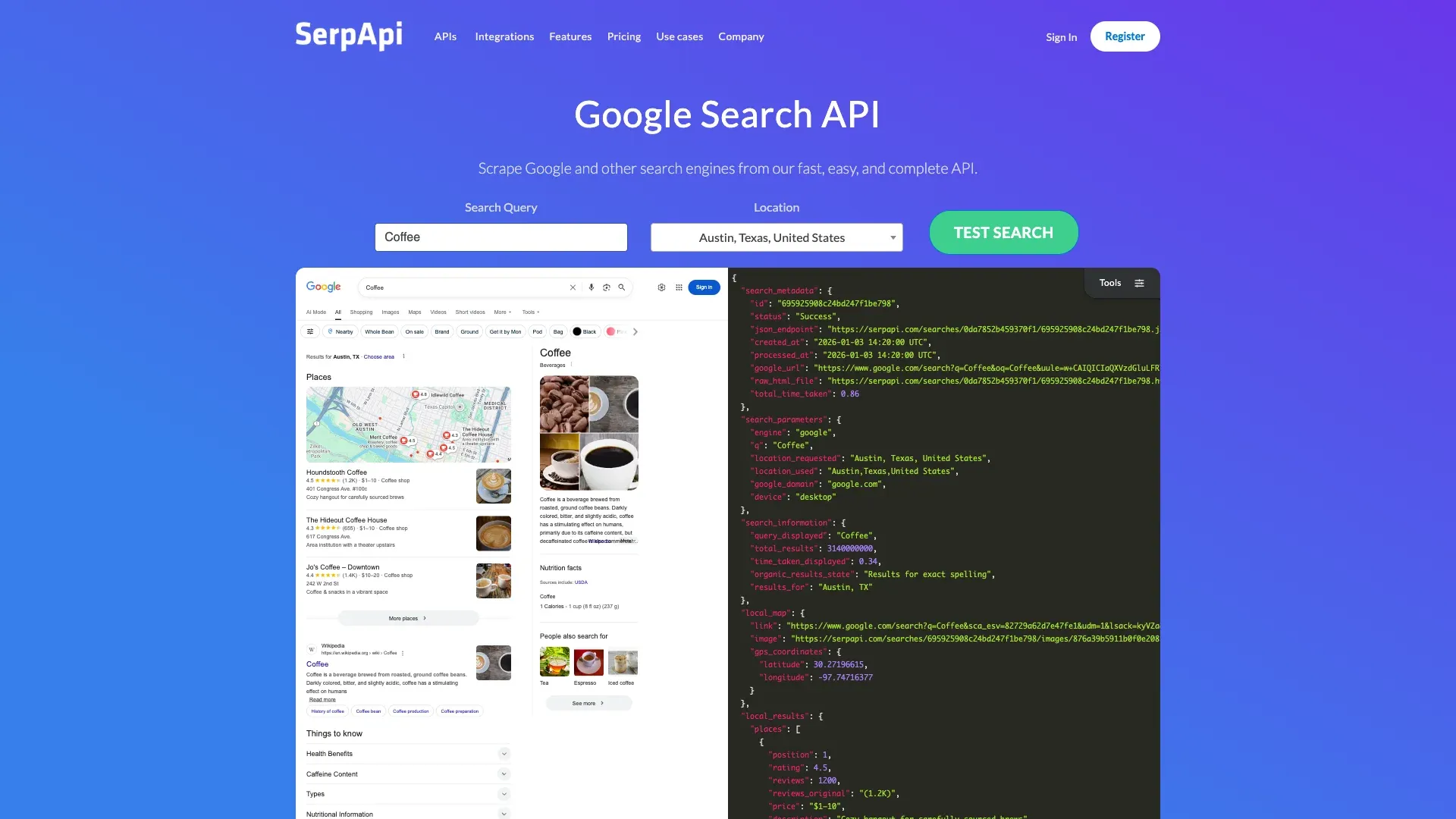 SerpApi is the go-to if you want a dedicated Google News API endpoint that returns clean, structured JSON. It has two relevant endpoints: one for
 news.google.com (the Google News page) and another for the tbm=nws news tab on standard Google Search.
The field documentation is unusually detailed—you get title, source, authors, link, thumbnail, topic_token, story_token, related_topics, and related_publications. That story-token and topic-token support is genuinely useful for de-duplicating clustered stories, which is a pain point most tools ignore.
In my experience, SerpApi's response time is fast (typically under 2 seconds), and the uptime is solid. The main limitation: it's API-only, so you need code or a no-code integration to consume the data. No full article text—just headlines, snippets, and metadata.
Key Features
- Dedicated Google News search endpoint with structured JSON
- Location and language targeting
- Historical news queries via
tbsparameter - Story and topic token support for clustering
Pricing
- Free: 250 searches/month
- Developer: $75/month for 5,000 searches
- Production: $150/month for 15,000 searches
- Normalized cost per 1K results: ~$5–$15 (assuming ~10 results per search)
Best For
Developers building automated news monitoring pipelines who need reliable, structured SERP data with strong field coverage.
3. ScraperAPI — Best Budget Generic API for Google News
 ScraperAPI is a general-purpose scraping API—not a Google News-specific tool. But it's included here because it's one of the cheapest ways to hit Google News pages at scale if you're comfortable writing your own parser.
ScraperAPI handles proxy rotation, JavaScript rendering, and CAPTCHA solving behind a simple REST API. You send a URL, it returns the rendered HTML. The catch is that there's no dedicated Google News parser, so you'll need to extract the fields yourself (or pair it with a parsing library).
Some users report slower response times (7–23 seconds in benchmarks), and the credit system means each request type costs a different number of credits. But for developers who already know how to parse Google News HTML, ScraperAPI's pricing is hard to beat.
Key Features
- Automatic proxy rotation and geo-targeting
- JavaScript rendering
- Credit-based model (100K credits on basic plan)
- 5,000 free trial credits, 7 days, no card required
Pricing
- Free trial: 5,000 credits (7 days)
- Hobby: $49/month (100,000 credits)
- Startup: $149/month (1,000,000 credits)
- Normalized cost per 1K requests: ~$0.10–$0.49 depending on plan
Best For
Budget-conscious developers who need a cheap proxy/rendering layer and are happy to build their own Google News parser.
4. Apify — Best Cloud Platform with Pre-Built Google News Actors
 Apify is a cloud-based scraping platform with a marketplace of "Actors"—pre-built scrapers you can run without coding. There are several community-contributed Google News Scraper actors available, and the platform handles cloud execution, scheduling, and storage.
You can get started quickly with a pre-built actor. The trade-off: community actors vary in quality and maintenance. Some may break when Google changes its layout, and you're dependent on the actor author to fix them. Apify's own infrastructure is solid, but the Google News-specific experience depends on which actor you pick.
Key Features
- Google News-specific actors in the Apify Store
- Cloud-based scheduled runs
- API and webhook integrations
- Export to JSON, CSV, Excel, and via API
Pricing
- Free plan: $0/month ($5 usage credit)
- Paid plans from $29/month
- Normalized cost per 1K requests: varies by actor and compute usage
Best For
Technical teams who want pre-built scraping workflows without building from scratch, and who need cloud-based scheduling and API integrations.
5. Bright Data — Best Enterprise-Grade Google News Scraper
 Bright Data is the enterprise heavyweight. Its News Scraper product explicitly supports Google News and includes automated proxy management, full browser rendering, CAPTCHA solving, and batch handling up to 5,000 URLs. Fields include ID, URL, headline, author, topics, and more.
Bright Data also sells a pre-collected Google News dataset starting at $2.50 per 1,000 records, which is a useful option for teams that don't want to scrape live.
The 72M+ residential proxy network is what sets it apart for anti-bot handling. If you're scraping Google News from multiple countries at high volume, Bright Data absorbs the complexity.
Key Features
- News Scraper with Google News support
- 72M+ residential proxies with geo-targeting
- Built-in CAPTCHA solving
- Web Scraper IDE (visual, semi-no-code)
- Pay-as-you-go and subscription options
Pricing
- Free tier: 5,000 credits/month
- Pay as you go: ~$1.50/1K records
- Scale: $499/month (384K records included, ~$1.30/1K additional)
Best For
Large businesses and enterprises that need high-volume, high-reliability Google News data with global geo-coverage and compliance infrastructure.
6. Octoparse — Best Desktop No-Code Scraper for Google News
 Octoparse offers both a regular Google News Scraper template and a Cloud template. The field list is unusually transparent: keyword, source, title, publish date, URL, body text, author, abstract, images, and error message fields.
The cloud template even publishes a rate of $0.1 per 1,000 lines in Run Mode, which is rare pricing transparency for a no-code tool. But the real-world cost depends on the subscription tier you need for cloud scheduling and anti-blocking features.
Octoparse's visual workflow builder is well-suited for users who want explicit control over extraction steps without writing code. The learning curve is steeper than Thunderbit's AI-driven approach, but some users prefer the granularity.
Key Features
- Pre-built Google News template with detailed field extraction
- Visual point-and-click workflow builder
- Cloud-based and local execution
- Scheduled and recurring scrapes
- Export to CSV, Excel, JSON, databases
Pricing
- Free plan with limited features
- Paid plans from $69/month
- Normalized cost: ~$9–$25 per 1K rows (amortized with plan cost)
Best For
Non-technical users who prefer a visual desktop tool with explicit step-by-step control over extraction, and who need recurring Google News scraping.
7. ScrapingBee — Best API for Handling JavaScript-Heavy Google News Pages
 ScrapingBee specializes in headless browser rendering, proxy rotation, and anti-bot bypassing. It's a strong choice when Google News pages require full JavaScript execution to render results—which is increasingly the case.
The API is simple: send a URL, get back rendered HTML or a screenshot. ScrapingBee handles the proxy rotation and CAPTCHA solving behind the scenes. But like ScraperAPI, there's no dedicated Google News parser—you'll need to extract fields yourself.
The credit system means JavaScript-rendered requests cost more than simple HTTP requests, so keep that in mind when estimating costs for Google News.
Key Features
- Headless Chrome rendering for JS-heavy pages
- Automatic proxy rotation and CAPTCHA bypass
- Google Search / News scraping support
- Simple REST API with JSON/HTML response
Pricing
- Plans from $49/month
- Credit-based (JS rendering costs more per request)
- Normalized cost per 1K requests: varies based on rendering needs
Best For
Developers who need reliable JavaScript rendering and anti-bot handling for Google News pages via a straightforward API.
8. Oxylabs — Best Google News Scraper for Geo-Targeted Results
 Oxylabs has a dedicated Google News Scraper API under its SERP stack, backed by a 100M+ proxy pool across 195 countries. The pitch: enterprise-grade reliability with geo-specific results.
Oxylabs supports structured JSON output, real-time and batch scraping modes, and custom parsing logic with XPath and CSS selectors. The Google-specific pricing is clear: ~$1.00/1K results on the Micro plan, dropping to ~$0.90/1K on higher tiers.
The free trial gives you up to 2,000 results, which is enough to test whether the data quality meets your needs.
Key Features
- SERP Scraper API with Google News support
- 100M+ proxies across 195 countries
- Structured JSON delivery
- Real-time and batch scraping modes
Pricing
- Free trial: up to 2,000 results
- Micro:
$1.00/1K Google results ($2.35/1K with JS rendering) - Higher tiers: ~$0.90/1K
- Custom enterprise plans available
Best For
Enterprise and mid-market teams that need geo-targeted Google News results at scale with high reliability.
9. Scrapingdog — Best Budget-Friendly Google News API
 Scrapingdog positions itself as a cost-effective alternative to SerpApi, with a dedicated Google News API endpoint. The structured JSON response includes title, source, date, snippet, and link.
The pricing is genuinely aggressive: some plans offer 200K requests for $40, which works out to about $0.20 per 1,000 requests. Response time is typically around 2 seconds, and you get 200 free credits to test.
The trade-off: Scrapingdog is a smaller company with less documentation and fewer integrations than the big players. But for startups and budget-conscious builders, the economics are compelling.
Key Features
- Dedicated Google News Scraper API endpoint
- Structured JSON response (title, source, date, snippet, link)
- Historical news data via
tbsparameter - 200 free credits to test
Pricing
- Free: 200 credits
- Paid plans from $40/month
- Normalized cost per 1K requests: ~$0.20
Best For
Budget-conscious developers and startups who need high-volume Google News data at the lowest per-request cost.
10. Newsdata.io — Best Dedicated News API (Beyond Google News)
 Newsdata.io is a purpose-built news data API that aggregates from 50,000+ sources globally. It's not a Google News scraper per se—it doesn't scrape Google News directly. Instead, it independently aggregates from the same (and additional) publisher sources, returning structured JSON with real-time and historical news search.
The premium plans include full article text extraction, sentiment analysis, and category filtering—features that most SERP-scraping tools don't offer natively. The free tier gives you 200 requests/day, which is generous for testing.
If your goal is "get news data about a topic" rather than specifically "scrape Google News," Newsdata.io could be a better fit than any SERP tool on this list.
Key Features
- Real-time and historical news search API
- Full article text extraction (premium)
- Sentiment analysis (premium)
- Category, language, and country filtering
- 200 requests/day free tier
Pricing
- Free: 200 requests/day
- Paid plans from $199.99/month
- Normalized cost per 1K requests: varies by plan
Best For
Teams that need a dedicated news data source with built-in NLP features (sentiment, categorization) and don't specifically need to scrape Google News itself.
Google News Scrapers Compared: Anti-Bot Handling, Data Fields, and Pricing
Three comparison dimensions matter more than anything else when picking a Google News scraper. I haven't found another guide that covers all three systematically.
How Each Tool Handles Google's Anti-Bot Protections
Anti-bot handling is the #1 concern for anyone scraping Google News. Here's how each tool approaches it:
| Strategy | Tools That Use It |
|---|---|
| Built-in proxy rotation | Bright Data, ScrapingBee, Oxylabs, ScraperAPI |
| CAPTCHA solving included | Bright Data, ScrapingBee, Oxylabs |
| JS rendering / headless browser | Apify, Octoparse, ScrapingBee |
| Browser-based (uses your session) | Thunderbit (Browser Scraping mode) |
| SERP-specific anti-detection | SerpApi, Scrapingdog |
Thunderbit's Browser Scraping mode is worth explaining in more detail. Because it runs inside your actual Chrome session, it inherits your cookies and logged-in state. That means it avoids many of the bot-detection triggers that headless scrapers hit—consent pages, CAPTCHA challenges, and fingerprinting checks. For high-volume needs, Thunderbit's Cloud Scraping handles 50 pages at a time with its own anti-bot infrastructure.
What Data Fields Does Each Google News Scraper Return?
This is the comparison nobody else publishes—and it's the one that matters most for choosing a tool. Some tools only give you headlines and links. Others can extract full article text, author names, and even sentiment.
| Tool | Headline | Source | Date | Snippet | Article URL | Full Text | Author | Images | Sentiment |
|---|---|---|---|---|---|---|---|---|---|
| Thunderbit | ✅ | ✅ | ✅ | ✅ | ✅ | ✅ (via subpage) | ✅ (via AI) | ✅ | ✅ (via Field AI Prompt) |
| SerpApi | ✅ | ✅ | ✅ | ✅ | ✅ | ❌ | ✅ | ✅ | ❌ |
| ScraperAPI | ✅ (custom parse) | ✅ (custom parse) | ✅ (custom parse) | ✅ (custom parse) | ✅ (custom parse) | ❌ | ❌ | ❌ | ❌ |
| Apify | ✅ | ✅ | ✅ | ✅ | ✅ | Depends on actor | Depends on actor | ✅ | ❌ |
| Bright Data | ✅ | ✅ | ✅ | ✅ | ✅ | ✅ (News Scraper) | ✅ | ✅ | ❌ |
| Octoparse | ✅ | ✅ | ✅ | ✅ | ✅ | ✅ (template) | ✅ | ✅ | ❌ |
| ScrapingBee | ✅ (custom parse) | ✅ (custom parse) | ✅ (custom parse) | ✅ (custom parse) | ✅ (custom parse) | ❌ | ❌ | ❌ | ❌ |
| Oxylabs | ✅ | ✅ | ✅ | ✅ | ✅ | ❌ | ❌ | ✅ | ❌ |
| Scrapingdog | ✅ | ✅ | ✅ | ✅ | ✅ | ❌ | ❌ | ❌ | ❌ |
| Newsdata.io | ✅ | ✅ | ✅ | ✅ | ✅ | ✅ (premium) | ✅ | ✅ | ✅ (premium) |
The standout here is that Thunderbit can extract full article text via Subpage Scraping and add AI-enriched fields like sentiment in the same pass. Newsdata.io also offers sentiment and full text, but through a dedicated news API rather than Google News scraping. Most SERP APIs only return what's visible on the Google News listing page—headlines, snippets, and links.
Normalized Cost per 1,000 Results
This is the table I wanted when I was evaluating tools and couldn't find anywhere. Every vendor quotes pricing differently, so I normalized everything to cost per 1,000 successful results at the lowest paid tier.
| Tool | Free Tier | Lowest Paid Plan | ~Cost per 1K Results | Notes |
|---|---|---|---|---|
| Thunderbit | 6 pages free / trial: 10 pages | Starts ~$9/mo (credit-based) | ~$6–$30 | 1 credit = 1 row; AI extraction included |
| SerpApi | 250 searches/mo | $75/mo (5,000 searches) | ~$15 | Structured JSON, Google News endpoint |
| ScraperAPI | 5,000 credits (7-day trial) | $49/mo (100K credits) | ~$0.49 | No dedicated Google News parser |
| Apify | Free plan ($5/mo credit) | $29/mo | Varies | Depends on actor and compute |
| Bright Data | 5,000 credits/mo free | Pay-as-you-go | ~$1.30–$2.50 | Enterprise-grade, dataset option available |
| Octoparse | Free plan (limited) | $69/mo | ~$9–$25 | Cloud template: $0.1/1K lines (base) |
| ScrapingBee | Trial credits | $49/mo | Varies (JS costs more) | Credit-based, no dedicated parser |
| Oxylabs | Up to 2,000 results | Micro plan | ~$1.00–$2.35 | Geo-targeting, structured JSON |
| Scrapingdog | 200 credits | $40/mo | ~$0.20 | Budget pick, dedicated News endpoint |
| Newsdata.io | 200 req/day | $199.99/mo | Varies by plan | Not scraping Google directly; NLP features |
A few takeaways. Scrapingdog is the cheapest per-request option by far, but it only returns SERP-level data (no full text). Bright Data and Oxylabs are mid-range on cost but offer the strongest anti-bot infrastructure. Thunderbit is more expensive per row than the cheapest APIs, but it's the only tool that gives you full article extraction plus AI enrichment without writing code.
Which Google News Scraper Should You Pick?
My recommendation by scenario:
- Just need headlines for monitoring, low budget? → Scrapingdog or Newsdata.io free tier
- Non-technical user who needs full article text + enrichment? → Thunderbit
- Developer building a structured news pipeline? → SerpApi (best field coverage) or Scrapingdog (best price)
- Enterprise, high-volume, geo-targeting? → Bright Data or Oxylabs
- Want a visual desktop workflow? → Octoparse
- Need news data beyond Google News with NLP features? → Newsdata.io
- Need the cheapest generic proxy/rendering layer? → ScraperAPI
The right tool depends on three factors: your technical skill level, your volume needs, and whether you need headlines-only or full article content. If you're not sure, start with a free tier—most of these tools offer one—and see how the data quality holds up for your specific use case.
If you want to try the fastest no-code path, Thunderbit's free tier lets you scrape Google News results in a couple of clicks and export straight to Google Sheets or Airtable. For a walkthrough, check out our YouTube channel or the news scraper template.
And may your headlines always be structured, your CAPTCHAs few, and your exports clean.
Try Thunderbit for Google News Scraping Get Started Free
FAQs
Does Google have an official News API?
No. Google deprecated its News API in 2011 and has never replaced it. The closest official option is the Custom Search JSON API, which provides 100 free queries per day and charges $5 per 1,000 queries, but it requires a configured custom search engine and is not a dedicated Google News product. Every tool calling itself a "Google News API" today is a third-party service.
Can I use Google News RSS feeds instead of a scraper?
Yes, for simple use cases. Google News RSS feeds provide headlines and links for free, but they're limited to roughly 100 results, offer no full article text, and have minimal filtering options. If you need richer data—full article content, author names, sentiment analysis, or more than 100 results—you'll need a dedicated scraper or API from this list.
How do I get full article text from Google News results?
Google News listings only show headlines and snippets. To get full article content, you need a tool that follows the article link and extracts the page content. Thunderbit's Subpage Scraping does this automatically after scraping the Google News listing page. API tools like Newsdata.io offer full text on premium plans. Most SERP APIs (SerpApi, Scrapingdog, Oxylabs) only return what's visible on the listing page.
Is it legal to scrape Google News?
Scraping publicly visible data is generally not treated as unauthorized access under U.S. law (per the hiQ v. LinkedIn precedent), but that doesn't make it policy-safe. Google's terms of service discourage automated querying, and Google actively serves CAPTCHAs and blocks when it detects bot-like traffic. Users should stay within publicly available data, respect copyright on article text, and consult legal counsel for commercial-scale use cases.
What breaks Google News scrapers most often?
The usual culprits are automated-query detection (CAPTCHAs and 429 errors), localization drift (different results by country/language), consent and interstitial pages, markup changes to news card layouts, and redirect URL normalization. The most stable data layer is article metadata (title, source, date, URL). The least stable is the presentation surface—story clustering, thumbnails, and section organization change frequently.
Learn More




