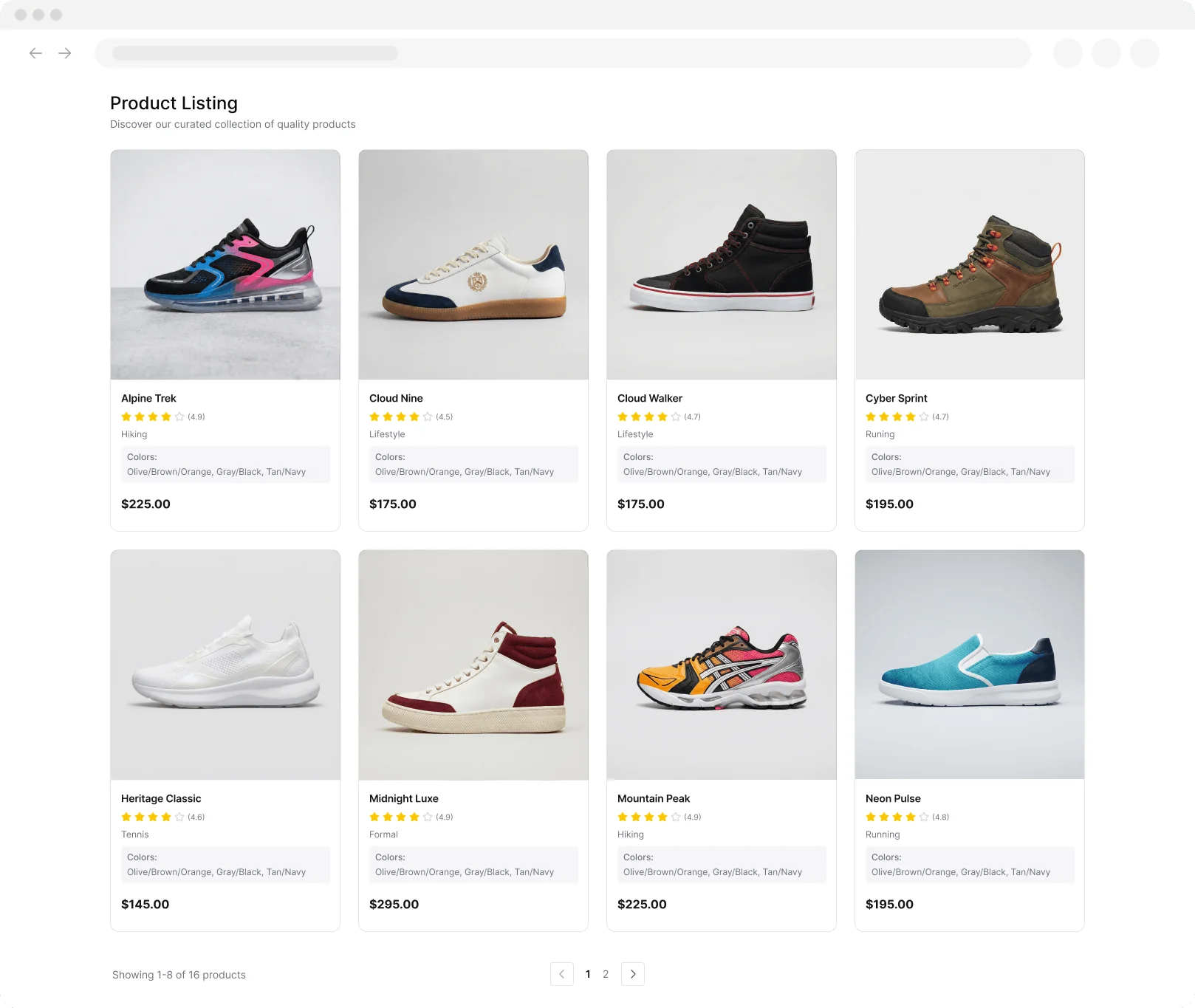
Idealo Scraper

מאת
Extract product prices, ratings, and details from Idealo for fast market research and deal comparison. Save time and get structured data in one click.

Scrape hundreds of webpages with the Thunderbit Chrome Extension in one click, try the Thunderbit API for free, or use our שירות Web Scraping to save engineering time.

Collect Idealo Product Data InstantlyScrape product prices, ratings, and details from Idealo with Thunderbit’s Chrome extension—no manual copying required.

Collect Idealo Product Data Instantly

Thunderbit’s Idealo Scraper lets you gather product names, prices, ratings, and more from Idealo listings with just a few clicks. The AI-powered tool structures your data for easy analysis, making it simple to compare deals and monitor market trends. Export your results directly to Google Sheets, Airtable, or Notion for further review. Thunderbit also supports scraping subpages, images, and reviews, so you get a complete dataset for your research.

How to Extract Product Data Using Thunderbit

step_01.png
STEP 1Download and InstallDownload and install the Thunderbit Chrome Extension from the Thunderbit Chrome Extension Download Page. Once installed, log in or create a free account to get started.
step_02.png
STEP 2Open ExtensionNavigate to the Idealo product listing page you want to extract data from. Open the Thunderbit Chrome Extension and select the 'Idealo Scraper' tool from the menu. Enter the URL of the Idealo product listing page in the provided field.
step03.png
STEP 3Click the Extract Product Data ButtonClick the 'Extract Product Data' button. Thunderbit will process the Idealo page and extract product name, product URL, product image, price, product description, and quotes(Angebote) into a structured table. You can then export the results to Excel, Google Sheets, Airtable, Notion, or download them as a CSV or JSON file.

Learn how to extract product data from Idealo listings

Collect Comprehensive Product Information
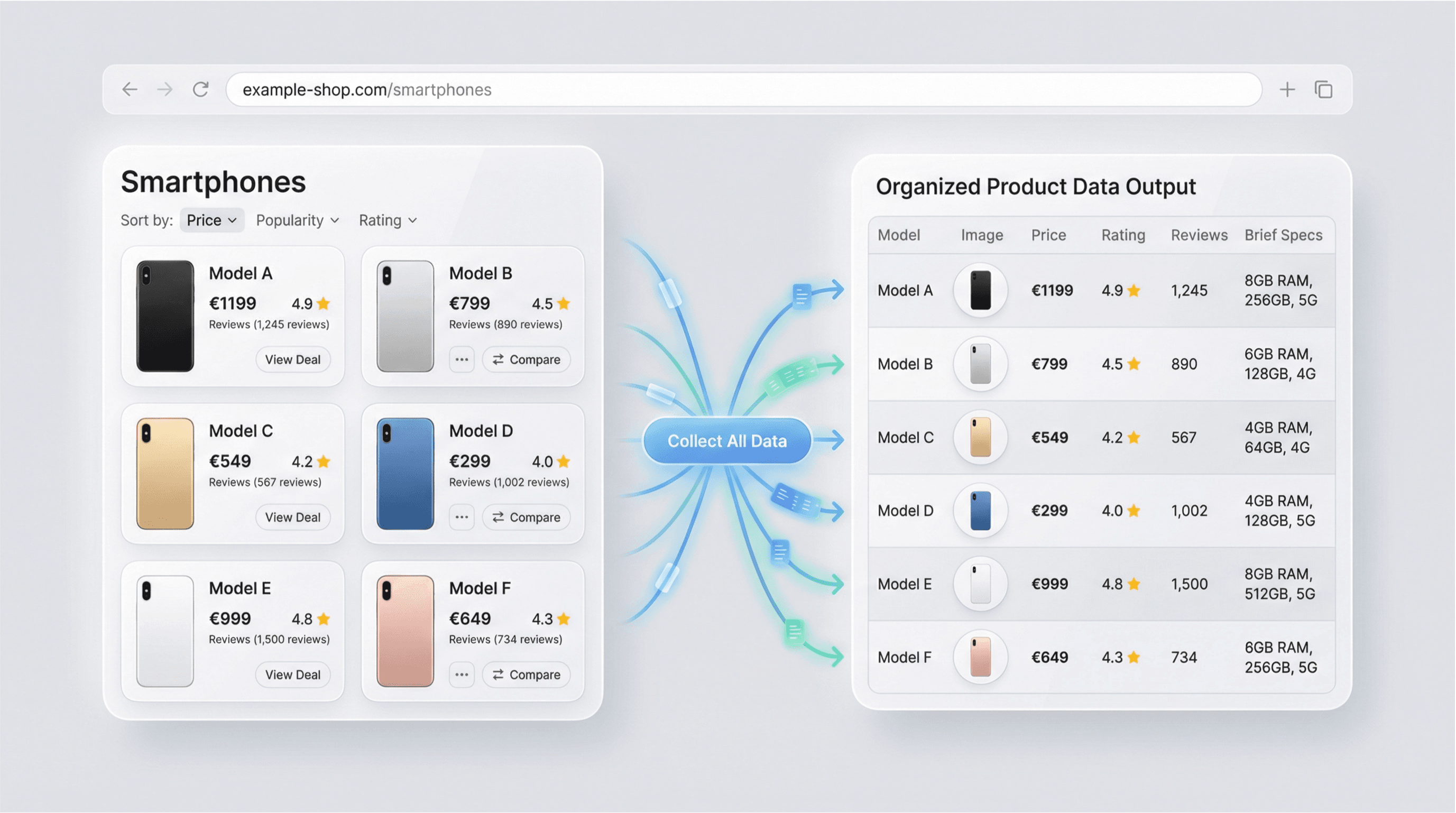
The Idealo Scraper enables users to gather detailed product data from Idealo, Europe’s leading price comparison site. By simply entering a product listing URL, you can extract essential details such as product names, images, prices, ratings, descriptions, and review counts. This tool is ideal for ecommerce professionals, market researchers, and price analysts who need accurate and up-to-date product information for competitive analysis or catalog management.
התחל/י בחינם
idealo_scraper_listing_v3.png

Automate Market Research and Price Monitoring
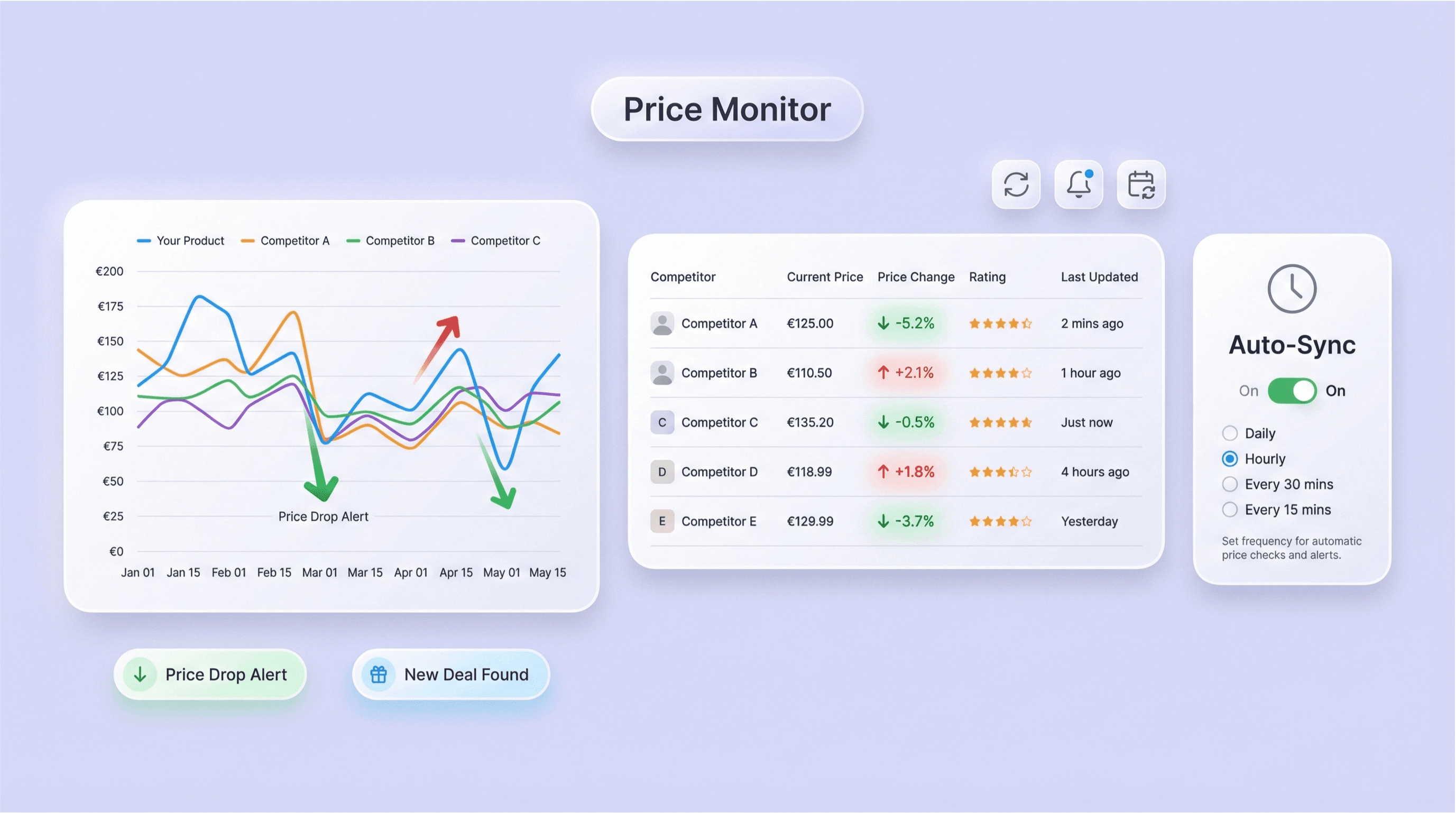
With the Idealo Scraper, you can automate the process of tracking prices, ratings, and product specifications across multiple listings. This feature is especially useful for businesses aiming to monitor competitors, identify pricing trends, or discover the best deals. By reducing manual data collection, the tool helps users save time and ensures that their market research is always based on the latest available data.
התחל/י בחינם
idealo_price_monitoring.png

Export Structured Data for Analysis
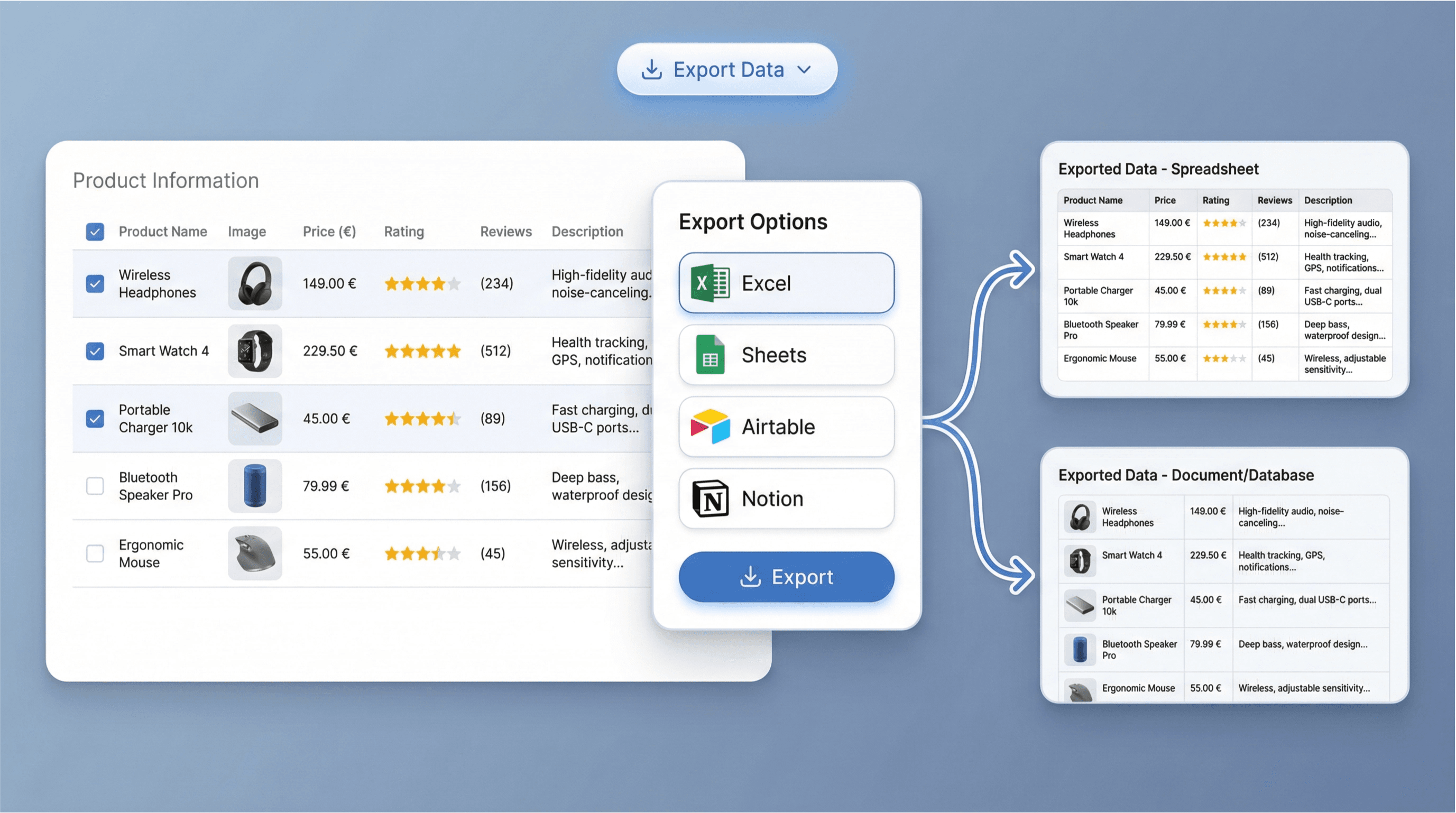
After extracting product data, the Idealo Scraper presents the results in a structured table format. You can easily export this data to Excel, Google Sheets, Airtable, or Notion for further analysis or reporting. This streamlined export process allows you to quickly integrate the information into your existing workflows, making it simple to compare products, track changes, or share insights with your team.
התחל/י בחינם
idealo_data_export.png

Support Ecommerce Operations and Catalog Updates
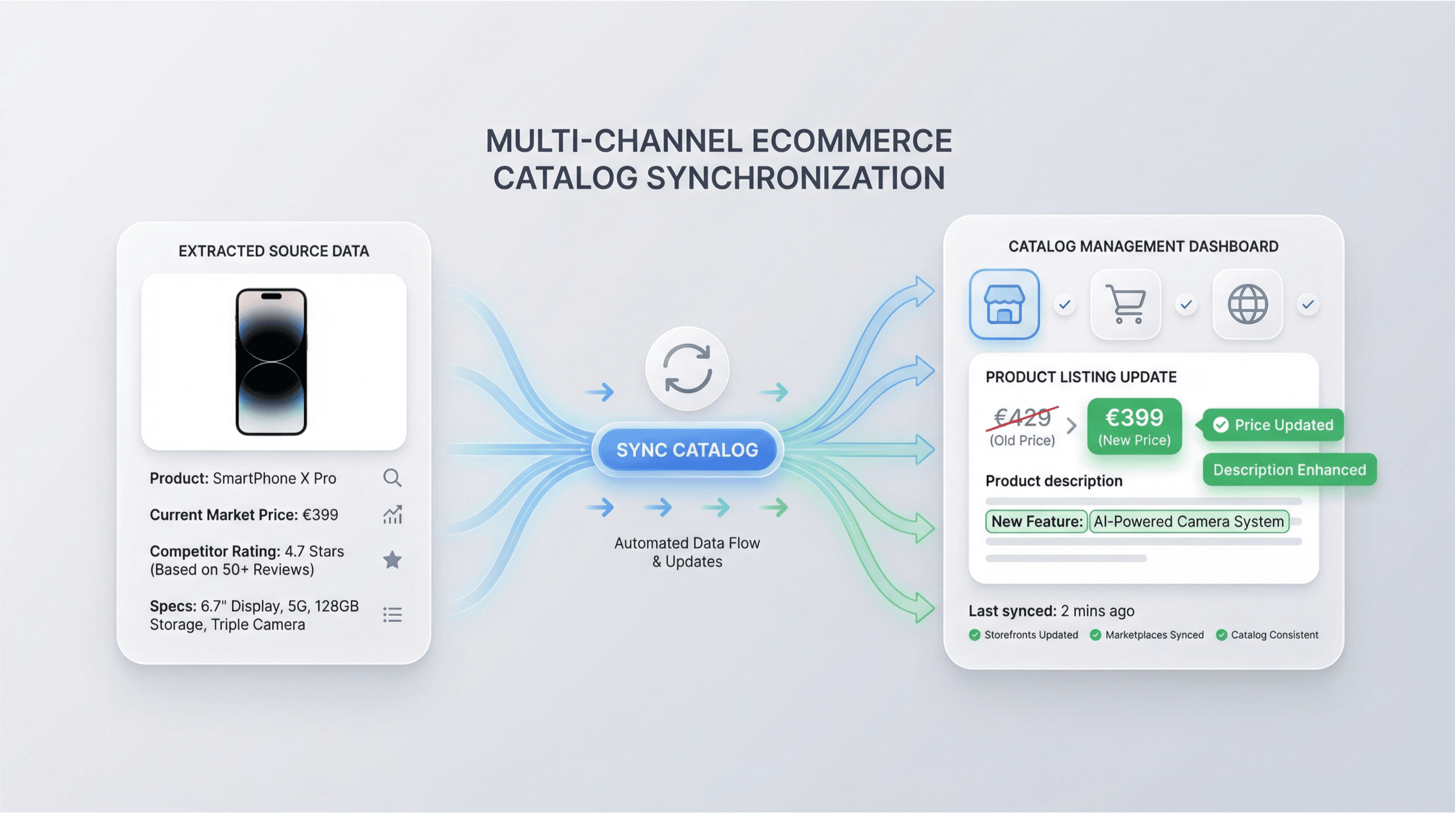
Use the Idealo Scraper to keep your product catalogs current and competitive. By regularly extracting and reviewing product details from Idealo, ecommerce teams can update listings, adjust pricing strategies, and enhance product descriptions. This capability is valuable for online retailers, distributors, and digital marketers who need to maintain accurate and appealing product information across multiple sales channels.
התחל/י בחינם
idealo_catalog_updates.png

גלו עוד כלים בחינם

Amazon Products Scraper

Amazon מוצרים Scraper

הדביקו כתובות URL של מוצרים מאמזון וחלצו במהירות מידע על המוצר. קבלו כותרות, מחירים, דירוגים ועוד — בטבלה מסודרת שמוכנה לייצוא ולסקירה מהירה.

Amazon Price Scraper

ב־2 קליקים בלבד אפשר לחלץ מאמזון מחירים, שמות מוכרים, דירוגים, ASIN, זמינות וכתובות URL של מוצרים — ואז לייצא ל-Excel, ל-Google Sheets, ל-Airtable או ל-Notion. בלי צורך בקוד.

Amazon Review Exporter

מייצא ביקורות מאמזון

חלצו ביקורות מפורטות על מוצרים באמזון באמצעות הדבקת כתובת ה-URL של המוצר. אספו מיד פרטי מבקרים, דירוגים ועוד—בטבלה מסודרת שמוכנה לניתוח.

כלי מחקר מוצרים של Amazon

מצאו מוצרים בעלי פוטנציאל גבוה ב-Amazon באמצעות מחקר לפי מילות מפתח, קטגוריה או ASIN. השוו ביקוש, תחרות, תמחור ומכירות משוערות כדי לאמת רעיונות. קבלו החלטות מקורות מהירות יותר, מבוססות נתונים.

אומדן מכירות חינמי של Amazon

העריכו את המכירות היומיות והחודשיות של מוצר ב-Amazon לפי הקטגוריה ודירוג רבי-המכר שלו (BSR). קבלו מדדים מהירים למחקר ביקוש ולהחלטות על ליסטינגים.

מחשבון עמלות FBA חינמי אונליין

העריכו את עלויות Amazon FBA על ידי הזנת המחיר, העלות, המידות, המשקל והקטגוריה. קבלו פירוט של עמלות הפניה, הלוגיסטיקה והאחסון, יחד עם רווח ושיעור רווחיות, כדי לתמחר מוצרים בביטחון.

בודק איכות דפי מוצר באמזון

בודק דפי מוצר באמזון ומעריך עד כמה הם שלמים ומוכנים ל‑SEO. מסמן כותרות חלשות או חסרות, נקודות בולטות, תמונות ומילות מפתח. מקבלים ציון ברור לצד תיקונים פרקטיים לשיפור הנראות.

Product Details Scraper

מחלץ פרטי מוצר

חלצו פרטי מוצרים מאתרי מסחר אלקטרוני כמו Amazon, Walmart, Shein, Lazada ו‑Zalando. אספו שם, מותג, מחיר, תמונות, דירוגים וביקורות בפורמט מובנה לניתוח מהיר או לייצוא.


מצאו עוד כלים עכשיו

מה משתמשים אומרים על Thunderbit

Taryn W.Growth Strategist@Thunderbit שינה את האופן שבו אני עושה מחקר מתחרים. אני לוחץ/ת 'AI Suggest Fields', וזה בונה טבלה נקייה גם על פני תוצאות מחולקות לעמודים—בלי קוד, בלי CSS. חוסך המון זמן בניתוח נתוני מוצרים ממרקטפלייסים ארוכי-זנב.
Miles T.Sales Development Consultantאני משתמש/ת ב-Thunderbit כדי לאסוף אימיילים ומספרי טלפון מספריות. הוא מחלץ פרטי קשר נקיים בלחיצה אחת, והייצוא ל-Sheets או ל-Notion לוקח שניות. בלי הגדרה נוספת, בלי קוד—רק נתונים שימושיים ומוכנים לעבודה.
Rhea C.E-commerce AnalystThunderbit עוזר לי לנטר נתוני SKU על פני כמה עמודים. אני מחלץ/ת את הרשימות ואז משתמש/ת ב-Subpage Scraping כדי להביא מפרטי מוצר מלאים, תמחור, ביקורות ומלאי. ה-AI מארגן הכול לעמודות שאני מגדיר/ה.
Cassian B.Real Estate Advisorה-Scheduled Scraper של Thunderbit הופך מעקב נדל״ן לפשוט יותר. אני מתאר/ת את התדירות באנגלית רגילה, והוא מושך אוטומטית רשימות מעודכנות, מחירים וקישורים בלי לגעת שוב בהגדרה. פשוט ופרקטי מאוד.
Dorian B.Content & SEO Specialistאני משתמש/ת ב-Field AI Prompts של Thunderbit כדי לנקות ולטייג תוכן בלוג שחולץ. הוא מוצא כותרות, מחברים ואפילו מציע קטגוריות. עובד מצוין גם באתרים דינמיים ובדפי משנה—מושלם לבניית מאגרי SEO מובנים.
Lina K.Marketplace Operations Leadאנחנו עוקבים אחרי SKUs מחנויות נישתיות עם Thunderbit. Cloud Scraping מטפל ב-50 עמודים בכל פעם, ובאתרים שדורשים התחברות אנחנו עוברים למצב דפדפן. זה מהיר, גמיש, ולא דורש תחזוקה שוטפת או עריכות ידניות.
Jorge F.Inbound Sales Managerה-AI Autofill של Thunderbit מציל חיים. אחרי שאני מחלץ/ת פרטי קשר, אני משתמש/ת בו כדי למלא טפסי לידים ישירות בדפדפן. פשוט בוחר/ת את הטאב, והוא ממלא הכול לפי השורה שחולצה. בלי הזנה ידנית.
Alina D.Freelance Researcherאני נשען/ת על Thunderbit כדי לחלץ נתונים מ-PDF, מאתרים מבוססי תמונות ומדפי infinite scroll. הוא מטפל בפורמטים מבולגנים עם AI ומספק טבלאות מוכנות לייצוא שאפשר לשלוח ל-Google Sheets או ל-Airtable בשניות.
Taryn W.Growth Strategist@Thunderbit שינה את האופן שבו אני עושה מחקר מתחרים. אני לוחץ/ת 'AI Suggest Fields', וזה בונה טבלה נקייה גם על פני תוצאות מחולקות לעמודים—בלי קוד, בלי CSS. חוסך המון זמן בניתוח נתוני מוצרים ממרקטפלייסים ארוכי-זנב.
Miles T.Sales Development Consultantאני משתמש/ת ב-Thunderbit כדי לאסוף אימיילים ומספרי טלפון מספריות. הוא מחלץ פרטי קשר נקיים בלחיצה אחת, והייצוא ל-Sheets או ל-Notion לוקח שניות. בלי הגדרה נוספת, בלי קוד—רק נתונים שימושיים ומוכנים לעבודה.
Rhea C.E-commerce AnalystThunderbit עוזר לי לנטר נתוני SKU על פני כמה עמודים. אני מחלץ/ת את הרשימות ואז משתמש/ת ב-Subpage Scraping כדי להביא מפרטי מוצר מלאים, תמחור, ביקורות ומלאי. ה-AI מארגן הכול לעמודות שאני מגדיר/ה.
Cassian B.Real Estate Advisorה-Scheduled Scraper של Thunderbit הופך מעקב נדל״ן לפשוט יותר. אני מתאר/ת את התדירות באנגלית רגילה, והוא מושך אוטומטית רשימות מעודכנות, מחירים וקישורים בלי לגעת שוב בהגדרה. פשוט ופרקטי מאוד.
Dorian B.Content & SEO Specialistאני משתמש/ת ב-Field AI Prompts של Thunderbit כדי לנקות ולטייג תוכן בלוג שחולץ. הוא מוצא כותרות, מחברים ואפילו מציע קטגוריות. עובד מצוין גם באתרים דינמיים ובדפי משנה—מושלם לבניית מאגרי SEO מובנים.
Lina K.Marketplace Operations Leadאנחנו עוקבים אחרי SKUs מחנויות נישתיות עם Thunderbit. Cloud Scraping מטפל ב-50 עמודים בכל פעם, ובאתרים שדורשים התחברות אנחנו עוברים למצב דפדפן. זה מהיר, גמיש, ולא דורש תחזוקה שוטפת או עריכות ידניות.
Jorge F.Inbound Sales Managerה-AI Autofill של Thunderbit מציל חיים. אחרי שאני מחלץ/ת פרטי קשר, אני משתמש/ת בו כדי למלא טפסי לידים ישירות בדפדפן. פשוט בוחר/ת את הטאב, והוא ממלא הכול לפי השורה שחולצה. בלי הזנה ידנית.
Alina D.Freelance Researcherאני נשען/ת על Thunderbit כדי לחלץ נתונים מ-PDF, מאתרים מבוססי תמונות ומדפי infinite scroll. הוא מטפל בפורמטים מבולגנים עם AI ומספק טבלאות מוכנות לייצוא שאפשר לשלוח ל-Google Sheets או ל-Airtable בשניות.

Frequently Asked Questions

חלץ/י נתונים בעזרת AI
העבר/י בקלות נתונים ל-Google Sheets, Airtable או Notion
Chrome Store Rating
PRODUCT HUNT#1 Product of the Week