

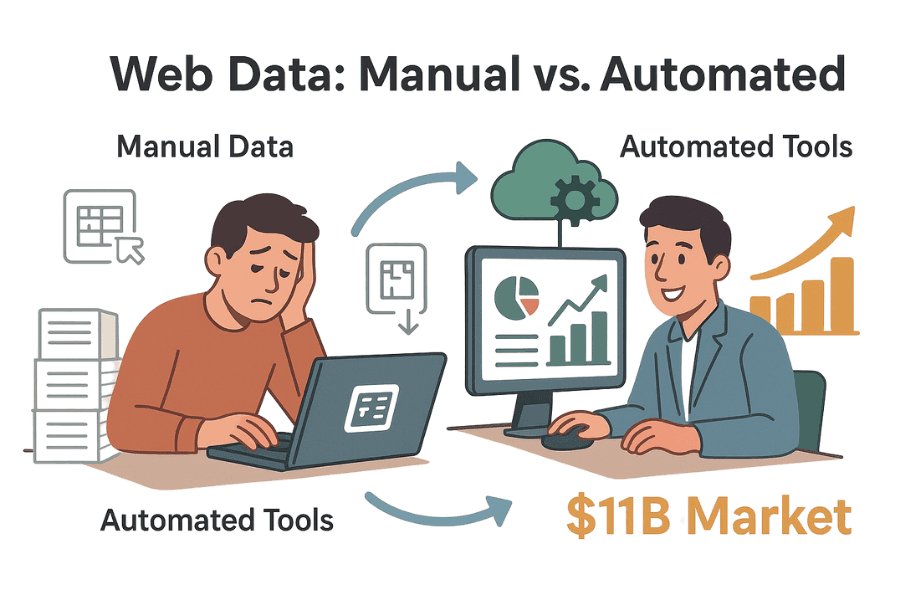
Let’s be honest—nobody wakes up in the morning excited to copy-paste 500 rows of product prices into a spreadsheet. (If you do, I salute your stamina and recommend a good wrist brace.) Whether you’re in sales, operations, or just trying to keep your business one step ahead of the competition, you’ve probably faced the pain of wrangling data from websites. The world runs on web data now, and the demand for automated extraction is exploding—the web scraping software market is projected to hit $11+ billion by 2032.
I’ve spent years in the SaaS and automation trenches, and I’ve seen it all: from heroic Excel macros to Python scripts duct-taped together at 2 a.m. In this guide, I’ll walk you through how to use a Python HTML parser to scrape real-world data (yes, we’ll grab IMDb movie ratings together), and I’ll also show you why, in 2026, there’s a better way—AI-powered tools like Thunderbit that let you skip the code and get straight to the insights.
What Is an HTML Parser and Why Use One in Python?
Let’s start at the top: what does an HTML parser actually do? Think of it as your own personal librarian for the web. It reads the messy HTML code behind a webpage and organizes it into a neat, tree-like structure. That way, you can pluck out just the data you need—titles, prices, links—without getting lost in a sea of angle brackets and divs.
Python is the go-to language for this job, and for good reason. It’s readable, beginner-friendly, and has a massive ecosystem of libraries for web scraping and parsing. In fact, Python is by far the most popular language used for web scraping, thanks to its gentle learning curve and strong community support.
The Python HTML Parser Lineup
Here are the main players you’ll see when parsing HTML in Python:
- BeautifulSoup: The classic, beginner-friendly choice. Still actively maintained —
beautifulsoup44.14.3 shipped on PyPI in late 2025 — so the lessons here aren’t pointing you at a legacy library. - lxml: Fast and powerful, with advanced querying.
- html5lib: Super tolerant of messy HTML, just like your browser.
- PyQuery: Lets you use jQuery-style selectors in Python.
- HTMLParser: Python’s built-in parser—always there, but a bit barebones.
Each has its quirks, but they all help you turn raw HTML into structured data.
Key Use Cases: How Businesses Benefit from Python HTML Parsers
Web data extraction isn’t just for techies or data scientists. It’s become a core business activity, especially in sales and operations. Here’s why:
| Use Case (Industry) | Typical Data Scraped | Business Outcome |
|---|---|---|
| Price Monitoring (Retail) | Competitor prices, stock levels | Dynamic pricing, improved margins (source) |
| Competitor Product Intel | Listings, reviews, availability | Identify gaps, generate leads (source) |
| Lead Generation (B2B Sales) | Business names, emails, contacts | Automated prospecting, pipeline growth (source) |
| Market Sentiment (Marketing) | Social posts, reviews, ratings | Real-time feedback, trend spotting (source) |
| Real Estate Aggregation | Listings, prices, realtor info | Market analysis, pricing strategy (source) |
| Recruitment Intelligence | Candidate profiles, salaries | Talent sourcing, salary benchmarking (source) |
In short: if you’re still copying data by hand, you’re leaving time and money on the table.
Meet the Python HTML Parser Toolkit: Popular Libraries Compared
Let’s get hands-on. Here’s a quick comparison of the most popular Python HTML parser libraries, so you can pick the right tool for your job:
| Library | Ease of Use | Speed | Flexibility | Maintenance Needs | Best For |
|---|---|---|---|---|---|
| BeautifulSoup | ⭐⭐⭐⭐⭐ | ⭐⭐ | ⭐⭐⭐ | Moderate | Beginners, messy HTML |
| lxml | ⭐⭐ | ⭐⭐⭐⭐⭐ | ⭐⭐⭐⭐ | Moderate | Speed, XPath, large docs |
| html5lib | ⭐⭐⭐ | ⭐ | ⭐⭐⭐⭐⭐ | Low | Browser-like parsing, broken HTML |
| PyQuery | ⭐⭐⭐ | ⭐⭐⭐⭐ | ⭐⭐⭐ | Moderate | jQuery fans, CSS selectors |
| HTMLParser | ⭐⭐⭐ | ⭐⭐⭐ | ⭐ | Low | Simple, built-in tasks |
BeautifulSoup: The Beginner-Friendly Choice
BeautifulSoup is the “hello world” of HTML parsing. Its syntax is intuitive, the documentation is great, and it’s forgiving of ugly, malformed HTML (see more). The downside? It’s not the fastest, especially on big or complex pages, and it doesn’t support advanced selectors like XPath out of the box.
lxml: Fast and Powerful
If you need speed or want to use XPath queries, lxml is your friend (details). It’s built on C libraries, so it’s blazing fast, but it can be trickier to install and has a steeper learning curve.
Other Options: html5lib, PyQuery, and HTMLParser
- html5lib: Parses HTML just like your browser—great for broken or weird markup, but it’s slow (comparison).
- PyQuery: Lets you use jQuery-style selectors in Python, which is handy if you’re coming from a front-end background (see docs).
- HTMLParser: Python’s built-in option—fast and always available, but not as feature-rich.
Step 1: Setting Up Your Python HTML Parser Environment
Before you can parse anything, you need to set up your Python environment. Here’s how:
-
Install Python: Download from python.org if you don’t have it.
-
Install pip: Usually comes with Python 3.4+, but you can check by running
pip --versionin your terminal. -
Install the libraries (let’s use BeautifulSoup and requests for this tutorial):
pip install beautifulsoup4 requests lxmlbeautifulsoup4is the parser.requestslets you fetch web pages.lxmlis a fast parser that BeautifulSoup can use under the hood.
-
Check your installation:
python -c "import bs4, requests, lxml; print('All good!')"
Troubleshooting tips:
- If you get permission errors, try
pip install --user ... - On Mac/Linux, you might need
python3andpip3instead. - If you see “ModuleNotFoundError,” double-check your spelling and Python environment.
Step 2: Parsing Your First Web Page with Python
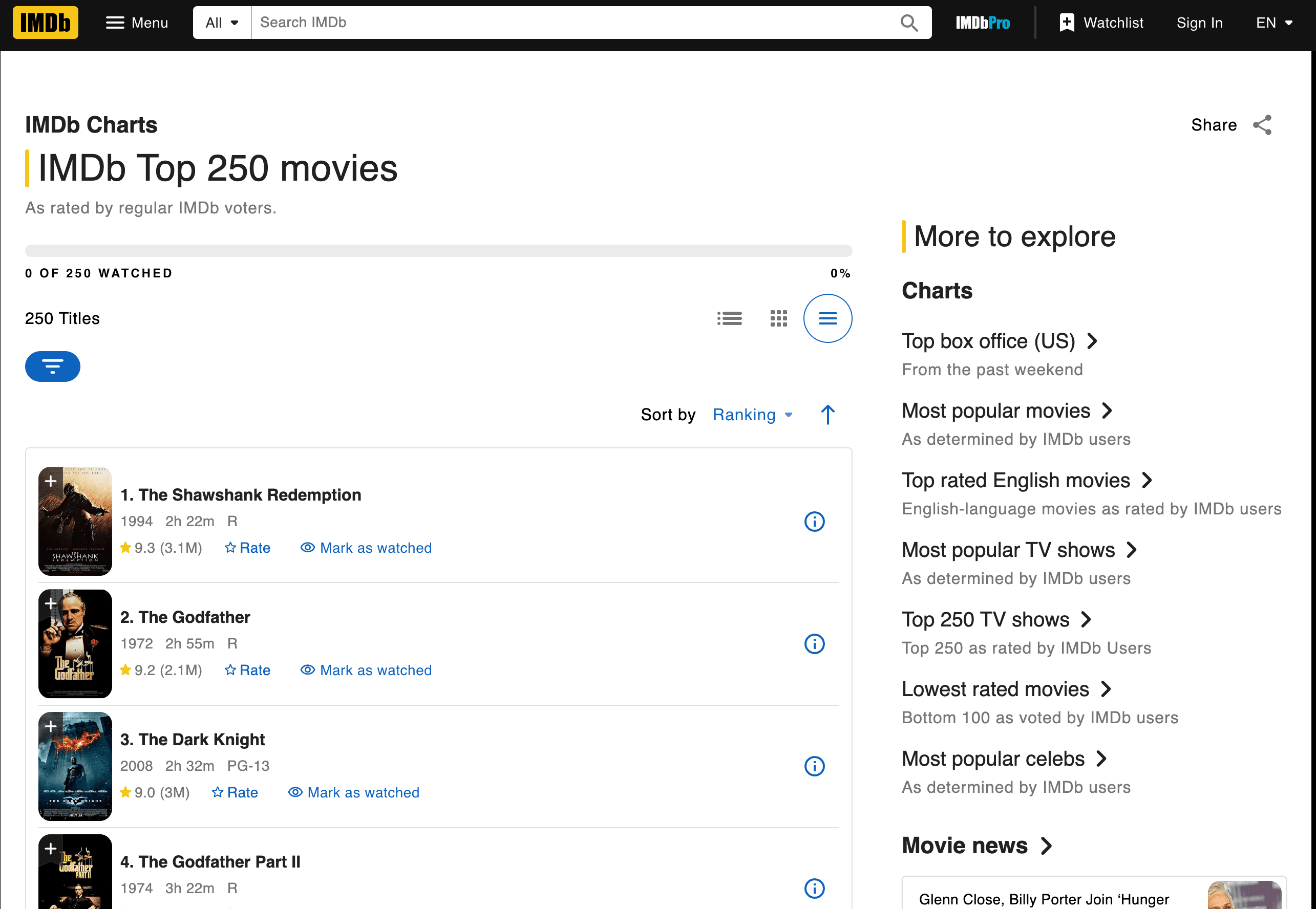
Let’s get our hands dirty and scrape IMDb’s Top 250 movies. We’ll grab the movie titles, years, and ratings.
Fetching and Parsing the Page
Here’s a step-by-step script. Quick heads-up before you copy it: IMDb redesigned the Top 250 page in June 2023, so the old td.titleColumn / td.ratingColumn selectors you’ll still see in older tutorials no longer match anything. The current markup uses ipc- prefixed classes generated by their component system, and IMDb has restructured the page a few more times since (mid-2025 included), so plan to re-inspect with DevTools every time you come back to this example.
import requests
from bs4 import BeautifulSoup

url = "https://www.imdb.com/chart/top/"
headers = {"User-Agent": "Mozilla/5.0"}  # IMDb returns sparse markup without a real UA
resp = requests.get(url, headers=headers)
soup = BeautifulSoup(resp.text, "html.parser")

# Each row is a list item under the chart container
rows = soup.select("li.ipc-metadata-list-summary-item")

for i, row in enumerate(rows[:3], start=1):
    title_el  = row.select_one("h3.ipc-title__text")
    year_el   = row.select_one("span.cli-title-metadata-item")
    rating_el = row.select_one("span.ipc-rating-star--rating")

    title  = title_el.get_text(strip=True) if title_el else None
    # h3 text comes back as "1. The Shawshank Redemption" — strip the rank prefix
    if title and ". " in title:
        title = title.split(". ", 1)[1]
    year   = year_el.get_text(strip=True) if year_el else None
    rating = rating_el.get_text(strip=True) if rating_el else None

    print(f"{i}. {title} ({year}) -- Rating: {rating}")
What’s happening here?
- We use
requests.get()to fetch the page (with a real-lookingUser-Agent— IMDb sometimes serves a stripped-down skeleton to barepython-requestsclients). BeautifulSoupparses the HTML.- We grab each movie row via
li.ipc-metadata-list-summary-item, then pull the title (h3.ipc-title__text), year (span.cli-title-metadata-item), and rating (span.ipc-rating-star--rating) from inside it withselect_one(). - We extract the text for title, year, and rating, stripping the leading rank number (
"1. ") that IMDb bakes into the title text.
If you want something more durable than chasing class-name churn every few months, IMDb also ships a <script type="application/ld+json"> block on the same page with the same data in structured form — you can parse it with json.loads(soup.find("script", type="application/ld+json").string) and walk the itemListElement array. That’s the approach I’d reach for in production; the CSS-selector version above is easier to teach but more fragile.
Output:
1. The Shawshank Redemption (1994) -- Rating: 9.3
2. The Godfather (1972) -- Rating: 9.2
3. The Dark Knight (2008) -- Rating: 9.0
Extracting Data: Finding Titles, Ratings, and More
How did I know which tags and classes to use? I inspected the IMDb page’s HTML (right-click > Inspect Element in your browser). Look for patterns—here, every movie row sits inside an <li class="ipc-metadata-list-summary-item">, with the title under <h3 class="ipc-title__text"> and the rating under <span class="ipc-rating-star--rating">. One caveat worth internalizing: IMDb has rotated this markup more than once (the td.titleColumn layout you’ll still find in older walkthroughs hasn’t worked since their June 2023 redesign), so always treat the exact class strings as illustrative and re-inspect before running the script.
Pro tip: If you’re scraping another site, always start by inspecting the HTML structure and identifying unique class names or tags.
Saving and Exporting Your Results
Let’s save our data to a CSV file:
import csv

movies = []
for i in range(len(title_cells)):
    title_cell = title_cells[i]
    rating_cell = rating_cells[i]
    title = title_cell.a.text
    year = title_cell.span.text.strip("()")
    rating = rating_cell.strong.text if rating_cell.strong else rating_cell.text
    movies.append([title, year, rating])

with open('imdb_top250.csv', 'w', newline='', encoding='utf-8') as f:
    writer = csv.writer(f)
    writer.writerow(['Title', 'Year', 'Rating'])
    writer.writerows(movies)
Cleaning tips:
- Use
.strip()to remove whitespace. - Handle missing data with
ifchecks. - For Excel export, you can open the CSV in Excel or use
pandasto write.xlsxfiles.
Step 3: Handling HTML Changes and Maintenance Challenges
Here’s where things get real. Websites love to change their layout—sometimes just to keep scrapers on their toes (or so it feels). If IMDb changes class="titleColumn" to class="movieTitle", your script will suddenly return empty results. Been there, debugged that.
When Scripts Break: Real-World Troubles
Common issues:
- Selectors not found: Your code can’t find the tag/class you specified.
- Empty results: The page structure changed, or content now loads via JavaScript.
- HTTP errors: The site added anti-bot measures.
Troubleshooting steps:
- Check if the HTML you’re parsing matches what you see in your browser.
- Update your selectors to match the new structure.
- If content loads dynamically, you may need to switch to a browser automation tool (like Selenium) or find an API endpoint.
The real headache? If you’re scraping 10, 50, or 500 different sites, you might spend more time fixing scripts than actually analyzing data (see developer stories).
Step 4: Scaling Up—The Hidden Costs of Manual Python HTML Parsing
Let’s say you want to scrape not just IMDb, but also Amazon, Zillow, LinkedIn, and a dozen other sites. Each one needs its own script. And every time a site changes, you’re back in the code editor.
The hidden costs:
- Maintenance labor: Some estimate maintenance is 10x the initial build cost.
- Infrastructure: You’ll need proxies, error handling, and monitoring.
- Performance: Scaling up means handling concurrency, rate limits, and more.
- Quality assurance: More scripts = more places for things to break.
For non-technical teams, this becomes unsustainable fast. It’s like hiring a team of interns to copy-paste data all day—except the interns are Python scripts, and they call in sick every time a website changes.
A Quick Note on AI Coding Agents
Before we get to no-code tools, it’s worth mentioning a middle path that didn’t really exist when most “learn BeautifulSoup” tutorials were written: AI coding agents. Tools like Claude Code or Cursor will happily take an English description (“fetch IMDb’s Top 250, pull title / year / rating into a CSV”) and draft a working requests + BeautifulSoup script for you in one shot, including the kind of selector cleanup we just did by hand. For natural-language browser flows — logging in, paginating, dealing with cookie banners — a library like Browser Use can drive a headless browser straight from a prompt.
They don’t make the hard parts disappear, though. Rate limits, robots.txt, login walls, and anti-bot defenses are still your problem, and when a selector silently breaks (as IMDb’s did) you still need to recognize what the agent generated and patch it. So even with an agent in the loop, understanding the HTML-parser workflow in this tutorial is what lets you debug the output instead of staring at empty lists.
Beyond Python HTML Parsers: Meet Thunderbit, the AI-Powered Alternative
Now, here’s where things get exciting. What if you could skip the code, skip the maintenance, and just get the data you need—no matter how the website changes?
That’s exactly what we built with Thunderbit. It’s an AI web scraper Chrome Extension that lets you extract structured data from any website in two clicks. No Python, no scripts, no headaches.
Python HTML Parsers vs. Thunderbit: Side-by-Side
| Aspect | Python HTML Parsers | Thunderbit (see pricing) |
|---|---|---|
| Setup Time | High (install, code, debug) | Low (install extension, click) |
| Ease of Use | Requires coding | No coding—point and click |
| Maintenance | High (scripts break often) | Low (AI adapts automatically) |
| Scalability | Complex (scripts, proxies, infra) | Built-in (cloud scraping, batch jobs) |
| Data Enrichment | Manual (write more code) | Built-in (labeling, cleaning, translation, subpages) |
Why build when you can solve the problem with AI?
Why Choose AI for Web Data Extraction?
Thunderbit’s AI agent reads the page, figures out the structure, and adapts when things change. It’s like having a super-intern who never sleeps and never complains about class names changing.
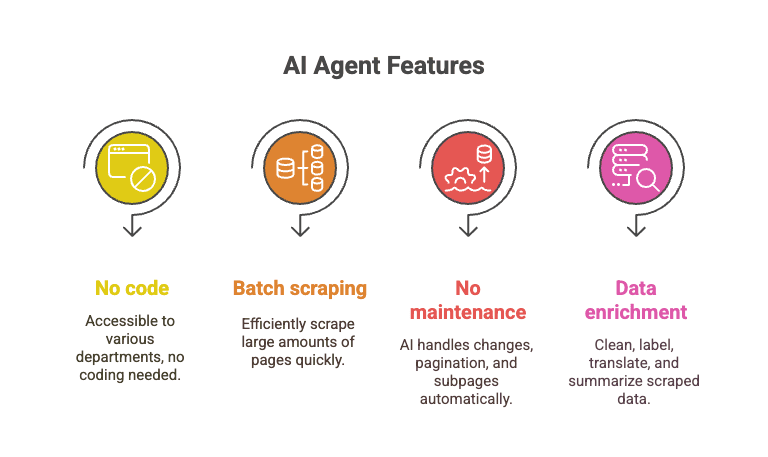
- No code required: Anyone can use it—sales, ops, marketing, you name it.
- Batch scraping: Scrape 10,000+ pages in the time it’d take to debug one Python script.
- No maintenance: The AI handles layout changes, pagination, subpages, and more.
- Data enrichment: Clean, label, translate, and summarize data as you scrape.
The flip side of the BeautifulSoup workflow we just walked through is exactly the kind of brittleness we hit with the IMDb selectors above — when the page reshuffles, the script silently returns empty results, and you spend the afternoon in DevTools instead of looking at data. A no-code AI scraper hides that step behind its own inference layer; that’s a real tradeoff (you’re trusting someone else’s extraction to be right), not a magic bullet.
Step-by-Step: Scraping IMDb Movie Ratings with Thunderbit
Let’s see how Thunderbit handles the same IMDb task:
- Install the Thunderbit Chrome Extension.
- Navigate to IMDb’s Top 250 page.
- Click the Thunderbit icon.
- Click “AI Suggest Fields.” Thunderbit will read the page and recommend columns (Title, Year, Rating).
- Review or adjust the columns if needed.
- Click “Scrape.” Thunderbit will extract all 250 rows instantly.
- Export to Excel, Google Sheets, Notion, or CSV—your choice.
That’s it. No code, no debugging, no “why is this list empty?” moments.
Want to see it in action? Check out the Thunderbit YouTube Channel for walkthroughs, or read our step-by-step guide to scraping Amazon for another real-world example.
Conclusion: Choosing the Right Tool for Your Web Data Needs
Python HTML parsers like BeautifulSoup and lxml are powerful, flexible, and free. They’re great for developers who want full control and don’t mind rolling up their sleeves. But they come with a steep learning curve, ongoing maintenance, and hidden costs—especially as your scraping needs grow.
For business users, sales teams, and anyone who just wants the data (not the code), AI-powered tools like Thunderbit are a breath of fresh air. They let you extract, clean, and enrich web data at scale, with zero coding and zero maintenance.
My advice? Use Python if you love scripting and need total customization. But if you value your time (and your sanity), give Thunderbit a try. Why build and babysit scripts when you can let AI do the heavy lifting?
Want to learn more about web scraping, data extraction, and AI automation? Dive into more tutorials on the Thunderbit Blog, like How to Scrape Website Data into Excel using AI or The Best Web Scraping Tools & Software in 2025.




